

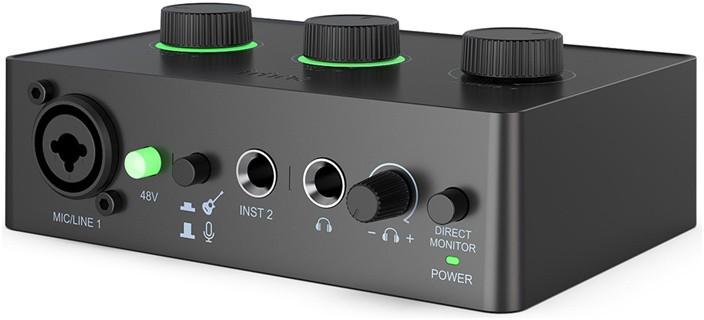
 Helikaart Fifine AmpliTank Ampli1/SC1 USB Audio Interface Fifine Ampli 1 audio interfaceThe Fifine Ampli 1 is a compact audio interface that works well in a home recording studio, as well as for creating podcasts, live broadcasts, or working with instruments. Ampli 1 works with Windows computers, macOS, and Android mobile devices. Connection is via a plug-and-play USB-C port - there is no need to install additional drivers. On the rear panel, you will find stereo (L/R) outputs for connecting studio monitors and a USB port for power and data transfer. It is ideal for those looking for a functional and easy-to-use tool for high-quality audio recording.Fifine audio interface on a desk next to a laptop and monitorsFull support for studio microphonesThe Ampli 1 features an XLR/TRS combo input with the option to enable 48V phantom power, which means full compatibility with professional condenser microphones. The built-in 50 dB amplifier lets you get a strong, clean signal even from quieter sources. Whether you are recording vocals or a podcast, the sound will be dynamic and clear.Studio microphones and audio interface on a bright deskSupport for microphones and instruments at the same timeIn addition to a microphone input, the Ampli 1 also offers two jack connectors (INST) that allow you to record instruments - such as a guitar or MIDI keyboard - simultaneously. A source selector switch lets you easily control which input you use, greatly simplifying your work with different audio sources.Audio interface on a desk next to headphones, monitor, and microphoneMonitoring without delay - full control over your recordingThe interface is equipped with a direct monitoring function, so you can listen to the sound without any delay. A dedicated knob allows you to adjust the monitoring volume in real time - especially important when recording vocals or live instruments.A man wearing headphones uses an audio interfaceLED indicators - easy level managementEach of the three main knobs (microphone, instrument, output) has a built-in LED indicator that shows the current volume level. A green light indicates a safe level, yellow indicates approaching overload, and red indicates an overloaded signal. This allows you to react quickly and avoid unwanted distortion in your recording.Close-up of an audio interface lying on a desk with LED indicatorsIncluded audio interface USB cable user manual | Laos | 2 | 48,90 € | Vaata | |
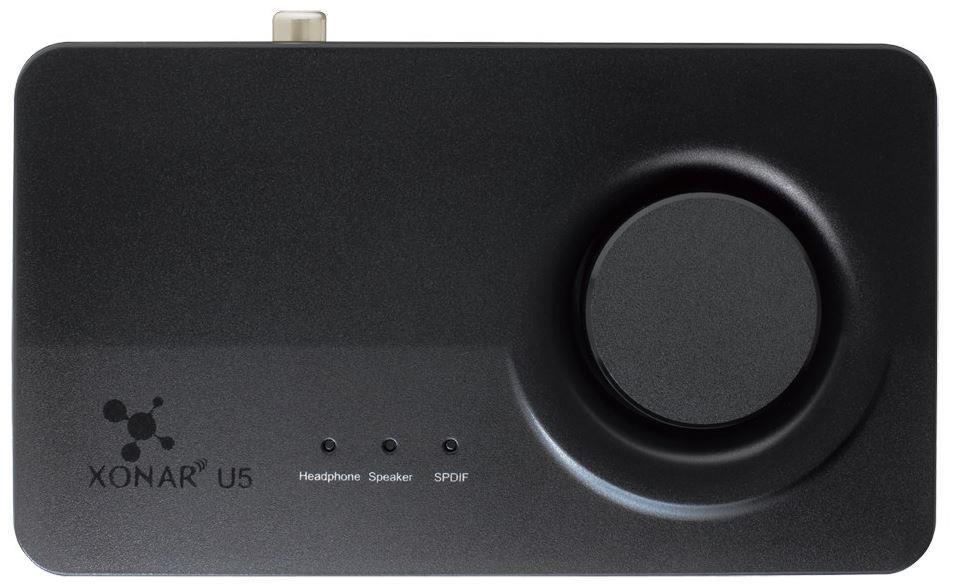 Helikaart Asus Xonar U5 Original part number XONAR U5 Product name Asus USB Sound Card, Xonar U5 Producer Asus Class of product Sound card Sound card interface USB Sound system vendor C-Media Sound system type CM6631A Products" family Xonar Sampling 1624 Sampling rate 44.1 kHz48 kHz88.2 kHz96 kHz192 kHz Sound card connectors 1 x stereo mini-jack (output for earphones)1 x stereo mini-jack (analog audio output - Side Left/Right)1 x stereo mini-jack (analog audio output - Center/Subwoofer)1 x stereo mini-jack (analog audio output - Rear Left/Right)1 x stereo mini-jack (line input)1 x digital audio coaxial output1 x USB Operating system Windows 8Windows 7Microsoft Windows XPWindows 8.1OS X Additional information Sonic Studio | 1 | 95,41 € | Vaata |