Müüja | Saadavus | ||||
|---|---|---|---|---|---|
| Kaup24 | Asus ROG Strix X870-F, AMD AM5 Socket, DDR5, ATX, 192GB, 7.1 Audio, M.2, SATA III, USB 3.2, HDMI Tootekood: 90MB1IV0-M0EAY0 GTIN: 4711387732045 Emaplaadid Asus ROG Strix X870-F, AMD AM5 Socket, DDR5, ATX, 192GB, 7.1 Audio, M.2, SATA III, USB 3.2, HDMI |  | 399,00 € | Poodi | |
| Datafox | Axagon ADM2-AM USB-A 10Gbps - M.2 NVMe & SATA SSD adaptér, kabelis USB-A 10cm Kõvaketta korpus Must Tootekood: ADM2-AM GTIN: 8595247908896 Arvutid ja komponendid > Dokid ja adapterid • Kõvaketta korpus M.2, NVMe-oF, Jada ATA M.2 • Toetatud ketaste arv: 1 • NVMe • USB ühilduvus • S.M.A.R.T.-tugi TRIM-tugi UASP-režiimi tugi • 10 Gbit/s • Toiteallika tüüp: USB • Must Axagon ADM2-AM USB-A 10Gbps - M.2 NVMe & SATA SSD adaptér, kabelis USB-A 10cm, Kõvaketta korpus, M.2, M.2, NVMe-oF, Jada ATA, 10 Gbit/s, USB ühilduvus, Must | 1-3tp | 26,60 € −1,20 € | Poodi | |
| Arvutitark OÜ | AXAGON ADM2-AM USB-A 3.2 Gen2 NVMe/SATA SSD adapter Tootekood: ADM2-AM GTIN: 8595247908896 Cables and adapters Compact AXAGON ADM2-AM M.2 adapter with USB 10Gbps interface designed for easy use of M.2 NVMe or SATA SSDs. Reliable connection to a computer is possible thanks to a fixed USB-A cable with a length of 10 cm. The transmission rate is up to 10Gb/s thanks to the fast USB 3.2 Gen 2 interface. The second generation of fast USB interface allows you to enjoy the speed of modern M.2 SSD drives. The universal M.2 adapter also supports other modern features such as. UASP, TRIM and enables reading S.M.A.R.T. disk status monitoring information. Standby support when idle. A unique feature, thanks to the new chipset, is the possibility of using both M.2 NVMe and SATA disks. You don't have to think about which type of M.2 drive the adapter is designed for, it simply reads all types. Another advantage of the adapter is the ability to insert the disc into the adapter slot very quickly. Changing discs is also easy. These features make the adapter a very handy and useful tool for frequent work with different types of drives. This makes it an ideal tool for testing disks, transferring, backing up and restoring data, etc. Thanks to its small size, it can be readily at hand at any time. The adapter does not prevent heat dissipation from the disk, this prolongs its lifetime and also prevents the disk from slowing down the speed of the disk, so-called. Thermal Throttling. This USB-A to M.2 drive adapter can be used with computers and laptops as well as mobile phones and tablets. Input: USB 10Gbps (USB 3.2 Gen 2), connector USB-A male. Compatible with USB 3.2 Gen 1, USB4 and Thunderbolt 3/4. Device support: NMVe M.2 SSD disks, SATA M.2 SSD disks, designed for M key or B+M key card formats, NGFF 75-pin M key slot for M.2 drives. Other features: Supports transmission rates 10.000 / 5.000 / 480 Mbit/s. Support of M key or B+M key NVMe (PCI-Express) and SATA (AHCI) M.2 SSDs without maximum capacity limitation. Support for M.2 drive sizes - no length restrictions. Support of both one-sided and double-sided M.2 SSDs. Compliant with PCI Express Base Specification Revision 3.1a specification. Compliant with NVM Express 1.3 specification. Compliant with Serial ATA 3.2 specification (SATA/600), bit rates of up to 6 Gb/s (600 MB/s). Compliant with USB Mass Storage Class specification. The total bandwidth / transmission rate of the adapter is determined by the USB interface used (theor. 10 Gbit/s). The real adapter bandwidth / transmission rate is about 1000 MB/s (1 GB/s), it is given by the limits of the USB 3.2 Gen 2 interface. Supports BOT (Bulk-Only Transport). Supports UASP (USB Attached SCSI) for faster data transmission in Windows 8 and later. Supports TRIM functionality to limit gradual degradation of the SSD performance over time. Supports S.M.A.R.T. (Self-Monitoring, Analysis, and Reporting Technology) system monitoring disk condition. SSD boot support in external box. Possibility to connect your device while running thanks to the Hot Plug support. Full Plug and Play support. Power supply via USB 3.0 bus up to 900mA from one USB port is sufficient in all cases. A decent blue LED indicating the connection to the computer's USB port (permanent light) and data transmission (blinking). Other data: Adapter dimensions 55 x 37 x 12 mm. Adapter weight 23 g. USB-A male cable length 10 cm. Supported operating systems: Windows 7 / 8.1 / 10 / 11 and later, macOS, iPadOS, iOS, Linux, Chrome OS and Android. Compatibility depends on the operating system and device manufacturer support. Package contains: M.2 adapter with 10 cm fixed cable, multilingual manual CZ / DE / DK / ENG / ESP / FIN / FR / GR / HR / HU / IT / NL / PL / PT / RO / SK / SWE / TR / UA / BG / CN / ARA, packed in a cardboard box with hanging hole. |  | 28,40 € | Poodi | |
| Arvutitark OÜ | Axagon ADM2-CM USB-C adapter Gen 2 M.2 NVMe/SATA SSD Tootekood: ADM2-CM GTIN: 8595247908230 Disk drive docks and cases Compact AXAGON ADM2-CM M.2 adapter with USB 10Gbps interface designed for easy use of M.2 NVMe or SATA SSDs. Reliable connection to a computer is possible thanks to a fixed USB-C cable with a length of 10 cm. The transmission rate is up to 10Gb/s thanks to the fast USB 3.2 Gen 2 interface. The second generation of fast USB interface allows you to enjoy the speed of modern M.2 SSD drives. The universal M.2 adapter also supports other modern features such as. UASP, TRIM and enables reading S.M.A.R.T. disk status monitoring information. Standby support when idle. A unique feature, thanks to the new chipset, is the possibility of using both M.2 NVMe and SATA disks. You don't have to think about which type of M.2 drive the adapter is designed for, it simply reads all types. Another advantage of the adapter is the ability to insert the disc into the adapter slot very quickly. Changing discs is also easy. These features make the adapter a very handy and useful tool for frequent work with different types of drives. This makes it an ideal tool for testing disks, transferring, backing up and restoring data, etc. Thanks to its small size, it can be readily at hand at any time. The adapter does not prevent heat dissipation from the disk, this prolongs its lifetime and also prevents the disk from slowing down the speed of the disk, so-called. Thermal Throttling. This USB-C to M.2 drive adapter can be used with computers and laptops as well as mobile phones and tablets. Input: USB 10Gbps (USB 3.2 Gen 2), connector USB-C male. Compatible with USB 3.2 Gen 1, USB4 a Thunderbolt 3/4. Device support: NMVe M.2 SSD disks, SATA M.2 SSD disks, designed for M key or B+M key card formats, NGFF 75-pin M key slot for M.2 drives. Other features: Supports transmission rates 10.000 / 5.000 / 480 Mbit/s. Support of M key or B+M key NVMe (PCI-Express) and SATA (AHCI) M.2 SSDs without maximum capacity limitation. Support for M.2 drive sizes - no length restrictions. Support of both one-sided and double-sided M.2 SSDs. Compliant with PCI Express Base Specification Revision 3.1a specification. Compliant with NVM Express 1.3 specification. Compliant with Serial ATA 3.2 specification (SATA/600), bit rates of up to 6 Gb/s (600 MB/s). Compliant with USB Mass Storage Class specification. The total bandwidth / transmission rate of the adapter is determined by the USB interface used (theor. 10 Gbit/s). The real adapter bandwidth / transmission rate is about 1000 MB/s (1 GB/s), it is given by the limits of the USB 3.2 Gen 2 interface. Supports BOT (Bulk-Only Transport). Supports UASP (USB Attached SCSI) for faster data transmission in Windows 8 and later. Supports TRIM functionality to limit gradual degradation of the SSD performance over time. Supports S.M.A.R.T. (Self-Monitoring, Analysis, and Reporting Technology) system monitoring disk condition. SSD boot support in external box. Possibility to connect your device while running thanks to the Hot Plug support. Full Plug and Play support. Power supply via USB 3.0 bus up to 900mA from one USB port is sufficient in all cases. A decent blue LED indicating the connection to the computer's USB port (permanent light) and data transmission (blinking). Other data: Adapter dimensions 55 x 37 x 12 mm. Adapter weight 19 g. USB-C male cable length 10 cm. Supported operating systems: Windows 7 / 8.1 / 10 / 11 and later, macOS, iPadOS, iOS, Linux, Chrome OS and Android. Compatibility depends on the operating system and device manufacturer support. Package contains: M.2 adapter with 10 cm fixed cable, multilingual manual CZ / DE / DK / ENG / ESP / FIN / FR / GR / HR / HU / IT / NL / PL / PT / RO / SK / SWE / TR / UA / BG / CN / ARA, packed in a cardboard box with hanging hole. |  | 22,70 € | Poodi | |
| Arvutitark OÜ | AXAGON ADSA-CC USB-C 10Gbps - NVMe M.2 SSD & SATA 2.5"/3.5" SSD/HDD CLONE MASTER 2 Tootekood: ADSA-CC GTIN: 8595247907332 Data cables and adapters The AXAGON ADSA-CC CLONE MASTER 2 universal USB-C 10Gbps adapter connects up to two drives to your computer quickly and easily at the same time. Easily connect any 2.5" or 3.5" drive directly to the adapter's external SATA connector. Simply insert the NVMe M.2 drive into the adapter body without the use of a screwdriver or other tools. You can also connect a SATA M.2 drive to the adapter using an external adapter such as the AXAGON RSS-M2SD. In the package you will find a USB-C USB-C cable with a fixed USB-C -> USB-A reduction. This solution enhances the versatility of the adapter, so you can connect it to any USB port on your computer, whether it's a double-sided USB-C connector or a traditional USB-A connector. Thanks to the cloning function without the need to connect to a PC, the adapter can be used as a stand-alone device for convenient duplication and disk imaging. The cloning direction is adjustable via a switch, so you can easily choose whether to clone the contents of an NVMe M.2 drive to a SATA drive or vice versa. After all the data is copied, the target disk is an exact copy of the original disk. This is the easiest way to transfer the contents of one drive to another, including a working operating system (Windows, macOS, Linux ...). In addition to the fast USB 10Gbps interface, the adapter also supports all important functions for working seamlessly with different types of drives, such as UASP for faster data transfer, TRIM for limiting the gradual degradation of SSD performance over time, S.M.A.R.T. for monitoring the status of the drives, BOOT for the ability to boot from drives connected to the adapter, Auto Spindown to automatically put drives to sleep during prolonged inactivity, Turn Off to shut down the drives after removing the device or putting the PC to sleep, and USB Bus Power to power the adapter including connected M.2 and 2.5" drives only from the USB port. In case of connecting a 3.5" drive, the included power adapter is of course already required. These features make the CLONE MASTER 2 adapter a very handy and useful tool for frequent work with different types of drives. This makes it an ideal helper for backup, migration, data transfer and storage, testing and cloning discs, etc. Input: USB 10Gbps (USB 3.2 Gen 2). Speed up to 10 Gbit/s. Connection via reversible USB type C female connector. M.2 slot device support: NVMe (PCI-Express) M.2 SSD one-sided and double-sided drives. Support of M.2 drives with a size of 2242, 2260, 2280 mm. Supports M-KEY & B+M-KEY NVMe M.2 SSD disks. No capacity limitation. Support for devices connected to the SATA port: SATA 2.5"/3.5" SSD/HDD. SATA M.2 SSD with M.2 -> SATA reduction e.g. AXAGON RSS-M2SD. No capacity limitation. Disk cloning feature: Cloning takes place without connecting the station to a computer. The target disk must have the same or larger capacity as the source disk, otherwise cloning cannot be started. Cloning direction switch - from NVMe M.2 drive to SATA drive or from SATA drive to NVME M.2 drive. SSD cloning speed up to 500 MB/s. The total disk cloning time depends on the capacity of the source disk, not the amount of disk data. Other features: Compatible with USB 10Gbps (USB 3.2 Gen 2). Backward compatible with USB 5Gbps (3.2 Gen 1 / USB 3.0) and USB 480Mbps (USB 2.0). Supports transmission rates 10.000 / 5.000 / 480 Mbit/s. Compliant with PCI Express Base Specification Revision 3.1a specification. Compliant with NVM Express 1.3c Specification. The total adapter bandwidth / transmission rate is determined by the USB 3.2 Gen 2 interface used (theoretically up to 10 Gbit/s). The real adapter bandwidth / transmission rate is about 1.000 MB/s (1 GB/s), it is given by the limits of the USB 3.2 Gen 2 interface. Compliant with Serial ATA 3.0 specification (SATA/600), transmission rates of up to 6 Gb/s (600 MB/s). Compliant with Serial ATA 2.0 specification (SATA/300), transmission rates of up to 3 Gb/s (300 MB/s). Compliant with Serial ATA 1.0 specification (SATA/150), transmission rates of up to 1.5 Gb/s (150 MB/s). Compliant with USB Mass Storage Class specification. Supports UASP (USB Attached SCSI) for faster data transmission in Windows 8.1 and later. Supports TRIM functionality to limit gradual degradation of the SSD performance over time. Supports S.M.A.R.T. (Self-Monitoring, Analysis, and Reporting Technology) system monitoring disk condition. Support for booting from disks connected to the adapter. HDD Auto Spindown - automatic spinning down when they idle for 10 minutes. HDD Turn Off - turns off the drive after removing the device or spinning down the PC. Full Plug and Play support. Connection via USB-C female connector. Cable USB-C male USB-C male 30 cm length + USB-C -> USB-A reducer included. Adapter dimensions 102 x 68 x 15 mm. Adapter weight 73 g (without accessories). Power: USB Bus Power - for M.2 and 2.5" drives, power via the USB bus is sufficient. Self Power - for 3.5" drives, power is required using the included external AC/DC adapter 12V - 2A with a 150 cm cable. Power switch. LED indication: the green LED indicates that the adapter is powered on (permanent light). 2x orange LED indicates connection for each of the disks (permanent light) and data transmission (blinking). 4x blue LED indicates cloning process 25% -50% -75% -100% (blinking), resp. cloning completion (permanent light). Supported OS: Windows 8.1 / 10 / 11 and later, Windows Server 2012 R2 / 2016 / 2019 / 2022 and later, Mac OS X 10.x and higher, Linux with kernel 2.6.x and higher. Package contains: M.2 + 2.5"/3.5" SSD/HDD adapter, power adapter 100-240V / 12V-2A, 4 thermal conductive pads, USB-C USB-C cable 30 cm long + USB-C -> USB-A reduction, multilingual manual CZ / DE / DK / ENG / ESP / FIN / FR / GR / HR / HU / IT / NL / PL / PT / RO / RU / SK / SWE / TR / BG / CN / ARA, packed in a cardboard box. |  | 59,40 € | Poodi | |
| Datafox | Axagon ADSA-CC USB-C 10Gbps - NVMe M.2 SSD & SATA 2.5/3.5 SSD/HDD CLONE MASTER 2 - Digital/Daten - NVMe USB 3.2 Gen 2 (3.1 Gen 2) Type-C Must Tootekood: ADSA-CC GTIN: 8595247907332 Arvutid ja komponendid > Dokid ja adapterid • 10 Gbit/s • Varunduse meedia tüüp: HDD, SSD • Ketta liides: M.2, Jada ATA, Jada ATA II, Jada ATA III • Toetatud ketaste suurused: 2.5,3.5,M.2 • Hostiliides: USB 3.2 Gen 2 (3.1 Gen 2) Type-C • DC-pistik Isehäälestuv • Must Axagon ADSA-CC USB-C 10Gbps - NVMe M.2 SSD & SATA 2.5/3.5 SSD/HDD CLONE MASTER 2 - Digital/Daten - NVMe, HDD, SSD, M.2, Jada ATA, Jada ATA II, Jada ATA III, 2.5,3.5,M.2, USB 3.2 Gen 2 (3.1 Gen 2) Type-C, Must, 10 Gbit/s | 1-3tp | 54,40 € | Poodi | |
| Arvutitark OÜ | Axagon ADSA-M2C 10Gbps USB-C Dual NVMe SSD Dock with Cloning Tootekood: ADSA-M2C GTIN: 8595247906496 Disk drive docks and cases The AXAGON ADSA-M2C DUAL NVMe CLONE MASTER DOCK SuperSpeed USB-C 10 Gbps docking station quickly and easily connects up to two NVMe (PCI-Express) M.2 SSD disks to your computer. Comfortable connection allows reversible USB-C connector. You will find two cables to connect the box in the package - standard USB-C -> USB-A cable and also USB-C -> USB-C cable. This little helper will give you the easiest and fastest way to connect up to two NVMe M.2 SSDs to your computer. You just take the M.2 card and insert it into the base, no tools or accessories are needed. Replacing M.2 SSDs is very fast and easy. You can also use the docking station to easily clone the contents of connected NVMe disks without the need to connect to a PC. Insert the source M.2 disk into the first slot of the station (source) and insert the target M.2 disk into the second slot (target). Then you just press the clone button and watch the cloning process on a scale of four LEDs. After all the data has been copied, there is an exact copy of the original M.2 disk on the destination disk. The dock can thus be used as an autonomous device for convenient duplication and disk image creation. This is the easiest way to transfer the contents of one SSD to another SSD, including a working operating system (Windows, macOS, Linux...). Fast USB 3.2 Gen 2 interface and NVMe Express support with UASP function support allow you to enjoy the speed of modern NVMe M.2 SSD disks. TRIM support to reduce gradual degradation of SSD performance over time. Reading S.M.A.R.T. information monitoring the condition of the connected disks. Low docking station centre of gravity is for good stability. Rubber anti-slip pads prevent sliding on the table. Modern minimalist design of aluminum body. Input: USB 3.2 Gen 2 (USB 3.1 Gen 2) SuperSpeed USB 10 Gbps transmission rates up to 10 Gbit/s. Connection via USB type C female connector. Device support: NVMe (PCI-Express) M.2 SSD disks, one-sided and double-sided, no capacity limitation, Supports M.2 drives with a size of 2230, 2242, 2260, 2280, 22110 mm, Supports M-KEY NVMe M.2 SSD disks, NGFF 75-pin M-key slot for NVMe M.2 disks. Disk cloning feature: Cloning takes place without connecting the station to a computer. The target disk must have the same or larger capacity as the source disk, otherwise cloning cannot be started. Cloning speed up to 1000 MB/s. The total disk cloning time depends on the capacity of the source disk, not the amount of disk data. Other features: Compatible with USB 3.2 Gen 2, backward compatible with USB 3.2 Gen 1 (USB 3.0) and USB 2.0. Supports transmission rates 10.000 / 5000 / 480 Mbit/s (SuperSpeed+ / SuperSpeed / HighSpeed). Compliant with PCI Express Base Specification Revision 3.1a. Compliant with NVM Express 1.3 Specification. Compliant with USB Mass Storage Class Specification. The total box bandwidth / transmission rate is determined by the USB 3.2 Gen 2 interface used (theoretically up to 10 Gbit/s). The real box bandwidth / transmission rate is around 1000 MB/s (1 GB/s), it is given by the limits of the USB 3.2 Gen 2 interface. Supports UASP (USB Attached SCSI) for faster data transmission in Windows 8 and later. Supports TRIM functionality to limit gradual degradation of the SSD performance over time. SSD boot support. Full Plug and Play support. Connection via USB 3.2 Gen 2 type C female connector. USB type C male / USB type C male cable length 25 cm in the package. USB type C male / USB type A male cable length 25 cm in the package. Aluminum body with integrated weights for better stability and rubber anti-slip pads prevent sliding on the table. Docking station dimensions 68 x 68 x 17 mm. Weight 94 g. Power: Power supply using the included external AC/DC adapter 5V - 3A with 150 cm long cable. Power switch. LED indication: 2x white LED for each disk indicating disk connection (permanent light) and data transmission (blinking). 4x blue LED diode indicating cloning process 25%-50%-75%-100% (blinking), resp. cloning completion (permanent light). Supported OS: MS Windows 7 / 8.1 / 10 / 11 and later, Windows Server 2008 / 2012 / 2016 / 2019 and later (all 32-bit and 64-bit Windows OS versions are supported), Mac OS X 10.x and higher, Linux with kernel 2.6.x and higher. Note: Drivers are usually part of supported Operating System. When Windows 7 used it is necessary to check OS support and driver availability with the M.2 SSD manufacturer |  | 97,05 € | Poodi | |
| Datafox | Axagon ADSA-M2C HDD/SSD dokkimisjaam USB 3.2 Gen 2 (3.1 Gen 2) Type-C Must Tootekood: ADSA-M2C GTIN: 8595247906496 Salvestusseadmed > HDD kõvakettad • 10 Gbit/s • Materjal: Alumiinium • Varunduse meedia tüüp: SSD • Ketta liides: M.2 • Toetatud ketaste suurused: M.2 • Hostiliides: USB 3.2 Gen 2 (3.1 Gen 2) Type-C • DC-pistik Isehäälestuv Ühendumine PC-ga • Must Axagon ADSA-M2C, SSD, M.2, M.2, USB 3.2 Gen 2 (3.1 Gen 2) Type-C, Must, Alumiinium |   | 1-3tp | 98,30 € −1,40 € | Poodi |
| Arvutitark OÜ | Axagon ALU box EEM2-SBC USB-C 3.2 Gen 2 - M.2 SATA SSD 30-80mm Tootekood: EEM2-SBC GTIN: 8595247906311 Disk drive docks and cases Aluminium external AXAGON EEM2-SBC RAW box with USB 3.2 Gen 2 interface is designed for SATA M.2 SSD disks. The double-sided USB-C connector on the box together with the supplied USB-C -> USB-A cable enables a reliable connection to a computer. SATA 6G interface allows you to enjoy the speed of modern M.2 SSD drives. The transmission rate amounts to 10Gb/s thanks to the fast USB 3.2 Gen 2 interface. The external M.2 box also supports other modern functions, e.g. UASP, TRIM and allows reading S.M.A.R.T. information that monitors the status of the disk. Standby support when idle. SATA M.2 SSD drives can be used in the external box. The advantage is the attachment of three different lengths of SSD cards - 42, 60 and 80 mm. M.2 cards can be single-sided or double-sided. The box does not limit the capacity of inserted SSD. Screwless box opening facilitates assembly and disassembly of the M.2 SSD disk. Disk replacement is quick and easy, thus expanding the possibilities of using the box, e.g. for data migration, testing, etc. The outer metal housing is made in black colour with an elegant brushed finish that prevents unwanted fingerprints. The rounded box design promises pleasant use. The aluminum box body provides very good cooling of the inserted M.2 SSD disk. By inserting the M.2 SSD in the box, you will easily create fast compact external disk. The box can be used with computers and notebooks, as well as with mobile phones and tablets. Input: USB 3.2 Gen 2 (USB 3.1 Gen 2) SuperSpeed USB 10 Gbps. Speed up to 10 Gbit/s. Connection via reversible USB type C female connector. Device support: SATA M.2 SSD disks, designed for B+M key and B key card formats, NGFF 75-pin B key slot for SATA M.2 drives. Other features: Compatible with USB 3.2 Gen 2, backward compatible with USB 3.2 Gen 1 (USB 3.1 Gen 1 / USB 3.0), USB 2.0. Supports transmission rates 10.000 / 5.000 / 480 Mbit/s (SuperSpeed+ / SuperSpeed / HighSpeed). Support of B+M key or B key SATA (AHCI) M.2 SSDs without maximum capacity limitation. Support of M.2 drives with a size of 2242, 2260, 2280 mm. Support of both one-sided and double-sided M.2 SSDs. Compliant with Serial ATA 3.2 specification (SATA/600), bit rates of up to 6 Gb/s (600 MB/s). Compliant with USB Mass Storage Class specification. The total bandwidth / transmission rate of the box is determined by used disk speed (theoretically up to 650 MB/s). Supports BOT (Bulk-Only Transport). Supports UASP (USB Attached SCSI) for faster data transmission in Windows 8 and later. Supports TRIM functionality to limit gradual degradation of the SSD performance over time. Supports S.M.A.R.T. (Self-Monitoring, Analysis, and Reporting Technology) system monitoring disk condition. SSD boot support in external box. Possibility to connect your device while running thanks to the Hot Plug support. Full Plug and Play support. Standby support - Drive asleep after 5 minutes of inactivity. Power supply via USB 3.0 bus up to 900mA from one USB port is sufficient in all cases. A decent blue LED indicating the connection to the computer's USB port (permanent light) and data transmission (blinking). Heavy-duty aluminium body with cooling holes helps to cool the M.2 SSD disk. Connection via USB 3.2 Gen 2 type C female connector. USB Type C male / USB Type A male cable 20 cm long is included. Other data: External box dimensions 94 x 41 x 10 mm. External box weight 36 g (without USB cable and M.2 SSD disk). Supported operating systems: MS Windows 7 / 8 / 8.1 / 10 / 11 and later, Windows Server 2008 / 2012 / 2016 / 2019 and later (all 32-bit and 64-bit Windows OS versions are supported), Mac OS X 10.x and higher, Linux with kernel 2.6.x and higher, Android (OS and device support required). Note: Drivers are included with supported operating systems and are installed completely automatically. No other drivers need to be installed. Package contains: USB-C 3.2 Gen 2 external box for SATA M.2 SSD, USB type C - type A cable, 20 cm long, mounting material, multilanguage quick guide CZ / DE / DK / ENG / ESP / FIN / FR / GR / HR / HU / IT / NL / PL / PT / RO / RU / SK / SWE / TR / BG / CN / ARA, packed in a cardboard box with a hanging hole. |  | 15,50 € | Poodi | |
| Datafox | Axagon EEM2-20G NVMe-SSD-Gehäuse USB-C 3.2 20 Gbps 2230 - 2280 - schwarz Kõvaketta korpus Must M.2 Tootekood: EEM2-20G GTIN: 8595247908483 Arvutid ja komponendid > Arvutikorpused • Kõvaketta korpus M.2, NVMe-oF, PCI Express M.2 • Toetatud ketaste arv: 1 • NVMe • USB ühilduvus • TRIM-tugi UASP-režiimi tugi • 20 Gbit/s • Toiteallika tüüp: USB • Must Axagon EEM2-20G NVMe-SSD-Gehäuse USB-C 3.2 20 Gbps 2230 - 2280 - schwarz, Kõvaketta korpus, M.2, M.2, NVMe-oF, PCI Express, 20 Gbit/s, USB ühilduvus, Must |   | 1-3tp | 46,50 € −2,40 € | Poodi |
| Arvutitark OÜ | Axagon EEM2-20G USB-C enclosur e Gen2 M.2 NVMe SSD 20G Tootekood: EEM2-20G GTIN: 8595247908483 Disk drive docks and cases Fast external AXAGON EEM2-20G ARMORED box with USB 20Gbps interface for M.2 NVMe SSDs. The double-sided USB-C connector on the box enables a reliable connection. In the package you will find a USB-C -> USB-C cable to connect the box to your computer. Thanks to the USB 20Gbps interface, the transmission rate is up to 20 Gb/s. To take full advantage of the speed of the box, the controller of the connected device must be compatible with USB 3.2 Gen 2x2. These controllers are typically used in gaming laptops and modern desktop computers. The external M.2 box also supports other modern features e.g. UASP, TRIM and enables reading S.M.A.R.T. disk status monitoring information. Standby support when idle. The advantage of the box is the attachment of four different lengths of SSD cards - 30, 42, 60 and 80 mm. M.2 drives can be single-sided or double-sided. The box does not limit the capacity of inserted SSD. Opening the box via only one screw makes it easy to mount and dismount the M.2 SSD disk. Disk replacement is quick and easy, thus expanding the possibilities of using the box, e.g. for data migration, testing, etc. Aluminum box body and thermal conductive pad provides very good M.2 SSD disk cooling. Vents on the sides ensure sufficient air circulation. This extends its service life and also prevents the disk from slowing down, so-called Thermal Throttling. Another benefit is the silicone sleeve, which provides better protection of the box against shocks, prevents sliding on the table and ensures a comfortable grip in the hand. The outer metal housing is made in black colour with an elegant finish, that prevents unwanted fingerprints. By inserting the M.2 SSD in the box, you will easily create fast compact and universal external disk. The box can be used with computers and notebooks, as well as with mobile phones and tablets. Input: USB 20Gbps (USB 3.2 Gen 2x2), connector USB-C female. Compatible with USB 5Gbps, USB 10Gbps. Device support: NMVe M.2 SSD disks, designed for M key or B+M key card formats, NGFF 75-pin M key slot for M.2 drives. Maximum theoretical supported speeds and compatibility with USB controllers (ports): Laptop / PC with USB 20Gbps (USB 3.2 Gen 2x2) port: max. speed 20 Gbit/s. Laptop / PC with USB 10Gbps (USB 3.2 Gen 2) port: max. speed 10 Gbit/s. Laptop / PC with USB 5Gbps (USB 3.2 Gen 1 / USB 3.0) port: max. speed 5 Gbit/s. Compatible with USB4, Thunderbolt 3/4 ports: max. speed 10 Gbit/s. The real box bandwidth / transmission rate is about 2000 MB/s (2 GB/s), it is given by the limits of the USB 3.2 Gen 2x2 interface. Other features: Supports transmission rates 20.000 / 10.000 / 5.000 Mbit/s. Support of M key or B+M key NVMe (PCI-Express) M.2 SSD disks without a maximum capacity limit. Support of M.2 disks of these sizes 2230, 2242, 2260, and 2280 mm. Support of both one-sided and double-sided M.2 SSDs. Compliant with PCI Express Base Specification Revision 3.1a specification. Compliant with NVM Express 1.3c Specification. Compliant with USB Mass Storage Class specification. Supports BOT (Bulk-Only Transport). Supports UASP (USB Attached SCSI) for faster data transmission in Windows 8 and later. Supports TRIM functionality to limit gradual degradation of the SSD performance over time. Supports S.M.A.R.T. (Self-Monitoring, Analysis, and Reporting Technology) system monitoring disk condition. SSD boot support in external box. Possibility to connect your device while running thanks to the Hot Plug support. Full Plug and Play support. Power supply via USB bus up to 900mA from one USB port is sufficient in all cases. A decent blue LED indicating the connection to the computer's USB port (permanent light) and data transmission (blinking). Heavy-duty aluminium body and thermal conductive pad helps to better cooling the M.2 SSD disk. Higher box surface temperature is not a defect - thanks to the aluminum body, the heat generated by the disk operation is better drained and transferred to the environment. Connection via USB 3.2 Gen 2x2 type C female connector. USB type C male / USB type C male cable length 38 cm in the package. Other data: Box dimensions 15 x 112 x 40 mm (H x W x D). Box weight 83 g (without cable, without disk, without sleeve). Supported operating systems: Windows 7 / 8.1 / 10 / 11 and later, macOS, iPadOS, iOS, Linux, Chrome OS and Android. Compatibility depends on the operating system and device manufacturer support. Note: when Windows 7 used it is necessary to check OS support and driver availability with the M.2 SSD manufacturer. Package contains: USB-C 20Gbps external box for M.2 SSD, silicone sleeve, USB-C USB-C cable 38 cm long, 1 thermal conductive pad, mounting kit and screwdriver, multilingual manual CZ / DE / DK / ENG / ESP / FIN / FR / GR / HR / HU / IT / NL / PL / PT / RO / SK / SWE / TR / UA / BG / CN / ARA, packed in a cardboard box with a hanging hole. |  | Kohal | 49,90 € | Poodi |
| Arvutitark OÜ | Axagon EEM2-GAM USB-C Gen2 M.2 NVMe/SATA SSD Enclosure Tootekood: EEM2-GAM GTIN: 8595247908544 Disk drive docks and cases Gaming external AXAGON EEM2-GAM M.2 box with USB 10Gbps interface for M.2 NVMe or SATA SSD disks. The double-sided USB-C connector on the box enables a reliable connection. In the package you will find two cables to connect the box to your computer. One USB-C USB-C and the other USB-C USB-A. You can connect the box to any free USB port on the notebook. The transmission rate is up to 10Gb/s thanks to the fast USB 3.2 Gen 2 interface. The external M.2 box also supports other modern features e.g. UASP, TRIM and enables reading S.M.A.R.T. disk status monitoring information. A unique feature, thanks to the new chipset, is the possibility of using both M.2 NVMe and SATA disks. You don't have to think about what type of M.2 disk you put in the box. The advantage is the attachment of four different lengths of SSD cards - 30, 42, 60 and 80 mm. M.2 cards can be single-sided or double-sided. The box does not limit the capacity of inserted SSD. A great advantage is the screwless opening of the box. Just press the button on the side to release the bottom cover. Changing discs is so easy and fast. The stylish frame for M.2 drives will impress you with its premium gaming design in black with an elegant surface that will perfectly highlight your gaming setup. The RGB LED indication adds a stylish look and blends perfectly with any gaming laptop, further enhancing the atmosphere of your gaming environment. Also included is a functional sleeve that protects the box opening button, increases overall protection, and offers a loop for hanging. Aluminum box body and thermal conductive pad provides ideal cooling for the inserted M.2 SSD. This extends the life of the disk and prevents slowing down of the disk speed, so called. Thermal Throttling. Inserting an M.2 SSD into this box easily creates a fast, compact and versatile external drive that can be used not only with PCs and laptops, but also with mobile phones and tablets. Input: USB 10Gbps (USB 3.2 Gen 2), connector USB-C female. Compatible with 480Mbps, USB 5Gbps, USB4 a Thunderbolt 3/4. Device support: NVMe M.2 SSD disks, SATA M.2 SSD disks, designed for M key or B+M key card formats, NGFF 75-pin M key slot for M.2 drives. Other features: Supports transmission rates 10.000 / 5.000 / 480 Mbit/s. Support of M key or B+M key NVMe (PCI-Express) and SATA (AHCI) M.2 SSDs without maximum capacity limitation. Support of M.2 disks of these sizes 2230, 2242, 2260, and 2280 mm. Support of both one-sided and double-sided M.2 SSDs. Compliant with PCI Express Base Specification Revision 3.1a specification. Compliant with NVM Express 1.3 specification. Compliant with Serial ATA 3.2 specification (SATA/600), bit rates of up to 6 Gb/s (600 MB/s). Compliant with USB Mass Storage Class specification. The total bandwidth / transmission rate of the adapter is determined by the USB interface used (theor. 10 Gbit/s). The real adapter bandwidth / transmission rate is about 1000 MB/s (1 GB/s), it is given by the limits of the USB 3.2 Gen 2 interface. Supports BOT (Bulk-Only Transport). Supports UASP (USB Attached SCSI) for faster data transmission in Windows 8 and later. Supports TRIM functionality to limit gradual degradation of the SSD performance over time. Supports S.M.A.R.T. (Self-Monitoring, Analysis, and Reporting Technology) system monitoring disk condition. SSD boot support in external box. Possibility to connect your device while running thanks to the Hot Plug support. Full Plug and Play support. Power supply via USB bus up to 900mA from one USB port is sufficient in all cases. RGB LED indication. Heavy-duty aluminium body and thermal conductive pad helps to better cooling the M.2 SSD disk. Higher box surface temperature is not a defect - thanks to the aluminum body, the heat generated by the disk operation is better drained and transferred to the environment. Two USB type C or A male / USB type C male cable length 50 cm included in the package. Other data: Box dimensions 13 x 130 x 55 mm (H x W x D). Box weight 105 g (without cable and M.2 disk). Supported operating systems: Windows 7 / 8.1 / 10 / 11 and later, macOS, iPadOS, iOS, Linux, Chrome OS and Android. Compatibility is dependent on an updated operating system and support from the device manufacturer. Note: when Windows 7 used it is necessary to check OS support and driver availability with the M.2 SSD manufacturer. Package contains: USB-C 10Gbps external box for M.2 SSD, protective sleeve, USB-C - USB-C cable 50 cm long, USB-A - USB-C cable 50 cm long, 2 thermal conductive pads, multilingual manual CZ / DE / DK / ENG / ESP / FIN / FR / GR / HR / HU / IT / NL / PL / PT / RO / SK / SWE / TR / UA / BG / CN / ARA packed in a cardboard box with a hanging hole. |  | 28,15 € −0,80 € | Poodi | |
| Datafox | Axagon EEM2-GAM, USB-C 10Gbps - NVMe & SATA SSD GAME M.2 box, bezšroubkový Kõvaketta korpus Must Tootekood: EEM2-GAM GTIN: 8595247908544 Arvutid ja komponendid > Arvutikorpused • Kõvaketta korpus M.2, NVMe-oF, PCI Express, Jada ATA, Jada ATA II, Jada ATA III M.2 • Toetatud ketaste arv: 1 • NVMe • USB ühilduvus • TRIM-tugi UASP-režiimi tugi • 10 Gbit/s • Toiteallika tüüp: USB • Must Axagon EEM2-GAM, USB-C 10Gbps - NVMe & SATA SSD GAME M.2 box, bezšroubkový, Kõvaketta korpus, M.2, M.2, NVMe-oF, PCI Express, Jada ATA, Jada ATA II, Jada ATA III, 10 Gbit/s, USB ühilduvus, Must | 1-3tp | 31,40 € −1,20 € | Poodi | |
| Arvutitark OÜ | Axagon EEM2-GTR SuperSpeed+ USB-C - NVMe M.2 THIN RIB box Tootekood: EEM2-GTR GTIN: 8595247906151 Disk drive docks and cases Superfast external AXAGON EEM2-GTR THIN RIB box with USB 3.2 Gen 2 interface is designed for NVMe (PCI-Express) M.2 SSD disks. The double-sided USB-C connector on the box together with the supplied USB-C -> USB-C cable enables a reliable connection to a computer. Ribbed body design and thermal conductive pads provides great M.2 SSD disk cooling. This extends its service life and also prevents the disk from slowing down, so-called "Thermal Throttling". Robust box body also protect the disk. SuperSpeed USB 10 Gbit/s interface allows you to enjoy the speed of modern M.2 SSD drives. Due the fast USB 3.2 Gen 2 interface the transmission speed is up to 10Gb/s. NVMe M.2 SSD disk up to 22x80 mm can be used in the external box. The box has no SSD disk capacity limitation. M.2 cards can be single-sided or double-sided. Inserting M.2 SSD disk into this box you will create a fast and compact external drive. The box can be used with computers and laptops, as well as with mobile phones and tablets. Input: USB 3.2 Gen 2 / SuperSpeed+ USB speed up to 10 Gbit/s. Connection via reversible USB type C female connector. Device support: NVMe (PCI-Express) M.2 SSD disks, designed for M-key or B+M-key card formats, NGFF 75-pin M-key slot for NVMe M.2 disks. Other features: Compatible with USB 3.2 Gen 2, backward compatible with USB 3.1 Gen1 / USB 3.0 and USB 2.0. Supports transmission rates 10.000 / 5000 / 480 Mbit/s (SuperSpeed+ / SuperSpeed / HighSpeed). Supports M-key or B+M-key NVMe (PCI-Express) M.2 SSD disks without maximum capacity limitation. Supports M.2 drives with a size of 2230, 2242, 2260, 2280 mm. Supports one-sided and double-sided M.2 SSD disks. Compliant with PCI Express Base Specification Revision 3.1a. Compliant with NVM Express 1.3 Specification. Compliant with USB Mass Storage Class Specification. The total box bandwidth / transmission rate is determined by the USB 3.2 Gen 2 interface used (theoretically up to 10 Gbit/s). The real box bandwidth / transmission rate is around 1000 MB/s (1 GB/s), it is given by the limits of the USB 3.2 Gen 2 interface. Supports UASP (USB Attached SCSI) for faster data transmission in Windows 8 and later. Supports TRIM functionality to limit gradual degradation of the SSD performance over time. SSD boot support in external box. Possibility to connect your device while running thanks to the Hot Plug support. Full Plug and Play support. Sleep mode support after 5 minutes of inactivity. Power supply via USB bus up to 900mA from one USB port is sufficient in all cases. A blue LED indicating the connection to the USB port (permanent light) and data transmission (blinking). Aluminum ribbed body and thermal conductive pads helps M.2 SSD disk cooling. Higher box surface temperature is not a defect - thanks to the aluminum body, the heat generated by the disk operation is better drained and transferred to the environment. Box connected via USB 3.2 Gen 2 type C female connector. USB type C male / USB type C male cable length 20 cm in the package. Other data: External box dimensions 106 x 43 x 14 mm. External box weight 68 g (without USB cable and M.2 SSD disk). Supported operating systems: MS Windows 7 / 8 / 8.1 / 10 and later, Windows Server 2008 / 2012 / 2016 and later (all 32-bit and 64-bit Windows OS versions are supported), Mac OS X 10.x and higher, Linux with kernel 2.6.x and higher, Android (OS and device support required). Note: when Windows 7 used it is necessary to check OS support and driver availability with the M.2 SSD manufacturer. Package contains: USB-C 3.2 Gen 2 external box for NVMe M.2 SSD, USB-C USB-C cable 20 cm long, 2 thermal conductive pads, mounting kit and screwdriver, multilanguage quick guide CZ / DE / DK / ENG / ESP / FIN / FR / GR / HR / HU / IT / NL / PL / PT / RO / RU / SK / SWE / BG / CN / TR / ARA, packed in a cardboard box. |  | 21,65 € | Poodi | |
| Arvutitark OÜ | Axagon EEM2-GTS2 USB-C enclosu re Gen2 M.2 NVMe/SATA S Tootekood: EEM2-GTS2 GTIN: 8595247908490 Disk drive docks and cases Universal external AXAGON EEM2-GTS2 THIN SCREWLESS box with USB 10Gbps interface for M.2 NVMe or SATA SSD disks. The double-sided USB-C connector on the box enables a reliable connection. The package includes not only a USB-C -> USB-C cable for connecting the box to a computer, but also a USB-C -> USB-A adapter. You can connect the box to any free USB port on the notebook. The transmission rate is up to 10Gb/s thanks to the fast USB 3.2 Gen 2 interface. The external M.2 box also supports other modern features e.g. UASP, TRIM and enables reading S.M.A.R.T. disk status monitoring information. Standby support when idle. A unique feature, thanks to the new chipset, is the possibility of using both M.2 NVMe and SATA disks. You don't have to think about what type of M.2 disk you put in the box. The advantage is the attachment of four different lengths of SSD cards - 30, 42, 60 and 80 mm. M.2 cards can be single-sided or double-sided. The box does not limit the capacity of inserted SSD. Screwless box opening facilitates assembly and disassembly of the M.2 SSD disk. Disk replacement is quick and easy, thus expanding the possibilities of using the box, e.g. for data migration, testing, etc. The outer metal housing is made in grey color with an elegant finish, that prevents unwanted fingerprints. Aluminum box body and thermal conductive pad provides very good M.2 SSD disk cooling. This extends its service life and also prevents the disk from slowing down, so-called Thermal Throttling. By inserting the M.2 SSD in the box, you will easily create fast compact and universal external disk. The box can be used with computers and notebooks, as well as with mobile phones and tablets. Input: USB 10Gbps (USB 3.2 Gen 2), connector USB-C female. Compatible with USB 3.2 Gen 1, USB4 a Thunderbolt 3/4. Device support: NMVe M.2 SSD disks, SATA M.2 SSD disks, designed for M key or B+M key card formats, NGFF 75-pin M key slot for M.2 drives. Other features: Supports transmission rates 10.000 / 5000 / 480 Mbit/s. Support of M key or B+M key NVMe (PCI-Express) and SATA (AHCI) M.2 SSDs without maximum capacity limitation. Supports M.2 drives with a size of 2230, 2242, 2260, 2280 mm. Support of both one-sided and double-sided M.2 SSDs. Compliant with PCI Express Base Specification Revision 3.1a specification. Compliant with NVM Express 1.3 specification. Compliant with Serial ATA 3.2 specification (SATA/600), bit rates of up to 6 Gb/s (600 MB/s). Compliant with USB Mass Storage Class specification. The total bandwidth / transmission rate of the adapter is determined by the USB interface used (theor. 10 Gbit/s). The real adapter bandwidth / transmission rate is about 1.000 MB/s (1 GB/s), it is given by the limits of the USB 3.2 Gen 2 interface. Supports BOT (Bulk-Only Transport). Supports UASP (USB Attached SCSI) for faster data transmission in Windows 8 and later. Supports TRIM functionality to limit gradual degradation of the SSD performance over time. Supports S.M.A.R.T. (Self-Monitoring, Analysis, and Reporting Technology) system monitoring disk condition. SSD boot support in external box. Possibility to connect your device while running thanks to the Hot Plug support. Full Plug and Play support. Standby support - drive asleep after 5 minutes of inactivity. Power supply via USB 3.0 bus up to 900mA from one USB port is sufficient in all cases. A decent blue LED indicating the connection to the computer's USB port (permanent light) and data transmission (blinking). Heavy-duty aluminum body and thermal conductive pad helps to better cooling the M.2 SSD disk. Higher box surface temperature is not a defect - thanks to the aluminum body, the heat generated by the disk operation is better drained and transferred to the environment. Connection via USB 3.2 Gen 2 type C female connector. USB type C male / USB type C male cable 50 cm long and USB type C female / USB type A male adapter are included. Other data: Box dimensions 112 x 40 x 14 mm. Box weight 48 g (without cable and M.2 SSD disk). Supported operating systems: Windows 7 / 8.1 / 10 / 11 and later, macOS, iPadOS, iOS, Linux, Chrome OS and Android. Compatibility is dependent on an updated operating system and support from the device manufacturer. Note: when Windows 7 used it is necessary to check OS support and driver availability with the M.2 SSD manufacturer. Package contains: USB-C 10Gbps external box for M.2 SSD, USB-C - USB-C cable, 50 cm long with USB-C - USB-A adapter, 1 thermal conductive pad, multilingual manual CZ / DE / DK / ENG / ESP / FIN / FR / GR / HR / HU / IT / NL / PL / PT / RO / SK / SWE / TR / UA / BG / CN / ARA, packed in a cardboard box with a hanging hole. |  | 26,40 € −0,85 € | Poodi | |
| Datafox | Axagon EEM2-SBC externes Gehäuse für M.2 SSDs USB-C 3.2 Gen 2 - schwarz Kõvaketta korpus Must Tootekood: EEM2-SBC GTIN: 8595247906311 Arvutid ja komponendid > Arvutikorpused • Kõvaketta korpus Jada ATA, Jada ATA II, Jada ATA III M.2 • Toetatud ketaste arv: 1 • USB ühilduvus • S.M.A.R.T.-tugi TRIM-tugi UASP-režiimi tugi • 10 Gbit/s • Toiteallika tüüp: USB • Must Axagon EEM2-SBC externes Gehäuse für M.2 SSDs USB-C 3.2 Gen 2 - schwarz, Kõvaketta korpus, M.2, Jada ATA, Jada ATA II, Jada ATA III, 10 Gbit/s, USB ühilduvus, Must | 1-3tp | 17,90 € −0,10 € | Poodi | |
| Arvutitark OÜ | AXAGON EEM2-SD2 external M.2/SATA enclosure with display - grey Tootekood: EEM2-SD2 GTIN: 8595247908872 Disk drive docks and cases The external AXAGON EEM2-SD2 DISPLAY box with a USB 10Gbps interface is designed for M.2 NVMe or SATA SSD drives. Reliable connection to a computer is ensured by a reversible USB-C connector on the box. The package includes not only a USB-C -> USB-C cable for connecting the box to a computer, but also a USB-C -> USB-A adapter. This way, you can connect the box to any available USB port on your notebook. The box is equipped with an advanced LED display that provides an instant overview of your drive's status. It offers several display modes, including detection of the connected drive, the file system used, temperature, drive health, data transfer speed, and operating hours. A detailed graph allows real-time monitoring of the drives temperature, while the sleep mode saves power when idle. With this intelligent monitoring, you will always have your drive under control simply, clearly, and efficiently. Thanks to the USB 3.2 Gen 2 interface, the transfer speed is up to 10 Gb/s. The external M.2 box also supports other modern features such as UASP, TRIM, and allows reading of S.M.A.R.T. information monitoring the condition of the drive. A unique feature, thanks to the used chipset, is the possibility to use both M.2 NVMe and SATA drives. You dont have to think about which type of M.2 drive to insert into the box. The box allows mounting of SSD cards in three different lengths 42, 60 and 80 mm. M.2 cards can be single-sided or double-sided, and the box does not limit the capacity of the inserted SSD drive. Screwless box opening makes installation and removal of the M.2 SSD drive easier. Drive replacement is quick and simple, expanding the possible uses of the box, e.g., for data migration, testing, etc. The external metal casing is finished in gray with an elegant surface that prevents unwanted fingerprints. The aluminum body of the box and the thermal pad ensure ideal cooling of the inserted M.2 SSD drive. This extends its lifespan and also prevents speed throttling, known as Thermal Throttling. By inserting an M.2 SSD drive into this box, you can easily create a fast, compact, and universal external drive that can be used not only with computers and notebooks but also with mobile phones and tablets. Input: USB 10Gbps (USB 3.2 Gen 2), USB-C female connector. Compatible with USB 5Gbps, USB 20Gbps, USB4, and Thunderbolt 3/4/5. Supported Devices: NVMe M.2 SSDs, SATA M.2 SSDs, designed for M key and B+M key card formats, NGFF 75-pin M key slot for M.2 drives. LED display shows: Recognizing - disk recognition (displayed when the box is connected to a device) Partition - displays the file system, size, and system name of the disk Idle - inactivity (information about the disk - used interface and disk size, speed of the connected bus, partitioning standard of the disk) Disk info - displays information about the disk (manufacturer label of the disk, actual disk temperature, health, amount of written / read data, total running time of the disk, number of disk removals without using safe removal) Monitor real-time disk temperature using a graph Rd/Wr - data transfer (during data transfer, it is possible to switch between sections) Sleep - disk sleep mode Other Features: Supports transfer speeds of 10.000 / 5.000 / 480 Mbit/s. Supports M key or B+M key NVMe (PCIe-Express) and SATA (AHCI) M.2 SSDs with no capacity limit. Supports M.2 drives sizes 2242, 2260, 2280 mm. Supports single- and double-sided M.2 SSDs. Complies with PCIe Base Specification Revision 3.1a specification. Complies with NVM Express 1.3 specification. Complies with Serial ATA 3.2 specification (SATA/600), bit rates of up to 6 Gb/s (600 MB/s). Complies with USB Mass Storage Class specification. The total box bandwidth / transmission rate is determined by the USB interface used (theoretically up to 10 Gbit/s). The real box bandwidth / transmission rate is about 1000 MB/s (1 GB/s), it is given by the limits of the USB 3.2 Gen 2 interface. Supports BOT (Bulk-Only Transport). Supports UASP (USB Attached SCSI) for faster transfers in Windows 8 and above. Supports TRIM functionality to limit gradual degradation of the SSD performance over time. Supports S.M.A.R.T. (Self-Monitoring, Analysis, and Reporting Technology) system monitoring disk condition. SSD boot support in external box. Possibility to connect your device while running thanks to the Hot Plug support. Full Plug and Play support. Standby support. Power supply via USB bus up to 900 mA is sufficient in all cases. A decent blue LED indicating the connection to the computer's USB and data transmission (permanent light). Durable aluminum body and thermal pad improve M.2 SSD cooling. Higher surface temperature is not a defect thanks to the aluminum body, the heat generated by the disk operation is better drained and transferred to the environment. Connection via USB 3.2 Gen 2 type C female connector. USB type C male / USB type C male cable 25 cm long and USB type C female / USB type A male adapter are included. |  | 31,75 € | Poodi | |
| Datafox | Axagon EEM2-SD2 kõvakettaboks Kõvaketta korpus Hall M.2 Tootekood: EEM2-SD2 GTIN: 8595247908872 Arvutid ja komponendid > Arvutikorpused • Kõvaketta korpus M.2, NVMe-oF, PCI Express, Jada ATA, Jada ATA II, Jada ATA III M.2 • Toetatud ketaste arv: 1 • NVMe • USB ühilduvus • TRIM-tugi UASP-režiimi tugi • 10 Gbit/s • Toiteallika tüüp: USB • Hall Axagon EEM2-SD2, Kõvaketta korpus, M.2, M.2, NVMe-oF, PCI Express, Jada ATA, Jada ATA II, Jada ATA III, 10 Gbit/s, USB ühilduvus, Hall | 1-3tp | 35,10 € | Poodi | |
| Arvutitark OÜ | AXAGON EEM2-SG2 USB-C 3.2 Gen2 M.2 NVMe/SATA SSD Case Tootekood: EEM2-SG2 GTIN: 8595247906328 Disk drive docks and cases Universal external AXAGON EEM2-SG2 RAW box with USB 3.2 Gen 2 interface is designed for M.2 NVMe or SATA SSD disks. The double-sided USB-C connector on the box enables a reliable connection. The package includes not only a USB-C -> USB-A cable for connecting the box to a computer, but also a USB-A -> USB-C adapter. You can connect the box to any free USB port on the notebook. The second generation of fast USB interface allows you to enjoy the speed of modern M.2 SSD drives. The transmission rate is up to 10Gb/s thanks to the fast USB 3.2 Gen 2 interface. The external M.2 box also supports other modern functions, e.g. UASP, TRIM and allows reading S.M.A.R.T. information that monitors the status of the disk. Standby support when idle. A unique feature, thanks to the new chipset, is the possibility of using both M.2 NVMe and SATA disks. You don't have to think about what type of M.2 disk you put in the box. The advantage is the attachment of three different lengths of SSD cards - 42, 60 and 80 mm. M.2 cards can be single-sided or double-sided. The box does not limit the capacity of inserted SSD. Screwless box opening facilitates assembly and disassembly of the M.2 SSD disk. Disk replacement is quick and easy, thus expanding the possibilities of using the box, e.g. for data migration, testing, etc. The outer metal housing is made in titanium silver colour with an elegant brushed finish that prevents unwanted fingerprints. The rounded box design promises pleasant use. The aluminum box body, cooling holes and thermal conductive pad provides very good cooling of the inserted M.2 SSD disk. This extends its service life and also prevents the disk from slowing down, so-called "Thermal Throttling". By inserting the M.2 SSD in the box, you will easily create fast compact external disk. The box can be used with computers and notebooks, as well as with mobile phones and tablets. Input: USB 3.2 Gen 2 (USB 3.1 Gen 2) SuperSpeed USB 10 Gbps. Speed up to 10 Gbit/s. Connection via reversible USB type C female connector. Device support: NMVe M.2 SSD disks, SATA M.2 SSD disks, designed for M key and B+M key card formats, NGFF 75-pin M key slot for M.2 drives. Other features: Compatible with USB 3.2 Gen 2, backward compatible with USB 3.2 Gen 1 (USB 3.1 Gen 1 / USB 3.0), USB 2.0. Supports transmission rates 10 000 / 5 000 / 480 Mbit/s (SuperSpeed+ / SuperSpeed / HighSpeed). Support of M key or B+M key NVMe (PCI-Express) and SATA (AHCI) M.2 SSDs without maximum capacity limitation. Support of M.2 drives with a size of 2242, 2260, 2280 mm. Support of both one-sided and double-sided M.2 SSDs. Compliant with PCI Express Base Specification Revision 3.1a specification. Compliant with NVM Express 1.3 specification. Compliant with Serial ATA 3.2 specification (SATA/600), bit rates of up to 6 Gb/s (600 MB/s). Compliant with USB Mass Storage Class specification. The total box bandwidth / transmission rate is determined by the USB 3.2 Gen 2 interface used (theoretically up to 10 Gbit/s). The real box bandwidth / transmission rate is about 1000 MB/s (1 GB/s), it is given by the limits of the USB 3.2 Gen 2 interface. Supports BOT (Bulk-Only Transport). Supports UASP (USB Attached SCSI) for faster data transmission in Windows 8 and later. Supports TRIM functionality to limit gradual degradation of the SSD performance over time. Supports S.M.A.R.T. (Self-Monitoring, Analysis, and Reporting Technology) system monitoring disk condition. SSD boot support in external box. Possibility to connect your device while running thanks to the Hot Plug support. Full Plug and Play support. Standby support - Drive asleep after 5 minutes of inactivity. Power supply via USB 3.0 bus up to 900mA from one USB port is sufficient in all cases. A decent blue LED indicating the connection to the computer's USB port (permanent light) and data transmission (blinking). Heavy-duty aluminium body, cooling holes and thermal conductive pad helps to cool the M.2 SSD disk. Higher box surface temperature is not a defect - thanks to the aluminum body, the heat generated by the disk operation is better drained and transferred to the environment. Connection via USB 3.2 Gen 2 type C female connector. USB Type C male / USB Type A male cable 20 cm long and USB type A female / USB type C male adapter are included. Other data: External box dimensions 94 x 41 x 10 mm. External box weight 35 g (without USB cable and M.2 SSD disk). Supported operating systems: MS Windows 7 / 8 / 8.1 / 10 / 11 and later, Windows Server 2008 / 2012 / 2016 / 2019 and later (all 32-bit and 64-bit Windows OS versions are supported), Mac OS X 10.x and higher, Linux with kernel 2.6.x and higher, Android (OS and device support required). Note: when Windows 7 used it is necessary to check OS support and driver availability with the M.2 SSD manufacturer. Package contains: USB-C 3.2 Gen 2 combined external box for SATA M.2 SSD, USB type C - type A cable 20 cm long, USB-A - USB-C adapter, 1 thermal conductive pad, mounting material, multilanguage quick guide CZ / DE / DK / ENG / ESP / FIN / FR / GR / HR / HU / IT / NL / PL / PT / RO / RU / SK / SWE / TR / BG / CN / ARA, packed in a cardboard box with a hanging hole. |  | 22,40 € | Poodi | |
| Datafox | Axagon EEM2-UB2 kõvakettaboks Kõvaketta korpus Must M.2 Tootekood: EEM2-UB2 GTIN: 8595247908506 Arvutid ja komponendid > Arvutikorpused • Kõvaketta korpus M.2, NVMe-oF M.2 • Toetatud ketaste arv: 1 • NVMe • USB ühilduvus • S.M.A.R.T.-tugi TRIM-tugi UASP-režiimi tugi • 10 Gbit/s • Toiteallika tüüp: USB • Must Axagon EEM2-UB2, Kõvaketta korpus, M.2, M.2, NVMe-oF, 10 Gbit/s, USB ühilduvus, Must | 1-3tp | 22,50 € | Poodi | |
| Arvutitark OÜ | Axagon EEM2-UB2 USB 3.2 Gen2 M.2 NVMe SSD Enclosure Tootekood: EEM2-UB2 GTIN: 8595247908506 Disk drive docks and cases Fast external AXAGON EEM2-UB2 ARROW box with USB 10Gbps interface for M.2 NVMe SSDs. The double-sided USB-C connector on the box enables a reliable connection. In the package you will find an USB-C -> USB-C cable to connect the box to your computer. The transmission rate is up to 10Gb/s thanks to the fast USB 3.2 Gen 2 interface. The external M.2 box also supports other modern features e.g. UASP, TRIM and enables reading S.M.A.R.T. disk status monitoring information. Standby support when idle. The advantage is the attachment of three different lengths of SSD cards - 42, 60 and 80 mm. M.2 drives can be single-sided or double-sided. The box does not limit the capacity of inserted SSD. Opening the box via only one screw makes it easy to mount and dismount the M.2 SSD. Disk replacement is quick and easy, thus expanding the possibilities of using the box, e.g. for data migration, testing, etc. The outer metal housing is made in black colour with an elegant finish, that prevents unwanted fingerprints. Aluminum box body and thermal conductive pad provides very good M.2 SSD disk cooling. This extends its service life and also prevents the disk from slowing down, so-called Thermal Throttling. By inserting the M.2 SSD in the box, you will easily create fast compact and universal external disk. The box can be used with computers and notebooks, as well as with mobile phones and tablets. Input: USB 10Gbps (USB 3.2 Gen 2), connector USB-C female. Compatible with USB 3.2 Gen 1, USB4 and Thunderbolt 3/4. Device support: NMVe M.2 SSD disks, designed for M key or B+M key card formats, NGFF 75-pin M key slot for M.2 drives. Other features: Supports transmission rates 10.000 / 5000 / 480 Mbit/s. Support of M key or B+M key NVMe (PCI-Express) M.2 SSD disks without a maximum capacity limit. Support of M.2 drives with a size of 2242, 2260, 2280 mm. Support of both one-sided and double-sided M.2 SSDs. Compliant with PCI Express Base Specification Revision 3.1a specification. Compliant with NVM Express 1.3 specification. Compliant with USB Mass Storage Class specification. The total bandwidth / transmission rate of the adapter is determined by the USB interface used (theor. 10 Gbit/s). The real adapter bandwidth / transmission rate is about 1.000 MB/s (1 GB/s), it is given by the limits of the USB 3.2 Gen 2 interface. Supports BOT (Bulk-Only Transport). Supports UASP (USB Attached SCSI) for faster data transmission in Windows 8 and later. Supports TRIM functionality to limit gradual degradation of the SSD performance over time. Supports S.M.A.R.T. (Self-Monitoring, Analysis, and Reporting Technology) system monitoring disk condition. SSD boot support in external box. Possibility to connect your device while running thanks to the Hot Plug support. Full Plug and Play support. Standby support - drive asleep after 5 minutes of inactivity. Power supply via USB 3.0 bus up to 900mA from one USB port is sufficient in all cases. A decent blue LED indicating the connection to the computer's USB port (permanent light) and data transmission (blinking). Heavy-duty aluminium body and thermal conductive pad helps to better cooling the M.2 SSD disk. Higher box surface temperature is not a defect - thanks to the aluminum body, the heat generated by the disk operation is better drained and transferred to the environment. Connection via USB 3.2 Gen 2 type C female connector. USB type C male / USB type C male cable length 20 cm in the package. Other data: Box dimensions 115 x 39 x 11 mm. Box weight 43 g (without cable and M.2 SSD disk). Supported operating systems: Windows 7 / 8.1 / 10 / 11 and later, macOS, iPadOS, iOS, Linux, Chrome OS and Android. Compatibility depends on the operating system and device manufacturer support. Note: when Windows 7 used it is necessary to check OS support and driver availability with the M.2 SSD manufacturer. Package contains: USB-C 10Gbps external box for M.2 SSD, USB-C - USB-C cable 20 cm long, 3 thermal conductive pads, mounting material and a screwdriver, multilingual manual CZ / DE / DK / ENG / ESP / FIN / FR / GR / HR / HU / IT / NL / PL / PT / RO / SK / SWE / TR / UA / BG / CN / ARA, packed in a cardboard box with a hanging hole. |  | Kohal | 18,90 € | Poodi |
| Arvutitark OÜ | Axagon EEM2-UG2 USB-C 3.2 Gen 2 M.2 NVMe SSD Enclosure Tootekood: EEM2-UG2 GTIN: 8595247904287 Disk drive docks and cases Super fast external box AXAGON EEM2-UG2 with USB 3.2 Gen 2 interface is designed for NVMe (PCI-Express) M.2 SSD disks. Latest USB interface allows you to enjoy the speed of modern M.2 SSD drives. Due the fast USB 3.2 Gen 2 interface is the transmission Speed up to 10Gb/s. Convenient connection allows reversible USB-C connector. The external M.2 box also supports other modern functions, e.g. TRIM. In the external box, NVMe M.2 SSD disks with a size up to 22x80 mm can be mounted. The box is not limited by capacity of SSD disks. M.2 cards may be one-sided or double-sided. The aluminum body of the box and the heat-conductive pads ensure very good cooling of the inserted M.2 SSD. Insert the M.2 SSD disk into this box and you can easily form a fast and compact external disk. The Box can be used with both computers and laptops, so with mobile phones and tablets with the OTG supporting function. Input: USB 3.2 Gen 2 / SuperSpeed+ USB rate of up to 10 Gbit/s. Connection via reversible USB type C female connector. Device support: NVMe M.2SSD disks, designed for M-key or B+M-key card formats, NGFF 75-pin M-key slot for NVMe M.2 drives. Other features: Compatible with USB 3.2 Gen 2, backward compatible with USB 3.1 Gen 1 / USB 3.0. and USB 2.0. Supports transmission rates 10.000 / 5000 / 480 Mbit/s (SuperSpeed+ / SuperSpeed / HighSpeed). Support of M-key or B+M-key NVMe (PCI-Express) M.2 SSD disks without maximum capacity limitation. Support of M.2 drives with a size of 2242, 2260, 2280 mm. Support of both one-sided and double-sided M.2 SSDs. Compliant with PCI Express Base Specification Revision 3.1a Compliant with NVM Express 1.3 Specifikation. Compliant with USB Mass Storage Class Specifikation. The total bandwidth / transmission rate of the box is determined by the USB 3.2 Gen 2 interface used (theoretically up to 10 Gbit/s). The real bandwidth / transmission rate of the box is around 1000 MB/s (1 GB/s) is given by the limits of the USB 3.2 Gen 2 interface. Supports UASP (USB Attached SCSI) for faster data transmission in Windows 8 and later. Support of TRIM functionality to limit gradual degradation of the SSD performance over time. SSD boot support in external box. Possibility to connect your device while running thanks to the Hot Plug support. Full Plug and Play support. Standby Support - Drive asleep after 5 minutes of inactivity. Supplying the power via USB bus up to 900mA from one USB port is sufficient in all cases. A decent blue LED indicating the connection to the computer's USB port (permanent light) and data transmission (blinking). Heavy-duty aluminium body and the cooling pads helps to better cool the M.2 SSD. Higher surface temperature of the box is not a problem - thanks to the aluminum body, the heat generated by the operation of the disc is better dissipated and transferred to the surroundings. Connection via USB 3.2 Gen 2 Type-C female connector. USB Type-C male / USB Type-C male cable 22 cm long is included. Other data: External box dimensions 115 x 39 x 11 mm. External box weight 43 g (without USB cable and M.2 SSD disk). Supported operating systems: MS Windows 7 / 8 / 8.1 / 10 and later, Windows Server 2008 / 2012 / 2016 and later (all 32-bit and 64-bit Windows OS versions are supported), Mac OS X 10.x and higher, Linux with kernel 2.6.x and higher, Android (OS and device support required). Note: When operating under Windows 7, contact the manufacturer of the M.2 SSD to find whether this OS is supported. Package contains: USB-C 3.2 Gen 2 external box for NVMe M.2 SSD, USB type C type C cable 22 cm long, 3 thermally conductive pads, mounting material and a screwdriver, printed installation manual CZ / DE / DK / ENG / ESP / FIN / FR / GR / HR / HU / IT / NL / PL / PT / RO / RU / SK / SWE / BG / CN / TR / ARA, packed in a cardboard box with clearly indicated parameters. |  | 19,05 € | Poodi | |
| Arvutitark OÜ | Axagon HMC-12GM2 USB hub 12in1 10Gbps HDMI DP LAN M.2 Tootekood: HMC-12GM2 GTIN: 8595247907783 Pordilaiendid (dokid) Multiport USB-C 10Gbps hub AXAGON HMC-12GM2 GEN2COMBO 12in1 expands your laptop, computer or phone with eleven ports and external box for M.2 disk. You can easily and quickly connect up to two monitors, four USB devices, a Gigabit Ethernet network, headphones, an SD card reader, and an NVMe or SATA M.2 SSD o your computer via the reversible USB-C connector. You also get the possibility to supply laptop using Power Delivery technology at the same time. The USB-C hub will provide you with a simple and compact 12in1 docking station for notebook like MacBook Air or Pro. The USB hub offers three USB outputs with standard USB-A connectors. Two with 5Gbps speeds and a third with 10Gbps speeds for more demanding devices. It also offers a USB-C 10Gbps data connector. The hub can also handle permanent connection of two external drives simultaneously. Thanks to the fast USB 3.2 Gen 2 interface, the hub's transfer rate is up to 10Gbps. The second USB-C connector is reserved only for powering and simultaneous charging of laptops using Power Delivery 3.0 technology with a power of up to 100W. Connect a suitable USB-C Power Delivery charger into the hub and connect the hub to a laptop that supports Power Delivery. This saves one USB-C port. HDMI and DisplayPort outputs provide a high-quality picture. Whether used alone or simultaneously, the ports offer resolutions up to 4K/60Hz Ultra HD and support multi-channel audio transmission. High frequencies at popular gaming resolutions of 2K/144Hz or FullHD/240Hz are also supported. Thanks to HDR (high dynamic range) support, you can enjoy a significantly expanded range of colors and contrasts without restrictions. For video outputs to work properly, the laptop must have a USB-C port with DisplayPort Alternate Mode (DP Alt Mode) support or a Thunderbolt 3 port and above. You can connect a NVMe or SATA M.2 SSD drive thanks to the built-in slot on the back. The multiport hub thus becomes an external drive. M.2 cards can be single-sided or double-sided up to a size of 22x80 mm. The external M.2 box has no capacity limitations for SSDs and supports modern functions such as TRIM, UASP and enables reading S.M.A.R.T. disk status monitoring information. Gigabit network card extends your computer by a fast and stable network connection, adds the missing RJ-45 network connector or another network card.Card reader supports all versions of SD and microSD cards including SDXC and microSDXC with capacity up to 2TB. Thanks to the high-speed USB interface, you can make the most of the potential of modern memory cards. The card reader enables simultaneous handling of cards in both slots and direct copying between them. The elegant aluminum body ensures not only mechanical resistance, but also passive cooling. Active cooling is provided by a silent integrated fan, which cools both the M.2 disk and the body of the hub itself. You will also be pleased with the finely textured surface, which does not leave fingerprints. The port replicator is the ideal accessory for laptops with a lack of USB connectors, memory or video outputs. The 50 cm USB-C cable is detachable and can be replaced with a longer cable if needed. You can use your current USB peripherals without having to purchase new ones. Thanks to the Plug and Play and Hot Plug functions, connecting the hub itself is very simple without complicated installation, and peripherals can also be easily connected and disconnected while the computer is running. The hub does not afraid of connection to phones with a USB-C connector. For example, you can connect a flash drive, keyboard, mouse, display, TV or projector to the phone. Input: USB 10Gbps (USB 3.2 Gen2). Compatible with Thunderbolt 3/4. Connection via reversible USB type C female connector. USB outputs: 1x USB 10Gbps port, USB-A female connector. 2x USB 5Gbps port, USB-A female connector. 1x USB 10Gbps port, USB-C female connector. 1x USB Power Delivery 100W (only for charging), USB-C female connector. USB-C hub can handle the connection of two external drives simultaneously. Video outputs: 1x HDMI A port, HDMI A female connector. 1x DP port, DisplayPort female connector. Video resolution and properties: Maximum supported resolution when each port is connected individually is 4K / 4096 x 2160 at 60 Hz. 2 simultaneously connected monitors - up to 4K/60Hz on both monitors. For proper video output function, the hub must be plugged into a USB-C port with DisplayPort Alternate Mode (DP Alt Mode) version 1.4 or higher, or a USB-C port with Thunderbolt 3/4 support. A suitable OS is also required. The video output function will not be available without these requirements. HDR support (High dynamic range, 10bit support) - realistic reproduction of light and dark details. HPD (Hot-Plug-Detect) support. TMDS (Transition Minimized Differential Signalling) support. HDCP 1.4 and 2.3 (High-bandwidth Digital Content Protection) full support. Supports up to 8-channel LPCM audio, compressed audio (AC-3, DTS), and HBR audio formats. Supports sample rates up to 192 kHz and up to 24-bit audio - depends on the source and destination device, i.e. laptop/phone and TV/monitor/AV receiver. Power Delivery: Power Delivery 3.0 support device power supply from the wall charger via USB-C hub. Maximum power supply power via PD USB-C hub output 100W - 20V/5A. Required PD support from the device (laptop, phone) and a suitable PD wall charger. The card reader - two slots: Slot Micro SD: microSD / microSDHC / microSDXC / TransFlash. Slot SD: SecureDigital / SDHC / SDXC, MultiMedia Card, MMC 4.0, MMC Dual Voltage, MMC mobile, RS-MMC, with adapter - miniSD, microSD / microSDHC / microSDXC, MMC Micro. The reader supports the following flash card specifications: SD 1.0/1.1 (SD - Secure Digital, up to 2GB). SD 2.0 (SDHC - Secure Digital High Capacity, up to 32GB). SD 3.0 (SDXC - Secure Digital eXtended Capacity, up to 2TB). MMC and eMMC 3.x / 4.0 / 4.1 / 4.2 / 4.3 / 4.4 / 4.5 / 5.0 (8-bit). Supports SD 3.01 and SD Jukebox applications (CPRM functions). Supports Ultra High Speed bus UHS-I (SDR12/SDR25/SDR50/DDR50/SDR104) speeds up to 104 MB/s. Supports hardware ECC (Error Correction Code) function and CRC (Cyclic Redundancy Check) function. 2 LUN - the reader is indicated as two disk drives in the file manager. Copying from card to card. M.2 SSD slot: NVMe & SATA M.2 SSD disks. Designed for M key or B+M key format cards. NGFF 75-pin M-key slot for M.2 drives. Supports M.2 drives with a size of 2242, 2280 mm. Support of both one-sided and double-sided M.2 SSDs. Compliant with PCI Express Base Specification Revision 3.1a specification. Compliant with NVM Express 1.3 specification. Compliant with Serial ATA 3.2 specification (SATA/600), bit rates of up to 6 Gb/s (600 MB/s). Compliant with USB Mass Storage Class specification. Supports UASP (USB Attached SCSI) for faster data transmission in Windows 8 and later. Support of TRIM functionality to limit gradual degradation of the SSD performance over time. Support for booting from an SSD in the hub's M.2 slot. RJ-45 output: Gigabit Ethernet interface with RJ-45 connector for UTP or STP cable connection. Supported transmission rates for the Ethernet interface 10/100/1000 Mb/s. Supported IEEE 802.3 10Base-T, IEEE 802.3u 100Base-TX, IEEE 802.3ab 1000Base-T specifications. 10/100/1000 Mbit/s auto-detection. Supports IPv4 / IPv6 packet Checksum Offload Engine (COE) to reduce processor load, including IPv4 IP/TCP/UDP/ICMP/ IGMP & IPv6 TCP/UDP/ICMPv6 checksum control and generation. Supports TCP Large Send Offload V1 and V2. Supports IEEE 802.1P Layer 2 priority encoding & decoding. Support IEEE 802.1Q VLAN tagging. Supports IEEE 802.3az EEE (Energy Efficient Ethernet) - reduce power consumption at rest. Supports Jumbo frame. Supports full-duplex transmissions with IEEE 802.3x flow control and half-duplex transmissions with back-pressure flow control. Supports Auto MDI/MDIX - crossover detection and auto-correction eliminats the need for crossover cables. Supports hardware Cyclic Redundancy Check (CRC) to detect transmission errors. Supports Pair Swap/Polarity/Skew Correction. Wake-on-LAN function in different modes: Supports sleep mode and remote Wake Up via Magic Packet, Microsoft Wakeup Frame, Microsoft Wake Packet Detection, ECMA-393 proxZzzy for sleeping hosts, RealWoW! and also Link Change Wake-up. Advanced Power Management features: The adapter supports advanced power management and supports advanced power saving e.g. when the Ethernet cable disconnection. Supported Power Management technologies are e.g. Advanced Configuration Power management Interface (ACPI), Link Power Management (LPM) or IEEE 802.3az EEE (Energy Efficient Ethernet) and others. Audio output / input: 1x 3.5 mm jack for headset, headphones or active speakers, 2-channel analog stereo output 48 kHz @ 16 bit for playback, 1-channel analog mono microphone input 48 kHz @ 16 bit for recording. Other features: Compatible with USB 10Gbps (USB 3.2 Gen 2). Backward compatible with USB 5Gbps (3.2 Gen 1 / USB 3.0). Supports transmission rates 10.000 / 5.000 Mbit/s. Possibility to connect your device while running thanks to the Hot Plug support. Full Plug and Play support. Standby mode support. Power via USB bus - USB bus power or from PD wall charger. Heavy-duty aluminium body for better hub cooling. Higher surface hub temperature is not a problem - the heat generated by the hub and M.2 disk operation is better dissipated and transferred to the surroundings. The LED indicates the data transfer of the M.2 drive. High quality shielded cable ensures fast communication speed and minimal unwanted interference. Dimensions 149 x 65 x 17 mm. Weight 178 g (incl. cable). USB cable length 50 cm. Supported operating systems: Windows 10 / 11 and later, macOS, Linux, Chrome OS and Android. Compatibility depends on used OS and support from device manufacturer. DisplayPort Alternate Mode (DP Alt Mode) is only supported in updated OS and also depends on support from device (notebook, phone) manufacturer. Graphics card drivers may also affect the correct operation of the product. We recommend downloading the latest version of drivers. Package contains: USB-C hub USB-C cable 50 cm long mounting material multilingual manual in CZ / DE / DK / ENG / ESP / FIN / FR / GR / HR / HU / IT / NL / PL / PT / RO / RU / SK / SWE / TR / BG / CN / ARA packed in a cardboard box |  | 101,10 € | Poodi | |
| Arvutitark OÜ | AXAGON HMC-5G2 2x USB-A + 2x USB-C + HDMI, USB-C 3.2 Gen 2 10Gbps hub, PD 60W, 13cm USB-C cable Tootekood: HMC-5G2 GTIN: 8595247905444 Pordilaiendid (dokid) Superspeed USB-C 3.2 Gen 2 hub AXAGON HMC-5G2 SPEEDSTER 5H expands your laptop, computer or phone with five ports. You can easily and quickly connect up to four USB devices and HDMI display to your computer at the same time via the double-sided USB-C connector. You also get the possibility to supply laptop using Power Delivery technology at the same time. The hub will provide you with a simple and compact laptop docking station. The USB hub offers a total of four USB outputs - two with standard USB-A connectors and two with modern USB-C connectors. Thanks to the advanced USB 3.2 Gen 2 interface, you can connect high-speed devices such as NVMe M.2 external drives to all outputs at up to 2x higher speed 10 Gb/s compared to standard Generation 1 hubs with a speed of only 5 Gb/s. The hub can handle permanent connection of several external drives simultaneously and USB-C ports allow charging of phones and tablets with a current of up to 3A. One of the USB-C ports also allows you to use the Power Delivery function to power up a laptop or mobile phone via hub from a charger. Connect the USB-C Power Delivery charger to the hub and connect the hub to the laptop. This saves one port, which could be useful. The condition is a laptop with Power Delivery charging support from the USB-C port and a suitable PD charger. HDMI output provides high quality image up to 4K/30Hz Ultra HD resolution and supports multi-channel audio transmission. DisplayPort Alternate Mode (DP Alt Mode) enabled USB-C port or Thunderbolt 3 port is necessary for the proper function of video output. The compact and slim aluminum body looks great and also ensures mechanical resistance and quality cooling. The finely structured surface with no fingerprint remains will also please you. The USB-C hub is an ideal accessory for laptops without USB-A connectors and video output such as the MacBook Pro. You can use your existing USB peripherals without having to buy new ones. Thanks to the Plug and Play and Hot Plug functions, the connection of the hub itself is very simple without complicated installation. It is also possible to easily connect and disconnect peripherals while the computer is running. The hub does not afraid of connection to phones with a USB-C connector - for example, you can connect a flash drive, keyboard, mouse, display, TV or projector to the phone. Input: 1x USB 3.2 Gen 2 / SuperSpeed USB 10 Gbps port, USB-C male connector. Backward compatible with USB 3.2 Gen 1 / USB 3.1 Gen 1 / USB 3.0 and USB 2.0. Compatible with Thunderbolt 3. Input USB type C male connector on fixed 13cm cable. USB outputs: 2x SuperSpeed USB 10 Gbps port, USB-A female connector. 1x SuperSpeed USB 10 Gbps port, USB-C female connector. 1x SuperSpeed USB 10 Gbps port for data transfer or Power Delivery charging, USB-C female connector. Supports transmission rates 10.000 / 5.000 / 480 / 12 / 1.5 Mb/s (SuperSpeed+ / SuperSpeed / High / Full / Low speed). The total bandwidth / transmission rate of the box is determined by the USB 3.2 Gen 2 interface used (theoretically up to 10 Gbit/s). USB-C hub can handle connection of several external drives simultaneously. Powerful mobile device charging in the USB-C ports by current up to 3A. HDMI output: HDMI. HDMI A (F) female connector. Maximum supported resolution 4K / 4096 x 2160 at 30 Hz. DisplayPort Alternate Mode (DP Alt Mode) enabled USB-C port or Thunderbolt 3 port is necessary for the proper function of video output. Correct OS is also necessary. The video output function will not be available without these requirements. HPD (Hot-Plug-Detect) support. TMDS (Transition Minimized Differential Signaling) support. HDCP 1.4 and 2.3 (High-bandwidth Digital Content Protection) support. Up to 8-channel LPCM audio, compressed audio (AC-3, DTC) and HBR audio format support. Sample rate up to 192 kHz and 24 bit audio support depends on source and target device i.e. notebook/phone and TV/display/AV receiver. Power Delivery: Power Delivery 3.0 support device power supply from the PD wall charger via USB-C hub. Maximum power supply power via PD USB-C hub output 60W - 20V/3A. Notebook or phone with Power Delivery charging support from the USB-C port and a suitable PD charger is necessary. Other features: Possibility to connect your device while running thanks to the Hot Plug support. Full Plug and Play support. Standby mode support. Power via USB bus - USB bus power or from PD wall charger. Heavy-duty aluminium body for better hub cooling. Higher surface hub temperature is not a problem - the heat generated by the hub operation is better dissipated and transferred to the surroundings. Blue LED indicates computer USB port connection (steady light) or connection to Power Delivery charger (brighter light) High quality shielded cable ensures fast communication speed and minimal unwanted interference. Dimensions 105 x 40 x 12 mm. Weight 60 g (incl. cable). USB cable length 13 cm. Supported operating systems: Microsoft Windows 10, Mac OS, Linux, Android and Chrome OS.Compatibility depends on used OS and support from device manufacturer. Note 1: Drivers are included with supported operating systems and are installed automatically. No other drivers need to be installed. Note 2: DisplayPort Alternate Mode (DP Alt Mode) is only supported in updated OS and also depends on support from device (notebook, phone) manufacturer. Package contains: USB-C hub with fixed 13 cm long cable, printed installation guide in CZ / DE / DK / ENG / ESP / FIN / FR / GR / HR / HU / IT / NL / PL / PT / RO / RU / SK / SWE / BG / CN / TR / ARA, packed in a cardboard box. |  | 36,10 € −1,05 € | Poodi | |
| Datagate | AXAGON HMC-6G2L - Docking station for laptop - USB-C - 1GbE - HDMI 4K 60Hz - PD 100W Tootekood: HMC-6G2L Laptop docking stations <p>.</p> <p><span style="font-family: trebuchet ms,helvetica,sans-serif;"><span style="font-size: 14px;">The multi-port USB-C 10Gbps <strong>AXAGON HMC-6G2L hub 6in1</strong> expands your laptop, computer or phone<strong> with six ports</strong>. You can easily and quickly connect a <strong>monitor, three USB devices and a Gigabit Ethernet network </strong>to the computer at the same time via the double-sided USB-C connector. You also get the possibility to supply laptop using <strong>Power Delivery </strong>technology at the same time. The port replicator will thus provide you with a simple and <strong>compact 6-in-1 docking station</strong> not only for Windows laptops but also for Apple laptops such as MacBook Air or MacBook Pro.</span></span></p> <p><span style="font-family: trebuchet ms,helvetica,sans-serif;"><span style="font-size: 14px;">The USB hub offers three <strong>USB 10Gbps outputs</strong>. Two with standard <strong>USB-A</strong> and third with<strong> USB-C</strong> data connector. With the advanced <strong>USB 3.2 Gen 2 standard</strong>, you can connect high-speed devices such as NVMe M.2 external drives to all outputs at up to <strong>2x the speed of 10 Gb/s </strong>compared to standard Gen 1 hubs with only 5 Gbps. The hub can permanently connect several external drives simultaneously and also allows <strong>charging of phones and tablets with up to 1.5A/5V current</strong>. From the hub, you can easily charge e.g. Android smartphone, Apple iPhone, Apple iPad etc.</span></span></p> <p><span style="font-family: trebuchet ms,helvetica,sans-serif;"><span style="font-size: 14px;">Another USB-C (PD) connector is reserved only for charging phones or laptops using <strong>Power Delivery 3.0 technology</strong> <strong>with up to 100W of power</strong>. Connect a suitable USB-C Power Delivery charger into the hub and connect the hub to a laptop that supports Power Delivery. This saves one USB-C port.</span></span></p> <p><span style="font-family: trebuchet ms,helvetica,sans-serif;"><span style="font-size: 14px;"><strong>HDMI output</strong> provides high quality image up to<strong> 4K/60Hz Ultra HD</strong> resolution and supports multi-channel audio transmission. High frequencies at popular gaming resolutions of <strong>2K/120Hz</strong> or <strong>FullHD/240Hz</strong> are also supported. Thanks to <strong>HDR</strong> (high dynamic range) <strong>support</strong>, you can enjoy a significantly expanded range of colours and contrasts. For video outputs to work properly, the laptop must have a USB-C port with DisplayPort Alternate Mode (DP Alt Mode) support or a Thunderbolt 3, 4 port and above.</span></span></p> <p><span style="font-family: trebuchet ms,helvetica,sans-serif;"><span style="font-size: 14px;"><strong>Gigabit network card</strong> extends your computer by a fast and stable network connection, adds the missing RJ-45 network connector or another network card.</span></span></p> <p><span style="font-family: trebuchet ms,helvetica,sans-serif;"><span style="font-size: 14px;"><strong>The compact and slim aluminium body</strong> not only looks great, but also provides mechanical durability and<strong> passive cooling</strong>. You will also be pleased with the finely textured surface, which does not leave fingerprints.</span></span></p> <p><span style="font-family: trebuchet ms,helvetica,sans-serif;"><span style="font-size: 14px;">You can use your current USB peripherals without having to purchase new ones. Thanks to the <strong>Plug and Play</strong> and <strong>Hot Plug functions</strong>, connecting the hub itself is very simple without complicated installation, and peripherals can also be easily connected and disconnected while the computer is running. The hub does not afraid of <strong>connection to phones</strong> with a USB-C connector. For example, you can connect a flash drive, keyboard, mouse, display, TV or projector to the phone.</span></span></p> <p><span style="font-family: trebuchet ms,helvetica,sans-serif;"><span style="font-size: 14px;"><strong>Input (connection to laptop):</strong><br /> • USB 10Gbps (USB 3.2 Gen 2), connector USB-C male.<br /> • Compatible with USB 3.2 Gen 1, USB4 a Thunderbolt 3/4.</span></span></p> <p><span style="font-family: trebuchet ms,helvetica,sans-serif;"><span style="font-size: 14px;"><strong>Input (power supply):</strong><br /> • USB Power Delivery 3.0 100W, USB-C female connector.<br /> • Charging of the notebook from the power adapter via USB-C hub.<br /> • PD power must be supported by both the laptop (phone) and the wall charger.</span></span></p> <p><span style="font-family: trebuchet ms,helvetica,sans-serif;"><span style="font-size: 14px;"><strong>USB outputs:</strong><br /> • 2x USB 10Gbps port, USB-A female connector.<br /> • 1x USB 10Gbps port, USB-C female connector.<br /> • USB-C hub can handle the connection of several external drives at the same time.<br /> • Charging of mobile devices (including iPad) with a current of up to 1.5A/5V from the hub's USB-A and USB-C ports.</span></span></p> <p><span style="font-family: trebuchet ms,helvetica,sans-serif;"><span style="font-size: 14px;"><strong>Video output:</strong><br /> • 1x HDMI A port, HDMI A female connector.<br /> • 4K resolution 4096 x 2160 at up to 60Hz. <br /> • 2K / WQHD resolution 2560 x 1440 at up to 120Hz. <br /> • FHD resolution 1920 x 1080 at up to 240Hz.<br /> • Support for the above max. supported resolutions and frequencies requires connection to a computer with DisplayPort version 1.4. <br /> • For the video output function, the hub must be connected to a USB-C port supporting DisplayPort Alternate Mode (DP Alt Mode) or to a USB-C port supporting Thunderbolt 3/4. A suitable OS is also required. The video output function will not be available without these requirements.<br /> • HDR support (High dynamic range, 10-bit support) - realistic reproduction of light and dark details.<br /> • HPD (Hot-Plug-Detect) support.<br /> • TMDS (Transition Minimized Differential Signalling) support.<br /> • Full support for HDCP 1.4 and 2.3 (High-bandwidth Digital Content Protection).<br /> • Support for up to 2-channel LPCM audio.<br /> • Support for 2-channel audio sampling rate up to 192 kHz and up to 24-bit audio - depends on source and end device, i.e. laptop/phone and TV/monitor/AV receiver.</span></span></p> <p><span style="font-family: trebuchet ms,helvetica,sans-serif;"><span style="font-size: 14px;"><strong>RJ-45 output:</strong><br /> • Gigabit Ethernet interface with RJ-45 connector for UTP or STP cable connection.<br /> • Supported transmission rates for the Ethernet interface 10/100/1000 Mb/s.<br /> • Supported IEEE 802.3 10Base-T, IEEE 802.3u 100Base-TX, IEEE 802.3ab 1000Base-T specifications.<br /> • 10/100/1000 Mb/s auto-detection.<br /> • Wake-on-LAN support.</span></span></p> <p><span style="font-family: trebuchet ms,helvetica,sans-serif;"><span style="font-size: 14px;"><strong>Other features:</strong><br /> • Possibility to connect your device while running thanks to the Hot Plug support.<br /> • Full Plug and Play support.<br /> • Sleep mode support. <br /> • Power via USB bus - USB bus power or from PD wall charger.<br /> • Heavy-duty aluminium body for better hub cooling.<br /> • The high quality shielded cable ensures high communication speed and minimal undesirable interference.<br /> • Dimensions 120 x 46 x 15 mm.<br /> • Weight 79 g (incl. cable). <br /> • USB cable length 15 cm.</span></span></p> <p><span style="font-family: trebuchet ms,helvetica,sans-serif;"><span style="font-size: 14px;"><strong>Supported operating systems:</strong><br /> • Microsoft Windows 10 / 11, macOS, iPadOS, iOS, Linux, Chrome OS and Android. <br /> • Compatibility depends on the operating system and device manufacturer support.<br /> • DisplayPort Alternate Mode (DP Alt Mode) is only supported in updated OS and also depends on support from device (notebook, phone) manufacturer.<br /> • Graphics card drivers may also affect the correct operation of the product. We recommend downloading the latest version of drivers.</span></span></p> <p><span style="font-family: trebuchet ms,helvetica,sans-serif;"><span style="font-size: 14px;"><strong>Package contains:</strong><br /> • USB-C hub with fixed 15 cm long cable,</span></span></p> |  | kohal | 48,00 € | Poodi |
| Arvutitark OÜ | Axagon HMC-6G2L 10Gbps USB 3.2 Gen 2 Hub with 4K HDMI Tootekood: HMC-6G2L GTIN: 8595247908056 USB Hubs The multi-port USB-C 10Gbps AXAGON HMC-6G2L hub 6in1 expands your laptop, computer, or phone with six ports. You can easily and quickly connect a monitor, three USB devices, and a Gigabit Ethernet network to your computer at the same time via the reversible USB-C connector. You also have the possibility to power your laptop simultaneously using Power Delivery technology. This port replicator offers a simple and compact 6-in-1 docking station for Windows laptops as well as Apple laptops like the MacBook Air or MacBook Pro. The USB hub features three USB 10Gbps outputs: two with standard USB-A connectors and a third with a USB-C data connector. With the advanced USB 3.2 Gen 2 standard, you can connect high-speed devices, such as NVMe M.2 external drives, to all outputs at up to twice the speed of 10 Gb/s compared to standard Gen 1 hubs (5 Gbps). The hub can simultaneously connect multiple external drives and also allows charging phones and tablets with up to 1.5A/5V current. You can easily charge an Android smartphone, Apple iPhone, Apple iPad, and more from the hub. Another USB-C (PD) connector is reserved exclusively for charging phones or laptops using Power Delivery 3.0 technology with up to 100W of power. Connect a suitable USB-C Power Delivery charger to the hub and connect the hub to a laptop that supports Power Delivery to save one USB-C port. The HDMI output delivers high-quality images up to 4K/60Hz Ultra HD resolution and supports multi-channel audio transmission. High refresh rates at popular gaming resolutions such as 2K/120Hz and FullHD/240Hz are also supported. Thanks to HDR (High Dynamic Range) support, you can enjoy significantly enhanced color and contrast ranges. For video outputs to function properly, your laptop must have a USB-C port that supports DisplayPort Alternate Mode (DP Alt Mode) or Thunderbolt 3, 4, or higher. The Gigabit network card provides your computer with a fast, stable network connection, adding a missing RJ-45 port or another network card as needed. The compact and slim aluminum body not only looks great but also ensures mechanical durability and passive cooling. The finely textured surface is fingerprint-resistant for a clean look. You can continue using your current USB peripherals without needing to purchase new ones. Thanks to Plug and Play and Hot Plug functions, connecting the hub is easy and requires no complicated installation, and peripherals can be easily connected or disconnected while your computer is running. The hub also supports connection to phones with a USB-C port—for example, you can connect a flash drive, keyboard, mouse, display, TV, or projector to your phone. Input (connection to laptop): USB 10Gbps (USB 3.2 Gen 2), USB-C male connector. Compatible with USB 3.2 Gen 1, USB4, and Thunderbolt 3/4. Input (power supply): USB Power Delivery 3.0 100W, USB-C female connector. Notebook charging via USB-C hub using a power adapter. PD power must be supported by both the laptop (or phone) and the wall charger. USB outputs: 2x USB 10Gbps port, USB-A female connector. 1x USB 10Gbps port, USB-C female connector. The USB-C hub can handle multiple external drives connected simultaneously. Mobile devices (including iPad) can be charged with up to 1.5A/5V from the hub's USB-A and USB-C ports. Video output: 1x HDMI A port, HDMI A female connector. 4K resolution 4096 x 2160 at up to 60Hz. 2K / WQHD resolution 2560 x 1440 at up to 120Hz. FHD resolution 1920 x 1080 at up to 240Hz. Maximum supported resolutions and refresh rates require connection to a computer with DisplayPort 1.4. To use the video output function, the hub must be connected to a USB-C port supporting DisplayPort Alternate Mode (DP Alt Mode) or Thunderbolt 3/4. A compatible OS is also required. The video output function will not be available without these requirements. HDR support (High Dynamic Range, 10-bit support) for realistic reproduction of bright and dark details. HPD (Hot-Plug-Detect) support. TMDS (Transition Minimized Differential Signalling) support. Full support for HDCP 1.4 and 2.3 (High-bandwidth Digital Content Protection). Supports up to 2-channel LPCM audio. Supports 2-channel audio with a sampling rate up to 192 kHz and up to 24-bit audio—depends on the source and end device, such as laptop/phone and TV/monitor/AV receiver. RJ-45 output: Gigabit Ethernet interface with RJ-45 connector for UTP or STP cable. Supported data rates for the Ethernet interface: 10/100/1000 Mb/s. Supports IEEE 802.3 10Base-T, IEEE 802.3u 100Base-TX, IEEE 802.3ab 1000Base-T specifications. 10/100/1000 Mb/s auto-detection. Wake-on-LAN support. Other features: Ability to connect devices while running, thanks to Hot Plug support. Full Plug and Play support. Sleep mode support. Power via USB bus—USB bus power or PD wall charger. Heavy-duty aluminum body for improved cooling. High quality shielded cable ensures fast communication and minimizes interference. Dimensions: 120 x 46 x 15 mm. Weight: 79 g (including cable). USB cable length: 15 cm. Supported operating systems: Microsoft Windows 10 / 11, macOS, iPadOS, iOS, Linux, Chrome OS, and Android. Compatibility depends on the operating system and device manufacturer support. DisplayPort Alternate Mode (DP Alt Mode) is only supported in updated OSes and also depends on support from the device (notebook, phone) manufacturer. Graphics card drivers may also affect correct product operation. We recommend downloading the latest driver versions. Package includes: USB-C hub with built-in 15 cm cable, multilingual manual in CZ / DE / DK / ENG / ESP / FIN / FR / GR / HR / HU / IT / NL / PL / PT / RO / SK / SWE / TR / UA / BG / CN / ARA, packed in a cardboard box with a hanging hole. |  | Kohal | 49,90 € | Poodi |
| Arvutitark OÜ | Axagon HMC-6GM2 USB hub 6in1 10Gbps HDMI M.2 NVME PD Tootekood: HMC-6GM2 GTIN: 8595247907462 Pordilaiendid (dokid) Multiport USB-C 10Gbps hub AXAGON HMC-6GM2 GEN2COMBO 6in1 expands your laptop, computer or phone with five ports and external box for M.2 disk. You can easily and quickly connect up two USB devices, SD card reader, one monitor, and an NVMe or SATA M.2 SSD to your computer via the reversible USB-C connector. You also get the possibility to supply laptop using Power Delivery technology at the same time. The USB-C hub will provide you with a simple and compact 6in1 docking station for notebook like MacBook Air or Pro. The USB hub offers two USB 10Gbps outputs. One with standard USB-A and one with USB-C data connector. The hub can also handle permanent connection of two external drives simultaneously. Thanks to the fast USB 3.2 Gen 2 interface, the hub's transfer rate is up to 10Gbps. Another USB-C connector is reserved only for charging phones or laptops using Power Delivery 3.0 technology with up to 100W of power. Connect a suitable USB-C Power Delivery charger into the hub and connect the hub to a laptop that supports Power Delivery. This saves one USB-C port. HDMI output provides high quality image up to 4K/60Hz Ultra HD resolution and supports multi-channel audio transmission. High frequencies at popular gaming resolutions of 2K/144Hz or FullHD/240Hz are also supported. Thanks to HDR (high dynamic range) support, you can enjoy a significantly expanded range of colors and contrasts without restrictions. For video outputs to work properly, the laptop must have a USB-C port with DisplayPort Alternate Mode (DP Alt Mode) support or a Thunderbolt 3 port and above. You can connect a NVMe or SATA M.2 SSD drive thanks to the built-in slot on the back. The multiport hub thus becomes an external drive. M.2 cards can be single-sided or double-sided up to a size of 22x80 mm. The external M.2 box has no capacity limitations for SSDs and supports modern functions such as TRIM, UASP and enables reading S.M.A.R.T. disk status monitoring information. Card reader supports all versions of SD and microSD cards including SDXC and microSDXC with capacity up to 2TB. Thanks to the high-speed USB interface, you can make the most of the potential of modern memory cards. The card reader enables simultaneous handling of cards in both slots and direct copying between them. The elegant aluminum body ensures not only mechanical resistance, but also passive cooling. You will also be pleased with the finely textured surface, which does not leave fingerprints. The port replicator is the ideal accessory for laptops with a lack of USB connectors, memory or video outputs. Fixed USB-C cable 20 cm long. You can use your current USB peripherals without having to purchase new ones. Thanks to the Plug and Play and Hot Plug functions, connecting the hub itself is very simple without complicated installation, and peripherals can also be easily connected and disconnected while the computer is running. The hub does not afraid of connection to phones with a USB-C connector. For example, you can connect a flash drive, keyboard, mouse, display, TV or projector to the phone. Input: USB 10Gbps (USB 3.2 Gen2). Compatible with Thunderbolt 3 and 4. Connection via reversible USB type C male connector on a fixed 20 cm cable. USB outputs: 1x USB 10Gbps port, USB-A female connector. 1x USB 10Gbps port, USB-C female connector. 1x USB Power Delivery 100W (only for charging), USB-C female connector. USB-C hub handle the connection of two external drives simultaneously. HDMI output: 1x HDMI A port, HDMI A female connector. Video resolution and properties: Maximum supported resolution 4K / 4096 x 2160 at 60 Hz. For the video output function, the hub must be connected to a USB-C port supporting DisplayPort Alternate Mode (DP Alt Mode) or to a USB-C port supporting Thunderbolt 3/4. A suitable OS is also required. The video output function will not be available without these requirements. HDR support (High dynamic range, 10bit support) - realistic reproduction of light and dark details. HPD (Hot-Plug-Detect) support. TMDS (Transition Minimized Differential Signalling) support. HDCP 1.4 and 2.3 (High-bandwidth Digital Content Protection) full support. Supports up to 8-channel LPCM audio, compressed audio (AC-3, DTS), and HBR audio formats. Supports sample rates up to 192 kHz and up to 24-bit audio - depends on the source and destination device, i.e. laptop/phone and TV/monitor/AV receiver. Power Delivery: Power Delivery 3.0 support device power supply from the wall charger via USB-C hub Maximum power supply power via PD USB-C hub output 100W - 20V/5A Required PD support from the device (laptop, phone) and a suitable PD wall charger The card reader - two slots: Micro SD slot: microSD / microSDHC / microSDXC / TransFlash. SD slot: SecureDigital / SDHC / SDXC, MultiMedia Card, MMC 4.0, MMC Dual Voltage, MMC mobile, RS-MMC, with adapter miniSD, microSD / microSDHC / microSDXC, MMC Micro. The reader supports the following flash card specifications: SD 1.0/1.1 (SD - Secure Digital, up to 2GB). SD 2.0 (SDHC - Secure Digital High Capacity, up to 32GB). SD 3.0 (SDXC - Secure Digital eXtended Capacity, up to 2TB). MMC and eMMC 3.x /4.0 / 4.1 / 4.2 / 4.3 / 4.4 / 4.5 / 5.0 (8-bit). Supports SD 3.01 and SD Jukebox applications (CPRM functions). Supports Ultra High Speed bus UHS-I (SDR12/SDR25/SDR50/DDR50/SDR104) speeds up to 104 MB/s. Supports hardware ECC (Error Correction Code) function and CRC (Cyclic Redundancy Check) function. 2 LUN - the reader is indicated as two disk drives in the file manager. M.2 SSD slot: NVMe & SATA M.2 SSD disks. Designed for M key or B+M key format cards. NGFF 75-pin M-key slot for M.2 drives. Supports M.2 drives with a size of 2242, 2280 mm. Support of both one-sided and double-sided M.2 SSDs. Compliant with PCI Express Base Specification Revision 3.1a specification. Compliant with NVM Express 1.3 specification. Compliant with Serial ATA 3.2 specification (SATA/600), bit rates of up to 6 Gb/s (600 MB/s). Compliant with USB Mass Storage Class specification. Supports UASP (USB Attached SCSI) for faster data transmission in Windows 8 and later. Support of TRIM functionality to limit gradual degradation of the SSD performance over time. Support for booting from an SSD in the hub's M.2 slot. Other features: Compatible with USB 10Gbps (USB 3.2 Gen 2). Backward compatible with USB 5Gbps (3.2 Gen 1 / USB 3.0). Supports transmission rates 10.000 / 5.000 Mbit/s. Possibility to connect your device while running thanks to the Hot Plug support. Full Plug and Play support. Standby mode support. Power via USB bus - USB bus power or from PD wall charger. Heavy-duty aluminium body for better hub cooling. Higher surface hub temperature is not a problem - the heat generated by the hub and M.2 disk operation is better dissipated and transferred to the surroundings. The LED indicates the data transfer of the M.2 drive. High quality shielded cable ensures fast communication speed and minimal unwanted interference. Dimensions 149 x 65 x 17 mm. Weight 178 g (incl. cable). USB cable length 20 cm. Supported operating systems: Windows 10 / 11 and later, macOS, Linux, Chrome OS and Android. Compatibility depends on used OS and support from device manufacturer. DisplayPort Alternate Mode (DP Alt Mode) is only supported in updated OS and also depends on support from device (notebook, phone) manufacturer. Graphics card drivers may also affect the correct operation of the product. We recommend downloading the latest version of drivers. Package contains: USB-C hub with fixed 20 cm long cable mounting material multilingual manual in CZ / DE / DK / ENG / ESP / FIN / FR / GR / HR / HU / IT / NL / PL / PT / RO / RU / SK / SWE / TR / BG / CN / ARA packed in a cardboard box |  | 76,45 € | Poodi | |
| Arvutitark OÜ | AXAGON HMC-6M2, USB 3.2 Gen 1 hub, por Tootekood: HMC-6M2 GTIN: 8595247905796 Pordilaiendid (dokid) Multiport USB-C 3.2 Gen 1 hub AXAGON HMC-6M2 COMBO 6in1 expands your laptop, computer or phone with four ports and external box for M.2 disk. You can easily and quickly connect up to two USB devices, Gigabit Ethernet network, HDMI display and SATA M.2 SSD disk to your computer at the same time via the double-sided USB-C connector. You also get the possibility to supply laptop using Power Delivery technology at the same time. The USB-C hub will provide you with a simple and compact 6in1 docking station for notebook like MacBook Pro. The USB hub offers two USB outputs with standard USB-A connectors. The hub can also handle permanent connection of two external drives simultaneously. Transfer rate up to 5Gb/s thanks to the fast USB 3.2 Gen 1 interface. USB-C connector is dedicated to power up a laptop or mobile phone using Power Delivery 3.0 technology by power up to 100W. Connect the USB-C Power Delivery charger to the hub and connect the hub to the laptop. This saves one USB-C port. The condition is a laptop with Power Delivery charging support from the USB-C port and a suitable PD charger. HDMI output provides high quality image up to 4K/30Hz Ultra HD resolution and supports multi-channel audio transmission. DisplayPort Alternate Mode (DP Alt Mode) enabled USB-C port or Thunderbolt 3 port is necessary for the proper function of video output. Gigabit network card extends your computer by a fast network connection, adds the missing RJ-45 network connector or another network card. LAN adapter is compatible with 10/100/1000 Mbit/s speeds and also offers a wide range of functions for example IPv4/IPv6, crossover detection and auto-correction, Wake-on-LAN, VLAN support or advanced Power Management features. You can connect a SATA M.2 SSD drive thanks to the built-in slot on the back. The multiport hub thus becomes an external drive. M.2 cards can be single-sided or double-sided up to a size of 22x80 mm. The external M.2 box has no capacity limitations for SSDs and supports modern functions such as TRIM. Elegant aluminum body ensures mechanical resistance and quality cooling. The finely structured surface with no fingerprint remains will also please you. Port replicator is an ideal accessory for laptops without USB-A connectors, network card and video output. Fixed 18 cm long USB-C cable. You can use your current USB peripherals without having to purchase new ones. Thanks to the Plug and Play and Hot Plug functions, the connection of the hub is very simple without complicated installation. It is also possible to easily connect and disconnect peripherals while the computer is running. The hub does not afraid of connection to phones with a USB-C connector - for example, you can connect a flash drive, keyboard, mouse, display, TV or projector to the phone. Input: 1x USB 3.2 Gen 1 / SuperSpeed USB port, USB-C male connector. Backward compatible with USB 3.1 Gen 1 / USB 3.0 and USB 2.0. Compatible with Thunderbolt 3. Connecting USB type C male connector on a fixed 18 cm long cable. USB outputs: 2x SuperSpeed USB port, USB-A female connector. 1x USB type C Power Delivery port (only for charging), USB-C female connector. Supports transmission rates 5.000 / 480 / 12 / 1.5 Mb/s (SuperSpeed / High / Full / Low speed). The total bandwidth / transmission rate is determined by the USB 3.2 Gen 1 interface used (theor. 5 Gbit/s). USB-C hub handle the permanent connection of two external drives. HDMI output: HDMI. HDMI A (F) female connector. Maximum supported resolution 4K / 4096 x 2160 at 30 Hz. DisplayPort Alternate Mode (DP Alt Mode) enabled USB-C port or Thunderbolt 3 port is necessary for the proper function of video output. Correct OS is also necessary. The video output function will not be available without these requirements. HPD (Hot-Plug-Detect) support. TMDS (Transition Minimized Differential Signalling) support. HDCP 1.4 and 2.3 (High-bandwidth Digital Content Protection) support. Up to 8-channel LPCM audio, compressed audio (AC-3, DTC) and HBR audio format support. Sample rate up to 192 kHz and 24 bit audio support depends on source and target device i.e. notebook/phone and TV/display/AV receiver. RJ-45 output: Gigabit Ethernet interface with RJ-45 connector for UTP or STP cable connection. Supported transmission rates for the Ethernet interface 10/100/1000 Mb/s. Supported IEEE 802.3 10Base-T, IEEE 802.3u 100Base-TX, IEEE 802.3ab 1000Base-T specifications. 10/100/1000 Mbit/s auto-detection. Supports IPv4/IPv6 packet Checksum Offload Engine (COE) to reduce processor load, including IPv4 IP/TCP/UDP/ICMP/ IGMP & IPv6 TCP/UDP/ICMPv6 checksum control and generation. Supports TCP Large Send Offload V1 and V2. Supports IEEE 802.1P Layer 2 priority encoding & decoding. Supports IEEE 802.1Q VLAN tagging. Supports IEEE 802.3az EEE (Energy Efficient Ethernet) - reduce power consumption at rest. Supports Jumbo frame. Supports full-duplex transmissions with IEEE 802.3x flow control and half-duplex transmissions with back-pressure flow control. Supports Auto MDI/MDIX - crossover detection and auto-correction eliminats the need for crossover cables. Supports hardware Cyclic Redundancy Check (CRC) to detect transmission errors. Supports Pair Swap/Polarity/Skew Correction. Supports Wake-on-LAN feature in different modes: Supports sleep mode and remote Wake Up via Magic Packet, Microsoft Wakeup Frame, Microsoft Wake Packet Detection, ECMA-393 proxZzzy for sleeping hosts, RealWoW! and also Link Change Wake-up. Advanced Power Management features: The adapter supports advanced power management and supports advanced power saving e.g. when the Ethernet cable disconnection. Supported power management technologies are e.g. Advanced Configuration Power management Interface (ACPI), Link Power Management (LPM) or IEEE 802.3az EEE (Energy Efficient Ethernet) and more. Power Delivery input: Power Delivery 3.0 support device power supply from the PD wall charger via USB-C hub. Maximum power supply power via PD USB-C hub output 100W - 20V/5A. Notebook or phone with Power Delivery charging support from the USB-C port and a suitable PD charger is necessary. SATA M.2 slot: SATA M.2 SSD disks. Designed for B+M-key or B-key SATA (AHCI) M.2 SSDs without maximum capacity limitation. NGFF 75-pin B-key slot for SATA M.2 drives. Supports M.2 drives with a size of 2230, 2242, 2260, 2280 mm. Support of both one-sided and double-sided M.2 SSDs. Compliant with Serial ATA 3.2 specification (SATA/600), bit rates of up to 6 Gb/s (600 MB/s). Compliant with USB Mass Storage Class specification. Supports UASP (USB Attached SCSI) for faster data transmission in Windows 8 and later. Support of TRIM functionality to limit gradual degradation of the SSD performance over time. SSD boot support in external box. Other features: Possibility to connect your device while running thanks to the Hot Plug support. Full Plug and Play support. Standby mode support. Power via USB bus - USB bus power or from PD wall charger. Heavy-duty aluminium body for better hub cooling. Higher surface hub temperature is not a problem - the heat generated by the hub and M.2 disk operation is better dissipated and transferred to the surroundings. Two indication LED white LED indicates computer USB port connection (steady light), blue LED indicates data transfer in M.2 slot (blinking). High quality shielded cable ensures fast communication speed and minimal unwanted interference. Dimensions 123 x 51 x 14 mm. Weight 72 g (incl. cable). USB cable length 18 cm. Supported operating systems: Microsoft Windows 10, Mac OS, Linux, Android and Chrome OS.Copatibility depends on used OS and support from device manufacturer. Note 1: Drivers are included with supported operating systems and are installed automatically. No other drivers need to be installed. Note 2: DisplayPort Alternate Mode (DP Alt Mode) is only supported in updated OS and also depends on support from device (notebook, phone) manufacturer. Package contains: USB-C hub with fixed 18 cm long cable, mounting material, printed installation manual in CZ / DE / DK / ENG / ESP / FIN / FR / GR / HR / HU / IT / NL / PL / PT / RO / RU / SK / SWE / TR / BG / CN / ARA, packed in a cardboard box with a hanging hole. |  | 41,30 € | Poodi | |
| Arvutitark OÜ | Axagon HMC-UFO USB-C Hub 9in1 10Gbps HDMI M.2 NVMe Tootekood: HMC-UFO GTIN: 8595247908438 Laptop accessories AXAGON HMC-UFO USB-C 10Gbps UFO hub expands your laptop, computer or tablet with eight ports and an external box for M.2 drive. You will connect your laptop to the 9in1 docking station via the supplied USB-C 65 cm long cable. In no time, you have an integrated slot for an NVMe or SATA M.2 drive, an SD and microSD card reader, and connectors for connecting a monitor, USB devices, headphones, network cable, and Power Delivery power. Thunderbolt 3/4 compatibility also gives you a simple and compact docking station for a laptop such as the Apple MacBook Air or Pro. For the hub to function properly, your laptop's USB-C port must support video output (DisplayPort Alternate Mode or Thunderbolt 3 and above) and Power Delivery powered. You can connect a NVME or SATA M.2 SSD via the built-in slot on the top of the hub. The multiport hub thus becomes an external drive. M.2 cards can be single-sided or double-sided up to a size of 22x42, 22x60 and 22x80 mm. The external M.2 storage has no SSD capacity limitations, supports TRIM and UASP, and allows reading of S.M.A.R.T. information to monitor disk status. The top cover of the M.2 slot is made of aluminum, which provides optimal protection and heat dissipation. Screwless mounting makes changing discs quick and easy. A passive heatsink is included to effectively help reduce the temperature of M.2 drives. The vents around the cover ensure sufficient air circulation, which also supports efficient heat dissipation. The HDMI output enables the connection of an external monitor, TV or projector with a resolution of up to 4K/60Hz Ultra HD, 2K/144Hz Quad HD or 1080p/240Hz Full HD and the transmission of multi-channel audio. Thanks to HDR support, you can enjoy a significantly expanded range of colors and contrasts. Two USB-A 10Gbps outputs allow connection of external drives, flash drive, mouse, printer and other USB accessories. The USB ports also charge mobile phones and tablets with a power of up to 7.5W. The Hub is also equipped with a combined USB-C port that can be used for data transfer (USB 5Gbps) or for charging a laptop using a Power Delivery charger. With the use of a suitable PD charger, you can power not only the laptop, but also the hub itself, with up to 100W of power, thanks to Power Delivery 3.0 technology. The memory card reader supports reading and writing of all versions of SD and microSD cards with a capacity of up to 2TB. The card reader enables simultaneous handling of cards in both slots and direct copying between them. You can use the 3.5 mm audio output to connect stereo headphones, headset or active speakers. It is equipped with a high-quality DAC converter, which supports sampling up to 384 kHz at 24 bits. You will enjoy superior sound quality that is ideal for lossless formats such as FLAC, WMA, WAV, APE, AAC and ALAC. Gigabit network card extends your computer by a fast and stable network connection, adds the missing RJ-45 network connector or another network card. Thanks to the clever design with four rubber pads on the base, the station stays firmly in place. One of the most practical features is the USB-C cable attachment, which is neatly wrapped around the base. Thanks to this solution, you can easily unwind exactly the length of cable you currently need, which prevents excess cable from taking up unnecessary space on your desk. Thanks to the Plug and Play and Hot Plug functions, connecting the hub itself is very simple without complicated installation, and peripherals can also be easily connected and disconnected while the computer is running. The hub does not afraid of connection to phones with a USB-C connector. For example, you can connect a flash drive, keyboard, mouse, display, TV or projector to the phone. Input (connection to a computer or mobile device): USB 10Gbps (USB 3.2 Gen 2), USB-C male connector. Compatible with USB 5Gbps, USB4, Thunderbolt 3/4. Input (power supply): USB Power Delivery 3.0 - 100W port, USB-C female connector. Powering the mobile device from the mains adapter via the USB-C hub. PD powering must be supported by both the mobile device and the mains charger. USB outputs: 2x USB 10Gbps port, USB-A female connector. 1x USB 5Gbps port for data transfer or Power Delivery charging, USB-C female connector. Charging of mobile devices (including iPad) with a current of up to 1.5A/5V from the hub's USB-A and USB-C ports. Video outputs: 1x HDMI port, HDMI A female connector. Maximum supported resolution: 1 monitor - up to 4K/60Hz Ultra HD, 2K/144Hz Quad HD, 1080p/240Hz Full HD Video features: For Apple devices running macOS, the maximum refresh rate is usually limited to 60Hz. To achieve maximum resolution and frequency values on video outputs, the dock must be plugged into a USB-C port supporting DisplayPort Alternate Mode (DP Alt Mode) version min. 1.4 or a USB-C port supporting min. Thunderbolt 4. A suitable updated OS and up-to-date graphics drivers are also required. HDR support (High dynamic range, 10 bit support) - realistic reproduction of light and dark details. HPD (Hot-Plug-Detect) support. TMDS (Transition Minimized Differential Signalling) support. Full support for HDCP 1.4 and 2.2 (High-bandwidth Digital Content Protection). Up to 8-channel LPCM audio, compressed audio (AC-3, DTS) and HBR audio format support. Supports sample rates up to 192 kHz and up to 24-bit audio - depends on the source and target device, i.e. laptop/phone and TV/monitor/AV receiver. The card reader - two slots: Slot Micro SD: microSD / microSDHC / microSDXC / TransFlash. Slot SD: SecureDigital / SDHC / SDXC, MultiMedia Card, MMC 4.0, MMC Dual Voltage, MMC mobile, RS-MMC, with adapter - miniSD, microSD / microSDHC / microSDXC, MMC Micro. 2 LUN - the reader is indicated as two disk drives. The possibility of copying from card to card. RJ-45 output: Gigabit Ethernet interface with RJ-45 connector for UTP or STP cable connection. Supported transmission rates for the Ethernet interface 10/100/1000 Mb/s. Supported IEEE 802.3i 10Base-T, IEEE 802.3u 100Base-TX, IEEE 802.3ab 1000Base-T specifications. 10/100/1000 Mb/s auto-detection. Audio output / input: 1x 3.5 mm 4pin jack for headset, headphones or active speakers, 2-channel analog stereo output 384 kHz @ 24 bit for playback, 192 kHz @ 24 bit analog microphone input for recording. M.2 SSD slot: NVMe & SATA M.2 SSD disks. Designed for M key or B+M key format cards. NGFF 75-pin M-key slot for M.2 drives. Support of M.2 drives with a size of 2242, 2260, 2280 mm. Support of both one-sided and double-sided M.2 SSDs. Compliant with PCI Express Base Specification Revision 3.1a specification. Compliant with NVM Express 1.3 specification. Compliant with Serial ATA 3.2 specification (SATA/600), bit rates of up to 6 Gb/s (600 MB/s). Compliant with USB Mass Storage Class specification. Supports UASP (USB Attached SCSI) for faster data transmission in Windows 8 and later. Support of TRIM functionality to limit gradual degradation of the SSD performance over time. Support for booting from an SSD in the hub's M.2 slot. Other features: Possibility to connect your device while running thanks to the Hot Plug support. Full Plug and Play support. Standby mode support. Power supply via USB bus - USB bus power. Power supply via PD charger (not included). The alminum cover of the M.2 slot helps to better dissipate heat. Higher surface hub temperature is not a problem - the heat generated by the hub and M.2 disk operation is better dissipated and transferred to the surroundings. The blue LED indicates with constant light the hub connection to the computer. High quality shielded cable ensures fast communication speed and minimal unwanted interference. Dimensions 32 x 110 x 100 mm (H x W x D). Weight 213 g (incl. cable). USB-C cable 65 cm long for connecting the hub to a laptop. Supported operating systems: Microsoft Windows 10 / 11, macOS, iPadOS, iOS, Linux, Chrome OS and Android. Compatibility depends on the operating system and device manufacturer support. DisplayPort Alternate Mode (DP Alt Mode) is only supported in updated OS and also depends on support from device (notebook, tablet, phone). Graphics card drivers may also affect the correct operation of the product. We recommend downloading the latest version of drivers. Package contains: USB-C hub with fixed 65 cm long cable, passive heatsink, 2 pcs thermal conductive pads, multilingual manual CZ / DE / DK / ENG / ESP / FIN / FR / GR / HR / HU / IT / NL / PL / PT / RO / SK / SWE / UA / BG / CN / TR / ARA, packed in a cardboard box. |  | 75,35 € −2,90 € | Poodi | |
| Digizone | Axagon kettaboks Adapter Gen 2 M.2 NVMe/SATA SSD AMD2-AM USB-A Tootekood: ADM2-AM Kõvakettad (välised) Axagon ADM2-AM USB-A 10Gbps - M.2 NVMe & SATA SSD adaptér, kabelis USB-A 10cm. Toote tüüp: Kõvaketta korpus. Toetatud ketaste arv: 1, Ketta suurus: M.2, Kõvaketta ühenduse tüüp: M.2, NVMe-oF, Jada ATA. Andmeedastuskiirus: 10 ... | 3-5tp | 27,50 € | Poodi | |
| Kaup24 | Axagon kettaboks EEM2-SD2 SSD Enclosure USB3.2 Gen2 M.2 NVMe/SA Tootekood: EEM2-SD2 GTIN: 8595247908872 Välised kõvakettad (SSD, HDD) Axagon kettaboks EEM2-SD2 SSD Enclosure USB3.2 Gen2 M.2 NVMe/SA |  | 31,75 € | Poodi | |
| Digizone | Axagon kettaboks EEM2-SD2 SSD Enclosure USB3.2 Gen2 M.2 NVMe/SA Tootekood: EEM2-SD2 Kõvakettad (välised) Axagon kettaboks EEM2-SD2 SSD Enclosure USB3.2 Gen2 M.2 NVMe/SA | 7-9tp | 38,90 € | Poodi | |
| Arvutitark OÜ | Axagon SPEEDSTER 4-Port USB-C 3.2 Gen 2 Hub with 2 USB-A and 2 USB-C Ports Tootekood: HMC-4G2 GTIN: 8595247905437 USB Hubs Superspeed USB-C 3.2 Gen 2 hub AXAGON HMC-4G2 SPEEDSTER 4 expands your laptop, computer or phone with four ports. You can easily and quickly connect up to four USB devices to your computer at the same time via the dual-sided USB-C connector. The USB hub offers a total of four USB outputs - two with standard USB-A connectors and two with modern USB-C connectors. Thanks to the advanced USB 3.2 Gen 2 interface, you can connect high-speed devices such as NVMe M.2 external drives to all outputs at up to 2x higher speed 10 Gb/s compared to standard Generation 1 hubs with a speed of only 5 Gb/s. The hub can handle permanent connection of several external drives simultaneously and USB-C ports allow charging of phones and tablets with a current of up to 3A. The compact and slim aluminum body looks great and also ensures mechanical resistance and quality cooling. The finely structured surface with no fingerprint remains will also please you. The USB-C hub is an ideal accessory for laptops without USB-A connectors such as the MacBook Pro. You can use your existing USB peripherals without having to buy new ones. Thanks to the Plug and Play and Hot Plug functions, the connection of the hub itself is very simple without complicated installation. It is also possible to easily connect and disconnect peripherals while the computer is running. The hub does not afraid of connection to phones with a USB-C connector - for example, you can connect a flash drive, keyboard or mouse to the phone. Input: 1x USB 3.2 Gen 2 / SuperSpeed USB 10 Gbps port, USB-C male connector. Backward compatible with USB 3.2 Gen 1 / USB 3.1 Gen 1 / USB 3.0 and USB 2.0. Compatible with Thunderbolt 3. Input USB type C male connector on fixed 13 cm cable. USB outputs: 2x SuperSpeed USB 10 Gbps port, USB-A female connector. 2x SuperSpeed USB 10 Gbps port, USB-C female connector. Supports transmission rates 10.000 / 5.000 / 480 / 12 / 1.5 Mb/s (SuperSpeed+ / SuperSpeed / High / Full / Low speed). The total bandwidth / transmission rate of the box is determined by the USB 3.2 Gen 2 interface used (theoretically up to 10 Gbit/s). USB-C hub can handle connection of several external drives simultaneously. Powerful mobile device charging in the USB-C ports by current up to 3A at 5V. Other features: Possibility to connect your device while running thanks to the Hot Plug support. Full Plug and Play support. Standby mode support. Power via USB bus - USB bus power. Heavy-duty aluminium body for better hub cooling. High quality shielded cable ensures fast communication speed and minimal unwanted interference. Dimensions 87 x 40 x 12 mm. Weight 48 g (incl. cable). USB cable length 13 cm. Supported operating systems: Microsoft Windows 7 / 8 / 8.1 / 10, Mac OS, Linux, Android and Chrome OS. Note: Drivers are included with supported operating systems and are installed automatically. No other drivers need to be installed and are not even available. Package contains: USB hub with fixed 13cm long cable, printed multilingual guide in CZ / DE / DK / ENG / ESP / FIN / FR / GR / HR / HU / IT / NL / PL / PT / RO / RU / SK / SWE / BG / CN / TR / ARA, packed in a cardboard box. |  | 20,60 € | Poodi | |
| Arvutitark OÜ | AXAGON USB-C 3.2 Gen 2 Metal Enclosure for M.2 NVMe & SATA SSD Tootekood: EEM2-SB2 GTIN: 8595247907097 Disk drive docks and cases The universal external AXAGON EEM2-SB2 RAW enclosure with a USB 3.2 Gen2 interface is designed for M.2 NVMe or SATA SSD drives. The double-sided USB-C connector on the enclosure ensures reliable connectivity. The package includes both a USB-C to USB-C cable for connecting the enclosure to a computer and a USB-C to USB-A adapter. You can connect the enclosure to any available USB port on your notebook. The second generation of the fast USB interface lets you take advantage of the speed of modern M.2 SSD drives. The transfer rate is up to 10Gb/s thanks to the fast USB 3.2 Gen 2 interface. This external M.2 enclosure also supports other modern features such as UASP, TRIM, and allows reading S.M.A.R.T. information to monitor the condition of the disk. Standby is supported when idle. A unique feature, thanks to the new chipset, is the ability to use both M.2 NVMe and SATA drives. You don't have to worry about which type of M.2 drive you install. An advantage is the support for three different SSD card lengths: 42, 60, and 80 mm. M.2 cards can be single-sided or double-sided, and there is no limit on the capacity of the inserted SSD. The tool-free enclosure opening makes installing and removing the M.2 SSD easy. Drive replacement is quick and convenient, expanding the enclosure's use—such as for data migration, testing, and more. The outer metal housing features a black, elegant brushed finish that prevents unwanted fingerprints. The enclosure's rounded design ensures comfortable handling. The aluminum enclosure, cooling holes, and the thermal conductive pad provide excellent cooling for the installed M.2 SSD, extending its lifespan and preventing the disk from slowing down due to "Thermal Throttling". By inserting an M.2 SSD, you'll easily create a fast, compact external disk. The enclosure can be used with computers and notebooks, as well as with smartphones and tablets. Input: USB 3.2 Gen 2 (USB 3.1 Gen 2) SuperSpeed USB 10 Gbps. Speed up to 10 Gbit/s. Connection via reversible USB Type-C female connector. Device support: NVMe M.2 SSD drives, SATA M.2 SSD drives, designed for M key and B+M key card formats, NGFF 75-pin M key slot for M.2 drives. Other features: Compatible with USB 3.2 Gen 2, backward compatible with USB 3.2 Gen 1 (USB 3.1 Gen 1 / USB 3.0), USB 2.0. Supports transfer rates of 10,000 / 5,000 / 480 Mbit/s (SuperSpeed+ / SuperSpeed / HighSpeed). Supports M key or B+M key NVMe (PCI-Express) and SATA (AHCI) M.2 SSDs with no maximum capacity restriction. Supports M.2 drives in sizes 2242, 2260, 2280 mm. Supports both single-sided and double-sided M.2 SSDs. Compliant with PCI Express Base Specification Revision 3.1a. Compliant with NVM Express 1.3 specification. Compliant with Serial ATA 3.2 specification (SATA/600), with bit rates up to 6 Gb/s (600 MB/s). Compliant with USB Mass Storage Class specification. The total enclosure bandwidth/transfer rate is determined by the USB 3.2 Gen 2 interface used (theoretically up to 10 Gbit/s). The real enclosure bandwidth/transfer rate is about 1000 MB/s (1 GB/s), due to the limitations of the USB 3.2 Gen 2 interface. Supports BOT (Bulk-Only Transport). Supports UASP (USB Attached SCSI) for faster data transmission in Windows 8 and higher. Supports TRIM functionality to limit gradual degradation of SSD performance over time. Supports S.M.A.R.T. (Self-Monitoring, Analysis, and Reporting Technology) for monitoring disk status. SSD boot support in external enclosure. Hot Plug support allows device connection while running. Full Plug and Play support. Standby support - The drive sleeps after 5 minutes of inactivity. Powered via USB 3.0 bus up to 900mA from a single USB port (sufficient in all cases). Blue LED indicator signals connection to the computer's USB port (steady light) and data transmission (blinking). Robust aluminum body, cooling holes, and thermal conductive pad help cool the M.2 SSD. Higher enclosure surface temperature is not a defect—the aluminum body dissipates the disk's operating heat more efficiently into the environment. Connection via USB 3.2 Gen 2 Type-C female connector. Includes a USB Type-C male to USB Type-C male cable (20 cm) and USB Type-C female to USB Type-A male adapter. Other data: External enclosure dimensions: 94 × 41 × 10 mm. Weight: 35 g (without USB cable and M.2 SSD drive). Supported operating systems: MS Windows 7 / 8 / 8.1 / 10 / 11 and later, Windows Server 2008 / 2012 / 2016 / 2019 / 2022 and later (all 32-bit and 64-bit Windows OS versions supported), Mac OS X 10.x and higher, Linux with kernel 2.6.x and higher, Android (OS and device support required). Note: For Windows 7, check OS support and driver availability from the M.2 SSD manufacturer. Package contains: USB-C 3.2 Gen 2 combined external enclosure for SATA M.2 SSD, 20 cm USB-C to USB-C cable with USB-C to USB-A adapter, 1 thermal conductive pad, mounting material, multilingual guide CZ / DE / DK / ENG / ESP / FIN / FR / GR / HR / HU / IT / NL / PL / PT / RO / RU / SK / SWE / TR / BG / CN / ARA, packed in a cardboard box with a hanging hole. |  | Kohal | 24,90 € | Poodi |
| Arvutitark OÜ | AXAGON USB-C to SATA 6G SSD/HDD Fast Port X Adapter Tootekood: ADSA-FPX GTIN: 8595247908636 Data cables and adapters The AXAGON ADSA-FPX FAST PORT X universal adapter with USB-C 10Gbps and SATA 6G interface is designed to easily connect a 2.5" / 3.5" SATA hard drive or SSD to your computer. Thanks to the fast USB 3.2 Gen 2 interface with the transmission rate of up to 10 Gb/s, the speed of 2.5" SSDs is not limited and is approximately 20% faster than USB 3.2 Gen 1 (USB 3.0) adapters or boxes. In the package you will find a USB-C USB-C cable 60 cm with a fixed USB-C -> USB-A reduction. This solution enhances the versatility of the adapter, so you can connect it to any USB port on your computer, whether it's a double-sided USB-C connector or a traditional USB-A connector. Also included is a 12V/2A (24W) power adapter for powering 3.5" hard drives. The adapter with a 2.5" SSD/HDD just needs to be powered over the USB bus, so there is no need to manipulate the AC adapter. The USB to SATA reduction also supports all important features for seamless operation with different types of drives. Such as UASP for faster data transfer, TRIM for limiting the gradual degradation of SSD performance over time, S.M.A.R.T. for monitoring the status of the drives, BOOT for the ability to boot from drives connected to the reduction, Auto Spindown to automatically put drives to sleep during prolonged inactivity, Turn Off to shut down the drives after removing the device or putting the PC to sleep, and USB Bus Power to power the adapter including connected drives only from the USB port. The slim and compact adapter enables easy and quick disc replacement without the need for assembly, and at the same time, thanks to its minimal dimensions, it can be readily at hand at any time. The matte design of the cover prevents unwanted fingerprints. These features make the adapter a very handy and useful tool for frequent work with different types of drives. This makes it an ideal tool for backup, migration, data transfer, storage and recovery, discs testing, etc. Input: USB 10Gbps (USB 3.2 Gen 2), connector USB-C female. Compatible with USB 480Mbps, USB 5Gbps, USB 20Gbps, USB4 and Thunderbolt 3/4. Device support: 2.5" SSDs/HDDs, 3.5" HDDs, SATA M.2 SSD with M.2 -> SATA reduction e.g. AXAGON RSS-M2SD), SATA III - 6 Gb/s (600 MB/s) interface, max. disk capacity - all without limit. Other features: Supports transmission rates 10.000 / 5.000 / 480 Mbit/s. Compliant with Serial ATA 3.0 specification (SATA/600), transmission rates of up to 6 Gb/s (600 MB/s). Compliant with Serial ATA 2.0 specification (SATA/300), transmission rates of up to 3 Gb/s (300 MB/s). Compliant with Serial ATA 1.0 specification (SATA/150), transmission rates of up to 1.5 Gb/s (150 MB/s). The total bandwidth / transmission rate of the adapter is determined by the SATA interface used (theor. 6 Gbit/s). Compliant with USB Mass Storage Class specification. Supports BOT (Bulk-Only Transport). Supports UASP (USB Attached SCSI Protocol) for faster data transfer in Windows 8 and later. Supports TRIM functionality to limit gradual degradation of the SSD performance over time. Supports S.M.A.R.T. (Self-Monitoring, Analysis, and Reporting Technology) system monitoring disk condition. Supports booting from SSD/HDD connected via an USB adapter. HDD Auto Spindown - automatic spindown of a disk after period of inactivity lasting 10 minutes. HDD Turn Off - turns off the disk after removing the device or spinning down the PC. Possibility to connect your device while running thanks to the Hot Plug support. Full Plug and Play support. Decently bright LED indicating the connection of USB power supply (permanent light) and data transmission (blinking). Connection via USB 3.2 Gen 2 type C female connector. Cable USB type C male / USB type C male 60 cm long and reduction USB type C female / USB type A male included in the package. Adapter dimensions 14 x 72 x 29 mm (H x W x D). Adapter weight 19 g (without cable, without disk, without adapter). Power supply: Power supply via USB bus up to 900mA from one USB port is sufficient for 2.5" HDD/SSD. To power the adapter with a 3.5" drive, a compact external AC/DC adapter 12V - 2A (24W) with a 150 cm long cable is included. AC adapter dimensions 65 x 65 x 40 mm (including fork). Weight of AC adapter 102 g (incl. power cord). Supported OS: Windows 7 / 8.1 / 10 / 11 and later, macOS, iPadOS, iOS, Linux, Chrome OS and Android. Windows Server 2008 R2 / 2012 / 2016 / 2019 / 2022 / 2025 and later. Package contains: USB-C 10 Gbps - SATA adapter, cable USB-C USB-C 60 cm + USB-C -> USB-A reduction, AC adapter 100-240V / 12V-2A, multilingual guide CZ / DE / DK / ENG / ESP / EST / FIN / FR / GR / HR / HU / IT / LT / LV / NL / NOR / PL / PT / RO / SK / SLO / SRB / SWE / TR / UA / ALB / BG / BOS / CN / ARA, packed in a cardboard box. |  | 36,50 € | Poodi | |
| Datafox | Blackstorm Drive USB 3.1 korpus M.2 SSD kettale Tootekood: DRV-USB3.1-M2 GTIN: 6438148056223 Salvestusseadmed > Seadmete tarvikud M.2 NVMe SSD • USB 3.1 Gen2 Type-C 10 Gt/s • Tugev alumiiniumist korpus • Passiivne jahutus |   | 3-5tp | 56,00 € | Poodi |
| Datagate | Blackview MP100 AMD Ryzen™ 5 7430U 16GB SSD512 WiFI 6+ BT5.2, DP/HDMI2.0/2xUSB-C / W11Pro, black Tootekood: MP100-BK/BV/V8 Brand Computers <table class="f-s-24 type-area t-left bv-init" cellspacing="0"> <tbody> <tr> <td>Brand</td> <td>Blackview</td> </tr> <tr> <td>Model</td> <td>MP100</td> </tr> <tr> <td>Color</td> <td>Grey, Blue</td> </tr> <tr> <td>Dimension</td> <td>127*127*45mm</td> </tr> <tr> <td>Weight</td> <td>492g</td> </tr> <tr> <td>CPU</td> <td>AMD Ryzen™ 5 7430U, 6 Cores, 12 Threads</td> </tr> <tr> <td>GPU</td> <td>AMD Radeon™ Graphics</td> </tr> <tr> <td>Display</td> <td>4K UHD, Max 144Hz Refresh Rate</td> </tr> <tr> <td>Cache</td> <td>L2 + L3, 4M + 16M</td> </tr> <tr> <td>Burst Frequency</td> <td>4.3GHz</td> </tr> <tr> <td>Base Frequency</td> <td>2.3GHz</td> </tr> <tr> <td>RAM</td> <td>16GB DDR4, 3200MHz </td> </tr> <tr> <td>SSD</td> <td>512GBM.2 2280 PCle 3.0 SSD </td> </tr> <tr> <td>OS</td> <td>Windows 11 Pro</td> </tr> <tr> <td>Wi-Fi</td> <td>Wi-Fi 6</td> </tr> <tr> <td>Wireless BT</td> <td>5.2</td> </tr> <tr> <td>LAN</td> <td>Support 10/100/1000Mbps</td> </tr> <tr> <td>I/O</td> <td>Display Port (Max 4K 144Hz) <br /> HDMI 2.0 (Max 4K 60Hz)<br /> Type-C*2 (10Gbps/Max 4K 60Hz)<br /> USB 3.2 Gen2*2 (10Gbps)<br /> USB 2.0 (480Mbps)<br /> 1x RJ45 LAN (1000Mbps)<br /> 3.5mm Audio-in/out Jack<br /> Clear CMOS Button<br /> Power Button<br /> 5.5/2.1mm DC Jack</td> </tr> </tbody> </table> <p> </p> |  | kohal | 425,00 € −3,00 € | Poodi |
| Kaup24 | Cablecc 20 gbps usb4 type-c usb 3.2 kuni m.2 nvme m-key ngff sata ssd pcba korpusesse 2280/2242/2230mm adapter rtl9220 kiibistik GTIN: 6776515484096 Lisatarvikud korpustele Cablecc 20 gbps usb4 type-c usb 3.2 kuni m.2 nvme m-key ngff sata ssd pcba korpusesse 2280/2242/2230mm adapter rtl9220 kiibistik |  | Tellitav | 77,41 € | Poodi |
| Digizone | D-link kettaboks DSP-111 USB-C M.2 NVMe/NGFF SSDEnclosure Tootekood: DSP-111 Kõvakettad (välised) D-Link DSP-111. Toote tüüp: Kõvaketta korpus. Toetatud ketaste arv: 1, Ketta suurus: M.2, Kõvaketta ühenduse tüüp: M.2, Maksimaalne salvestusmaht: 4 TB. Andmeedastuskiirus: 10 Gbit/s. Toote värv: Valge. USB-pistmiku tüüp: USB ... | 6-8tp | 26,25 € | Poodi | |
| Digizone | D-link kettaboks DSP-411 USB-C 4.0 M.2 NVMe SSD Enclosure Tootekood: DSP-411 Kõvakettad (välised) D-Link DSP-411. Toote tüüp: Kõvaketta korpus. Toetatud ketaste arv: 1, Ketta suurus: M.2, Kõvaketta ühenduse tüüp: M.2, Maksimaalne salvestusmaht: 8 TB. Andmeedastuskiirus: 40 Gbit/s. Toote värv: Alumiinium. USB-pistmiku tüüp: USB ... | 6-8tp | 106,00 € | Poodi | |
| Datagate | Datagate Desktop-PC MT (AdlerMiniTower) Core i5-12400 2.5(4.4)GHz 12 Threads/16GB/480GB NVMe/IntelUHD/WiFi AX+BT5.3./USB-C 3.X Front/PSU 80+/WiFi AC+BT/2xDP1.4 + HDMI2.1 - 3YW Tootekood: AdlerMT1 Datagate computers <table class="tableStyle" style="width: 100%;" border="0" cellspacing="1" cellpadding="0"><colgroup><col width="91" /><col width="253" /> </colgroup> <tbody> <tr> <td><span style="font-family: andale mono, times; font-size: small;">Best for / Application</span></td> <td> <p><span style="font-family: andale mono, times; font-size: small;"><strong>For office tasks:</strong> +Word processing, Spreadsheets, Presentations, E-mail programs, Skype etc.<br /></span></p> <span style="font-family: andale mono, times; font-size: small;"><strong>For home use:</strong> Internet, HD movies, Music, Simple photo editing, Skype, Browser and simple 3D games.</span></td> </tr> <tr> <td width="91" height="30"><span style="font-family: andale mono, times; font-size: small;">CPU</span></td> <td width="253"><span style="font-family: andale mono, times; font-size: small;"><strong>Intel Core i5-12400 2.5GHz </strong>(18MB cache, <span style="font-family: andale mono, times; font-size: small;"><strong><span style="font-family: andale mono, times; font-size: small;"><strong><span style="font-family: andale mono, times; font-size: small;"><strong>turbo up to 4.4GHz, </strong></span></strong></span></strong></span><span style="color: #0000ff;"><strong>6 cores /12 threads</strong></span>)<br /></span></td> </tr> <tr> <td width="91" height="15"><span style="font-family: andale mono, times; font-size: small;">MB</span></td> <td width="253"><span style="font-family: andale mono, times; font-size: small;"><strong>Intel B760 Chipset, 2xM.2 ports</strong>, <strong>HDMI2.1+ DP1.4, 4K 60Hz</strong></span></td> </tr> <tr> <td width="91" height="15"><span style="font-family: andale mono, times; font-size: small;">RAM</span></td> <td width="253"><span style="font-family: andale mono, times; font-size: small;"><span style="font-family: andale mono, times; font-size: small;"><strong><span style="font-family: andale mono, times; font-size: small;"><strong><span style="font-family: andale mono, times; font-size: small;"><strong>1x DIMM 16GB DDR4 3200 MT/s</strong></span></strong></span></strong><span style="font-family: andale mono, times; font-size: small;"><span style="font-family: andale mono, times; font-size: small;">, 3 free slots</span></span><strong><span style="font-family: andale mono, times; font-size: small;"><strong><span style="font-family: andale mono, times; font-size: small;"><strong><br /></strong></span></strong></span></strong></span></span></td> </tr> <tr> <td width="91" height="15"><span style="font-family: andale mono, times; font-size: small;">SSD</span></td> <td width="253"> <table border="0" cellspacing="1" cellpadding="0"> <tbody> <tr> <td height="15"> </td> <td><span style="color: #0000ff; font-family: andale mono, times; font-size: small;"><span style="color: #0000ff; font-family: andale mono, times;"><span style="font-family: book antiqua, palatino; font-size: small;"><span style="color: #0000ff;"><span style="color: #333333;"><span style="color: #0000ff; font-family: andale mono, times;"><span style="font-family: book antiqua, palatino; font-size: small;"><span style="color: #0000ff;"><span style="color: #333333;"><span style="color: #000000;"><strong>480GB SSD M.2 NVMe x4 2280</strong></span></span></span></span></span></span></span></span></span></span></td> </tr> </tbody> </table> </td> </tr> <tr> <td width="91" height="15"><span style="font-family: andale mono, times; font-size: small;">Video</span></td> <td width="253"><span style="font-family: andale mono, times; font-size: small;"><strong>Built-in Intel UHD Graphics 730 HDMI/DP </strong>HDMI/DP <strong>(Support for up to 3 displays) with 4K 60Hz over HDMI+DP<br /></strong></span></td> </tr> <tr> <td width="91" height="30"><span style="font-family: andale mono, times; font-size: small;">ODD</span></td> <td width="253"><span style="font-family: andale mono, times; font-size: small;">- (Not installed) Free 5.25" bay</span></td> </tr> <tr> <td width="91" height="15"><span style="font-family: andale mono, times; font-size: small;">LAN</span></td> <td width="253"><span style="font-family: andale mono, times; font-size: small;"><strong>Gigabit Ethernet + 802.11 Wi-Fi 6 AX + Bluetooth 5.3</strong></span></td> </tr> <tr> <td width="91" height="15"><span style="font-family: andale mono, times; font-size: small;">Audio</span></td> <td width="253"><span style="font-family: andale mono, times; font-size: small;">HD Audio (5.1-channel)</span></td> </tr> <tr> <td width="91" height="15"><span style="font-family: andale mono, times; font-size: small;">Case</span></td> <td width="253"><span style="font-family: andale mono, times; font-size: small;">Mini-tower mATX, 39x18x37cm</span></td> </tr> <tr> <td width="91" height="15"><span style="font-family: andale mono, times; font-size: small;">PSU</span></td> <td width="253"><span style="font-family: andale mono, times; font-size: small;"><strong>350W APFC, <span style="color: #3366ff;">80+ ATX 2.4</span></strong></span></td> </tr> <tr> <td width="91" height="15"><span style="font-family: andale mono, times; font-size: small;">Front panel</span></td> <td width="253"><span style="font-family: andale mono, times; font-size: small;">1xUSB2.0, 2xUSB3.0,<strong> 1x USB3.x USB-C 5Gbits</strong>, 2 x Audio</span></td> </tr> <tr> <td width="91" height="30"><span style="font-family: andale mono, times; font-size: small;">Back panel</span></td> <td width="253"><span style="font-family: andale mono, times; font-size: small;">GigabitLAN, <strong>min. 2</strong><span style="color: #3366ff;"><strong>x USB3.2 gen1</strong></span>, 2x USB 2.0, 3x Audio<strong>, 1xHDMI 2.1, 2xDP1.4</strong></span></td> </tr> </tbody> </table> <p><span style="font-family: book antiqua, palatino; font-size: small;"><strong><span style="color: #0000ff;">Warranty for PC set is 3 years. <br /></span></strong></span></p> <p> </p> <p><span style="color: #0000ff;"><span style="font-family: book antiqua, palatino; font-size: small;"><span style="color: #0000ff;"><span style="color: #0000ff;"><span style="color: #333333;">*This PC can be ordered with: </span></span></span></span></span></p> <p><span style="color: #0000ff;"><span style="font-family: book antiqua, palatino; font-size: small;"><span style="color: #0000ff;"><span style="color: #0000ff;"><span style="color: #333333;"><span style="color: #0000ff;"><span style="font-family: book antiqua, palatino; font-size: small;"><span style="color: #0000ff;"><span style="color: #0000ff;"><span style="color: #333333;"><span style="color: #0000ff;"><span style="font-family: book antiqua, palatino; font-size: small;"><span style="color: #0000ff;"><span style="color: #0000ff;"><span style="color: #333333;"><span style="color: #0000ff;"><span style="font-family: book antiqua, palatino; font-size: small;"><span style="color: #0000ff;"><span style="color: #0000ff;"><span style="color: #333333;"><span style="color: #0000ff; font-family: andale mono, times;"><span style="font-family: book antiqua, palatino; font-size: small;"><span style="color: #0000ff;"><span style="color: #333333;"><span style="color: #0000ff; font-family: andale mono, times;"><span style="font-family: book antiqua, palatino; font-size: small;"><span style="color: #0000ff;"><span style="color: #333333;"><span style="color: #0000ff; font-family: andale mono, times;"><span style="font-family: book antiqua, palatino; font-size: small;"><span style="color: #0000ff;"><span style="color: #333333;"><span style="font-family: andale mono, times; font-size: small;"><span style="font-family: andale mono, times; font-size: small;"><span style="color: #0000ff;"><span style="font-family: andale mono, times; font-size: small;"><span style="font-family: andale mono, times; font-size: small;"><span style="color: #0000ff; font-family: andale mono, times;"><span style="font-family: book antiqua, palatino; font-size: small;"><span style="color: #0000ff;"><span style="color: #333333;"><span style="color: #0000ff; font-family: andale mono, times;"><span style="font-family: book antiqua, palatino; font-size: small;"><span style="color: #0000ff;"><span style="color: #333333;"><span style="color: #0000ff; font-family: andale mono, times;"><span style="font-family: book antiqua, palatino; font-size: small;"><span style="color: #0000ff;"><span style="color: #333333;"><span style="color: #0000ff; font-family: andale mono, times;"><span style="font-family: book antiqua, palatino; font-size: small;"><span style="color: #0000ff;"><span style="color: #333333;"><span style="color: #0000ff; font-family: andale mono, times;"><span style="font-family: book antiqua, palatino; font-size: small;"><span style="color: #0000ff;"><span style="color: #333333;"><span style="color: #0000ff; font-family: andale mono, times;"><span style="font-family: book antiqua, palatino; font-size: small;"><span style="color: #0000ff;"><span style="color: #333333;"><span style="color: #0000ff; font-family: andale mono, times;"><span style="font-family: book antiqua, palatino; font-size: small;"><span style="color: #0000ff;"><span style="color: #333333;"><span style="color: #0000ff; font-family: andale mono, times;"><span style="font-family: book antiqua, palatino; font-size: small;"><span style="color: #0000ff;"><span style="color: #333333;"><span style="color: #0000ff; font-family: andale mono, times;"><span style="font-family: book antiqua, palatino; font-size: small;"><span style="color: #0000ff;"><span style="color: #333333;"><span style="color: #0000ff; font-family: andale mono, times;"><span style="font-family: book antiqua, palatino; font-size: small;"><span style="color: #0000ff;"><span style="color: #333333;"><span style="color: #0000ff; font-family: andale mono, times;"><span style="font-family: book antiqua, palatino; font-size: small;"><span style="color: #0000ff;"><span style="color: #333333;"><span style="color: #0000ff; font-family: andale mono, times;"><span style="font-family: book antiqua, palatino; font-size: small;"><span style="color: #0000ff;"><span style="color: #333333;"><strong>1TB SSD M.2 NVMe</strong> <span style="font-family: andale mono, times; font-size: small;"><strong><span style="font-family: andale mono, times; font-size: small;"><strong><span style="color: #0000ff;"><span style="font-family: book antiqua, palatino;">from 3200 MB/s</span> </span></strong></span></strong></span></span></span></span></span></span></span></span></span></span></span></span></span></span></span></span></span></span></span></span></span></span></span></span></span></span></span></span></span></span></span></span></span></span></span></span></span></span></span></span></span></span></span></span></span></span></span></span></span></span></span></span></span></span></span></span></span></span></span></span></span></span></span></span></span></span>(+70 Euro) </span></span></span></span></span></span></span></span></span></span></span></span></span></span></span></span></span></span></span></span></p> <p><span style="color: #0000ff; font-family: andale mono, times;"><span style="font-family: book antiqua, palatino; font-size: small;"><span style="color: #0000ff;"><span style="color: #333333;"><strong>32GB DDR4-3200 </strong> (+85 Euro)</span></span></span></span></p> <p><span style="font-family: book antiqua, palatino; font-size: small;"><span style="color: #0000ff;"><span style="color: #333333;">Prices are wit VAT.<br /></span></span></span></p> <p> </p> <p><span style="font-family: book antiqua, palatino; font-size: small;"><span style="color: #0000ff;"><span style="color: #333333;">- 1 x DisplayPort, supporting a maximum resolution of 5120x2880@60 Hz<br /></span></span></span></p> <p style="font-size: 80%;">* Support for DisplayPort 1.4 version, HDCP 2.3, and HDR.</p> <p><span style="font-family: book antiqua, palatino; font-size: small;"><span style="color: #0000ff;"><span style="color: #333333;"><br /> - 1 x HDMI port, supporting a maximum resolution of 4096x2160@60 Hz<br /></span></span></span></p> <p style="font-size: 80%;">* Support for HDMI 2.1 version, HDCP 2.3, and HDR.</p> |  | kohal | 595,00 € | Poodi |
| Datagate | Datagate PC (AIV2) Ultra 7 265K with AI NPU /32GB-6000Mhz /2TB 4.0 HS SSD /RTX 5070 Ti 16GB/PSU ATX3.0/WiFi 7 + BT5.4/Rear TB4 40Gbps/ USB-C Front 10Gbps/3YW Tootekood: Arrowlake-AIV2 Datagate computers <table class="tableStyle" style="width: 100%;" border="0" cellspacing="1" cellpadding="0"><colgroup><col width="91" /><col width="253" /> </colgroup> <tbody> <tr> <td><span style="font-family: andale mono, times; font-size: small;">Best for / Application</span></td> <td> <p><span style="font-family: andale mono, times; font-size: small;"><strong>For home use:</strong> UHD movies, Photo and video editing, mainstream 3D games at QHD 2560x1440 / WQHD 3440x1440 </span></p> <p><span style="font-family: andale mono, times; font-size: small;"><strong>For special office, productivity and AI tasks:</strong> Photo and video editing, 2D/3D design, CAD, 3D modeling & rendering applications etc.</span></p> </td> </tr> <tr> <td width="91" height="30"><span style="font-family: andale mono, times; font-size: small;">CPU</span></td> <td width="253"> <p><span style="font-family: andale mono, times; font-size: small;"><strong>Intel® Core UltVra 7 265K 3.3-3.9GHz </strong>(<strong>30<span style="color: #0000ff;">MB</span></strong> кэш, ускорение до 5.5GHz, <strong>8P</strong><span style="color: #0000ff;"><strong> + 12E ядра / 20 потоков</strong></span>) Arrow Lake + 260W TDP Tower Cooler w/ min. 2x120mm PWM fans</span></p> </td> </tr> <tr> <td width="91" height="15"><span style="font-family: andale mono, times; font-size: small;">MB</span></td> <td width="253"><span style="font-family: andale mono, times; font-size: small;"><strong><strong>MSI PRO Series B860 4xDDR5 slots/ PCIe 5.0 x16/ M.2 5.0 /Thunderbolt 4/ </strong></strong></span></td> </tr> <tr> <td width="91" height="15"><span style="font-family: andale mono, times; font-size: small;">RAM</span></td> <td width="253"><span style="font-family: andale mono, times; font-size: small;"><strong>2x DIMM 16GB DDR5 60<span style="color: #0000ff;">00 Mhz XMP3.0 </span>Dual Channel (plus 2 more Ram slots are free)</strong></span></td> </tr> <tr> <td width="91" height="30"><span style="font-family: andale mono, times; font-size: small;">HDD</span></td> <td width="253"> </td> </tr> <tr> <td><span style="font-family: andale mono, times; font-size: small;"><strong>+SSD</strong></span></td> <td><span style="color: #0000ff; font-family: andale mono, times; font-size: small;"><span style="color: #0000ff; font-family: andale mono, times;"><span style="font-family: book antiqua, palatino; font-size: small;"><span style="color: #0000ff;"><span style="color: #333333;"><span style="color: #000000;"><strong>2TB SSD M.2 NVMe</strong></span> PCIE 4.0<strong> HS Read/Write min 70</strong><span style="font-family: andale mono, times; font-size: small;"><strong><span style="font-family: book antiqua, palatino;">00/6500 MB/s 3D NAND/TLC </span></strong></span></span></span></span></span></span></td> </tr> <tr> <td width="91" height="15"><span style="font-family: andale mono, times; font-size: small;">Video</span></td> <td width="253"><span style="font-family: andale mono, times; font-size: small;"><strong>Nvidia GeForce RT<span style="color: #0000ff;">X 5070 Ti 16GB</span> <span style="color: #0000ff;">GDDR7</span>, Dual or Triple Fan, 3xDisplayPort 1xHDMI (4 display support) 8K </strong></span></td> </tr> <tr> <td width="91" height="30"><span style="font-family: andale mono, times; font-size: small;">ODD</span></td> <td width="253"><span style="font-size: small;"><span style="font-family: andale mono, times;"><strong>-</strong></span></span></td> </tr> <tr> <td width="91" height="15"><span style="font-family: andale mono, times; font-size: small;">LAN</span></td> <td width="253"><span style="font-family: andale mono, times; font-size: small;"><span style="color: #339966;"><strong>5Gigabit Ethernet + Wi Fi 7 2.4/5/GHz + BT5.4</strong></span></span></td> </tr> <tr> <td width="91" height="15"><span style="font-family: andale mono, times; font-size: small;">Audio</span></td> <td width="253"><span style="font-family: andale mono, times; font-size: small;"><strong>HD Audio (7.1-channel)</strong></span></td> </tr> <tr> <td width="91" height="15"><span style="font-family: andale mono, times; font-size: small;">Case</span></td> <td width="253"> <table style="width: 732.433px; height: 37px;" border="0" cellspacing="1" cellpadding="0"> <tbody> <tr> <td style="width: 727.433px;"><span style="font-family: andale mono, times; font-size: small;"><strong>ATX Full/MidiTower, 3<span style="color: #0000ff;">x 120/140mm PWM fans, High Air Flow </span></strong></span></td> </tr> </tbody> </table> </td> </tr> <tr> <td width="91" height="15"><span style="font-family: andale mono, times; font-size: small;">PSU</span></td> <td width="253"><span style="font-family: andale mono, times; font-size: small;">650W/750W ATX<strong> 3.X, 120mm fan, EPS, APFC, 80+ Bronze</strong></span></td> </tr> <tr> <td width="91" height="15"><span style="font-family: andale mono, times; font-size: small;">Front panel</span></td> <td width="253"> <table style="width: 535.817px;" border="0" cellspacing="1" cellpadding="0"> <tbody> <tr> <td style="width: 531.817px;"><span style="font-family: andale mono, times; font-size: small;"><strong> 2xUSB3.2 gen1</strong>, <strong>1x USB3.2 gen2 USB-C</strong> 10Gbits , 2xAudio / 1x Combo Audio</span></td> </tr> </tbody> </table> </td> </tr> <tr> <td width="91" height="30"><span style="font-family: andale mono, times; font-size: small;">Back panel</span></td> <td width="253"><span style="font-family: andale mono, times; font-size: small;"><strong>RJ45 5GigabitLAN, 2x USB-A 5Gbits, 2x USB-A 10Gbits, 4x USB2.0, 1x Thunderbolt 4 USB-C 40Gbits</strong></span></td> </tr> </tbody> </table> <p><span style="font-family: book antiqua, palatino; font-size: small;"><strong><span style="color: #0000ff;">Warranty for PC set is 3 years.</span></strong></span></p> <p><span style="font-family: book antiqua, palatino; font-size: small;"><strong><span style="color: #0000ff;"> </span></strong></span><span style="color: #0000ff;"><span style="font-family: book antiqua, palatino; font-size: small;"><span style="color: #0000ff;"><span style="color: #0000ff;"><span style="color: #333333;">*This PC can be ordered with: </span></span></span></span></span></p> <p><span style="color: #0000ff; font-family: andale mono, times;"><span style="font-family: book antiqua, palatino; font-size: small;"><span style="color: #0000ff;"><span style="color: #333333;"><strong>4TB SSD 4.0 HS SSD-ga</strong> Read/Write 7000/6500 MB/s (+250€)</span></span></span></span></p> <p><span style="color: #0000ff; font-family: andale mono, times;"><span style="font-family: book antiqua, palatino; font-size: small;"><span style="color: #0000ff;"><span style="color: #333333;"><strong>4TB HDD </strong>SATA 6Gbit (+145€)</span></span></span></span></p> <p><span style="color: #0000ff; font-family: andale mono, times;"><span style="font-family: book antiqua, palatino; font-size: small;"><span style="color: #0000ff;"><span style="color: #333333;"><strong>6TB HDD </strong>SATA 6Gbit (+185€)</span></span></span></span></p> <p><span style="color: #0000ff; font-family: andale mono, times;"><span style="font-family: book antiqua, palatino; font-size: small;"><span style="color: #0000ff;"><span style="color: #333333;"><strong>8TB HDD </strong>SATA 6Gbit (+245€)</span></span></span></span></p> <p><span style="color: #0000ff;"><span style="font-family: book antiqua, palatino; font-size: small;"><span style="color: #0000ff;"><span style="color: #0000ff;"><span style="color: #333333;"><span style="color: #0000ff;"><span style="font-family: book antiqua, palatino; font-size: small;"><span style="color: #0000ff;"><span style="color: #0000ff;"><span style="color: #333333;"><span style="color: #0000ff; font-family: andale mono, times;"><span style="font-family: book antiqua, palatino; font-size: small;"><span style="color: #0000ff;"><span style="color: #333333;"><span style="color: #0000ff; font-family: andale mono, times;"><span style="font-family: book antiqua, palatino; font-size: small;"><span style="color: #0000ff;"><span style="color: #333333;"><span style="color: #0000ff;"><span style="font-family: book antiqua, palatino; font-size: small;"><span style="color: #0000ff;"><span style="color: #0000ff;"><span style="color: #333333;"><span style="color: #0000ff;"><span style="font-family: book antiqua, palatino; font-size: small;"><span style="color: #0000ff;"><span style="color: #0000ff;"><span style="color: #333333;"><span style="color: #0000ff;"><span style="font-family: book antiqua, palatino; font-size: small;"><span style="color: #0000ff;"><span style="color: #0000ff;"><span style="color: #333333;"><span style="color: #0000ff; font-family: andale mono, times;"><span style="font-family: book antiqua, palatino; font-size: small;"><span style="color: #0000ff;"><span style="color: #333333;"><span style="color: #0000ff; font-family: andale mono, times;"><span style="font-family: book antiqua, palatino; font-size: small;"><span style="color: #0000ff;"><span style="color: #333333;"><span style="color: #0000ff;"><span style="font-family: book antiqua, palatino; font-size: small;"><span style="color: #0000ff;"><span style="color: #0000ff;"><span style="color: #333333;"><span style="color: #0000ff;"><span style="font-family: book antiqua, palatino; font-size: small;"><span style="color: #0000ff;"><span style="color: #0000ff;"><span style="color: #333333;"><span style="color: #0000ff;"><span style="font-family: book antiqua, palatino; font-size: small;"><span style="color: #0000ff;"><span style="color: #0000ff;"><span style="color: #333333;"><span style="color: #0000ff; font-family: andale mono, times;"><span style="font-family: book antiqua, palatino; font-size: small;"><span style="color: #0000ff;"><span style="color: #333333;"><span style="color: #0000ff; font-family: andale mono, times;"><span style="font-family: book antiqua, palatino; font-size: small;"><span style="color: #0000ff;"><span style="color: #333333;"><span style="color: #0000ff;"><span style="font-family: book antiqua, palatino; font-size: small;"><span style="color: #0000ff;"><span style="color: #0000ff;"><span style="color: #333333;"><span style="color: #0000ff;"><span style="font-family: book antiqua, palatino; font-size: small;"><span style="color: #0000ff;"><span style="color: #0000ff;"><span style="color: #333333;"><span style="color: #0000ff;"><span style="font-family: book antiqua, palatino; font-size: small;"><span style="color: #0000ff;"><span style="color: #0000ff;"><span style="color: #333333;"><span style="color: #0000ff; font-family: andale mono, times;"><span style="font-family: book antiqua, palatino; font-size: small;"><span style="color: #0000ff;"><span style="color: #333333;"><span style="color: #0000ff; font-family: andale mono, times;"><span style="font-family: book antiqua, palatino; font-size: small;"><span style="color: #0000ff;"><span style="color: #333333;"><span style="color: #0000ff;"><span style="font-family: book antiqua, palatino; font-size: small;"><span style="color: #0000ff;"><span style="color: #0000ff;"><span style="color: #333333;"><span style="color: #0000ff;"><span style="font-family: book antiqua, palatino; font-size: small;"><span style="color: #0000ff;"><span style="color: #0000ff;"><span style="color: #333333;"><span style="color: #0000ff;"><span style="font-family: book antiqua, palatino; font-size: small;"><span style="color: #0000ff;"><span style="color: #0000ff;"><span style="color: #333333;"><span style="color: #0000ff; font-family: andale mono, times;"><span style="font-family: book antiqua, palatino; font-size: small;"><span style="color: #0000ff;"><span style="color: #333333;"><span style="color: #0000ff; font-family: andale mono, times;"><span style="font-family: book antiqua, palatino; font-size: small;"><span style="color: #0000ff;"><span style="color: #333333;"><span style="color: #0000ff;"><span style="font-family: book antiqua, palatino; font-size: small;"><span style="color: #0000ff;"><span style="color: #0000ff;"><span style="color: #333333;"><span style="color: #0000ff;"><span style="font-family: book antiqua, palatino; font-size: small;"><span style="color: #0000ff;"><span style="color: #0000ff;"><span style="color: #333333;"><span style="color: #0000ff;"><span style="font-family: book antiqua, palatino; font-size: small;"><span style="color: #0000ff;"><span style="color: #0000ff;"><span style="color: #333333;"><span style="color: #0000ff; font-family: andale mono, times;"><span style="font-family: book antiqua, palatino; font-size: small;"><span style="color: #0000ff;"><span style="color: #333333;"><span style="color: #0000ff; font-family: andale mono, times;"><span style="font-family: book antiqua, palatino; font-size: small;"><span style="color: #0000ff;"><span style="color: #333333;"><span style="color: #0000ff;"><span style="font-family: book antiqua, palatino; font-size: small;"><span style="color: #0000ff;"><span style="color: #0000ff;"><span style="color: #333333;"><span style="color: #0000ff;"><span style="font-family: book antiqua, palatino; font-size: small;"><span style="color: #0000ff;"><span style="color: #0000ff;"><span style="color: #333333;"><span style="color: #0000ff;"><span style="font-family: book antiqua, palatino; font-size: small;"><span style="color: #0000ff;"><span style="color: #0000ff;"><span style="color: #333333;"><span style="color: #0000ff; font-family: andale mono, times;"><span style="font-family: book antiqua, palatino; font-size: small;"><span style="color: #0000ff;"><span style="color: #333333;"><span style="color: #0000ff; font-family: andale mono, times;"><span style="font-family: book antiqua, palatino; font-size: small;"><span style="color: #0000ff;"><span style="color: #333333;"><span style="color: #0000ff;"><span style="font-family: book antiqua, palatino; font-size: small;"><span style="color: #0000ff;"><span style="color: #0000ff;"><span style="color: #333333;"><span style="color: #0000ff;"><span style="font-family: book antiqua, palatino; font-size: small;"><span style="color: #0000ff;"><span style="color: #0000ff;"><span style="color: #333333;"><span style="color: #0000ff;"><span style="font-family: book antiqua, palatino; font-size: small;"><span style="color: #0000ff;"><span style="color: #0000ff;"><span style="color: #333333;"><span style="color: #0000ff; font-family: andale mono, times;"><span style="font-family: book antiqua, palatino; font-size: small;"><span style="color: #0000ff;"><span style="color: #333333;"><span style="color: #0000ff; font-family: andale mono, times;"><span style="font-family: book antiqua, palatino; font-size: small;"><span style="color: #0000ff;"><span style="color: #333333;"><span style="color: #0000ff;"><span style="font-family: book antiqua, palatino; font-size: small;"><span style="color: #0000ff;"><span style="color: #0000ff;"><span style="color: #333333;"><span style="color: #0000ff;"><span style="font-family: book antiqua, palatino; font-size: small;"><span style="color: #0000ff;"><span style="color: #0000ff;"><span style="color: #333333;"><span style="color: #0000ff;"><span style="font-family: book antiqua, palatino; font-size: small;"><span style="color: #0000ff;"><span style="color: #0000ff;"><span style="color: #333333;"><span style="color: #0000ff; font-family: andale mono, times;"><span style="font-family: book antiqua, palatino; font-size: small;"><span style="color: #0000ff;"><span style="color: #333333;"><span style="color: #0000ff; font-family: andale mono, times;"><span style="font-family: book antiqua, palatino; font-size: small;"><span style="color: #0000ff;"><span style="color: #333333;"><span style="color: #0000ff;"><span style="font-family: book antiqua, palatino; font-size: small;"><span style="color: #0000ff;"><span style="color: #0000ff;"><span style="color: #333333;"><span style="color: #0000ff;"><span style="font-family: book antiqua, palatino; font-size: small;"><span style="color: #0000ff;"><span style="color: #0000ff;"><span style="color: #333333;"><span style="color: #0000ff;"><span style="font-family: book antiqua, palatino; font-size: small;"><span style="color: #0000ff;"><span style="color: #0000ff;"><span style="color: #333333;"><span style="color: #0000ff; font-family: andale mono, times;"><span style="font-family: book antiqua, palatino; font-size: small;"><span style="color: #0000ff;"><span style="color: #333333;"><span style="color: #0000ff; font-family: andale mono, times;"><span style="font-family: book antiqua, palatino; font-size: small;"><span style="color: #0000ff;"><span style="color: #333333;"><span style="color: #0000ff;"><span style="font-family: book antiqua, palatino; font-size: small;"><span style="color: #0000ff;"><span style="color: #0000ff;"><span style="color: #333333;"><span style="color: #0000ff;"><span style="font-family: book antiqua, palatino; font-size: small;"><span style="color: #0000ff;"><span style="color: #0000ff;"><span style="color: #333333;"><strong>64GB DDR5-6000 XMP3.0 </strong> (+380 Euro)</span></span></span></span></span></span></span></span></span></span></span></span></span></span></span></span></span></span></span></span></span></span></span></span></span></span></span></span></span></span></span></span></span></span></span></span></span></span></span></span></span></span></span></span></span></span></span></span></span></span></span></span></span></span></span></span></span></span></span></span></span></span></span></span></span></span></span></span></span></span></span></span></span></span></span></span></span></span></span></span></span></span></span></span></span></span></span></span></span></span></span></span></span></span></span></span></span></span></span></span></span></span></span></span></span></span></span></span></span></span></span></span></span></span></span></span></span></span></span></span></span></span></span></span></span></span></span></span></span></span></span></span></span></span></span></span></span></span></span></span></span></span></span></span></span></span></span></span></span></span></span></span></span></span></span></span></span></span></span></span></span></span></span></span></span></span></span></span></span></span></span></span></span></span></span></span></span></span></span></span></span></span></span></span></span></span></span></span></span></span></span></span></span></span></span></span></span></span></span></span></span></span></span></span></span></span></span></span></span></span></span></span></span></span></span></span></span></span></span></span></span></span></span></span></span></span></span></span></span></span></span></span></span></span></span></p> <p><span style="color: #0000ff; font-family: andale mono, times;"><span style="font-family: book antiqua, palatino; font-size: small;"><span style="color: #0000ff;"><span style="color: #333333;">All prices are with VAT.</span></span></span></span></p> <div class="row tech-section-row"> <div class="col-6 col-lg-6 tech-label">AI Software Frameworks Supported by CPU</div> <div class="col-6 col-lg-6 tech-data">OpenVINO™, WindowsML, DirectML, ONNX RT, WebNN</div> <div class="col-6 col-lg-6 tech-data">Intel® AI Boost with 13 Tops</div> <div class="col-6 col-lg-6 tech-data"></div> <div class="col-6 col-lg-6 tech-data">NVIDIA NIM Microservices and Blueprints</div> </div> <p><span style="color: #000000;"><strong>Computer is only available for pre-order (built up and testing is up to 6-8 business days depending on configuration). </strong>Windows 11 64bit must be installed due to WiFi 7 and all Apps proper functionality and hardware limitations.</span></p> <p>Computer built is ISO 9001 certificated</p> <p><span style="font-size: xx-small;">Intel, the Intel Logo, Intel Inside, Intel Core, and Core Inside are trademarks of Intel Corporation in the U.S. and/or other countries.</span></p> <p> </p> |  | kohal | 2640,00 € | Poodi |
| Datagate | Datagate PC (Zen4-00) AMD 5 7500F 3.7(5.0GHz) 6C/12T /32GB-6000/1TB NVMe PCIE4.0 SSD/RX 9060 XT 16GB/PSU 80+ Bronze/WiFi 6 AX + BT5/USB-C Front/3YW Tootekood: Zen4-00 Datagate computers <table class="tableStyle" style="width: 100%;" border="0" cellspacing="1" cellpadding="0"><colgroup><col width="91" /><col width="253" /> </colgroup> <tbody> <tr> <td><span style="font-family: andale mono, times; font-size: small;">Best for / Application</span></td> <td> <p><span style="font-family: andale mono, times; font-size: small;"><strong>For home use:</strong> UltraHD movies, Photo and video editing, <strong>3D games in FullHD 1920x1080 165Hz / 2K 2560x1440 / WQHD 3440x1400*</strong><br /></span></p> <p><span style="font-family: andale mono, times; font-size: small;"><strong>For special office tasks:</strong> Photo and video editing, 2D/3D design, CAD, 3D modeling & rendering applications. </span></p> </td> </tr> <tr> <td width="91" height="30"><span style="font-family: andale mono, times; font-size: small;">CPU</span></td> <td width="253"> <p><span style="font-family: andale mono, times; font-size: small;"><strong>AMD Ryzen 5 7500F 3.7GHz</strong> (<strong>32</strong><span style="color: #0000ff;"><strong>MB</strong></span> Cache, up to 5.0GHz, 6 <span style="color: #0000ff;"><strong>cores / 12 threads</strong></span>) + ARGB Tower Cooler</span></p> </td> </tr> <tr> <td width="91" height="15"><span style="font-family: andale mono, times; font-size: small;">MB</span></td> <td width="253"><span style="font-family: andale mono, times; font-size: small;">AMD B650 chipset,<strong> 2xM.2 PCIe 4.0, 4x DDR4, 6+Phases Digital VRM</strong><strong><strong><br /></strong></strong></span></td> </tr> <tr> <td width="91" height="15"><span style="font-family: andale mono, times; font-size: small;">RAM</span></td> <td width="253"><span style="font-family: andale mono, times; font-size: small;"><span style="font-family: andale mono, times; font-size: small;"><span style="font-family: andale mono, times; font-size: small;"><strong><span style="font-family: andale mono, times; font-size: small;"><strong><span style="font-family: andale mono, times; font-size: small;"><strong>2x DIMM 16GB DDR5 <span style="color: #0000ff;">6000 MT/s </span><span style="color: #0000ff;">EXPO</span> Dual Channel</strong></span></strong></span></strong></span></span></span></td> </tr> <tr> <td width="91" height="30"><span style="font-family: andale mono, times; font-size: small;">HDD</span></td> <td width="253"><span style="font-family: andale mono, times; font-size: small;"><strong><span style="color: #0000ff;">-</span><br /></strong></span></td> </tr> <tr> <td><span style="font-family: andale mono, times; font-size: small;"><strong>+SSD</strong></span></td> <td><span style="color: #0000ff; font-family: andale mono, times; font-size: small;"><strong><span style="color: #0000ff; font-family: andale mono, times;"><span style="font-family: book antiqua, palatino; font-size: small;"><span style="color: #0000ff;"><span style="color: #333333;"><span style="font-family: andale mono, times; font-size: small;"><span style="font-family: book antiqua, palatino;"><span style="color: #000000;">1TB SSD M.2 NVMe</span> PCIE4.0 from 6000 MB/s 3D NAND</span></span></span></span></span></span></strong></span></td> </tr> <tr> <td width="91" height="15"><span style="font-family: andale mono, times; font-size: small;">Video</span></td> <td width="253"><span style="font-family: andale mono, times; font-size: small;"><strong>AMD RX 9060 XT 16<span style="color: #0000ff;">GB </span>GDDR6</strong>, DisplayPort/HDMI <strong>(Support for up to 3-4 displays) 4K 120Hz<br /></strong></span></td> </tr> <tr> <td width="91" height="30"><span style="font-family: andale mono, times; font-size: small;">ODD</span></td> <td width="253"><span style="font-size: small;"><span style="font-family: andale mono, times;"><strong>-</strong></span></span></td> </tr> <tr> <td width="91" height="15"><span style="font-family: andale mono, times; font-size: small;">LAN</span></td> <td width="253"><span style="font-family: andale mono, times; font-size: small;"><strong><span style="color: #0000ff;">2.5Gigabit Ethernet + Wi-Fi 6 AC AX + BT5.+</span></strong></span></td> </tr> <tr> <td width="91" height="15"><span style="font-family: andale mono, times; font-size: small;">Audio</span></td> <td width="253"><span style="font-family: andale mono, times; font-size: small;"><strong>HD Audio (5.1-channel)</strong></span></td> </tr> <tr> <td width="91" height="15"><span style="font-family: andale mono, times; font-size: small;">Case</span></td> <td width="253"> <table style="width: 732.433px; height: 37px;" border="0" cellspacing="1" cellpadding="0"> <tbody> <tr> <td style="width: 727.433px;"><span style="font-family: andale mono, times; font-size: small;">Tower ATX case 4<strong>x 120mm ARGB fans</strong></span></td> </tr> </tbody> </table> </td> </tr> <tr> <td width="91" height="15"><span style="font-family: andale mono, times; font-size: small;">PSU</span></td> <td width="253"><span style="font-family: andale mono, times; font-size: small;">550W ATX12V <strong>v2.31, 120mm fan, EPS, APFC, 80+ bronze<br /></strong></span></td> </tr> <tr> <td width="91" height="15"><span style="font-family: andale mono, times; font-size: small;">Front panel</span></td> <td width="253"> <table style="width: 433.9px;" border="0" cellspacing="1" cellpadding="0"> <tbody> <tr> <td style="width: 429.9px;"><span style="font-family: andale mono, times; font-size: small;"><strong>min. 1xUSB3.2 gen1 USB-A</strong>, <strong>min. 1xUSB3.2 gen1 USB-C 5Gbit</strong>, min 1xAudio</span></td> </tr> </tbody> </table> </td> </tr> <tr> <td width="91" height="30"><span style="font-family: andale mono, times; font-size: small;">Back panel</span></td> <td width="253"><span style="font-family: andale mono, times; font-size: small;"><strong>RJ45 2.5Gigabit LAN, 3-4x USB3.1, 2x USB 2.0, 3x audio, min 1x USB-C/USB-A 3.2 Gen.2 </strong></span></td> </tr> </tbody> </table> <p><span style="font-family: book antiqua, palatino; font-size: small;"><strong><span style="color: #0000ff;">Warranty for PC set is 3 years. </span></strong></span></p> <p><span style="font-family: book antiqua, palatino; font-size: small;"><strong><span style="color: #0000ff;"> </span></strong></span><span style="color: #0000ff;"><span style="font-family: book antiqua, palatino; font-size: small;"><span style="color: #0000ff;"><span style="color: #0000ff;"><span style="color: #333333;">*This PC can be ordered with: </span></span></span></span></span></p> <p><span style="color: #0000ff;"><span style="font-family: book antiqua, palatino; font-size: small;"><span style="color: #0000ff;"><span style="color: #0000ff;"><span style="color: #333333;"><span style="color: #0000ff;"><span style="font-family: book antiqua, palatino; font-size: small;"><span style="color: #0000ff;"><span style="color: #0000ff;"><span style="color: #333333;"><span style="color: #0000ff; font-family: andale mono, times;"><span style="font-family: book antiqua, palatino; font-size: small;"><span style="color: #0000ff;"><span style="color: #333333;"><span style="color: #0000ff; font-family: andale mono, times;"><span style="font-family: book antiqua, palatino; font-size: small;"><span style="color: #0000ff;"><span style="color: #333333;"><span style="color: #0000ff;"><span style="font-family: book antiqua, palatino; font-size: small;"><span style="color: #0000ff;"><span style="color: #0000ff;"><span style="color: #333333;"><span style="color: #0000ff;"><span style="font-family: book antiqua, palatino; font-size: small;"><span style="color: #0000ff;"><span style="color: #0000ff;"><span style="color: #333333;"><span style="color: #0000ff;"><span style="font-family: book antiqua, palatino; font-size: small;"><span style="color: #0000ff;"><span style="color: #0000ff;"><span style="color: #333333;"><span style="color: #0000ff; font-family: andale mono, times;"><span style="font-family: book antiqua, palatino; font-size: small;"><span style="color: #0000ff;"><span style="color: #333333;"><span style="color: #0000ff; font-family: andale mono, times;"><span style="font-family: book antiqua, palatino; font-size: small;"><span style="color: #0000ff;"><span style="color: #333333;"><span style="color: #0000ff;"><span style="font-family: book antiqua, palatino; font-size: small;"><span style="color: #0000ff;"><span style="color: #0000ff;"><span style="color: #333333;"><span style="color: #0000ff;"><span style="font-family: book antiqua, palatino; font-size: small;"><span style="color: #0000ff;"><span style="color: #0000ff;"><span style="color: #333333;"><span style="color: #0000ff;"><span style="font-family: book antiqua, palatino; font-size: small;"><span style="color: #0000ff;"><span style="color: #0000ff;"><span style="color: #333333;"><span style="color: #0000ff; font-family: andale mono, times;"><span style="font-family: book antiqua, palatino; font-size: small;"><span style="color: #0000ff;"><span style="color: #333333;"><span style="color: #0000ff; font-family: andale mono, times;"><span style="font-family: book antiqua, palatino; font-size: small;"><span style="color: #0000ff;"><span style="color: #333333;"><span style="color: #0000ff;"><span style="font-family: book antiqua, palatino; font-size: small;"><span style="color: #0000ff;"><span style="color: #0000ff;"><span style="color: #333333;"><span style="color: #0000ff;"><span style="font-family: book antiqua, palatino; font-size: small;"><span style="color: #0000ff;"><span style="color: #0000ff;"><span style="color: #333333;"><span style="color: #0000ff;"><span style="font-family: book antiqua, palatino; font-size: small;"><span style="color: #0000ff;"><span style="color: #0000ff;"><span style="color: #333333;"><span style="color: #0000ff; font-family: andale mono, times;"><span style="font-family: book antiqua, palatino; font-size: small;"><span style="color: #0000ff;"><span style="color: #333333;"><span style="color: #0000ff; font-family: andale mono, times;"><span style="font-family: book antiqua, palatino; font-size: small;"><span style="color: #0000ff;"><span style="color: #333333;"><span style="color: #0000ff;"><span style="font-family: book antiqua, palatino; font-size: small;"><span style="color: #0000ff;"><span style="color: #0000ff;"><span style="color: #333333;"><span style="color: #0000ff;"><span style="font-family: book antiqua, palatino; font-size: small;"><span style="color: #0000ff;"><span style="color: #0000ff;"><span style="color: #333333;"><span style="color: #0000ff;"><span style="font-family: book antiqua, palatino; font-size: small;"><span style="color: #0000ff;"><span style="color: #0000ff;"><span style="color: #333333;"><span style="color: #0000ff; font-family: andale mono, times;"><span style="font-family: book antiqua, palatino; font-size: small;"><span style="color: #0000ff;"><span style="color: #333333;"><span style="color: #0000ff; font-family: andale mono, times;"><span style="font-family: book antiqua, palatino; font-size: small;"><span style="color: #0000ff;"><span style="color: #333333;"><span style="color: #0000ff;"><span style="font-family: book antiqua, palatino; font-size: small;"><span style="color: #0000ff;"><span style="color: #0000ff;"><span style="color: #333333;">1TB HDD-ga <span style="color: #0000ff;"><span style="font-family: book antiqua, palatino; font-size: small;"><span style="color: #0000ff;"><span style="color: #0000ff;"><span style="color: #333333;"><span style="color: #0000ff;"><span style="font-family: book antiqua, palatino; font-size: small;"><span style="color: #0000ff;"><span style="color: #0000ff;"><span style="color: #333333;"><span style="color: #0000ff; font-family: andale mono, times;"><span style="font-family: book antiqua, palatino; font-size: small;"><span style="color: #0000ff;"><span style="color: #333333;"><span style="color: #0000ff; font-family: andale mono, times;"><span style="font-family: book antiqua, palatino; font-size: small;"><span style="color: #0000ff;"><span style="color: #333333;"><span style="color: #0000ff;"><span style="font-family: book antiqua, palatino; font-size: small;"><span style="color: #0000ff;"><span style="color: #0000ff;"><span style="color: #333333;"><span style="color: #0000ff;"><span style="font-family: book antiqua, palatino; font-size: small;"><span style="color: #0000ff;"><span style="color: #0000ff;"><span style="color: #333333;"><span style="color: #0000ff;"><span style="font-family: book antiqua, palatino; font-size: small;"><span style="color: #0000ff;"><span style="color: #0000ff;"><span style="color: #333333;"><span style="color: #0000ff; font-family: andale mono, times;"><span style="font-family: book antiqua, palatino; font-size: small;"><span style="color: #0000ff;"><span style="color: #333333;"><span style="color: #0000ff; font-family: andale mono, times;"><span style="font-family: book antiqua, palatino; font-size: small;"><span style="color: #0000ff;"><span style="color: #333333;"><span style="color: #0000ff;"><span style="font-family: book antiqua, palatino; font-size: small;"><span style="color: #0000ff;"><span style="color: #0000ff;"><span style="color: #333333;"><span style="color: #0000ff;"><span style="font-family: book antiqua, palatino; font-size: small;"><span style="color: #0000ff;"><span style="color: #0000ff;"><span style="color: #333333;"><span style="color: #0000ff;"><span style="font-family: book antiqua, palatino; font-size: small;"><span style="color: #0000ff;"><span style="color: #0000ff;"><span style="color: #333333;"><span style="color: #0000ff; font-family: andale mono, times;"><span style="font-family: book antiqua, palatino; font-size: small;"><span style="color: #0000ff;"><span style="color: #333333;"><span style="color: #0000ff; font-family: andale mono, times;"><span style="font-family: book antiqua, palatino; font-size: small;"><span style="color: #0000ff;"><span style="color: #333333;"><span style="color: #0000ff;"><span style="font-family: book antiqua, palatino; font-size: small;"><span style="color: #0000ff;"><span style="color: #0000ff;"><span style="color: #333333;"><span style="color: #0000ff;"><span style="font-family: book antiqua, palatino; font-size: small;"><span style="color: #0000ff;"><span style="color: #0000ff;"><span style="color: #333333;"><span style="color: #0000ff;"><span style="font-family: book antiqua, palatino; font-size: small;"><span style="color: #0000ff;"><span style="color: #0000ff;"><span style="color: #333333;"><span style="color: #0000ff; font-family: andale mono, times;"><span style="font-family: book antiqua, palatino; font-size: small;"><span style="color: #0000ff;"><span style="color: #333333;"><span style="color: #0000ff; font-family: andale mono, times;"><span style="font-family: book antiqua, palatino; font-size: small;"><span style="color: #0000ff;"><span style="color: #333333;"><span style="color: #0000ff;"><span style="font-family: book antiqua, palatino; font-size: small;"><span style="color: #0000ff;"><span style="color: #0000ff;"><span style="color: #333333;"><span style="color: #0000ff;"><span style="font-family: book antiqua, palatino; font-size: small;"><span style="color: #0000ff;"><span style="color: #0000ff;"><span style="color: #333333;"><span style="color: #0000ff;"><span style="font-family: book antiqua, palatino; font-size: small;"><span style="color: #0000ff;"><span style="color: #0000ff;"><span style="color: #333333;"><span style="color: #0000ff; font-family: andale mono, times;"><span style="font-family: book antiqua, palatino; font-size: small;"><span style="color: #0000ff;"><span style="color: #333333;"><span style="color: #0000ff; font-family: andale mono, times;"><span style="font-family: book antiqua, palatino; font-size: small;"><span style="color: #0000ff;"><span style="color: #333333;"><span style="color: #0000ff;"><span style="font-family: book antiqua, palatino; font-size: small;"><span style="color: #0000ff;"><span style="color: #0000ff;"><span style="color: #333333;"><span style="color: #0000ff;"><span style="font-family: book antiqua, palatino; font-size: small;"><span style="color: #0000ff;"><span style="color: #0000ff;"><span style="color: #333333;">(+65 Euro) </span></span></span></span></span></span></span></span></span></span></span></span></span></span></span></span></span></span></span></span></span></span></span></span></span></span></span></span></span></span></span></span></span></span></span></span></span></span></span></span></span></span></span></span></span></span></span></span></span></span></span></span></span></span></span></span></span></span></span></span></span></span></span></span></span></span></span></span></span></span></span></span></span></span></span></span></span></span></span></span></span></span></span></span></span></span></span></span></span></span></span></span></span></span></span></span></span></span></span></span></span></span></span></span></span></span></span></span></span></span></span></span></span></span></span></span></span></span></span></span></span></span></span></span></span></span></span></span></span></span></span></span></span></span></span></span></span></span></span></span></span></span></span></span></span></span></span></span></span></span></span></span></span></span></span></span></span></span></span></span></span></span></span></span></span></span></span></span></span></span></span></span></span></span></span></span></span></span></span></span></span></span></span></span></span></span></span></span></span></span></span></span></span></span></span></span></span></span></span></span></span></span></span></span></span></span></span></span></span></span></span></span></span></span></span></span></span></span></span></span></span></span></span></span></span></span></span></span></span></span></span></span></span></span></span></p> <p><span style="color: #0000ff;"><span style="font-family: book antiqua, palatino; font-size: small;"><span style="color: #0000ff;"><span style="color: #0000ff;"><span style="color: #333333;"><span style="color: #0000ff;"><span style="font-family: book antiqua, palatino; font-size: small;"><span style="color: #0000ff;"><span style="color: #0000ff;"><span style="color: #333333;"><span style="color: #0000ff; font-family: andale mono, times;"><span style="font-family: book antiqua, palatino; font-size: small;"><span style="color: #0000ff;"><span style="color: #333333;"><span style="color: #0000ff; font-family: andale mono, times;"><span style="font-family: book antiqua, palatino; font-size: small;"><span style="color: #0000ff;"><span style="color: #333333;"><span style="color: #0000ff;"><span style="font-family: book antiqua, palatino; font-size: small;"><span style="color: #0000ff;"><span style="color: #0000ff;"><span style="color: #333333;"><span style="color: #0000ff;"><span style="font-family: book antiqua, palatino; font-size: small;"><span style="color: #0000ff;"><span style="color: #0000ff;"><span style="color: #333333;"><span style="color: #0000ff;"><span style="font-family: book antiqua, palatino; font-size: small;"><span style="color: #0000ff;"><span style="color: #0000ff;"><span style="color: #333333;"><span style="color: #0000ff; font-family: andale mono, times;"><span style="font-family: book antiqua, palatino; font-size: small;"><span style="color: #0000ff;"><span style="color: #333333;"><span style="color: #0000ff; font-family: andale mono, times;"><span style="font-family: book antiqua, palatino; font-size: small;"><span style="color: #0000ff;"><span style="color: #333333;"><span style="color: #0000ff;"><span style="font-family: book antiqua, palatino; font-size: small;"><span style="color: #0000ff;"><span style="color: #0000ff;"><span style="color: #333333;"><span style="color: #0000ff;"><span style="font-family: book antiqua, palatino; font-size: small;"><span style="color: #0000ff;"><span style="color: #0000ff;"><span style="color: #333333;"><span style="color: #0000ff;"><span style="font-family: book antiqua, palatino; font-size: small;"><span style="color: #0000ff;"><span style="color: #0000ff;"><span style="color: #333333;"><span style="color: #0000ff; font-family: andale mono, times;"><span style="font-family: book antiqua, palatino; font-size: small;"><span style="color: #0000ff;"><span style="color: #333333;"><span style="color: #0000ff; font-family: andale mono, times;"><span style="font-family: book antiqua, palatino; font-size: small;"><span style="color: #0000ff;"><span style="color: #333333;"><span style="color: #0000ff;"><span style="font-family: book antiqua, palatino; font-size: small;"><span style="color: #0000ff;"><span style="color: #0000ff;"><span style="color: #333333;"><span style="color: #0000ff;"><span style="font-family: book antiqua, palatino; font-size: small;"><span style="color: #0000ff;"><span style="color: #0000ff;"><span style="color: #333333;"><span style="color: #0000ff;"><span style="font-family: book antiqua, palatino; font-size: small;"><span style="color: #0000ff;"><span style="color: #0000ff;"><span style="color: #333333;"><span style="color: #0000ff; font-family: andale mono, times;"><span style="font-family: book antiqua, palatino; font-size: small;"><span style="color: #0000ff;"><span style="color: #333333;"><span style="color: #0000ff; font-family: andale mono, times;"><span style="font-family: book antiqua, palatino; font-size: small;"><span style="color: #0000ff;"><span style="color: #333333;"><span style="color: #0000ff;"><span style="font-family: book antiqua, palatino; font-size: small;"><span style="color: #0000ff;"><span style="color: #0000ff;"><span style="color: #333333;"><span style="color: #0000ff;"><span style="font-family: book antiqua, palatino; font-size: small;"><span style="color: #0000ff;"><span style="color: #0000ff;"><span style="color: #333333;"><span style="color: #0000ff;"><span style="font-family: book antiqua, palatino; font-size: small;"><span style="color: #0000ff;"><span style="color: #0000ff;"><span style="color: #333333;"><span style="color: #0000ff; font-family: andale mono, times;"><span style="font-family: book antiqua, palatino; font-size: small;"><span style="color: #0000ff;"><span style="color: #333333;"><span style="color: #0000ff; font-family: andale mono, times;"><span style="font-family: book antiqua, palatino; font-size: small;"><span style="color: #0000ff;"><span style="color: #333333;"><span style="color: #0000ff;"><span style="font-family: book antiqua, palatino; font-size: small;"><span style="color: #0000ff;"><span style="color: #0000ff;"><span style="color: #333333;"><span style="color: #0000ff;"><span style="font-family: book antiqua, palatino; font-size: small;"><span style="color: #0000ff;"><span style="color: #0000ff;"><span style="color: #333333;"><span style="color: #0000ff;"><span style="font-family: book antiqua, palatino; font-size: small;"><span style="color: #0000ff;"><span style="color: #0000ff;"><span style="color: #333333;"><span style="color: #0000ff; font-family: andale mono, times;"><span style="font-family: book antiqua, palatino; font-size: small;"><span style="color: #0000ff;"><span style="color: #333333;"><span style="color: #0000ff; font-family: andale mono, times;"><span style="font-family: book antiqua, palatino; font-size: small;"><span style="color: #0000ff;"><span style="color: #333333;"><span style="color: #0000ff;"><span style="font-family: book antiqua, palatino; font-size: small;"><span style="color: #0000ff;"><span style="color: #0000ff;"><span style="color: #333333;"><span style="color: #0000ff;"><span style="font-family: book antiqua, palatino; font-size: small;"><span style="color: #0000ff;"><span style="color: #0000ff;"><span style="color: #333333;"><span style="color: #0000ff;"><span style="font-family: book antiqua, palatino; font-size: small;"><span style="color: #0000ff;"><span style="color: #0000ff;"><span style="color: #333333;"><span style="color: #0000ff; font-family: andale mono, times;"><span style="font-family: book antiqua, palatino; font-size: small;"><span style="color: #0000ff;"><span style="color: #333333;"><span style="color: #0000ff; font-family: andale mono, times;"><span style="font-family: book antiqua, palatino; font-size: small;"><span style="color: #0000ff;"><span style="color: #333333;"><span style="color: #0000ff;"><span style="font-family: book antiqua, palatino; font-size: small;"><span style="color: #0000ff;"><span style="color: #0000ff;"><span style="color: #333333;"><span style="color: #0000ff;"><span style="font-family: book antiqua, palatino; font-size: small;"><span style="color: #0000ff;"><span style="color: #0000ff;"><span style="color: #333333;"><span style="color: #0000ff;"><span style="font-family: book antiqua, palatino; font-size: small;"><span style="color: #0000ff;"><span style="color: #0000ff;"><span style="color: #333333;"><span style="color: #0000ff; font-family: andale mono, times;"><span style="font-family: book antiqua, palatino; font-size: small;"><span style="color: #0000ff;"><span style="color: #333333;"><span style="color: #0000ff; font-family: andale mono, times;"><span style="font-family: book antiqua, palatino; font-size: small;"><span style="color: #0000ff;"><span style="color: #333333;"><span style="color: #0000ff;"><span style="font-family: book antiqua, palatino; font-size: small;"><span style="color: #0000ff;"><span style="color: #0000ff;"><span style="color: #333333;"><span style="color: #0000ff;"><span style="font-family: book antiqua, palatino; font-size: small;"><span style="color: #0000ff;"><span style="color: #0000ff;"><span style="color: #333333;"><span style="color: #0000ff;"><span style="font-family: book antiqua, palatino; font-size: small;"><span style="color: #0000ff;"><span style="color: #0000ff;"><span style="color: #333333;"><span style="color: #0000ff; font-family: andale mono, times;"><span style="font-family: book antiqua, palatino; font-size: small;"><span style="color: #0000ff;"><span style="color: #333333;"><span style="color: #0000ff; font-family: andale mono, times;"><span style="font-family: book antiqua, palatino; font-size: small;"><span style="color: #0000ff;"><span style="color: #333333;"><span style="color: #0000ff;"><span style="font-family: book antiqua, palatino; font-size: small;"><span style="color: #0000ff;"><span style="color: #0000ff;"><span style="color: #333333;"><span style="color: #0000ff;"><span style="font-family: book antiqua, palatino; font-size: small;"><span style="color: #0000ff;"><span style="color: #0000ff;"><span style="color: #333333;"><span style="color: #0000ff;"><span style="font-family: book antiqua, palatino; font-size: small;"><span style="color: #0000ff;"><span style="color: #0000ff;"><span style="color: #333333;"><span style="color: #0000ff; font-family: andale mono, times;"><span style="font-family: book antiqua, palatino; font-size: small;"><span style="color: #0000ff;"><span style="color: #333333;"><span style="color: #0000ff; font-family: andale mono, times;"><span style="font-family: book antiqua, palatino; font-size: small;"><span style="color: #0000ff;"><span style="color: #333333;"><span style="color: #0000ff;"><span style="font-family: book antiqua, palatino; font-size: small;"><span style="color: #0000ff;"><span style="color: #0000ff;"><span style="color: #333333;"><span style="color: #0000ff;"><span style="font-family: book antiqua, palatino; font-size: small;"><span style="color: #0000ff;"><span style="color: #0000ff;"><span style="color: #333333;">2TB HDD-ga (+85 Euro) </span></span></span></span></span></span></span></span></span></span></span></span></span></span></span></span></span></span></span></span></span></span></span></span></span></span></span></span></span></span></span></span></span></span></span></span></span></span></span></span></span></span></span></span></span></span></span></span></span></span></span></span></span></span></span></span></span></span></span></span></span></span></span></span></span></span></span></span></span></span></span></span></span></span></span></span></span></span></span></span></span></span></span></span></span></span></span></span></span></span></span></span></span></span></span></span></span></span></span></span></span></span></span></span></span></span></span></span></span></span></span></span></span></span></span></span></span></span></span></span></span></span></span></span></span></span></span></span></span></span></span></span></span></span></span></span></span></span></span></span></span></span></span></span></span></span></span></span></span></span></span></span></span></span></span></span></span></span></span></span></span></span></span></span></span></span></span></span></span></span></span></span></span></span></span></span></span></span></span></span></span></span></span></span></span></span></span></span></span></span></span></span></span></span></span></span></span></span></span></span></span></span></span></span></span></span></span></span></span></span></span></span></span></span></span></span></span></span></span></span></span></span></span></span></span></span></span></span></span></span></span></span></span></span></span></p> <p><span style="color: #0000ff;"><span style="font-family: book antiqua, palatino; font-size: small;"><span style="color: #0000ff;"><span style="color: #0000ff;"><span style="color: #333333;"><span style="color: #0000ff;"><span style="font-family: book antiqua, palatino; font-size: small;"><span style="color: #0000ff;"><span style="color: #0000ff;"><span style="color: #333333;"><span style="color: #0000ff; font-family: andale mono, times;"><span style="font-family: book antiqua, palatino; font-size: small;"><span style="color: #0000ff;"><span style="color: #333333;"><span style="color: #0000ff; font-family: andale mono, times;"><span style="font-family: book antiqua, palatino; font-size: small;"><span style="color: #0000ff;"><span style="color: #333333;"><span style="color: #0000ff;"><span style="font-family: book antiqua, palatino; font-size: small;"><span style="color: #0000ff;"><span style="color: #0000ff;"><span style="color: #333333;"><span style="color: #0000ff;"><span style="font-family: book antiqua, palatino; font-size: small;"><span style="color: #0000ff;"><span style="color: #0000ff;"><span style="color: #333333;"><span style="color: #0000ff;"><span style="font-family: book antiqua, palatino; font-size: small;"><span style="color: #0000ff;"><span style="color: #0000ff;"><span style="color: #333333;"><span style="color: #0000ff; font-family: andale mono, times;"><span style="font-family: book antiqua, palatino; font-size: small;"><span style="color: #0000ff;"><span style="color: #333333;"><span style="color: #0000ff; font-family: andale mono, times;"><span style="font-family: book antiqua, palatino; font-size: small;"><span style="color: #0000ff;"><span style="color: #333333;"><span style="color: #0000ff;"><span style="font-family: book antiqua, palatino; font-size: small;"><span style="color: #0000ff;"><span style="color: #0000ff;"><span style="color: #333333;"><span style="color: #0000ff;"><span style="font-family: book antiqua, palatino; font-size: small;"><span style="color: #0000ff;"><span style="color: #0000ff;"><span style="color: #333333;"><span style="color: #0000ff;"><span style="font-family: book antiqua, palatino; font-size: small;"><span style="color: #0000ff;"><span style="color: #0000ff;"><span style="color: #333333;"><span style="color: #0000ff; font-family: andale mono, times;"><span style="font-family: book antiqua, palatino; font-size: small;"><span style="color: #0000ff;"><span style="color: #333333;"><span style="color: #0000ff; font-family: andale mono, times;"><span style="font-family: book antiqua, palatino; font-size: small;"><span style="color: #0000ff;"><span style="color: #333333;"><span style="color: #0000ff;"><span style="font-family: book antiqua, palatino; font-size: small;"><span style="color: #0000ff;"><span style="color: #0000ff;"><span style="color: #333333;"><span style="color: #0000ff;"><span style="font-family: book antiqua, palatino; font-size: small;"><span style="color: #0000ff;"><span style="color: #0000ff;"><span style="color: #333333;"><span style="color: #0000ff;"><span style="font-family: book antiqua, palatino; font-size: small;"><span style="color: #0000ff;"><span style="color: #0000ff;"><span style="color: #333333;"><span style="color: #0000ff; font-family: andale mono, times;"><span style="font-family: book antiqua, palatino; font-size: small;"><span style="color: #0000ff;"><span style="color: #333333;"><span style="color: #0000ff; font-family: andale mono, times;"><span style="font-family: book antiqua, palatino; font-size: small;"><span style="color: #0000ff;"><span style="color: #333333;"><span style="color: #0000ff;"><span style="font-family: book antiqua, palatino; font-size: small;"><span style="color: #0000ff;"><span style="color: #0000ff;"><span style="color: #333333;"><span style="color: #0000ff;"><span style="font-family: book antiqua, palatino; font-size: small;"><span style="color: #0000ff;"><span style="color: #0000ff;"><span style="color: #333333;"><span style="color: #0000ff;"><span style="font-family: book antiqua, palatino; font-size: small;"><span style="color: #0000ff;"><span style="color: #0000ff;"><span style="color: #333333;"><span style="color: #0000ff; font-family: andale mono, times;"><span style="font-family: book antiqua, palatino; font-size: small;"><span style="color: #0000ff;"><span style="color: #333333;"><span style="color: #0000ff; font-family: andale mono, times;"><span style="font-family: book antiqua, palatino; font-size: small;"><span style="color: #0000ff;"><span style="color: #333333;"><span style="color: #0000ff;"><span style="font-family: book antiqua, palatino; font-size: small;"><span style="color: #0000ff;"><span style="color: #0000ff;"><span style="color: #333333;"><span style="color: #0000ff;"><span style="font-family: book antiqua, palatino; font-size: small;"><span style="color: #0000ff;"><span style="color: #0000ff;"><span style="color: #333333;"><span style="color: #0000ff;"><span style="font-family: book antiqua, palatino; font-size: small;"><span style="color: #0000ff;"><span style="color: #0000ff;"><span style="color: #333333;"><span style="color: #0000ff; font-family: andale mono, times;"><span style="font-family: book antiqua, palatino; font-size: small;"><span style="color: #0000ff;"><span style="color: #333333;"><span style="color: #0000ff; font-family: andale mono, times;"><span style="font-family: book antiqua, palatino; font-size: small;"><span style="color: #0000ff;"><span style="color: #333333;"><span style="color: #0000ff;"><span style="font-family: book antiqua, palatino; font-size: small;"><span style="color: #0000ff;"><span style="color: #0000ff;"><span style="color: #333333;"><span style="color: #0000ff;"><span style="font-family: book antiqua, palatino; font-size: small;"><span style="color: #0000ff;"><span style="color: #0000ff;"><span style="color: #333333;"><span style="color: #0000ff;"><span style="font-family: book antiqua, palatino; font-size: small;"><span style="color: #0000ff;"><span style="color: #0000ff;"><span style="color: #333333;"><span style="color: #0000ff; font-family: andale mono, times;"><span style="font-family: book antiqua, palatino; font-size: small;"><span style="color: #0000ff;"><span style="color: #333333;"><span style="color: #0000ff; font-family: andale mono, times;"><span style="font-family: book antiqua, palatino; font-size: small;"><span style="color: #0000ff;"><span style="color: #333333;"><span style="color: #0000ff;"><span style="font-family: book antiqua, palatino; font-size: small;"><span style="color: #0000ff;"><span style="color: #0000ff;"><span style="color: #333333;"><span style="color: #0000ff;"><span style="font-family: book antiqua, palatino; font-size: small;"><span style="color: #0000ff;"><span style="color: #0000ff;"><span style="color: #333333;"><span style="color: #0000ff;"><span style="font-family: book antiqua, palatino; font-size: small;"><span style="color: #0000ff;"><span style="color: #0000ff;"><span style="color: #333333;"><span style="color: #0000ff; font-family: andale mono, times;"><span style="font-family: book antiqua, palatino; font-size: small;"><span style="color: #0000ff;"><span style="color: #333333;"><span style="color: #0000ff; font-family: andale mono, times;"><span style="font-family: book antiqua, palatino; font-size: small;"><span style="color: #0000ff;"><span style="color: #333333;"><span style="color: #0000ff;"><span style="font-family: book antiqua, palatino; font-size: small;"><span style="color: #0000ff;"><span style="color: #0000ff;"><span style="color: #333333;"><span style="color: #0000ff;"><span style="font-family: book antiqua, palatino; font-size: small;"><span style="color: #0000ff;"><span style="color: #0000ff;"><span style="color: #333333;"><span style="color: #0000ff;"><span style="font-family: book antiqua, palatino; font-size: small;"><span style="color: #0000ff;"><span style="color: #0000ff;"><span style="color: #333333;"><span style="color: #0000ff; font-family: andale mono, times;"><span style="font-family: book antiqua, palatino; font-size: small;"><span style="color: #0000ff;"><span style="color: #333333;"><span style="color: #0000ff; font-family: andale mono, times;"><span style="font-family: book antiqua, palatino; font-size: small;"><span style="color: #0000ff;"><span style="color: #333333;"><span style="color: #0000ff;"><span style="font-family: book antiqua, palatino; font-size: small;"><span style="color: #0000ff;"><span style="color: #0000ff;"><span style="color: #333333;"><span style="color: #0000ff;"><span style="font-family: book antiqua, palatino; font-size: small;"><span style="color: #0000ff;"><span style="color: #0000ff;"><span style="color: #333333;"><span style="color: #0000ff;"><span style="font-family: book antiqua, palatino; font-size: small;"><span style="color: #0000ff;"><span style="color: #0000ff;"><span style="color: #333333;"><span style="color: #0000ff; font-family: andale mono, times;"><span style="font-family: book antiqua, palatino; font-size: small;"><span style="color: #0000ff;"><span style="color: #333333;"><span style="color: #0000ff; font-family: andale mono, times;"><span style="font-family: book antiqua, palatino; font-size: small;"><span style="color: #0000ff;"><span style="color: #333333;"><span style="color: #0000ff;"><span style="font-family: book antiqua, palatino; font-size: small;"><span style="color: #0000ff;"><span style="color: #0000ff;"><span style="color: #333333;"><span style="color: #0000ff;"><span style="font-family: book antiqua, palatino; font-size: small;"><span style="color: #0000ff;"><span style="color: #0000ff;"><span style="color: #333333;">4TB HDD-ga (+145 Euro) </span></span></span></span></span></span></span></span></span></span></span></span></span></span></span></span></span></span></span></span></span></span></span></span></span></span></span></span></span></span></span></span></span></span></span></span></span></span></span></span></span></span></span></span></span></span></span></span></span></span></span></span></span></span></span></span></span></span></span></span></span></span></span></span></span></span></span></span></span></span></span></span></span></span></span></span></span></span></span></span></span></span></span></span></span></span></span></span></span></span></span></span></span></span></span></span></span></span></span></span></span></span></span></span></span></span></span></span></span></span></span></span></span></span></span></span></span></span></span></span></span></span></span></span></span></span></span></span></span></span></span></span></span></span></span></span></span></span></span></span></span></span></span></span></span></span></span></span></span></span></span></span></span></span></span></span></span></span></span></span></span></span></span></span></span></span></span></span></span></span></span></span></span></span></span></span></span></span></span></span></span></span></span></span></span></span></span></span></span></span></span></span></span></span></span></span></span></span></span></span></span></span></span></span></span></span></span></span></span></span></span></span></span></span></span></span></span></span></span></span></span></span></span></span></span></span></span></span></span></span></span></span></span></span></span></p> <p><span style="color: #0000ff;"><span style="font-family: book antiqua, palatino; font-size: small;"><span style="color: #0000ff;"><span style="color: #0000ff;"><span style="color: #333333;"><span style="color: #0000ff;"><span style="font-family: book antiqua, palatino; font-size: small;"><span style="color: #0000ff;"><span style="color: #0000ff;"><span style="color: #333333;"><span style="color: #0000ff; font-family: andale mono, times;"><span style="font-family: book antiqua, palatino; font-size: small;"><span style="color: #0000ff;"><span style="color: #333333;"><span style="color: #0000ff; font-family: andale mono, times;"><span style="font-family: book antiqua, palatino; font-size: small;"><span style="color: #0000ff;"><span style="color: #333333;"><span style="color: #0000ff;"><span style="font-family: book antiqua, palatino; font-size: small;"><span style="color: #0000ff;"><span style="color: #0000ff;"><span style="color: #333333;"><span style="color: #0000ff;"><span style="font-family: book antiqua, palatino; font-size: small;"><span style="color: #0000ff;"><span style="color: #0000ff;"><span style="color: #333333;"><span style="color: #0000ff;"><span style="font-family: book antiqua, palatino; font-size: small;"><span style="color: #0000ff;"><span style="color: #0000ff;"><span style="color: #333333;"><span style="color: #0000ff; font-family: andale mono, times;"><span style="font-family: book antiqua, palatino; font-size: small;"><span style="color: #0000ff;"><span style="color: #333333;"><span style="color: #0000ff; font-family: andale mono, times;"><span style="font-family: book antiqua, palatino; font-size: small;"><span style="color: #0000ff;"><span style="color: #333333;"><span style="color: #0000ff;"><span style="font-family: book antiqua, palatino; font-size: small;"><span style="color: #0000ff;"><span style="color: #0000ff;"><span style="color: #333333;"><span style="color: #0000ff;"><span style="font-family: book antiqua, palatino; font-size: small;"><span style="color: #0000ff;"><span style="color: #0000ff;"><span style="color: #333333;"><span style="color: #0000ff;"><span style="font-family: book antiqua, palatino; font-size: small;"><span style="color: #0000ff;"><span style="color: #0000ff;"><span style="color: #333333;"><span style="color: #0000ff; font-family: andale mono, times;"><span style="font-family: book antiqua, palatino; font-size: small;"><span style="color: #0000ff;"><span style="color: #333333;"><span style="color: #0000ff; font-family: andale mono, times;"><span style="font-family: book antiqua, palatino; font-size: small;"><span style="color: #0000ff;"><span style="color: #333333;"><span style="color: #0000ff;"><span style="font-family: book antiqua, palatino; font-size: small;"><span style="color: #0000ff;"><span style="color: #0000ff;"><span style="color: #333333;"><span style="color: #0000ff;"><span style="font-family: book antiqua, palatino; font-size: small;"><span style="color: #0000ff;"><span style="color: #0000ff;"><span style="color: #333333;"><span style="color: #0000ff;"><span style="font-family: book antiqua, palatino; font-size: small;"><span style="color: #0000ff;"><span style="color: #0000ff;"><span style="color: #333333;"><span style="color: #0000ff; font-family: andale mono, times;"><span style="font-family: book antiqua, palatino; font-size: small;"><span style="color: #0000ff;"><span style="color: #333333;"><span style="color: #0000ff; font-family: andale mono, times;"><span style="font-family: book antiqua, palatino; font-size: small;"><span style="color: #0000ff;"><span style="color: #333333;"><span style="color: #0000ff;"><span style="font-family: book antiqua, palatino; font-size: small;"><span style="color: #0000ff;"><span style="color: #0000ff;"><span style="color: #333333;"><span style="color: #0000ff;"><span style="font-family: book antiqua, palatino; font-size: small;"><span style="color: #0000ff;"><span style="color: #0000ff;"><span style="color: #333333;"><span style="color: #0000ff;"><span style="font-family: book antiqua, palatino; font-size: small;"><span style="color: #0000ff;"><span style="color: #0000ff;"><span style="color: #333333;"><span style="color: #0000ff; font-family: andale mono, times;"><span style="font-family: book antiqua, palatino; font-size: small;"><span style="color: #0000ff;"><span style="color: #333333;"><span style="color: #0000ff; font-family: andale mono, times;"><span style="font-family: book antiqua, palatino; font-size: small;"><span style="color: #0000ff;"><span style="color: #333333;"><span style="color: #0000ff;"><span style="font-family: book antiqua, palatino; font-size: small;"><span style="color: #0000ff;"><span style="color: #0000ff;"><span style="color: #333333;"><span style="color: #0000ff;"><span style="font-family: book antiqua, palatino; font-size: small;"><span style="color: #0000ff;"><span style="color: #0000ff;"><span style="color: #333333;"><span style="color: #0000ff;"><span style="font-family: book antiqua, palatino; font-size: small;"><span style="color: #0000ff;"><span style="color: #0000ff;"><span style="color: #333333;"><span style="color: #0000ff; font-family: andale mono, times;"><span style="font-family: book antiqua, palatino; font-size: small;"><span style="color: #0000ff;"><span style="color: #333333;"><span style="color: #0000ff; font-family: andale mono, times;"><span style="font-family: book antiqua, palatino; font-size: small;"><span style="color: #0000ff;"><span style="color: #333333;"><span style="color: #0000ff;"><span style="font-family: book antiqua, palatino; font-size: small;"><span style="color: #0000ff;"><span style="color: #0000ff;"><span style="color: #333333;"><span style="color: #0000ff;"><span style="font-family: book antiqua, palatino; font-size: small;"><span style="color: #0000ff;"><span style="color: #0000ff;"><span style="color: #333333;"><span style="color: #0000ff;"><span style="font-family: book antiqua, palatino; font-size: small;"><span style="color: #0000ff;"><span style="color: #0000ff;"><span style="color: #333333;"><span style="color: #0000ff; font-family: andale mono, times;"><span style="font-family: book antiqua, palatino; font-size: small;"><span style="color: #0000ff;"><span style="color: #333333;"><span style="color: #0000ff; font-family: andale mono, times;"><span style="font-family: book antiqua, palatino; font-size: small;"><span style="color: #0000ff;"><span style="color: #333333;"><span style="color: #0000ff;"><span style="font-family: book antiqua, palatino; font-size: small;"><span style="color: #0000ff;"><span style="color: #0000ff;"><span style="color: #333333;"><span style="color: #0000ff;"><span style="font-family: book antiqua, palatino; font-size: small;"><span style="color: #0000ff;"><span style="color: #0000ff;"><span style="color: #333333;"><span style="color: #0000ff;"><span style="font-family: book antiqua, palatino; font-size: small;"><span style="color: #0000ff;"><span style="color: #0000ff;"><span style="color: #333333;"><span style="color: #0000ff; font-family: andale mono, times;"><span style="font-family: book antiqua, palatino; font-size: small;"><span style="color: #0000ff;"><span style="color: #333333;"><span style="color: #0000ff; font-family: andale mono, times;"><span style="font-family: book antiqua, palatino; font-size: small;"><span style="color: #0000ff;"><span style="color: #333333;"><span style="color: #0000ff;"><span style="font-family: book antiqua, palatino; font-size: small;"><span style="color: #0000ff;"><span style="color: #0000ff;"><span style="color: #333333;"><span style="color: #0000ff;"><span style="font-family: book antiqua, palatino; font-size: small;"><span style="color: #0000ff;"><span style="color: #0000ff;"><span style="color: #333333;"><span style="color: #0000ff;"><span style="font-family: book antiqua, palatino; font-size: small;"><span style="color: #0000ff;"><span style="color: #0000ff;"><span style="color: #333333;"><span style="color: #0000ff; font-family: andale mono, times;"><span style="font-family: book antiqua, palatino; font-size: small;"><span style="color: #0000ff;"><span style="color: #333333;"><span style="color: #0000ff; font-family: andale mono, times;"><span style="font-family: book antiqua, palatino; font-size: small;"><span style="color: #0000ff;"><span style="color: #333333;"><span style="color: #0000ff;"><span style="font-family: book antiqua, palatino; font-size: small;"><span style="color: #0000ff;"><span style="color: #0000ff;"><span style="color: #333333;"><span style="color: #0000ff;"><span style="font-family: book antiqua, palatino; font-size: small;"><span style="color: #0000ff;"><span style="color: #0000ff;"><span style="color: #333333;"><span style="color: #0000ff;"><span style="font-family: book antiqua, palatino; font-size: small;"><span style="color: #0000ff;"><span style="color: #0000ff;"><span style="color: #333333;"><span style="color: #0000ff; font-family: andale mono, times;"><span style="font-family: book antiqua, palatino; font-size: small;"><span style="color: #0000ff;"><span style="color: #333333;"><span style="color: #0000ff; font-family: andale mono, times;"><span style="font-family: book antiqua, palatino; font-size: small;"><span style="color: #0000ff;"><span style="color: #333333;"><span style="color: #0000ff;"><span style="font-family: book antiqua, palatino; font-size: small;"><span style="color: #0000ff;"><span style="color: #0000ff;"><span style="color: #333333;"><span style="color: #0000ff;"><span style="font-family: book antiqua, palatino; font-size: small;"><span style="color: #0000ff;"><span style="color: #0000ff;"><span style="color: #333333;"><strong>In Case withoot RGB lighting</strong> (4x 120mm PWM fans, same price)</span></span></span></span></span></span></span></span></span></span></span></span></span></span></span></span></span></span></span></span></span></span></span></span></span></span></span></span></span></span></span></span></span></span></span></span></span></span></span></span></span></span></span></span></span></span></span></span></span></span></span></span></span></span></span></span></span></span></span></span></span></span></span></span></span></span></span></span></span></span></span></span></span></span></span></span></span></span></span></span></span></span></span></span></span></span></span></span></span></span></span></span></span></span></span></span></span></span></span></span></span></span></span></span></span></span></span></span></span></span></span></span></span></span></span></span></span></span></span></span></span></span></span></span></span></span></span></span></span></span></span></span></span></span></span></span></span></span></span></span></span></span></span></span></span></span></span></span></span></span></span></span></span></span></span></span></span></span></span></span></span></span></span></span></span></span></span></span></span></span></span></span></span></span></span></span></span></span></span></span></span></span></span></span></span></span></span></span></span></span></span></span></span></span></span></span></span></span></span></span></span></span></span></span></span></span></span></span></span></span></span></span></span></span></span></span></span></span></span></span></span></span></span></span></span></span></span></span></span></span></span></span></span></span></span></p> <p> </p> <ul> <li><strong>HDMI v2.1a</strong> - 4K 120Hz</li> <li><strong>DisplayPort v2.1</strong> - 8K(7680x4320)@165Hz</li> </ul> |  | kohal | 1460,00 € | Poodi |
| Datagate | Datagate PC (Zen4-02) AMD 7800X3D 4.2(5.5GHz) 8C/16T /32GB-6000/2TB NVMe PCIE4.0 SSD/RTX 5070 Ti 16GB 256bit/PSU 80+ Bronze/WiFi 6 AX + BT5.X/USB-C Front/3YW Tootekood: Zen4-02 Datagate computers <table class="tableStyle" style="width: 100%;" border="0" cellspacing="1" cellpadding="0"><colgroup><col width="91" /><col width="253" /> </colgroup> <tbody> <tr> <td><span style="font-family: andale mono, times; font-size: small;">Best for / Application</span></td> <td> <p><span style="font-family: andale mono, times; font-size: small;"><strong>For home use:</strong> UltraHD movies, Photo and video editing, <strong>3D games in 2K 2560x1440/WQHD 3440x1440</strong></span></p> <p><span style="font-family: andale mono, times; font-size: small;"><strong>For special office tasks:</strong> Photo and video editing, 2D/3D design, CAD, 3D modeling & rendering applications. </span></p> </td> </tr> <tr> <td width="91" height="30"><span style="font-family: andale mono, times; font-size: small;">CPU</span></td> <td width="253"> <p><span style="font-family: andale mono, times; font-size: small;"><strong>AMD Ryzen 7 7800X3D 4.2GHz</strong> (<strong>96</strong><span style="color: #0000ff;"><strong>MB</strong></span> Cache, up to 5.0GHz, 8 <span style="color: #0000ff;"><strong>cores / 16 threads</strong></span>) + ARGB Tower Cooler 220W TDP</span></p> </td> </tr> <tr> <td width="91" height="15"><span style="font-family: andale mono, times; font-size: small;">MB</span></td> <td width="253"><span style="font-family: andale mono, times; font-size: small;">AMD B650 chipset,<strong> 2xM.2 PCIe 4.0, 4x DDR5, 8+Phases Digital VRM</strong><strong><strong><br /></strong></strong></span></td> </tr> <tr> <td width="91" height="15"><span style="font-family: andale mono, times; font-size: small;">RAM</span></td> <td width="253"><span style="font-family: andale mono, times; font-size: small;"><span style="font-family: andale mono, times; font-size: small;"><span style="font-family: andale mono, times; font-size: small;"><strong><span style="font-family: andale mono, times; font-size: small;"><strong><span style="font-family: andale mono, times; font-size: small;"><strong>2x DIMM 16GB DDR5 <span style="color: #0000ff;">6000 MT/s </span><span style="color: #0000ff;">EXPO </span>CL36 Dual Channel</strong></span></strong></span></strong></span></span></span></td> </tr> <tr> <td width="91" height="30"><span style="font-family: andale mono, times; font-size: small;">HDD</span></td> <td width="253"><span style="font-family: andale mono, times; font-size: small;"><strong><span style="color: #0000ff;">-</span><br /></strong></span></td> </tr> <tr> <td><span style="font-family: andale mono, times; font-size: small;"><strong>+SSD</strong></span></td> <td><span style="color: #0000ff; font-family: andale mono, times; font-size: small;"><strong><span style="color: #0000ff; font-family: andale mono, times;"><span style="font-family: book antiqua, palatino; font-size: small;"><span style="color: #0000ff;"><span style="color: #333333;"><span style="font-family: andale mono, times; font-size: small;"><span style="font-family: book antiqua, palatino;"><span style="color: #000000;">2TB SSD M.2 NVMe</span> PCIE4.0 from 6500 MB/s Read 3D NAND</span></span></span></span></span></span></strong></span></td> </tr> <tr> <td width="91" height="15"><span style="font-family: andale mono, times; font-size: small;">Video</span></td> <td width="253"><span style="font-family: andale mono, times; font-size: small;"><strong>Nvidia Geforce RTX 5070 Ti 16GB GDDR7</strong>, 3xDisplayPort2.1b 1xHDMI2.1b <strong>(Support for up to 4 displays) 4K 120Hz+</strong></span></td> </tr> <tr> <td width="91" height="30"><span style="font-family: andale mono, times; font-size: small;">ODD</span></td> <td width="253"><span style="font-size: small;"><span style="font-family: andale mono, times;"><strong>-</strong></span></span></td> </tr> <tr> <td width="91" height="15"><span style="font-family: andale mono, times; font-size: small;">LAN</span></td> <td width="253"><span style="font-family: andale mono, times; font-size: small;"><strong><span style="color: #0000ff;">2.5Gigabit Ethernet + Wi-Fi 6 AC AX + BT5.+</span></strong></span></td> </tr> <tr> <td width="91" height="15"><span style="font-family: andale mono, times; font-size: small;">Audio</span></td> <td width="253"><span style="font-family: andale mono, times; font-size: small;"><strong>HD Audio (5.1-channel)</strong></span></td> </tr> <tr> <td width="91" height="15"><span style="font-family: andale mono, times; font-size: small;">Case</span></td> <td width="253"> <table style="width: 732.433px; height: 37px;" border="0" cellspacing="1" cellpadding="0"> <tbody> <tr> <td style="width: 727.433px;"><span style="font-family: andale mono, times; font-size: small;">Tower ATX case 4<strong>x 120mm ARGB fans</strong></span></td> </tr> </tbody> </table> </td> </tr> <tr> <td width="91" height="15"><span style="font-family: andale mono, times; font-size: small;">PSU</span></td> <td width="253"><span style="font-family: andale mono, times; font-size: small;">750W ATX12V <strong>v2.31, 120mm fan, EPS, APFC, 80+ bronze<br /></strong></span></td> </tr> <tr> <td width="91" height="15"><span style="font-family: andale mono, times; font-size: small;">Front panel</span></td> <td width="253"> <table style="width: 579.9px;" border="0" cellspacing="1" cellpadding="0"> <tbody> <tr> <td style="width: 575.9px;"><span style="font-family: andale mono, times; font-size: small;"><strong>min. 1xUSB3.2 gen1 USB-A</strong>, <strong>min. 1xUSB3.2 gen1 USB-C 5Gbit</strong>, min 1xAudio</span></td> </tr> </tbody> </table> </td> </tr> <tr> <td width="91" height="30"><span style="font-family: andale mono, times; font-size: small;">Back panel</span></td> <td width="253"><span style="font-family: andale mono, times; font-size: small;"><strong>RJ45 2.5Gigabit LAN, 3-4x USB3.1, 2x USB 2.0, 3x audio, min. 1x USB-C/1x USB-A <span style="color: #0000ff;">3.2 Gen 2</span></strong></span></td> </tr> </tbody> </table> <p><span style="font-family: book antiqua, palatino; font-size: small;"><strong><span style="color: #0000ff;">Warranty for PC set is 3 years.</span></strong></span></p> <p><span style="font-family: book antiqua, palatino; font-size: small;"><strong><span style="color: #0000ff;"> </span></strong></span><span style="color: #0000ff;"><span style="font-family: book antiqua, palatino; font-size: small;"><span style="color: #0000ff;"><span style="color: #0000ff;"><span style="color: #333333;">*This PC can be ordered with: </span></span></span></span></span></p> <p><span style="color: #0000ff;"><span style="font-family: book antiqua, palatino; font-size: small;"><span style="color: #0000ff;"><span style="color: #0000ff;"><span style="color: #333333;"><span style="color: #0000ff;"><span style="font-family: book antiqua, palatino; font-size: small;"><span style="color: #0000ff;"><span style="color: #0000ff;"><span style="color: #333333;"><span style="color: #0000ff; font-family: andale mono, times;"><span style="font-family: book antiqua, palatino; font-size: small;"><span style="color: #0000ff;"><span style="color: #333333;"><span style="color: #0000ff; font-family: andale mono, times;"><span style="font-family: book antiqua, palatino; font-size: small;"><span style="color: #0000ff;"><span style="color: #333333;"><span style="color: #0000ff;"><span style="font-family: book antiqua, palatino; font-size: small;"><span style="color: #0000ff;"><span style="color: #0000ff;"><span style="color: #333333;"><span style="color: #0000ff;"><span style="font-family: book antiqua, palatino; font-size: small;"><span style="color: #0000ff;"><span style="color: #0000ff;"><span style="color: #333333;"><span style="color: #0000ff;"><span style="font-family: book antiqua, palatino; font-size: small;"><span style="color: #0000ff;"><span style="color: #0000ff;"><span style="color: #333333;"><span style="color: #0000ff; font-family: andale mono, times;"><span style="font-family: book antiqua, palatino; font-size: small;"><span style="color: #0000ff;"><span style="color: #333333;"><span style="color: #0000ff; font-family: andale mono, times;"><span style="font-family: book antiqua, palatino; font-size: small;"><span style="color: #0000ff;"><span style="color: #333333;"><span style="color: #0000ff;"><span style="font-family: book antiqua, palatino; font-size: small;"><span style="color: #0000ff;"><span style="color: #0000ff;"><span style="color: #333333;"><span style="color: #0000ff;"><span style="font-family: book antiqua, palatino; font-size: small;"><span style="color: #0000ff;"><span style="color: #0000ff;"><span style="color: #333333;"><span style="color: #0000ff;"><span style="font-family: book antiqua, palatino; font-size: small;"><span style="color: #0000ff;"><span style="color: #0000ff;"><span style="color: #333333;"><span style="color: #0000ff; font-family: andale mono, times;"><span style="font-family: book antiqua, palatino; font-size: small;"><span style="color: #0000ff;"><span style="color: #333333;"><span style="color: #0000ff; font-family: andale mono, times;"><span style="font-family: book antiqua, palatino; font-size: small;"><span style="color: #0000ff;"><span style="color: #333333;"><span style="color: #0000ff;"><span style="font-family: book antiqua, palatino; font-size: small;"><span style="color: #0000ff;"><span style="color: #0000ff;"><span style="color: #333333;"><span style="color: #0000ff;"><span style="font-family: book antiqua, palatino; font-size: small;"><span style="color: #0000ff;"><span style="color: #0000ff;"><span style="color: #333333;"><span style="color: #0000ff;"><span style="font-family: book antiqua, palatino; font-size: small;"><span style="color: #0000ff;"><span style="color: #0000ff;"><span style="color: #333333;"><span style="color: #0000ff; font-family: andale mono, times;"><span style="font-family: book antiqua, palatino; font-size: small;"><span style="color: #0000ff;"><span style="color: #333333;"><span style="color: #0000ff; font-family: andale mono, times;"><span style="font-family: book antiqua, palatino; font-size: small;"><span style="color: #0000ff;"><span style="color: #333333;"><span style="color: #0000ff;"><span style="font-family: book antiqua, palatino; font-size: small;"><span style="color: #0000ff;"><span style="color: #0000ff;"><span style="color: #333333;"><span style="color: #0000ff;"><span style="font-family: book antiqua, palatino; font-size: small;"><span style="color: #0000ff;"><span style="color: #0000ff;"><span style="color: #333333;"><span style="color: #0000ff;"><span style="font-family: book antiqua, palatino; font-size: small;"><span style="color: #0000ff;"><span style="color: #0000ff;"><span style="color: #333333;"><span style="color: #0000ff; font-family: andale mono, times;"><span style="font-family: book antiqua, palatino; font-size: small;"><span style="color: #0000ff;"><span style="color: #333333;"><span style="color: #0000ff; font-family: andale mono, times;"><span style="font-family: book antiqua, palatino; font-size: small;"><span style="color: #0000ff;"><span style="color: #333333;"><span style="color: #0000ff;"><span style="font-family: book antiqua, palatino; font-size: small;"><span style="color: #0000ff;"><span style="color: #0000ff;"><span style="color: #333333;">1TB HDD-ga <span style="color: #0000ff;"><span style="font-family: book antiqua, palatino; font-size: small;"><span style="color: #0000ff;"><span style="color: #0000ff;"><span style="color: #333333;"><span style="color: #0000ff;"><span style="font-family: book antiqua, palatino; font-size: small;"><span style="color: #0000ff;"><span style="color: #0000ff;"><span style="color: #333333;"><span style="color: #0000ff; font-family: andale mono, times;"><span style="font-family: book antiqua, palatino; font-size: small;"><span style="color: #0000ff;"><span style="color: #333333;"><span style="color: #0000ff; font-family: andale mono, times;"><span style="font-family: book antiqua, palatino; font-size: small;"><span style="color: #0000ff;"><span style="color: #333333;"><span style="color: #0000ff;"><span style="font-family: book antiqua, palatino; font-size: small;"><span style="color: #0000ff;"><span style="color: #0000ff;"><span style="color: #333333;"><span style="color: #0000ff;"><span style="font-family: book antiqua, palatino; font-size: small;"><span style="color: #0000ff;"><span style="color: #0000ff;"><span style="color: #333333;"><span style="color: #0000ff;"><span style="font-family: book antiqua, palatino; font-size: small;"><span style="color: #0000ff;"><span style="color: #0000ff;"><span style="color: #333333;"><span style="color: #0000ff; font-family: andale mono, times;"><span style="font-family: book antiqua, palatino; font-size: small;"><span style="color: #0000ff;"><span style="color: #333333;"><span style="color: #0000ff; font-family: andale mono, times;"><span style="font-family: book antiqua, palatino; font-size: small;"><span style="color: #0000ff;"><span style="color: #333333;"><span style="color: #0000ff;"><span style="font-family: book antiqua, palatino; font-size: small;"><span style="color: #0000ff;"><span style="color: #0000ff;"><span style="color: #333333;"><span style="color: #0000ff;"><span style="font-family: book antiqua, palatino; font-size: small;"><span style="color: #0000ff;"><span style="color: #0000ff;"><span style="color: #333333;"><span style="color: #0000ff;"><span style="font-family: book antiqua, palatino; font-size: small;"><span style="color: #0000ff;"><span style="color: #0000ff;"><span style="color: #333333;"><span style="color: #0000ff; font-family: andale mono, times;"><span style="font-family: book antiqua, palatino; font-size: small;"><span style="color: #0000ff;"><span style="color: #333333;"><span style="color: #0000ff; font-family: andale mono, times;"><span style="font-family: book antiqua, palatino; font-size: small;"><span style="color: #0000ff;"><span style="color: #333333;"><span style="color: #0000ff;"><span style="font-family: book antiqua, palatino; font-size: small;"><span style="color: #0000ff;"><span style="color: #0000ff;"><span style="color: #333333;"><span style="color: #0000ff;"><span style="font-family: book antiqua, palatino; font-size: small;"><span style="color: #0000ff;"><span style="color: #0000ff;"><span style="color: #333333;"><span style="color: #0000ff;"><span style="font-family: book antiqua, palatino; font-size: small;"><span style="color: #0000ff;"><span style="color: #0000ff;"><span style="color: #333333;"><span style="color: #0000ff; font-family: andale mono, times;"><span style="font-family: book antiqua, palatino; font-size: small;"><span style="color: #0000ff;"><span style="color: #333333;"><span style="color: #0000ff; font-family: andale mono, times;"><span style="font-family: book antiqua, palatino; font-size: small;"><span style="color: #0000ff;"><span style="color: #333333;"><span style="color: #0000ff;"><span style="font-family: book antiqua, palatino; font-size: small;"><span style="color: #0000ff;"><span style="color: #0000ff;"><span style="color: #333333;"><span style="color: #0000ff;"><span style="font-family: book antiqua, palatino; font-size: small;"><span style="color: #0000ff;"><span style="color: #0000ff;"><span style="color: #333333;"><span style="color: #0000ff;"><span style="font-family: book antiqua, palatino; font-size: small;"><span style="color: #0000ff;"><span style="color: #0000ff;"><span style="color: #333333;"><span style="color: #0000ff; font-family: andale mono, times;"><span style="font-family: book antiqua, palatino; font-size: small;"><span style="color: #0000ff;"><span style="color: #333333;"><span style="color: #0000ff; font-family: andale mono, times;"><span style="font-family: book antiqua, palatino; font-size: small;"><span style="color: #0000ff;"><span style="color: #333333;"><span style="color: #0000ff;"><span style="font-family: book antiqua, palatino; font-size: small;"><span style="color: #0000ff;"><span style="color: #0000ff;"><span style="color: #333333;"><span style="color: #0000ff;"><span style="font-family: book antiqua, palatino; font-size: small;"><span style="color: #0000ff;"><span style="color: #0000ff;"><span style="color: #333333;">(+65 Euro) </span></span></span></span></span></span></span></span></span></span></span></span></span></span></span></span></span></span></span></span></span></span></span></span></span></span></span></span></span></span></span></span></span></span></span></span></span></span></span></span></span></span></span></span></span></span></span></span></span></span></span></span></span></span></span></span></span></span></span></span></span></span></span></span></span></span></span></span></span></span></span></span></span></span></span></span></span></span></span></span></span></span></span></span></span></span></span></span></span></span></span></span></span></span></span></span></span></span></span></span></span></span></span></span></span></span></span></span></span></span></span></span></span></span></span></span></span></span></span></span></span></span></span></span></span></span></span></span></span></span></span></span></span></span></span></span></span></span></span></span></span></span></span></span></span></span></span></span></span></span></span></span></span></span></span></span></span></span></span></span></span></span></span></span></span></span></span></span></span></span></span></span></span></span></span></span></span></span></span></span></span></span></span></span></span></span></span></span></span></span></span></span></span></span></span></span></span></span></span></span></span></span></span></span></span></span></span></span></span></span></span></span></span></span></span></span></span></span></span></span></span></span></span></span></span></span></span></span></span></span></span></span></span></span></span></p> <p><span style="color: #0000ff;"><span style="font-family: book antiqua, palatino; font-size: small;"><span style="color: #0000ff;"><span style="color: #0000ff;"><span style="color: #333333;"><span style="color: #0000ff;"><span style="font-family: book antiqua, palatino; font-size: small;"><span style="color: #0000ff;"><span style="color: #0000ff;"><span style="color: #333333;"><span style="color: #0000ff; font-family: andale mono, times;"><span style="font-family: book antiqua, palatino; font-size: small;"><span style="color: #0000ff;"><span style="color: #333333;"><span style="color: #0000ff; font-family: andale mono, times;"><span style="font-family: book antiqua, palatino; font-size: small;"><span style="color: #0000ff;"><span style="color: #333333;"><span style="color: #0000ff;"><span style="font-family: book antiqua, palatino; font-size: small;"><span style="color: #0000ff;"><span style="color: #0000ff;"><span style="color: #333333;"><span style="color: #0000ff;"><span style="font-family: book antiqua, palatino; font-size: small;"><span style="color: #0000ff;"><span style="color: #0000ff;"><span style="color: #333333;"><span style="color: #0000ff;"><span style="font-family: book antiqua, palatino; font-size: small;"><span style="color: #0000ff;"><span style="color: #0000ff;"><span style="color: #333333;"><span style="color: #0000ff; font-family: andale mono, times;"><span style="font-family: book antiqua, palatino; font-size: small;"><span style="color: #0000ff;"><span style="color: #333333;"><span style="color: #0000ff; font-family: andale mono, times;"><span style="font-family: book antiqua, palatino; font-size: small;"><span style="color: #0000ff;"><span style="color: #333333;"><span style="color: #0000ff;"><span style="font-family: book antiqua, palatino; font-size: small;"><span style="color: #0000ff;"><span style="color: #0000ff;"><span style="color: #333333;"><span style="color: #0000ff;"><span style="font-family: book antiqua, palatino; font-size: small;"><span style="color: #0000ff;"><span style="color: #0000ff;"><span style="color: #333333;"><span style="color: #0000ff;"><span style="font-family: book antiqua, palatino; font-size: small;"><span style="color: #0000ff;"><span style="color: #0000ff;"><span style="color: #333333;"><span style="color: #0000ff; font-family: andale mono, times;"><span style="font-family: book antiqua, palatino; font-size: small;"><span style="color: #0000ff;"><span style="color: #333333;"><span style="color: #0000ff; font-family: andale mono, times;"><span style="font-family: book antiqua, palatino; font-size: small;"><span style="color: #0000ff;"><span style="color: #333333;"><span style="color: #0000ff;"><span style="font-family: book antiqua, palatino; font-size: small;"><span style="color: #0000ff;"><span style="color: #0000ff;"><span style="color: #333333;"><span style="color: #0000ff;"><span style="font-family: book antiqua, palatino; font-size: small;"><span style="color: #0000ff;"><span style="color: #0000ff;"><span style="color: #333333;"><span style="color: #0000ff;"><span style="font-family: book antiqua, palatino; font-size: small;"><span style="color: #0000ff;"><span style="color: #0000ff;"><span style="color: #333333;"><span style="color: #0000ff; font-family: andale mono, times;"><span style="font-family: book antiqua, palatino; font-size: small;"><span style="color: #0000ff;"><span style="color: #333333;"><span style="color: #0000ff; font-family: andale mono, times;"><span style="font-family: book antiqua, palatino; font-size: small;"><span style="color: #0000ff;"><span style="color: #333333;"><span style="color: #0000ff;"><span style="font-family: book antiqua, palatino; font-size: small;"><span style="color: #0000ff;"><span style="color: #0000ff;"><span style="color: #333333;"><span style="color: #0000ff;"><span style="font-family: book antiqua, palatino; font-size: small;"><span style="color: #0000ff;"><span style="color: #0000ff;"><span style="color: #333333;"><span style="color: #0000ff;"><span style="font-family: book antiqua, palatino; font-size: small;"><span style="color: #0000ff;"><span style="color: #0000ff;"><span style="color: #333333;"><span style="color: #0000ff; font-family: andale mono, times;"><span style="font-family: book antiqua, palatino; font-size: small;"><span style="color: #0000ff;"><span style="color: #333333;"><span style="color: #0000ff; font-family: andale mono, times;"><span style="font-family: book antiqua, palatino; font-size: small;"><span style="color: #0000ff;"><span style="color: #333333;"><span style="color: #0000ff;"><span style="font-family: book antiqua, palatino; font-size: small;"><span style="color: #0000ff;"><span style="color: #0000ff;"><span style="color: #333333;"><span style="color: #0000ff;"><span style="font-family: book antiqua, palatino; font-size: small;"><span style="color: #0000ff;"><span style="color: #0000ff;"><span style="color: #333333;"><span style="color: #0000ff;"><span style="font-family: book antiqua, palatino; font-size: small;"><span style="color: #0000ff;"><span style="color: #0000ff;"><span style="color: #333333;"><span style="color: #0000ff; font-family: andale mono, times;"><span style="font-family: book antiqua, palatino; font-size: small;"><span style="color: #0000ff;"><span style="color: #333333;"><span style="color: #0000ff; font-family: andale mono, times;"><span style="font-family: book antiqua, palatino; font-size: small;"><span style="color: #0000ff;"><span style="color: #333333;"><span style="color: #0000ff;"><span style="font-family: book antiqua, palatino; font-size: small;"><span style="color: #0000ff;"><span style="color: #0000ff;"><span style="color: #333333;"><span style="color: #0000ff;"><span style="font-family: book antiqua, palatino; font-size: small;"><span style="color: #0000ff;"><span style="color: #0000ff;"><span style="color: #333333;"><span style="color: #0000ff;"><span style="font-family: book antiqua, palatino; font-size: small;"><span style="color: #0000ff;"><span style="color: #0000ff;"><span style="color: #333333;"><span style="color: #0000ff; font-family: andale mono, times;"><span style="font-family: book antiqua, palatino; font-size: small;"><span style="color: #0000ff;"><span style="color: #333333;"><span style="color: #0000ff; font-family: andale mono, times;"><span style="font-family: book antiqua, palatino; font-size: small;"><span style="color: #0000ff;"><span style="color: #333333;"><span style="color: #0000ff;"><span style="font-family: book antiqua, palatino; font-size: small;"><span style="color: #0000ff;"><span style="color: #0000ff;"><span style="color: #333333;"><span style="color: #0000ff;"><span style="font-family: book antiqua, palatino; font-size: small;"><span style="color: #0000ff;"><span style="color: #0000ff;"><span style="color: #333333;"><span style="color: #0000ff;"><span style="font-family: book antiqua, palatino; font-size: small;"><span style="color: #0000ff;"><span style="color: #0000ff;"><span style="color: #333333;"><span style="color: #0000ff; font-family: andale mono, times;"><span style="font-family: book antiqua, palatino; font-size: small;"><span style="color: #0000ff;"><span style="color: #333333;"><span style="color: #0000ff; font-family: andale mono, times;"><span style="font-family: book antiqua, palatino; font-size: small;"><span style="color: #0000ff;"><span style="color: #333333;"><span style="color: #0000ff;"><span style="font-family: book antiqua, palatino; font-size: small;"><span style="color: #0000ff;"><span style="color: #0000ff;"><span style="color: #333333;"><span style="color: #0000ff;"><span style="font-family: book antiqua, palatino; font-size: small;"><span style="color: #0000ff;"><span style="color: #0000ff;"><span style="color: #333333;"><span style="color: #0000ff;"><span style="font-family: book antiqua, palatino; font-size: small;"><span style="color: #0000ff;"><span style="color: #0000ff;"><span style="color: #333333;"><span style="color: #0000ff; font-family: andale mono, times;"><span style="font-family: book antiqua, palatino; font-size: small;"><span style="color: #0000ff;"><span style="color: #333333;"><span style="color: #0000ff; font-family: andale mono, times;"><span style="font-family: book antiqua, palatino; font-size: small;"><span style="color: #0000ff;"><span style="color: #333333;"><span style="color: #0000ff;"><span style="font-family: book antiqua, palatino; font-size: small;"><span style="color: #0000ff;"><span style="color: #0000ff;"><span style="color: #333333;"><span style="color: #0000ff;"><span style="font-family: book antiqua, palatino; font-size: small;"><span style="color: #0000ff;"><span style="color: #0000ff;"><span style="color: #333333;"><span style="color: #0000ff;"><span style="font-family: book antiqua, palatino; font-size: small;"><span style="color: #0000ff;"><span style="color: #0000ff;"><span style="color: #333333;"><span style="color: #0000ff; font-family: andale mono, times;"><span style="font-family: book antiqua, palatino; font-size: small;"><span style="color: #0000ff;"><span style="color: #333333;"><span style="color: #0000ff; font-family: andale mono, times;"><span style="font-family: book antiqua, palatino; font-size: small;"><span style="color: #0000ff;"><span style="color: #333333;"><span style="color: #0000ff;"><span style="font-family: book antiqua, palatino; font-size: small;"><span style="color: #0000ff;"><span style="color: #0000ff;"><span style="color: #333333;"><span style="color: #0000ff;"><span style="font-family: book antiqua, palatino; font-size: small;"><span style="color: #0000ff;"><span style="color: #0000ff;"><span style="color: #333333;">2TB HDD-ga (+85 Euro) </span></span></span></span></span></span></span></span></span></span></span></span></span></span></span></span></span></span></span></span></span></span></span></span></span></span></span></span></span></span></span></span></span></span></span></span></span></span></span></span></span></span></span></span></span></span></span></span></span></span></span></span></span></span></span></span></span></span></span></span></span></span></span></span></span></span></span></span></span></span></span></span></span></span></span></span></span></span></span></span></span></span></span></span></span></span></span></span></span></span></span></span></span></span></span></span></span></span></span></span></span></span></span></span></span></span></span></span></span></span></span></span></span></span></span></span></span></span></span></span></span></span></span></span></span></span></span></span></span></span></span></span></span></span></span></span></span></span></span></span></span></span></span></span></span></span></span></span></span></span></span></span></span></span></span></span></span></span></span></span></span></span></span></span></span></span></span></span></span></span></span></span></span></span></span></span></span></span></span></span></span></span></span></span></span></span></span></span></span></span></span></span></span></span></span></span></span></span></span></span></span></span></span></span></span></span></span></span></span></span></span></span></span></span></span></span></span></span></span></span></span></span></span></span></span></span></span></span></span></span></span></span></span></span></span></p> <p><span style="color: #0000ff;"><span style="font-family: book antiqua, palatino; font-size: small;"><span style="color: #0000ff;"><span style="color: #0000ff;"><span style="color: #333333;"><span style="color: #0000ff;"><span style="font-family: book antiqua, palatino; font-size: small;"><span style="color: #0000ff;"><span style="color: #0000ff;"><span style="color: #333333;"><span style="color: #0000ff; font-family: andale mono, times;"><span style="font-family: book antiqua, palatino; font-size: small;"><span style="color: #0000ff;"><span style="color: #333333;"><span style="color: #0000ff; font-family: andale mono, times;"><span style="font-family: book antiqua, palatino; font-size: small;"><span style="color: #0000ff;"><span style="color: #333333;"><span style="color: #0000ff;"><span style="font-family: book antiqua, palatino; font-size: small;"><span style="color: #0000ff;"><span style="color: #0000ff;"><span style="color: #333333;"><span style="color: #0000ff;"><span style="font-family: book antiqua, palatino; font-size: small;"><span style="color: #0000ff;"><span style="color: #0000ff;"><span style="color: #333333;"><span style="color: #0000ff;"><span style="font-family: book antiqua, palatino; font-size: small;"><span style="color: #0000ff;"><span style="color: #0000ff;"><span style="color: #333333;"><span style="color: #0000ff; font-family: andale mono, times;"><span style="font-family: book antiqua, palatino; font-size: small;"><span style="color: #0000ff;"><span style="color: #333333;"><span style="color: #0000ff; font-family: andale mono, times;"><span style="font-family: book antiqua, palatino; font-size: small;"><span style="color: #0000ff;"><span style="color: #333333;"><span style="color: #0000ff;"><span style="font-family: book antiqua, palatino; font-size: small;"><span style="color: #0000ff;"><span style="color: #0000ff;"><span style="color: #333333;"><span style="color: #0000ff;"><span style="font-family: book antiqua, palatino; font-size: small;"><span style="color: #0000ff;"><span style="color: #0000ff;"><span style="color: #333333;"><span style="color: #0000ff;"><span style="font-family: book antiqua, palatino; font-size: small;"><span style="color: #0000ff;"><span style="color: #0000ff;"><span style="color: #333333;"><span style="color: #0000ff; font-family: andale mono, times;"><span style="font-family: book antiqua, palatino; font-size: small;"><span style="color: #0000ff;"><span style="color: #333333;"><span style="color: #0000ff; font-family: andale mono, times;"><span style="font-family: book antiqua, palatino; font-size: small;"><span style="color: #0000ff;"><span style="color: #333333;"><span style="color: #0000ff;"><span style="font-family: book antiqua, palatino; font-size: small;"><span style="color: #0000ff;"><span style="color: #0000ff;"><span style="color: #333333;"><span style="color: #0000ff;"><span style="font-family: book antiqua, palatino; font-size: small;"><span style="color: #0000ff;"><span style="color: #0000ff;"><span style="color: #333333;"><span style="color: #0000ff;"><span style="font-family: book antiqua, palatino; font-size: small;"><span style="color: #0000ff;"><span style="color: #0000ff;"><span style="color: #333333;"><span style="color: #0000ff; font-family: andale mono, times;"><span style="font-family: book antiqua, palatino; font-size: small;"><span style="color: #0000ff;"><span style="color: #333333;"><span style="color: #0000ff; font-family: andale mono, times;"><span style="font-family: book antiqua, palatino; font-size: small;"><span style="color: #0000ff;"><span style="color: #333333;"><span style="color: #0000ff;"><span style="font-family: book antiqua, palatino; font-size: small;"><span style="color: #0000ff;"><span style="color: #0000ff;"><span style="color: #333333;"><span style="color: #0000ff;"><span style="font-family: book antiqua, palatino; font-size: small;"><span style="color: #0000ff;"><span style="color: #0000ff;"><span style="color: #333333;"><span style="color: #0000ff;"><span style="font-family: book antiqua, palatino; font-size: small;"><span style="color: #0000ff;"><span style="color: #0000ff;"><span style="color: #333333;"><span style="color: #0000ff; font-family: andale mono, times;"><span style="font-family: book antiqua, palatino; font-size: small;"><span style="color: #0000ff;"><span style="color: #333333;"><span style="color: #0000ff; font-family: andale mono, times;"><span style="font-family: book antiqua, palatino; font-size: small;"><span style="color: #0000ff;"><span style="color: #333333;"><span style="color: #0000ff;"><span style="font-family: book antiqua, palatino; font-size: small;"><span style="color: #0000ff;"><span style="color: #0000ff;"><span style="color: #333333;"><span style="color: #0000ff;"><span style="font-family: book antiqua, palatino; font-size: small;"><span style="color: #0000ff;"><span style="color: #0000ff;"><span style="color: #333333;"><span style="color: #0000ff;"><span style="font-family: book antiqua, palatino; font-size: small;"><span style="color: #0000ff;"><span style="color: #0000ff;"><span style="color: #333333;"><span style="color: #0000ff; font-family: andale mono, times;"><span style="font-family: book antiqua, palatino; font-size: small;"><span style="color: #0000ff;"><span style="color: #333333;"><span style="color: #0000ff; font-family: andale mono, times;"><span style="font-family: book antiqua, palatino; font-size: small;"><span style="color: #0000ff;"><span style="color: #333333;"><span style="color: #0000ff;"><span style="font-family: book antiqua, palatino; font-size: small;"><span style="color: #0000ff;"><span style="color: #0000ff;"><span style="color: #333333;"><span style="color: #0000ff;"><span style="font-family: book antiqua, palatino; font-size: small;"><span style="color: #0000ff;"><span style="color: #0000ff;"><span style="color: #333333;"><span style="color: #0000ff;"><span style="font-family: book antiqua, palatino; font-size: small;"><span style="color: #0000ff;"><span style="color: #0000ff;"><span style="color: #333333;"><span style="color: #0000ff; font-family: andale mono, times;"><span style="font-family: book antiqua, palatino; font-size: small;"><span style="color: #0000ff;"><span style="color: #333333;"><span style="color: #0000ff; font-family: andale mono, times;"><span style="font-family: book antiqua, palatino; font-size: small;"><span style="color: #0000ff;"><span style="color: #333333;"><span style="color: #0000ff;"><span style="font-family: book antiqua, palatino; font-size: small;"><span style="color: #0000ff;"><span style="color: #0000ff;"><span style="color: #333333;"><span style="color: #0000ff;"><span style="font-family: book antiqua, palatino; font-size: small;"><span style="color: #0000ff;"><span style="color: #0000ff;"><span style="color: #333333;"><span style="color: #0000ff;"><span style="font-family: book antiqua, palatino; font-size: small;"><span style="color: #0000ff;"><span style="color: #0000ff;"><span style="color: #333333;"><span style="color: #0000ff; font-family: andale mono, times;"><span style="font-family: book antiqua, palatino; font-size: small;"><span style="color: #0000ff;"><span style="color: #333333;"><span style="color: #0000ff; font-family: andale mono, times;"><span style="font-family: book antiqua, palatino; font-size: small;"><span style="color: #0000ff;"><span style="color: #333333;"><span style="color: #0000ff;"><span style="font-family: book antiqua, palatino; font-size: small;"><span style="color: #0000ff;"><span style="color: #0000ff;"><span style="color: #333333;"><span style="color: #0000ff;"><span style="font-family: book antiqua, palatino; font-size: small;"><span style="color: #0000ff;"><span style="color: #0000ff;"><span style="color: #333333;"><span style="color: #0000ff;"><span style="font-family: book antiqua, palatino; font-size: small;"><span style="color: #0000ff;"><span style="color: #0000ff;"><span style="color: #333333;"><span style="color: #0000ff; font-family: andale mono, times;"><span style="font-family: book antiqua, palatino; font-size: small;"><span style="color: #0000ff;"><span style="color: #333333;"><span style="color: #0000ff; font-family: andale mono, times;"><span style="font-family: book antiqua, palatino; font-size: small;"><span style="color: #0000ff;"><span style="color: #333333;"><span style="color: #0000ff;"><span style="font-family: book antiqua, palatino; font-size: small;"><span style="color: #0000ff;"><span style="color: #0000ff;"><span style="color: #333333;"><span style="color: #0000ff;"><span style="font-family: book antiqua, palatino; font-size: small;"><span style="color: #0000ff;"><span style="color: #0000ff;"><span style="color: #333333;"><span style="color: #0000ff;"><span style="font-family: book antiqua, palatino; font-size: small;"><span style="color: #0000ff;"><span style="color: #0000ff;"><span style="color: #333333;"><span style="color: #0000ff; font-family: andale mono, times;"><span style="font-family: book antiqua, palatino; font-size: small;"><span style="color: #0000ff;"><span style="color: #333333;"><span style="color: #0000ff; font-family: andale mono, times;"><span style="font-family: book antiqua, palatino; font-size: small;"><span style="color: #0000ff;"><span style="color: #333333;"><span style="color: #0000ff;"><span style="font-family: book antiqua, palatino; font-size: small;"><span style="color: #0000ff;"><span style="color: #0000ff;"><span style="color: #333333;"><span style="color: #0000ff;"><span style="font-family: book antiqua, palatino; font-size: small;"><span style="color: #0000ff;"><span style="color: #0000ff;"><span style="color: #333333;">4TB HDD-ga (+145 Euro) </span></span></span></span></span></span></span></span></span></span></span></span></span></span></span></span></span></span></span></span></span></span></span></span></span></span></span></span></span></span></span></span></span></span></span></span></span></span></span></span></span></span></span></span></span></span></span></span></span></span></span></span></span></span></span></span></span></span></span></span></span></span></span></span></span></span></span></span></span></span></span></span></span></span></span></span></span></span></span></span></span></span></span></span></span></span></span></span></span></span></span></span></span></span></span></span></span></span></span></span></span></span></span></span></span></span></span></span></span></span></span></span></span></span></span></span></span></span></span></span></span></span></span></span></span></span></span></span></span></span></span></span></span></span></span></span></span></span></span></span></span></span></span></span></span></span></span></span></span></span></span></span></span></span></span></span></span></span></span></span></span></span></span></span></span></span></span></span></span></span></span></span></span></span></span></span></span></span></span></span></span></span></span></span></span></span></span></span></span></span></span></span></span></span></span></span></span></span></span></span></span></span></span></span></span></span></span></span></span></span></span></span></span></span></span></span></span></span></span></span></span></span></span></span></span></span></span></span></span></span></span></span></span></span></span></p> <p><span style="color: #0000ff;"><span style="font-family: book antiqua, palatino; font-size: small;"><span style="color: #0000ff;"><span style="color: #0000ff;"><span style="color: #333333;"><span style="color: #0000ff;"><span style="font-family: book antiqua, palatino; font-size: small;"><span style="color: #0000ff;"><span style="color: #0000ff;"><span style="color: #333333;"><span style="color: #0000ff; font-family: andale mono, times;"><span style="font-family: book antiqua, palatino; font-size: small;"><span style="color: #0000ff;"><span style="color: #333333;"><span style="color: #0000ff; font-family: andale mono, times;"><span style="font-family: book antiqua, palatino; font-size: small;"><span style="color: #0000ff;"><span style="color: #333333;"><span style="color: #0000ff;"><span style="font-family: book antiqua, palatino; font-size: small;"><span style="color: #0000ff;"><span style="color: #0000ff;"><span style="color: #333333;"><span style="color: #0000ff;"><span style="font-family: book antiqua, palatino; font-size: small;"><span style="color: #0000ff;"><span style="color: #0000ff;"><span style="color: #333333;"><span style="color: #0000ff;"><span style="font-family: book antiqua, palatino; font-size: small;"><span style="color: #0000ff;"><span style="color: #0000ff;"><span style="color: #333333;"><span style="color: #0000ff; font-family: andale mono, times;"><span style="font-family: book antiqua, palatino; font-size: small;"><span style="color: #0000ff;"><span style="color: #333333;"><span style="color: #0000ff; font-family: andale mono, times;"><span style="font-family: book antiqua, palatino; font-size: small;"><span style="color: #0000ff;"><span style="color: #333333;"><span style="color: #0000ff;"><span style="font-family: book antiqua, palatino; font-size: small;"><span style="color: #0000ff;"><span style="color: #0000ff;"><span style="color: #333333;"><span style="color: #0000ff;"><span style="font-family: book antiqua, palatino; font-size: small;"><span style="color: #0000ff;"><span style="color: #0000ff;"><span style="color: #333333;"><span style="color: #0000ff;"><span style="font-family: book antiqua, palatino; font-size: small;"><span style="color: #0000ff;"><span style="color: #0000ff;"><span style="color: #333333;"><span style="color: #0000ff; font-family: andale mono, times;"><span style="font-family: book antiqua, palatino; font-size: small;"><span style="color: #0000ff;"><span style="color: #333333;"><span style="color: #0000ff; font-family: andale mono, times;"><span style="font-family: book antiqua, palatino; font-size: small;"><span style="color: #0000ff;"><span style="color: #333333;"><span style="color: #0000ff;"><span style="font-family: book antiqua, palatino; font-size: small;"><span style="color: #0000ff;"><span style="color: #0000ff;"><span style="color: #333333;"><span style="color: #0000ff;"><span style="font-family: book antiqua, palatino; font-size: small;"><span style="color: #0000ff;"><span style="color: #0000ff;"><span style="color: #333333;"><span style="color: #0000ff;"><span style="font-family: book antiqua, palatino; font-size: small;"><span style="color: #0000ff;"><span style="color: #0000ff;"><span style="color: #333333;"><span style="color: #0000ff; font-family: andale mono, times;"><span style="font-family: book antiqua, palatino; font-size: small;"><span style="color: #0000ff;"><span style="color: #333333;"><span style="color: #0000ff; font-family: andale mono, times;"><span style="font-family: book antiqua, palatino; font-size: small;"><span style="color: #0000ff;"><span style="color: #333333;"><span style="color: #0000ff;"><span style="font-family: book antiqua, palatino; font-size: small;"><span style="color: #0000ff;"><span style="color: #0000ff;"><span style="color: #333333;"><span style="color: #0000ff;"><span style="font-family: book antiqua, palatino; font-size: small;"><span style="color: #0000ff;"><span style="color: #0000ff;"><span style="color: #333333;"><span style="color: #0000ff;"><span style="font-family: book antiqua, palatino; font-size: small;"><span style="color: #0000ff;"><span style="color: #0000ff;"><span style="color: #333333;"><span style="color: #0000ff; font-family: andale mono, times;"><span style="font-family: book antiqua, palatino; font-size: small;"><span style="color: #0000ff;"><span style="color: #333333;"><span style="color: #0000ff; font-family: andale mono, times;"><span style="font-family: book antiqua, palatino; font-size: small;"><span style="color: #0000ff;"><span style="color: #333333;"><span style="color: #0000ff;"><span style="font-family: book antiqua, palatino; font-size: small;"><span style="color: #0000ff;"><span style="color: #0000ff;"><span style="color: #333333;"><span style="color: #0000ff;"><span style="font-family: book antiqua, palatino; font-size: small;"><span style="color: #0000ff;"><span style="color: #0000ff;"><span style="color: #333333;"><span style="color: #0000ff;"><span style="font-family: book antiqua, palatino; font-size: small;"><span style="color: #0000ff;"><span style="color: #0000ff;"><span style="color: #333333;"><span style="color: #0000ff; font-family: andale mono, times;"><span style="font-family: book antiqua, palatino; font-size: small;"><span style="color: #0000ff;"><span style="color: #333333;"><span style="color: #0000ff; font-family: andale mono, times;"><span style="font-family: book antiqua, palatino; font-size: small;"><span style="color: #0000ff;"><span style="color: #333333;"><span style="color: #0000ff;"><span style="font-family: book antiqua, palatino; font-size: small;"><span style="color: #0000ff;"><span style="color: #0000ff;"><span style="color: #333333;"><span style="color: #0000ff;"><span style="font-family: book antiqua, palatino; font-size: small;"><span style="color: #0000ff;"><span style="color: #0000ff;"><span style="color: #333333;"><span style="color: #0000ff;"><span style="font-family: book antiqua, palatino; font-size: small;"><span style="color: #0000ff;"><span style="color: #0000ff;"><span style="color: #333333;"><span style="color: #0000ff; font-family: andale mono, times;"><span style="font-family: book antiqua, palatino; font-size: small;"><span style="color: #0000ff;"><span style="color: #333333;"><span style="color: #0000ff; font-family: andale mono, times;"><span style="font-family: book antiqua, palatino; font-size: small;"><span style="color: #0000ff;"><span style="color: #333333;"><span style="color: #0000ff;"><span style="font-family: book antiqua, palatino; font-size: small;"><span style="color: #0000ff;"><span style="color: #0000ff;"><span style="color: #333333;"><span style="color: #0000ff;"><span style="font-family: book antiqua, palatino; font-size: small;"><span style="color: #0000ff;"><span style="color: #0000ff;"><span style="color: #333333;"><span style="color: #0000ff;"><span style="font-family: book antiqua, palatino; font-size: small;"><span style="color: #0000ff;"><span style="color: #0000ff;"><span style="color: #333333;"><span style="color: #0000ff; font-family: andale mono, times;"><span style="font-family: book antiqua, palatino; font-size: small;"><span style="color: #0000ff;"><span style="color: #333333;"><span style="color: #0000ff; font-family: andale mono, times;"><span style="font-family: book antiqua, palatino; font-size: small;"><span style="color: #0000ff;"><span style="color: #333333;"><span style="color: #0000ff;"><span style="font-family: book antiqua, palatino; font-size: small;"><span style="color: #0000ff;"><span style="color: #0000ff;"><span style="color: #333333;"><span style="color: #0000ff;"><span style="font-family: book antiqua, palatino; font-size: small;"><span style="color: #0000ff;"><span style="color: #0000ff;"><span style="color: #333333;"><span style="color: #0000ff;"><span style="font-family: book antiqua, palatino; font-size: small;"><span style="color: #0000ff;"><span style="color: #0000ff;"><span style="color: #333333;"><span style="color: #0000ff; font-family: andale mono, times;"><span style="font-family: book antiqua, palatino; font-size: small;"><span style="color: #0000ff;"><span style="color: #333333;"><span style="color: #0000ff; font-family: andale mono, times;"><span style="font-family: book antiqua, palatino; font-size: small;"><span style="color: #0000ff;"><span style="color: #333333;"><span style="color: #0000ff;"><span style="font-family: book antiqua, palatino; font-size: small;"><span style="color: #0000ff;"><span style="color: #0000ff;"><span style="color: #333333;"><span style="color: #0000ff;"><span style="font-family: book antiqua, palatino; font-size: small;"><span style="color: #0000ff;"><span style="color: #0000ff;"><span style="color: #333333;"><span style="color: #0000ff;"><span style="font-family: book antiqua, palatino; font-size: small;"><span style="color: #0000ff;"><span style="color: #0000ff;"><span style="color: #333333;"><span style="color: #0000ff; font-family: andale mono, times;"><span style="font-family: book antiqua, palatino; font-size: small;"><span style="color: #0000ff;"><span style="color: #333333;"><span style="color: #0000ff; font-family: andale mono, times;"><span style="font-family: book antiqua, palatino; font-size: small;"><span style="color: #0000ff;"><span style="color: #333333;"><span style="color: #0000ff;"><span style="font-family: book antiqua, palatino; font-size: small;"><span style="color: #0000ff;"><span style="color: #0000ff;"><span style="color: #333333;"><span style="color: #0000ff;"><span style="font-family: book antiqua, palatino; font-size: small;"><span style="color: #0000ff;"><span style="color: #0000ff;"><span style="color: #333333;">64GB DDR4-5600/6000 EXPO ram (+280 Euro)</span></span></span></span></span></span></span></span></span></span></span></span></span></span></span></span></span></span></span></span></span></span></span></span></span></span></span></span></span></span></span></span></span></span></span></span></span></span></span></span></span></span></span></span></span></span></span></span></span></span></span></span></span></span></span></span></span></span></span></span></span></span></span></span></span></span></span></span></span></span></span></span></span></span></span></span></span></span></span></span></span></span></span></span></span></span></span></span></span></span></span></span></span></span></span></span></span></span></span></span></span></span></span></span></span></span></span></span></span></span></span></span></span></span></span></span></span></span></span></span></span></span></span></span></span></span></span></span></span></span></span></span></span></span></span></span></span></span></span></span></span></span></span></span></span></span></span></span></span></span></span></span></span></span></span></span></span></span></span></span></span></span></span></span></span></span></span></span></span></span></span></span></span></span></span></span></span></span></span></span></span></span></span></span></span></span></span></span></span></span></span></span></span></span></span></span></span></span></span></span></span></span></span></span></span></span></span></span></span></span></span></span></span></span></span></span></span></span></span></span></span></span></span></span></span></span></span></span></span></span></span></span></span></span></span></p> <p><span style="color: #0000ff;"><span style="font-family: book antiqua, palatino; font-size: small;"><span style="color: #0000ff;"><span style="color: #0000ff;"><span style="color: #333333;"><span style="color: #0000ff;"><span style="font-family: book antiqua, palatino; font-size: small;"><span style="color: #0000ff;"><span style="color: #0000ff;"><span style="color: #333333;"><span style="color: #0000ff; font-family: andale mono, times;"><span style="font-family: book antiqua, palatino; font-size: small;"><span style="color: #0000ff;"><span style="color: #333333;"><span style="color: #0000ff; font-family: andale mono, times;"><span style="font-family: book antiqua, palatino; font-size: small;"><span style="color: #0000ff;"><span style="color: #333333;"><span style="color: #0000ff;"><span style="font-family: book antiqua, palatino; font-size: small;"><span style="color: #0000ff;"><span style="color: #0000ff;"><span style="color: #333333;"><span style="color: #0000ff;"><span style="font-family: book antiqua, palatino; font-size: small;"><span style="color: #0000ff;"><span style="color: #0000ff;"><span style="color: #333333;"><span style="color: #0000ff;"><span style="font-family: book antiqua, palatino; font-size: small;"><span style="color: #0000ff;"><span style="color: #0000ff;"><span style="color: #333333;"><span style="color: #0000ff; font-family: andale mono, times;"><span style="font-family: book antiqua, palatino; font-size: small;"><span style="color: #0000ff;"><span style="color: #333333;"><span style="color: #0000ff; font-family: andale mono, times;"><span style="font-family: book antiqua, palatino; font-size: small;"><span style="color: #0000ff;"><span style="color: #333333;"><span style="color: #0000ff;"><span style="font-family: book antiqua, palatino; font-size: small;"><span style="color: #0000ff;"><span style="color: #0000ff;"><span style="color: #333333;"><span style="color: #0000ff;"><span style="font-family: book antiqua, palatino; font-size: small;"><span style="color: #0000ff;"><span style="color: #0000ff;"><span style="color: #333333;"><span style="color: #0000ff;"><span style="font-family: book antiqua, palatino; font-size: small;"><span style="color: #0000ff;"><span style="color: #0000ff;"><span style="color: #333333;"><span style="color: #0000ff; font-family: andale mono, times;"><span style="font-family: book antiqua, palatino; font-size: small;"><span style="color: #0000ff;"><span style="color: #333333;"><span style="color: #0000ff; font-family: andale mono, times;"><span style="font-family: book antiqua, palatino; font-size: small;"><span style="color: #0000ff;"><span style="color: #333333;"><span style="color: #0000ff;"><span style="font-family: book antiqua, palatino; font-size: small;"><span style="color: #0000ff;"><span style="color: #0000ff;"><span style="color: #333333;"><span style="color: #0000ff;"><span style="font-family: book antiqua, palatino; font-size: small;"><span style="color: #0000ff;"><span style="color: #0000ff;"><span style="color: #333333;"><span style="color: #0000ff;"><span style="font-family: book antiqua, palatino; font-size: small;"><span style="color: #0000ff;"><span style="color: #0000ff;"><span style="color: #333333;"><span style="color: #0000ff; font-family: andale mono, times;"><span style="font-family: book antiqua, palatino; font-size: small;"><span style="color: #0000ff;"><span style="color: #333333;"><span style="color: #0000ff; font-family: andale mono, times;"><span style="font-family: book antiqua, palatino; font-size: small;"><span style="color: #0000ff;"><span style="color: #333333;"><span style="color: #0000ff;"><span style="font-family: book antiqua, palatino; font-size: small;"><span style="color: #0000ff;"><span style="color: #0000ff;"><span style="color: #333333;"><span style="color: #0000ff;"><span style="font-family: book antiqua, palatino; font-size: small;"><span style="color: #0000ff;"><span style="color: #0000ff;"><span style="color: #333333;"><span style="color: #0000ff;"><span style="font-family: book antiqua, palatino; font-size: small;"><span style="color: #0000ff;"><span style="color: #0000ff;"><span style="color: #333333;"><span style="color: #0000ff; font-family: andale mono, times;"><span style="font-family: book antiqua, palatino; font-size: small;"><span style="color: #0000ff;"><span style="color: #333333;"><span style="color: #0000ff; font-family: andale mono, times;"><span style="font-family: book antiqua, palatino; font-size: small;"><span style="color: #0000ff;"><span style="color: #333333;"><span style="color: #0000ff;"><span style="font-family: book antiqua, palatino; font-size: small;"><span style="color: #0000ff;"><span style="color: #0000ff;"><span style="color: #333333;"><span style="color: #0000ff;"><span style="font-family: book antiqua, palatino; font-size: small;"><span style="color: #0000ff;"><span style="color: #0000ff;"><span style="color: #333333;"><span style="color: #0000ff;"><span style="font-family: book antiqua, palatino; font-size: small;"><span style="color: #0000ff;"><span style="color: #0000ff;"><span style="color: #333333;"><span style="color: #0000ff; font-family: andale mono, times;"><span style="font-family: book antiqua, palatino; font-size: small;"><span style="color: #0000ff;"><span style="color: #333333;"><span style="color: #0000ff; font-family: andale mono, times;"><span style="font-family: book antiqua, palatino; font-size: small;"><span style="color: #0000ff;"><span style="color: #333333;"><span style="color: #0000ff;"><span style="font-family: book antiqua, palatino; font-size: small;"><span style="color: #0000ff;"><span style="color: #0000ff;"><span style="color: #333333;"><span style="color: #0000ff;"><span style="font-family: book antiqua, palatino; font-size: small;"><span style="color: #0000ff;"><span style="color: #0000ff;"><span style="color: #333333;"><span style="color: #0000ff;"><span style="font-family: book antiqua, palatino; font-size: small;"><span style="color: #0000ff;"><span style="color: #0000ff;"><span style="color: #333333;"><span style="color: #0000ff; font-family: andale mono, times;"><span style="font-family: book antiqua, palatino; font-size: small;"><span style="color: #0000ff;"><span style="color: #333333;"><span style="color: #0000ff; font-family: andale mono, times;"><span style="font-family: book antiqua, palatino; font-size: small;"><span style="color: #0000ff;"><span style="color: #333333;"><span style="color: #0000ff;"><span style="font-family: book antiqua, palatino; font-size: small;"><span style="color: #0000ff;"><span style="color: #0000ff;"><span style="color: #333333;"><span style="color: #0000ff;"><span style="font-family: book antiqua, palatino; font-size: small;"><span style="color: #0000ff;"><span style="color: #0000ff;"><span style="color: #333333;"><span style="color: #0000ff;"><span style="font-family: book antiqua, palatino; font-size: small;"><span style="color: #0000ff;"><span style="color: #0000ff;"><span style="color: #333333;"><span style="color: #0000ff; font-family: andale mono, times;"><span style="font-family: book antiqua, palatino; font-size: small;"><span style="color: #0000ff;"><span style="color: #333333;"><span style="color: #0000ff; font-family: andale mono, times;"><span style="font-family: book antiqua, palatino; font-size: small;"><span style="color: #0000ff;"><span style="color: #333333;"><span style="color: #0000ff;"><span style="font-family: book antiqua, palatino; font-size: small;"><span style="color: #0000ff;"><span style="color: #0000ff;"><span style="color: #333333;"><span style="color: #0000ff;"><span style="font-family: book antiqua, palatino; font-size: small;"><span style="color: #0000ff;"><span style="color: #0000ff;"><span style="color: #333333;"><span style="color: #0000ff;"><span style="font-family: book antiqua, palatino; font-size: small;"><span style="color: #0000ff;"><span style="color: #0000ff;"><span style="color: #333333;"><span style="color: #0000ff; font-family: andale mono, times;"><span style="font-family: book antiqua, palatino; font-size: small;"><span style="color: #0000ff;"><span style="color: #333333;"><span style="color: #0000ff; font-family: andale mono, times;"><span style="font-family: book antiqua, palatino; font-size: small;"><span style="color: #0000ff;"><span style="color: #333333;"><span style="color: #0000ff;"><span style="font-family: book antiqua, palatino; font-size: small;"><span style="color: #0000ff;"><span style="color: #0000ff;"><span style="color: #333333;"><span style="color: #0000ff;"><span style="font-family: book antiqua, palatino; font-size: small;"><span style="color: #0000ff;"><span style="color: #0000ff;"><span style="color: #333333;"><span style="color: #0000ff;"><span style="font-family: book antiqua, palatino; font-size: small;"><span style="color: #0000ff;"><span style="color: #0000ff;"><span style="color: #333333;"><span style="color: #0000ff; font-family: andale mono, times;"><span style="font-family: book antiqua, palatino; font-size: small;"><span style="color: #0000ff;"><span style="color: #333333;"><span style="color: #0000ff; font-family: andale mono, times;"><span style="font-family: book antiqua, palatino; font-size: small;"><span style="color: #0000ff;"><span style="color: #333333;"><span style="color: #0000ff;"><span style="font-family: book antiqua, palatino; font-size: small;"><span style="color: #0000ff;"><span style="color: #0000ff;"><span style="color: #333333;"><span style="color: #0000ff;"><span style="font-family: book antiqua, palatino; font-size: small;"><span style="color: #0000ff;"><span style="color: #0000ff;"><span style="color: #333333;"><strong>Case withoot RGB lighting</strong> (4x 120mm PWM fans, same price)</span></span></span></span></span></span></span></span></span></span></span></span></span></span></span></span></span></span></span></span></span></span></span></span></span></span></span></span></span></span></span></span></span></span></span></span></span></span></span></span></span></span></span></span></span></span></span></span></span></span></span></span></span></span></span></span></span></span></span></span></span></span></span></span></span></span></span></span></span></span></span></span></span></span></span></span></span></span></span></span></span></span></span></span></span></span></span></span></span></span></span></span></span></span></span></span></span></span></span></span></span></span></span></span></span></span></span></span></span></span></span></span></span></span></span></span></span></span></span></span></span></span></span></span></span></span></span></span></span></span></span></span></span></span></span></span></span></span></span></span></span></span></span></span></span></span></span></span></span></span></span></span></span></span></span></span></span></span></span></span></span></span></span></span></span></span></span></span></span></span></span></span></span></span></span></span></span></span></span></span></span></span></span></span></span></span></span></span></span></span></span></span></span></span></span></span></span></span></span></span></span></span></span></span></span></span></span></span></span></span></span></span></span></span></span></span></span></span></span></span></span></span></span></span></span></span></span></span></span></span></span></span></span></span></span></p> <ul> <li><strong>HDMI v2.1a</strong> - 4K 240Hz</li> <li><strong>DisplayPort v2.1</strong> - 8K(7680x4320)@120Hz</li> </ul> |  | kohal | 2520,00 € | Poodi |
| Datagate | Datagate PC 14 Gen.(RaptorLake-02) Core i5-14400F 10 Cores 16Threads 2.5(4.7)GHz/32GB/1TB NVMe PCIE4.0 SSD/RTX 5060 8GB/PSU 80+ Bronze/WiFi 6 AX + BT5/ ARGB/USB-C Front/3YW Tootekood: RaptorLake-02 Datagate computers <table class="tableStyle" style="width: 100%;" border="0" cellspacing="1" cellpadding="0"><colgroup><col width="91" /><col width="253" /> </colgroup> <tbody> <tr> <td><span style="font-family: andale mono, times; font-size: small;">Best for / Application</span></td> <td> <p><span style="font-family: andale mono, times; font-size: small;"><strong>For home use:</strong> UHD movies, Photo and video editing, mainstream 3D games at FullHD/2K.</span></p> <p><span style="font-family: andale mono, times; font-size: small;"><strong>For special office tasks:</strong> Photo and video editing, 2D/3D design, CAD, 3D modeling & rendering applications. </span></p> </td> </tr> <tr> <td width="91" height="30"><span style="font-family: andale mono, times; font-size: small;">CPU</span></td> <td width="253"> <p><span style="font-family: andale mono, times; font-size: small;"><strong>Intel® Core™ <span style="color: #0000ff;">i5-14400F</span> 2.5GHz</strong> (20<span style="color: #0000ff;"><strong>MB</strong></span> Cache, up to 4.7GHz, 6<strong>P+4E</strong><span style="color: #0000ff;"><strong> cores / 16 threads</strong></span>) Raptor Lake + ARGB PWM Cooler<br /></span></p> </td> </tr> <tr> <td width="91" height="15"><span style="font-family: andale mono, times; font-size: small;">MB</span></td> <td width="253"><span style="font-family: andale mono, times; font-size: small;">Intel B760 Chipset,<strong> M.2, 4x DDR4, 2xM.2, min 1x PCI-E x16, min 1x PCI-E x1, min 5+ Power Phases, Radiators on VRM</strong><strong><strong><br /></strong></strong></span></td> </tr> <tr> <td width="91" height="15"><span style="font-family: andale mono, times; font-size: small;">RAM</span></td> <td width="253"><span style="font-family: andale mono, times; font-size: small;"><span style="font-family: andale mono, times; font-size: small;"><span style="font-family: andale mono, times; font-size: small;"><strong><span style="font-family: andale mono, times; font-size: small;"><strong><span style="font-family: andale mono, times; font-size: small;"><strong>2x DIMM 16GB DDR4 32<span style="color: #0000ff;">00Mhz CL16</span> Dual Channel, +2 slots free</strong></span></strong></span></strong></span></span></span></td> </tr> <tr> <td width="91" height="30"><span style="font-family: andale mono, times; font-size: small;">HDD</span></td> <td width="253"><span style="font-family: andale mono, times; font-size: small;"><strong><span style="color: #0000ff;">-</span><br /></strong></span></td> </tr> <tr> <td><span style="font-family: andale mono, times; font-size: small;"><strong>+SSD</strong></span></td> <td><span style="color: #0000ff; font-family: andale mono, times; font-size: small;"><span style="color: #0000ff; font-family: andale mono, times;"><span style="font-family: book antiqua, palatino; font-size: small;"><span style="color: #0000ff;"><span style="color: #333333;"><span style="color: #0000ff; font-family: andale mono, times;"><span style="font-family: book antiqua, palatino; font-size: small;"><span style="color: #0000ff;"><span style="color: #333333;"><span style="color: #000000;"><strong>1TB SSD M.2 NVMe</strong></span> PCIE 4.0<strong> from 40</strong><span style="font-family: andale mono, times; font-size: small;"><strong><span style="font-family: andale mono, times; font-size: small;"><strong><span style="color: #0000ff;"><span style="font-family: book antiqua, palatino;">00 MB/s 3D NAND<br /></span></span></strong></span></strong></span></span></span></span></span></span></span></span></span></span></td> </tr> <tr> <td width="91" height="15"><span style="font-family: andale mono, times; font-size: small;">Video</span></td> <td width="253"><span style="font-family: andale mono, times; font-size: small;"><strong>Nvidia GeForce R<span style="color: #0000ff;">TX 5060 8GB</span></strong> <span style="color: #0000ff;"><strong>GDDR7 Dual Fan</strong>,</span> DisplayPort/HDMI ports <strong>(Support for up to 4 displays) 4K/8K</strong></span></td> </tr> <tr> <td width="91" height="30"><span style="font-family: andale mono, times; font-size: small;">ODD</span></td> <td width="253"><span style="font-size: small;"><span style="font-family: andale mono, times;"><strong>-</strong></span></span></td> </tr> <tr> <td width="91" height="15"><span style="font-family: andale mono, times; font-size: small;">LAN</span></td> <td width="253"><span style="font-family: andale mono, times; font-size: small;"><span style="color: #339966;"><strong>Gigabit Ethernet + WiFi 6 AX + BT5.x</strong></span></span></td> </tr> <tr> <td width="91" height="15"><span style="font-family: andale mono, times; font-size: small;">Audio</span></td> <td width="253"><span style="font-family: andale mono, times; font-size: small;"><strong>HD Audio (5.1-channel)</strong></span></td> </tr> <tr> <td width="91" height="15"><span style="font-family: andale mono, times; font-size: small;">Case</span></td> <td width="253"> <table style="width: 732.433px; height: 37px;" border="0" cellspacing="1" cellpadding="0"> <tbody> <tr> <td style="width: 727.433px;"><span style="font-family: andale mono, times; font-size: small;"><strong>MidiTower, 4<span style="color: #0000ff;">x 120mm ARGB LED fans</span></strong></span></td> </tr> </tbody> </table> </td> </tr> <tr> <td width="91" height="15"><span style="font-family: andale mono, times; font-size: small;">PSU</span></td> <td width="253"><span style="font-family: andale mono, times; font-size: small;">550W ATX12V <strong>v2.31, 120mm fan, EPS, APFC, 80+ Bronze/Silver</strong></span></td> </tr> <tr> <td width="91" height="15"><span style="font-family: andale mono, times; font-size: small;">Front panel</span></td> <td width="253"> <table style="width: 513.817px;" border="0" cellspacing="1" cellpadding="0"> <tbody> <tr> <td style="width: 509.817px;"><span style="font-family: andale mono, times; font-size: small;"><strong>min 1xUSB3.2 gen1</strong>, totally min. 2x USB ports, 2xAudio/ 1x Combo Audio</span></td> </tr> </tbody> </table> </td> </tr> <tr> <td width="91" height="30"><span style="font-family: andale mono, times; font-size: small;">Back panel</span></td> <td width="253"><span style="font-family: andale mono, times; font-size: small;">RJ45 2.5GigabitLAN, <span style="color: #0000ff;">3<strong>-4x USB3.2 gen1</strong></span>, 2x USB 2.0, <strong>3x audio</strong></span></td> </tr> </tbody> </table> <p><span style="font-family: book antiqua, palatino; font-size: small;"><strong><span style="color: #0000ff;">Warranty for PC set is 3 years. </span></strong></span></p> <p><span style="font-family: book antiqua, palatino; font-size: small;"><strong><span style="color: #0000ff;"> </span></strong></span><span style="color: #0000ff;"><span style="font-family: book antiqua, palatino; font-size: small;"><span style="color: #0000ff;"><span style="color: #0000ff;"><span style="color: #333333;">*This PC can be ordered with: </span></span></span></span></span></p> <p><span style="color: #0000ff;"><span style="font-family: book antiqua, palatino; font-size: small;"><span style="color: #333333;"><span style="color: #0000ff; font-family: andale mono, times;"><strong>In Case withoot RGB lighting</strong> (4x 120mm PWM fans, same price)</span></span></span></span></p> <p><span style="color: #0000ff;"><span style="font-family: book antiqua, palatino; font-size: small;"><span style="color: #333333;"><span style="color: #0000ff; font-family: andale mono, times;"><strong>White Built with ARGB lightning</strong> (+50 Euro) MB with white radiators and white case, videocard, CPU cooler, ram, PSU.</span></span></span></span></p> <ul> <li><strong>HDMI v2.1 </strong>- 4K 240Hz</li> <li><strong>DisplayPort v1.4a </strong>- 4K 120Hz</li> </ul> <p> </p> |  | kohal | 1195,00 € | Poodi |
| Arvutitark OÜ | Delock M.2 Docking Station for 2 x M.2 NVMe PCIe SSD with Clone function Tootekood: TRA64177 GTIN: 4043619641772 Disk drive docks and cases This M.2 docking station by Delock enables the installation of two M.2 PCIe NVMe SSDs and it can be connected via USB to the PC or laptop. The included USB cable allows the connection to a free USB-C™ port.M.2 PCIe SSD clone functionThe clone function enables to copy the content of one SSD to another without using a PC.Ideal test equipmentThe memory is simply plugged into the robust housing and can be used immediately. No screws, tools or accessories are required, which means that the SSD can be changed quickly. Specification• Connectors: 1 x SuperSpeed USB 10 Gbps (USB 3.2 Gen 2) USB Type-C™ female 2 x 67 pin M.2 key M slot 1 x USB Type-C™ female (power supply)• Chipset: Asmedia ASM2362• Supports M.2 modules with key M or key B+M based on PCIe (NVMe)• Supports NVM Express (NVMe)• Data transfer rate up to 10 Gbps• Supports UASP• LED indicator for power, access and copy status• Function key: 1 x Clone button 1 x On / Off switch• Bootable• Dimensions (LxWxH): ca. 72 x 79 x 18 mm• Hot Plug, Plug & Play Power supply specification• Wall power supply• Input: AC 100 ~ 240 V / 50 ~ 60 Hz / 0.6 A• Output: 5.0 V / 3.0 A System requirements• Android 10.0 or above• Chrome OS 83.0 or above• Linux Kernel 5.4 or above• Mac OS 10.15.6 or above• Windows 8.1/8.1-64/10/10-64• Device with a free USB Type-C™ port or with a free Thunderbolt™ 3 port Package content• M.2 docking station• Cable USB-C™ male to USB-C™ male, length ca. 45 cm• Cable USB-C™ male to USB Type-A male, length ca. 80 cm (power supply)• External power supply• User manual |  | 184,60 € +0,20 € | Poodi | |
| Arvutitark OÜ | DELOCK M.2 Docking Station for M.2 NVMe PCIe SSD with USB Type-C female Tootekood: TRA64000 GTIN: 4043619640003 Disk drive docks and cases This M.2 docking station by Delock enables the installation of an M.2 PCIe NVMe SSD and it can be connected via USB to the PC or laptop. The included USB cables allow the connection to a free USB Type-A or USB-C™ port.Ideal test equipmentThe memory is simply plugged into the robust metal housing and can be used immediately. No screws, tools or accessories are required, which means that the SSD can be changed quickly. Specification Connectors:1 x SuperSpeed USB 10 Gbps (USB 3.2 Gen 2) USB Type-C™ female1 x 67 pin M.2 key M slotChipset: Asmedia ASM2362Supports M.2 modules with key M or key B+M based on PCIe (NVMe)Supports NVM Express (NVMe)BootableData transfer rate up to 10 GbpsLED indicator for power and access1 x On / Off switchMetal housingDimensions (LxWxH): ca. 49 x 49 x 12 mmHot Plug, Plug & Play System requirements Chrome OS 78.0 or aboveLinux Kernel 4.3 or aboveMac OS 10.15.2 or aboveWindows 8.1/8.1-64/10/10-64/11PC or laptop with a free USB Type-C™ port orPC or laptop with a free USB Type-A port Package content M.2 docking stationCable USB-C™ male to USB-C™ male, length ca. 30 cmCable USB-C™ male to USB Type-A male, length ca. 30 cmUser manual |  | 53,30 € | Poodi | |
| Arvutitark OÜ | DIGITUS NVMe Clone station USB3.1 Gen2 Tootekood: DA-71545 GTIN: 4016032475842 Disk drive docks and cases Manage 2 M.2 NVMe SSDs via USB-C connector clone M.2 SSDs also offline at the push of a button. Dual DIGITUS NVMe docking station for M.2 SSD with up to 4TB capacity per slot. Manage a total of 2 SSDs of different formats, with a total capacity of up to 8 TB. Thanks to the integrated offline cloning function, you can also copy memories without a connected end device at the push of a button. The copy progress is indicated by LED indicators on the device. M-Key and B&M-Key NVMe SSDs in the popular formats 2242, 2260, 2280 and 22110 are supported. Increase the storage capacity of numerous USB-C devices such as computers, notebooks, TV equipment, consoles or routers easily. 2 x M.2 NVMe SSD slots for up to 4TB each Offline cloning function at the push of a button (possible without PC) Can be used as a total storage capacity of up to 8 TB Supported formats: SSDs 2242, 2260, 2280 & 22110 / M-Key, B & M-Key (NVMe) Ideal memory expansion for notebooks, PCs, consoles, TV equipment, NAS and routers (USB-C) Systems: Windows 10/8/8.1/7/XP, macOS 10.0 or later Copy progress LED indicators (25%, 50%, 75%, 100%) Fields of application: PC, notebook, TV, router or game consoles (with USB-C connector) Data storage formats: NTFS, FAT, FAT32 |  | 71,95 € | Poodi | |
| Arvutitark OÜ | DIGITUS USB M.2 Festplattengehäuse, SSD, inkl. Montagemater. Tootekood: DA-71157 GTIN: 4016032497486 Disk drive docks and cases With a data transfer rate of 20 Gbps for NVMe, the DA-71157 enclosure offers the optimal solution for lightning-fast file transfers and smooth performance. The USB 3.2 Gen2x2 interface provides maximum flexibility and backward compatibility with previous USB versions. With support for M.2 modules in 2230, 2242, 2260 and 2280 formats and a maximum capacity of 8TB, it is the ideal choice for cost-effective and efficient storage solutions. The tool-less design allows for easy installation and the robust ASM2364 chipset ensures reliable performance. Supports M.2 modules in 2230, 2242, 2260 and 2280 formats, compatible with a wide range of SSDs Large capacity: offers up to 8TB of storage space for all your files and data 20Gbps data transfer for fast file transfers and smooth operation USB 3.2 Gen 2x2 interface: Latest USB technology with backward compatibility to USB 3.1, 3.0, 2.0 and 1. 1 Plug and play: simply plug in via USB and start working straight away Compatible with Windows, macOS, Linux, Google Chrome OS, Android and iOS ASM2364 chipset for reliable and efficient operation Integrated LED indicator to monitor SSD status Aluminium housing with excellent passive heat dissipation Compact and lightweight enclosure measuring 100x42x15mm and weighing just 100g |  | 48,40 € | Poodi | |
| AS Orient Office | DIGITUS USB M.2 hard disk enclosure SSD GTIN: 4016032497493 Lisaseadmed <p>DIGITUS USB M.2 hard disk enclosure SSD external NVMe 40Gbps USB 4.0 aluminum toolfree</p> | 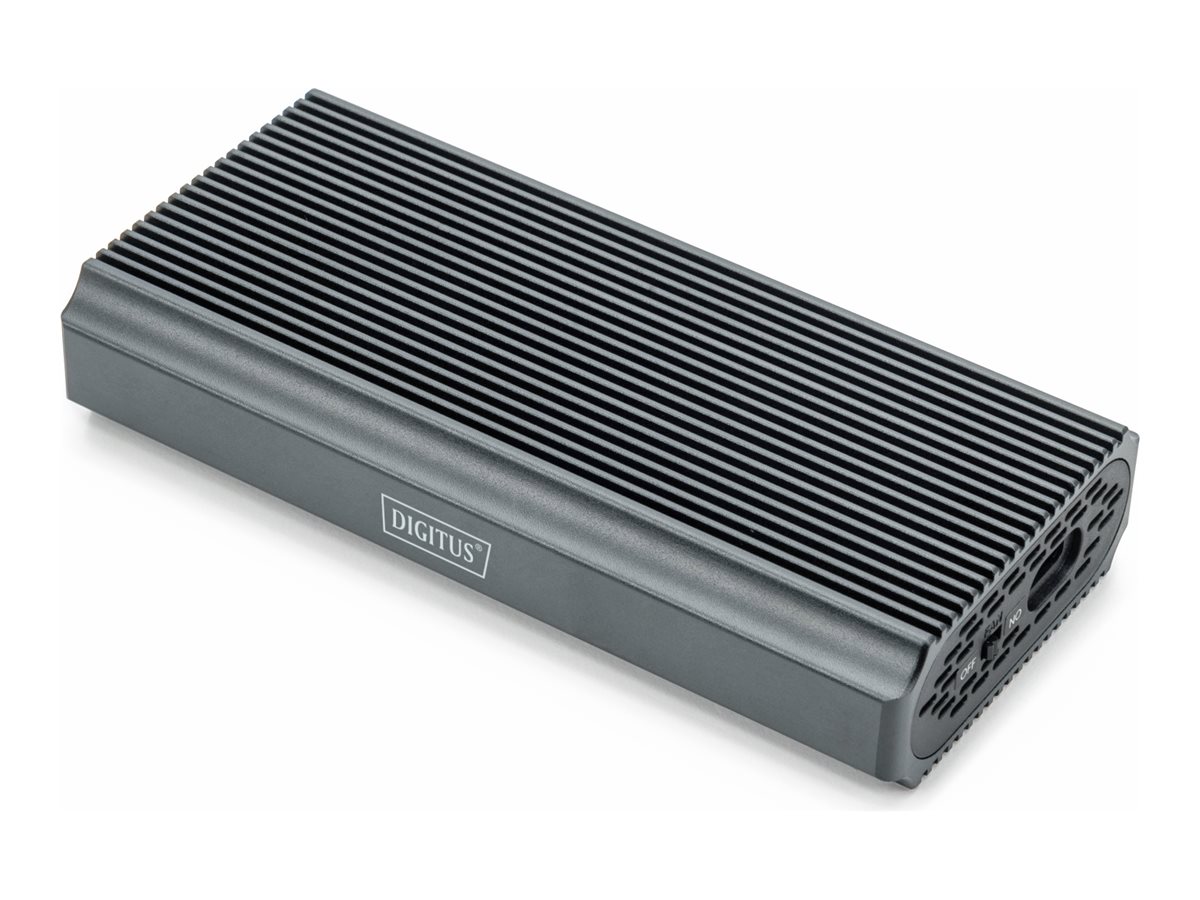 | 1-3 tp | 101,00 € | Poodi |

Kõik hinnakirjad
Tooted 51
– 100
/ 731
50
| Kaup24 | Asus ROG Strix X870-F, AMD AM5 Socket, DDR5, ATX, 192GB, 7.1 Audio, M.2, SATA III, USB 3.2, HDMI Tootekood: 90MB1IV0-M0EAY0 GTIN: 4711387732045 Emaplaadid | | 399,00 € | Poodi | |
| Datafox | Axagon ADM2-AM USB-A 10Gbps - M.2 NVMe & SATA SSD adaptér, kabelis USB-A 10cm Kõvaketta korpus Must Tootekood: ADM2-AM GTIN: 8595247908896 Arvutid ja komponendid > Dokid ja adapterid | 26,60 € −1,20 € | Poodi | ||
| Arvutitark OÜ | AXAGON ADM2-AM USB-A 3.2 Gen2 NVMe/SATA SSD adapter Tootekood: ADM2-AM GTIN: 8595247908896 Cables and adapters | | 28,40 € | Poodi | |
| Arvutitark OÜ | Axagon ADM2-CM USB-C adapter Gen 2 M.2 NVMe/SATA SSD Tootekood: ADM2-CM GTIN: 8595247908230 Disk drive docks and cases | | 22,70 € | Poodi | |
| Arvutitark OÜ | AXAGON ADSA-CC USB-C 10Gbps - NVMe M.2 SSD & SATA 2.5"/3.5" SSD/HDD CLONE MASTER 2 Tootekood: ADSA-CC GTIN: 8595247907332 Data cables and adapters | | 59,40 € | Poodi | |
| Datafox | Axagon ADSA-CC USB-C 10Gbps - NVMe M.2 SSD & SATA 2.5/3.5 SSD/HDD CLONE MASTER 2 - Digital/Daten - NVMe USB 3.2 Gen 2 (3.1 Gen 2) Type-C Must Tootekood: ADSA-CC GTIN: 8595247907332 Arvutid ja komponendid > Dokid ja adapterid | 54,40 € | Poodi | ||
| Arvutitark OÜ | Axagon ADSA-M2C 10Gbps USB-C Dual NVMe SSD Dock with Cloning Tootekood: ADSA-M2C GTIN: 8595247906496 Disk drive docks and cases | | 97,05 € | Poodi | |
| Datafox | Axagon ADSA-M2C HDD/SSD dokkimisjaam USB 3.2 Gen 2 (3.1 Gen 2) Type-C Must Tootekood: ADSA-M2C GTIN: 8595247906496 Salvestusseadmed > HDD kõvakettad | | 98,30 € −1,40 € | Poodi | |
| Arvutitark OÜ | Axagon ALU box EEM2-SBC USB-C 3.2 Gen 2 - M.2 SATA SSD 30-80mm Tootekood: EEM2-SBC GTIN: 8595247906311 Disk drive docks and cases | | 15,50 € | Poodi | |
| Datafox | Axagon EEM2-20G NVMe-SSD-Gehäuse USB-C 3.2 20 Gbps 2230 - 2280 - schwarz Kõvaketta korpus Must M.2 Tootekood: EEM2-20G GTIN: 8595247908483 Arvutid ja komponendid > Arvutikorpused | | 46,50 € −2,40 € | Poodi | |
| Arvutitark OÜ | Axagon EEM2-20G USB-C enclosur e Gen2 M.2 NVMe SSD 20G Tootekood: EEM2-20G GTIN: 8595247908483 Disk drive docks and cases | | 49,90 € | Poodi | |
| Arvutitark OÜ | Axagon EEM2-GAM USB-C Gen2 M.2 NVMe/SATA SSD Enclosure Tootekood: EEM2-GAM GTIN: 8595247908544 Disk drive docks and cases | | 28,15 € −0,80 € | Poodi | |
| Datafox | Axagon EEM2-GAM, USB-C 10Gbps - NVMe & SATA SSD GAME M.2 box, bezšroubkový Kõvaketta korpus Must Tootekood: EEM2-GAM GTIN: 8595247908544 Arvutid ja komponendid > Arvutikorpused | 31,40 € −1,20 € | Poodi | ||
| Arvutitark OÜ | Axagon EEM2-GTR SuperSpeed+ USB-C - NVMe M.2 THIN RIB box Tootekood: EEM2-GTR GTIN: 8595247906151 Disk drive docks and cases | | 21,65 € | Poodi | |
| Arvutitark OÜ | Axagon EEM2-GTS2 USB-C enclosu re Gen2 M.2 NVMe/SATA S Tootekood: EEM2-GTS2 GTIN: 8595247908490 Disk drive docks and cases | | 26,40 € −0,85 € | Poodi | |
| Datafox | Axagon EEM2-SBC externes Gehäuse für M.2 SSDs USB-C 3.2 Gen 2 - schwarz Kõvaketta korpus Must Tootekood: EEM2-SBC GTIN: 8595247906311 Arvutid ja komponendid > Arvutikorpused | 17,90 € −0,10 € | Poodi | ||
| Arvutitark OÜ | AXAGON EEM2-SD2 external M.2/SATA enclosure with display - grey Tootekood: EEM2-SD2 GTIN: 8595247908872 Disk drive docks and cases | | 31,75 € | Poodi | |
| Datafox | Axagon EEM2-SD2 kõvakettaboks Kõvaketta korpus Hall M.2 Tootekood: EEM2-SD2 GTIN: 8595247908872 Arvutid ja komponendid > Arvutikorpused | 35,10 € | Poodi | ||
| Arvutitark OÜ | AXAGON EEM2-SG2 USB-C 3.2 Gen2 M.2 NVMe/SATA SSD Case Tootekood: EEM2-SG2 GTIN: 8595247906328 Disk drive docks and cases | | 22,40 € | Poodi | |
| Datafox | Axagon EEM2-UB2 kõvakettaboks Kõvaketta korpus Must M.2 Tootekood: EEM2-UB2 GTIN: 8595247908506 Arvutid ja komponendid > Arvutikorpused | 22,50 € | Poodi | ||
| Arvutitark OÜ | Axagon EEM2-UB2 USB 3.2 Gen2 M.2 NVMe SSD Enclosure Tootekood: EEM2-UB2 GTIN: 8595247908506 Disk drive docks and cases | | 18,90 € | Poodi | |
| Arvutitark OÜ | Axagon EEM2-UG2 USB-C 3.2 Gen 2 M.2 NVMe SSD Enclosure Tootekood: EEM2-UG2 GTIN: 8595247904287 Disk drive docks and cases | | 19,05 € | Poodi | |
| Arvutitark OÜ | Axagon HMC-12GM2 USB hub 12in1 10Gbps HDMI DP LAN M.2 Tootekood: HMC-12GM2 GTIN: 8595247907783 Pordilaiendid (dokid) | | 101,10 € | Poodi | |
| Arvutitark OÜ | AXAGON HMC-5G2 2x USB-A + 2x USB-C + HDMI, USB-C 3.2 Gen 2 10Gbps hub, PD 60W, 13cm USB-C cable Tootekood: HMC-5G2 GTIN: 8595247905444 Pordilaiendid (dokid) | | 36,10 € −1,05 € | Poodi | |
| Datagate | AXAGON HMC-6G2L - Docking station for laptop - USB-C - 1GbE - HDMI 4K 60Hz - PD 100W Tootekood: HMC-6G2L Laptop docking stations | | 48,00 € | Poodi | |
| Arvutitark OÜ | Axagon HMC-6G2L 10Gbps USB 3.2 Gen 2 Hub with 4K HDMI Tootekood: HMC-6G2L GTIN: 8595247908056 USB Hubs | | 49,90 € | Poodi | |
| Arvutitark OÜ | Axagon HMC-6GM2 USB hub 6in1 10Gbps HDMI M.2 NVME PD Tootekood: HMC-6GM2 GTIN: 8595247907462 Pordilaiendid (dokid) | | 76,45 € | Poodi | |
| Arvutitark OÜ | | 41,30 € | Poodi | ||
| Arvutitark OÜ | Axagon HMC-UFO USB-C Hub 9in1 10Gbps HDMI M.2 NVMe Tootekood: HMC-UFO GTIN: 8595247908438 Laptop accessories | | 75,35 € −2,90 € | Poodi | |
| Digizone | Axagon kettaboks Adapter Gen 2 M.2 NVMe/SATA SSD AMD2-AM USB-A Tootekood: ADM2-AM Kõvakettad (välised) | 27,50 € | Poodi | ||
| Kaup24 | Axagon kettaboks EEM2-SD2 SSD Enclosure USB3.2 Gen2 M.2 NVMe/SA Tootekood: EEM2-SD2 GTIN: 8595247908872 Välised kõvakettad (SSD, HDD) | | 31,75 € | Poodi | |
| Digizone | Axagon kettaboks EEM2-SD2 SSD Enclosure USB3.2 Gen2 M.2 NVMe/SA Tootekood: EEM2-SD2 Kõvakettad (välised) | 38,90 € | Poodi | ||
| Arvutitark OÜ | Axagon SPEEDSTER 4-Port USB-C 3.2 Gen 2 Hub with 2 USB-A and 2 USB-C Ports Tootekood: HMC-4G2 GTIN: 8595247905437 USB Hubs | | 20,60 € | Poodi | |
| Arvutitark OÜ | AXAGON USB-C 3.2 Gen 2 Metal Enclosure for M.2 NVMe & SATA SSD Tootekood: EEM2-SB2 GTIN: 8595247907097 Disk drive docks and cases | | 24,90 € | Poodi | |
| Arvutitark OÜ | AXAGON USB-C to SATA 6G SSD/HDD Fast Port X Adapter Tootekood: ADSA-FPX GTIN: 8595247908636 Data cables and adapters | | 36,50 € | Poodi | |
| Datafox | Blackstorm Drive USB 3.1 korpus M.2 SSD kettale Tootekood: DRV-USB3.1-M2 GTIN: 6438148056223 Salvestusseadmed > Seadmete tarvikud | | 56,00 € | Poodi | |
| Datagate | Blackview MP100 AMD Ryzen™ 5 7430U 16GB SSD512 WiFI 6+ BT5.2, DP/HDMI2.0/2xUSB-C / W11Pro, black Tootekood: MP100-BK/BV/V8 Brand Computers | | 425,00 € −3,00 € | Poodi | |
| Kaup24 | Cablecc 20 gbps usb4 type-c usb 3.2 kuni m.2 nvme m-key ngff sata ssd pcba korpusesse 2280/2242/2230mm adapter rtl9220 kiibistik GTIN: 6776515484096 Lisatarvikud korpustele | | 77,41 € | Poodi | |
| Digizone | D-link kettaboks DSP-111 USB-C M.2 NVMe/NGFF SSDEnclosure Tootekood: DSP-111 Kõvakettad (välised) | 26,25 € | Poodi | ||
| Digizone | D-link kettaboks DSP-411 USB-C 4.0 M.2 NVMe SSD Enclosure Tootekood: DSP-411 Kõvakettad (välised) | 106,00 € | Poodi | ||
| Datagate | Datagate Desktop-PC MT (AdlerMiniTower) Core i5-12400 2.5(4.4)GHz 12 Threads/16GB/480GB NVMe/IntelUHD/WiFi AX+BT5.3./USB-C 3.X Front/PSU 80+/WiFi AC+BT/2xDP1.4 + HDMI2.1 - 3YW Tootekood: AdlerMT1 Datagate computers | | 595,00 € | Poodi | |
| Datagate | Datagate PC (AIV2) Ultra 7 265K with AI NPU /32GB-6000Mhz /2TB 4.0 HS SSD /RTX 5070 Ti 16GB/PSU ATX3.0/WiFi 7 + BT5.4/Rear TB4 40Gbps/ USB-C Front 10Gbps/3YW Tootekood: Arrowlake-AIV2 Datagate computers | | 2640,00 € | Poodi | |
| Datagate | Datagate PC (Zen4-00) AMD 5 7500F 3.7(5.0GHz) 6C/12T /32GB-6000/1TB NVMe PCIE4.0 SSD/RX 9060 XT 16GB/PSU 80+ Bronze/WiFi 6 AX + BT5/USB-C Front/3YW Tootekood: Zen4-00 Datagate computers | | 1460,00 € | Poodi | |
| Datagate | Datagate PC (Zen4-02) AMD 7800X3D 4.2(5.5GHz) 8C/16T /32GB-6000/2TB NVMe PCIE4.0 SSD/RTX 5070 Ti 16GB 256bit/PSU 80+ Bronze/WiFi 6 AX + BT5.X/USB-C Front/3YW Tootekood: Zen4-02 Datagate computers | | 2520,00 € | Poodi | |
| Datagate | Datagate PC 14 Gen.(RaptorLake-02) Core i5-14400F 10 Cores 16Threads 2.5(4.7)GHz/32GB/1TB NVMe PCIE4.0 SSD/RTX 5060 8GB/PSU 80+ Bronze/WiFi 6 AX + BT5/ ARGB/USB-C Front/3YW Tootekood: RaptorLake-02 Datagate computers | | 1195,00 € | Poodi | |
| Arvutitark OÜ | Delock M.2 Docking Station for 2 x M.2 NVMe PCIe SSD with Clone function Tootekood: TRA64177 GTIN: 4043619641772 Disk drive docks and cases | | 184,60 € +0,20 € | Poodi | |
| Arvutitark OÜ | DELOCK M.2 Docking Station for M.2 NVMe PCIe SSD with USB Type-C female Tootekood: TRA64000 GTIN: 4043619640003 Disk drive docks and cases | | 53,30 € | Poodi | |
| Arvutitark OÜ | DIGITUS NVMe Clone station USB3.1 Gen2 Tootekood: DA-71545 GTIN: 4016032475842 Disk drive docks and cases | | 71,95 € | Poodi | |
| Arvutitark OÜ | DIGITUS USB M.2 Festplattengehäuse, SSD, inkl. Montagemater. Tootekood: DA-71157 GTIN: 4016032497486 Disk drive docks and cases | | 48,40 € | Poodi | |
| AS Orient Office | | 101,00 € | Poodi |


