Müüja | Saadavus | ||||
|---|---|---|---|---|---|
| Alfashop | AX1500 Wi-Fi 6 Router Archer AX10 802.11ax 1201+300 Mbit/s 10/100/1000 Mbit/s Ethernet LAN (RJ-45) ports 4 | GTIN: 6935364089221 Ruuterid <p>AX1500 Wi-Fi 6 Router | Archer AX10 | 802.11ax | 1201+300 Mbit/s | 10/100/1000 Mbit/s | Ethernet LAN (RJ-45) ports 4 | Mesh Support No | MU-MiMO Yes | No mobile broadband | Antenna type 4xExternal</p> |  | 3-6 tp | 55,39 € −0,27 € | Poodi |
| Alfashop | AX1800 AiMesh Wireless Router RT-AX52 802.11ax 10/100/1000 Mbit/s Ethernet LAN (RJ-45) ports 3 Mesh Support GTIN: 4711387261484 Ruuterid <p>AX1800 AiMesh Wireless Router | RT-AX52 | 802.11ax | 10/100/1000 Mbit/s | Ethernet LAN (RJ-45) ports 3 | Mesh Support Yes | MU-MiMO No | No mobile broadband | Antenna type External</p> | 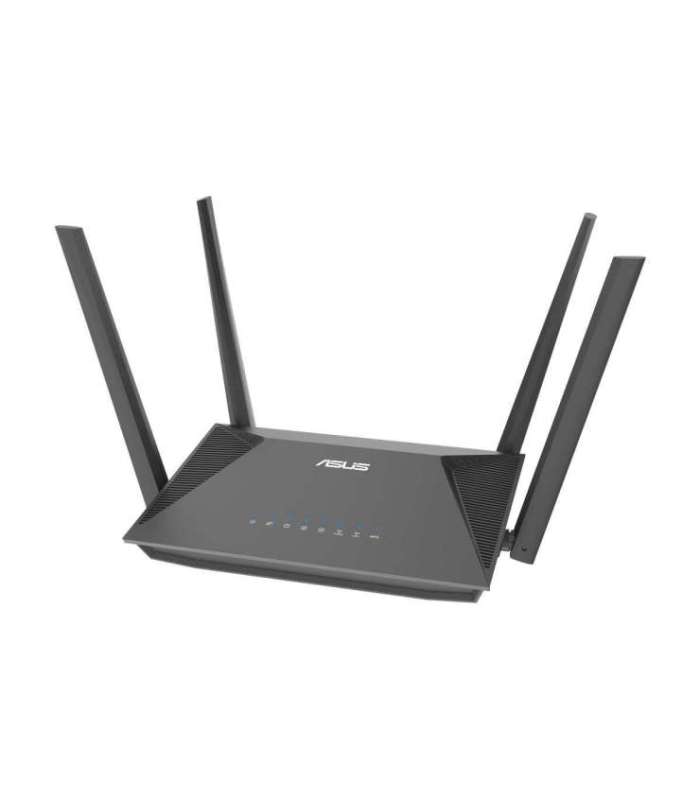 | 3-6 tp | 55,30 € −0,29 € | Poodi |
| Alfashop | AX3000 Dual Band Gigabit Wi-Fi 6 Router Archer AX53 802.11ax 574+2402 Mbit/s 10/100/1000 Mbit/s Ethernet LAN GTIN: 4897098683088 Ruuterid <p>AX3000 Dual Band Gigabit Wi-Fi 6 Router | Archer AX53 | 802.11ax | 574+2402 Mbit/s | 10/100/1000 Mbit/s | Ethernet LAN (RJ-45) ports 4 | Mesh Support Yes | MU-MiMO Yes | Antenna type External | 36 month(s)</p> |  | 3-6 tp | 60,06 € −0,30 € | Poodi |
| Alfashop | AX3000 Dual Band Gigabit Wi-Fi 6 Router Archer AX55 Pro 802.11ax 574+2402 Mbit/s 10/100/1000 Mbit/s Ethernet GTIN: 4897098686805 Ruuterid <p>AX3000 Dual Band Gigabit Wi-Fi 6 Router | Archer AX55 Pro | 802.11ax | 574+2402 Mbit/s | 10/100/1000 Mbit/s | Ethernet LAN (RJ-45) ports 3 | Mesh Support Yes | MU-MiMO Yes | No mobile broadband | Antenna type External</p> | 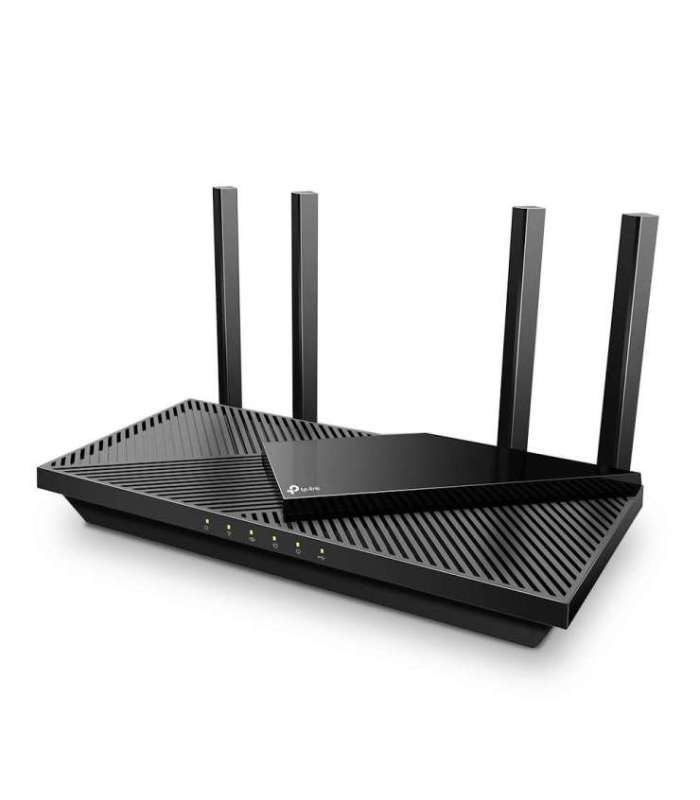 | 1-3 tp | 90,56 € | Poodi |
| Alfashop | AX3000 Dual Band WiFi 6 Mini Router RT-AX57 Go 802.11ax 10/100/1000 Mbit/s Ethernet LAN (RJ-45) ports 1 Mesh GTIN: 4711387193792 Ruuterid <p>AX3000 Dual Band WiFi 6 Mini Router | RT-AX57 Go | 802.11ax | 10/100/1000 Mbit/s | Ethernet LAN (RJ-45) ports 1 | Mesh Support Yes | MU-MiMO Yes | No mobile broadband | Antenna type Internal</p> | 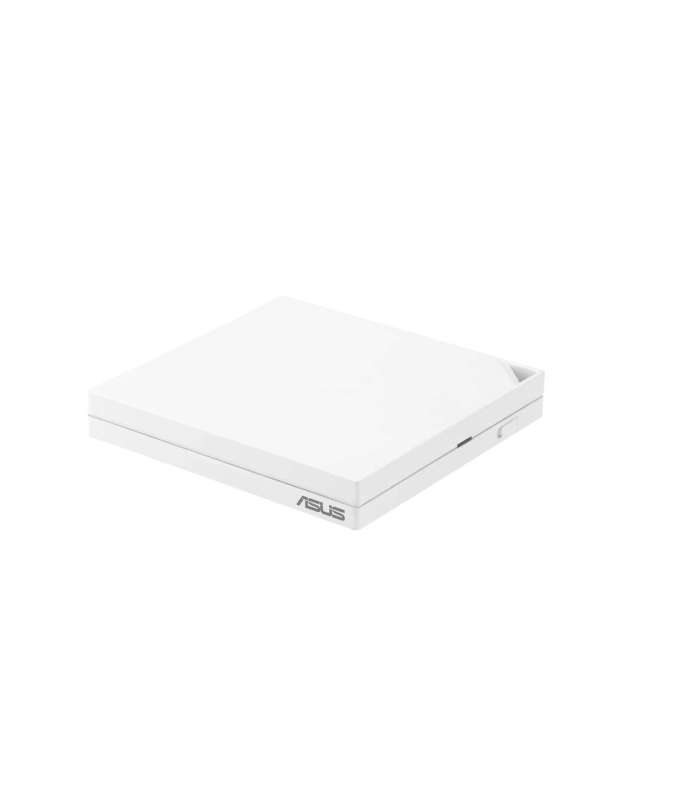 | 1-3 tp | 80,65 € | Poodi |
| Alfashop | AX5400 Dual-Band Gigabit Wi-Fi 6 Router Archer AX72 Pro 802.11ax 574+4804 Mbit/s 10/100/1000 Mbit/s Ethernet GTIN: 4897098686775 Ruuterid <p>AX5400 Dual-Band Gigabit Wi-Fi 6 Router | Archer AX72 Pro | 802.11ax | 574+4804 Mbit/s | 10/100/1000 Mbit/s | Ethernet LAN (RJ-45) ports 4 | Mesh Support Yes | MU-MiMO Yes | No mobile broadband | Antenna type External</p> |  | 3-6 tp | 96,86 € −0,49 € | Poodi |
| Alfashop | AXE5400 Tri-Band Gigabit Wi-Fi 6E Router Archer AXE75 802.11ax 10/100/1000 Mbit/s Ethernet LAN (RJ-45) ports 4 | GTIN: 4897098687482 Ruuterid <p>AXE5400 Tri-Band Gigabit Wi-Fi 6E Router | Archer AXE75 | 802.11ax | 10/100/1000 Mbit/s | Ethernet LAN (RJ-45) ports 4 | Mesh Support Yes | MU-MiMO No | No mobile broadband | Antenna type External | 1</p> | 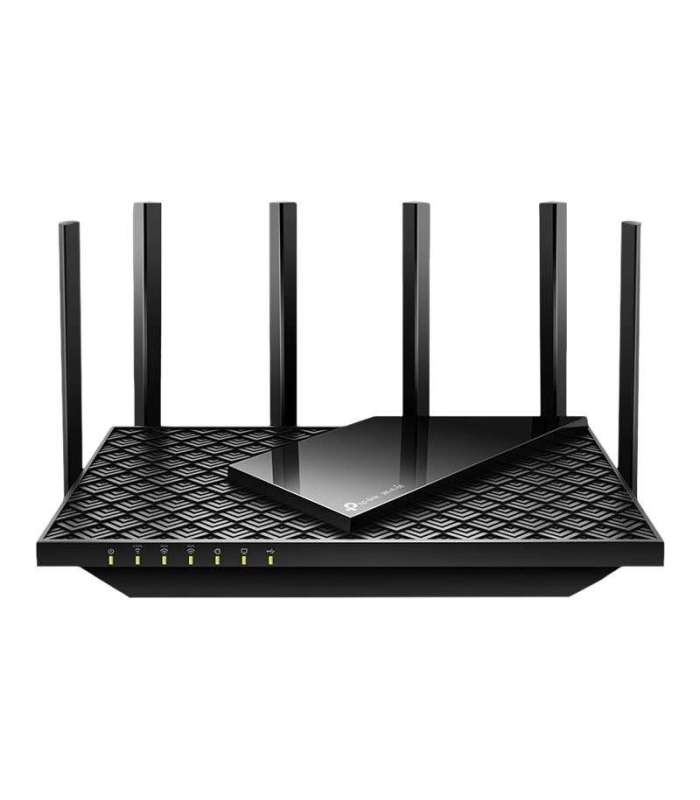 | 1-3 tp | 146,29 € | Poodi |
| Alfashop | BE25000 Quad Band WiFi 7 (802.11be) Mesh Router ZenWiFi BQ16 Mesh Support Yes MU-MiMO Yes Antenna type Internal GTIN: 4711387249178 Ruuterid <p>BE25000 Quad Band WiFi 7 (802.11be) Mesh Router | ZenWiFi BQ16 | Mesh Support Yes | MU-MiMO Yes | Antenna type Internal | 1 x USB | 24 month(s)</p> |  | 1-3 tp | 880,25 € | Poodi |
| Alfashop | BE3600 Dual-Band Wi-Fi 7 Router Archer BE230 802.11be 3570 Mbit/s Ethernet LAN (RJ-45) ports 4 Mesh Support GTIN: 4895252503685 Ruuterid <p>BE3600 Dual-Band Wi-Fi 7 Router | Archer BE230 | 802.11be | 3570 Mbit/s | Ethernet LAN (RJ-45) ports 4 | Mesh Support Yes | MU-MiMO Yes | No mobile broadband | Antenna type External | 1</p> |  | 3-6 tp | 117,75 € −0,59 € | Poodi |
| Krisostomus | Bill Hylton's Ultimate Guide to the Router Table GTIN: 9781558707962 Raamatud The first operator's manual for the router tableIf you don't have a router table in your shop yet, you should! The router table opens up a whole new world of using the router that simply can't be done using it any other way. Operations such as edge profiling, making mouldings, cutting lock-miter joints, box joints, rabbets, grooves, splined miters, using templates, pin routing and more can be done using a router table. Using this book, you'll learn basic router-table knowledge, safety issues, setup fundamentals, feed direction and workpiece control. Also, you'll learn about specific operations unique to the router table and how to do them safely. <br><br> Autorid: Bill Hylton <br> |  | Tellimisel (tarne 10-14 tp) | 32,69 € | Poodi |
| Digizone | Black & Decker Stanley KW1200E-QS 1200W 6.35mm Plunge Router Tootekood: KW1200E-QS Projektoritarvikud Stanley KW1200E-QS 1200W 6.35mm Plunge Router | 3-4tp | 82,81 € | Poodi | |
| Kaup24 | BLACK + DECKER KW1200E-QS 1200W router - 7 attachments GTIN: 5035048658284 Freesid BLACK + DECKER KW1200E-QS 1200W router - 7 attachments |  | 85,32 € −7,43 € | Poodi | |
| Digizone | Bosch 15-osaline puiduotsakute komplekt for 6mm Shank Router Tootekood: 2607017471 Lõikeinstrumendid Bosch 15-osaline puiduotsakute komplekt for 6mm Shank Router | 7-8tp | 92,00 € | Poodi | |
| Digizone | Bosch 30-osaline puiduotsakute komplekt for 6mm Shank Router Tootekood: 2607017474 Lõikeinstrumendid Bosch 30-osaline puiduotsakute komplekt for 6mm Shank Router | 7-9tp | 168,26 € | Poodi | |
| Digizone | Bosch frees GKF 12V-8 Cordless Router Tootekood: 06016B0002 Elektrilised käsitööriistad Bosch frees GKF 12V-8 Cordless Router | 6-7tp | 190,44 € | Poodi | |
| Digizone | Bosch frees GKF 18V-8 Cordless Palm Router Tootekood: 06016C2003 Elektrilised käsitööriistad Bosch frees GKF 18V-8 Cordless Palm Router | 7-9tp | 515,22 € +93,00 € | Poodi | |
| Kaup24 | Bosch frees GLF 18V-8 Cordless Palm Router GTIN: 4053423304022 Käsitööriistad Bosch frees GLF 18V-8 Cordless Palm Router |  | 267,81 € | Poodi | |
| Digizone | Bosch frees GLF 18V-8 Cordless Palm Router Tootekood: 06016C6001 Elektrilised käsitööriistad Bosch frees GLF 18V-8 Cordless Palm Router | 6-7tp | 258,52 € | Poodi | |
| Digizone | Bosch frees POF 1400 ACE Router, 1400W, roheline/must Tootekood: 060326C800 Elektrilised käsitööriistad Bosch frees POF 1400 ACE Router, 1400W, roheline/must | 7-8tp | 144,06 € | Poodi | |
| Kaup24 | BOSCH Router POF 1200 AE 1200W Tootekood: 45608913 GTIN: 3165140451628 Freesid BOSCH Router POF 1200 AE 1200W |  | 109,00 € | Poodi | |
| Kaup24 | Brovi 5G CPE 5 (H155-381) Router GTIN: 6975508990440 Ruuterid Brovi 5G CPE 5 (H155-381) Router |  | 272,28 € −1,30 € | Poodi | |
| Kaup24 | Brovi 5G CPE Max 5 H352-381 5G Indoor Router Wi-Fi 7 2x 2.5GbE LAN 1x SIM Tootekood: H352-381 GTIN: 6975508990204 Ruuterid Brovi 5G CPE Max 5 H352-381 5G Indoor Router Wi-Fi 7 2x 2.5GbE LAN 1x SIM |  | 264,90 € | Poodi | |
| Digizone | 2-3tp | 130,50 € | Poodi | ||
| Kaup24 | Cisco ISR 1100 C1111-4P Router 2x Gigabit WAN 1x SFP Combo 4x Gigabit LAN Silver Tootekood: 891273709 GTIN: 889728058797 Ruuterid Cisco ISR 1100 C1111-4P Router 2x Gigabit WAN 1x SFP Combo 4x Gigabit LAN Silver |  | 2230,03 € | Poodi | |
| Alfashop | Cloud Router Switch CRS320-8P-8B-4S+RM with RouterOS v7, 2U rackmount Enclosure No Wi-Fi 1000 Mbit/s Ethernet GTIN: 4752224008831 Ruuterid <p>Cloud Router Switch | CRS320-8P-8B-4S+RM with RouterOS v7, 2U rackmount Enclosure | No Wi-Fi | 1000 Mbit/s | Ethernet LAN (RJ-45) ports 17 | Mesh Support No | MU-MiMO No | No mobile broadband</p> |  | 1-3 tp | 440,84 € −7,52 € | Poodi |
| Alfashop | Cloud Router Switch CSS610-8P-2S+IN No Wi-Fi 10/100/1000 Mbit/s Ethernet LAN (RJ-45) ports 8 Mesh Support No | GTIN: 4752224007216 Ruuterid <p>Cloud Router Switch | CSS610-8P-2S+IN | No Wi-Fi | 10/100/1000 Mbit/s | Ethernet LAN (RJ-45) ports 8 | Mesh Support No | MU-MiMO No | No mobile broadband</p> |  | 1-3 tp | 202,14 € | Poodi |
| Alfashop | Cloud Router Switch RB260GSP 1000 Mbit/s Ethernet LAN (RJ-45) ports 5 12 month(s) GTIN: 4752224002297 Kommutaatorid (Switch) <p>Cloud Router Switch | RB260GSP | 1000 Mbit/s | Ethernet LAN (RJ-45) ports 5 | 12 month(s)</p> |  | 1-3 tp | 55,04 € | Poodi |
| Krisostomus | Complete Guide to CNC Woodworking: Everything You Need to Know to Use Any CNC Router GTIN: 9781497104778 Raamatud Start your CNC woodworking journey with the confidence of a pro! The Complete Guide to CNC Woodworking features the keen insights of Ralph Bagnall, a lifelong woodworking enthusiast who's been using CNC machines for decades. It combines information on safety and technique to learn full-fledged projects from A to Z. You'll find all sorts of tips within, including getting started and setting up a workspace to choosing your first CNC machine. The wood CNC machine is fast becoming one of the most popular ways to get woodwork done; all you need is someone to steer you down the right path. The CNC woodworking machine is a top-of-the-line tool for precision wood crafts--you just need a way to unlock it. Enter Ralph Bagnall's Complete Guide to CNC Woodworking. Distilling his decades of expertise in CNC wood routing, the Complete Guide tackles everything from safety and technique in its basic operations to handling innovations like laser attachments. Its high-quality photos illustrate what woodworkers need to see, while its CNC project ideas help guide you from theory to practice. Inside, you'll find 19 projects, from workshop push sticks to carved signs. Browse the inspirational gallery to discover new passions. Review the updated tool and spec guides. Learn how to set up your own workspace for maximum efficiency. By the time you're done with this Complete Guide, you'll feel like you've been through one of Bagnall's expert seminars--and you'll be ready to tackle your wood router CNC machine like someone who's been at it for years! <br><br> Autorid: Ralph Bagnall <br> |  | Tellimisel (tarne 10-14 tp) | 29,99 € | Poodi |
| Alfashop | Connect X6E 5G Router FF.G2KTA.001 802.11ax Ethernet LAN (RJ-45) ports 1 Mesh Support No MU-MiMO Yes 5G GTIN: 4711121723964 Ruuterid <p>Connect X6E 5G Router | FF.G2KTA.001 | 802.11ax | Ethernet LAN (RJ-45) ports 1 | Mesh Support No | MU-MiMO Yes | 5G</p> |  | 3-6 tp | 163,37 € −0,83 € | Poodi |
| Arvutitark OÜ | Cudy AC1200 Gigabit Wi-Fi Mesh Router Tootekood: WR1300 GTIN: 6971690791179 Routers WR1300 AC1200 Dual Band WiFi Router AC1200 Dual Band WiFi Router High-performance dual-core processor 16MB Flash and 128MB DDR3 5 Gigabit Ethernet ports 4 high-gain 5 dBi antennas VPN and DNS support 5-IN-1 WiFi Router/Mesh/Repeater/WISP/Access Point |  | 40,55 € | Poodi | |
| Arvutitark OÜ | Cudy AC1200 Wi-Fi Router Tootekood: WR1200 GTIN: 6971690792077 Routers R1200 AC1200 Dual Band Smart WiFi Router AC1200 Dual Band WiFi Router 5dBi high gain antennas for large house coverage Built-in Firewall will protect your home network The guest network will protect your privacy Support VPN Clients: PPTP/L2TP/OpenVPN/WireGuard IPv6 compatible Easily encrypt your wireless security with the push of a WPS button |  | 29,35 € −0,10 € | Poodi | |
| Arvutitark OÜ | Cudy BE3600 2.5G Wi-Fi 7 Mesh Router Tootekood: WR3600H GTIN: 6971690793500 Routers BE3600 2.5G Mesh Wi-Fi 7 Router Dual-band Wi-Fi 7 router with a total speed of 3.6 Gb/s, featuring one 2.5G WAN port and four Gigabit LAN ports, designed for multi-gigabit Internet access, gaming, and entertainment. Specifications: Broadcom 2 GHz Quad-Core CPU 4-stream dual-band Wi-Fi 7 Wi-Fi speeds: 2882 Mbps + 688 Mbps 1 × 2.5 GbE port and 4 × GbE ports Coverage: up to 130 m2 (1,400 ft2) with ePA VPN Server and Client Cudy App, Cloud Control |  | 80,40 € | Poodi | |
| Arvutitark OÜ | Cudy CUDY IR04 4G LTE Cat4 Industrial Router Tootekood: IR04 GTIN: 6971690793210 Routers A cellular Wi-Fi router with mobile connectivity for networking in harsh conditions such as moving vehicles, manufacturing, maritime, oil & gas, and mining.Network Interfaces4G, Wi-Fi, and Ethernet ConnectivityEstablish stable connections with dual-SIM, Ethernet, and WISP, and auto failover backup link between the connections. SIM card adapter included.Industrial Interfaces12 Types of InterfacesVersatile interfaces meet the networking, control, and data acquisition needs of various devices. The interfaces include: Ethernet, USB, RS232, RS485, RS422, Ignition Sensing, Analog Input, DI-Dry, DI-Wet, DO-Dry, DO-Wet, and Wi-Fi.Versatile PoweringDC. 4-Pin. PoE. Passive PoE.Different power options enable flexible installation — ideal for integration into machines, production lines, moving vehicles, and distribution boxes.- A. DC- B. 4-Pin Socket- C. 802.3at/af PoE- D. Passive PoERobust ProtectionsWorks in Heat, Cold, Shock, Vibration, EMC InterferenceBuilt with a sophisticated design and high-quality components, the device achieves Level 4 EMC. Its precisely crafted aluminum alloy body and integrated heat sink design enable it to withstand shock and vibration, operate in extreme temperatures, and ensure long-lasting durability.VPN and Network ProtectionComprehensive Data SecuritySupports WireGuard, OpenVPN, IPSec, Zerotier, PPTP, and L2TP, along with comprehensive security settings to protect client data and devices from leaks and attacks while maintaining overall system stability. | 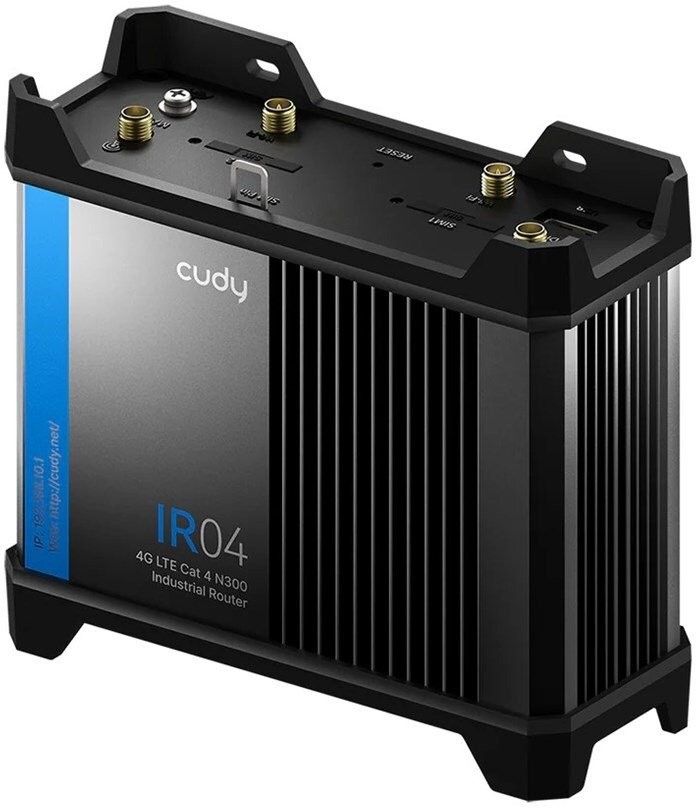 | 160,60 € | Poodi | |
| Arvutitark OÜ | Cudy Gigabit Multi-WAN VPN Router wired router Fast Ethernet, Gigabit Ethernet Grey Tootekood: R700 GTIN: 6971690792985 Routers Gigabit Multi-WAN VPN Router, R700 1 Gigabit WAN Port 3 Gigabit WAN/LAN Ports 1 Gigabit LAN Port Multi-WAN load balancing VPN Server PPTP/L2TP/OpenVPN/WireGuard/IPsec VPN Client PPTP/L2TP/OpenVPN/WireGuard/IPsec Zerotier for remote access and build a remote subnet DNS via Cloudflare/NextDNS/Google Extensive security mechanisms Compact and robust metal housing Network media 10BASE-T: Category 3, 4, 5 UTP cable (max. 100 m) EIA/TIA-568 100 STP (max. 100 m) 100BASE-TX: Category 5, 5e UTP cable (max. 100 m) EIA/TIA-568 100 STP (up to 100 m) 1000BASE-T: Category 5e, 6 UTP cable (up to 100 m) |  | 44,65 € −0,20 € | Poodi | |
| Datagate | CUDY LT400 EU - 4G LTE SIM Wireless router - Wi-Fi 300 Mbps 2.4 GHz Tootekood: LT400_EU 4G/5G Routers <p class="section-label" style="box-sizing: border-box; margin: 0px 0px 10px; cursor: pointer; font-size: 14px; font-weight: bold; padding: 5px 0px 5px 15px; color: #777777; background-color: #f4f4f4; font-family: 'Source Sans Pro', sans-serif; font-style: normal; font-variant-ligatures: normal; font-variant-caps: normal; letter-spacing: 0.25px; orphans: 2; text-align: start; text-indent: 0px; text-transform: none; widows: 2; word-spacing: 0px; -webkit-text-stroke-width: 0px; white-space: normal; text-decoration-thickness: initial; text-decoration-style: initial; text-decoration-color: initial;" role="button" data-toggle="collapse" aria-expanded="true" data-target="#section-wan-connection"> WAN connection</p> <div class="section collapse in" id="section-wan-connection" style="box-sizing: border-box; color: #58595b; display: block; font-family: 'Source Sans Pro', sans-serif; font-size: 12px; font-style: normal; font-variant-ligatures: normal; font-variant-caps: normal; font-weight: 400; letter-spacing: 0.25px; orphans: 2; text-align: start; text-indent: 0px; text-transform: none; widows: 2; word-spacing: 0px; -webkit-text-stroke-width: 0px; white-space: normal; background-color: #ffffff; text-decoration-thickness: initial; text-decoration-style: initial; text-decoration-color: initial;"> <table class="specyfikacje-table" style="box-sizing: border-box; border-spacing: 0px; border-collapse: collapse; background-color: transparent; width: 1370px; font-size: 14px;"> <tbody style="box-sizing: border-box;"> <tr style="box-sizing: border-box;"> <td style="box-sizing: border-box; padding: 4px 15px 4px 4px; color: #58595b; vertical-align: top; width: 170px; text-align: right;">Ethernet WAN</td> <td style="box-sizing: border-box; padding: 4px; color: #58595b; vertical-align: top; font-weight: bold;">Yes</td> </tr> <tr style="box-sizing: border-box;"> <td style="box-sizing: border-box; padding: 4px 15px 4px 4px; color: #58595b; vertical-align: top; width: 170px; text-align: right;">SIM card slot</td> <td style="box-sizing: border-box; padding: 4px; color: #58595b; vertical-align: top; font-weight: bold;">Yes</td> </tr> <tr style="box-sizing: border-box;"> <td style="box-sizing: border-box; padding: 4px 15px 4px 4px; color: #58595b; vertical-align: top; width: 170px; text-align: right;">3G/4G USB modem compatibility</td> <td style="box-sizing: border-box; padding: 4px; color: #58595b; vertical-align: top; font-weight: bold;">Yes</td> </tr> <tr style="box-sizing: border-box;"> <td style="box-sizing: border-box; padding: 4px 15px 20px 4px; color: #58595b; vertical-align: top; width: 170px; text-align: right;">WAN connection type</td> <td style="box-sizing: border-box; padding: 4px 4px 20px; color: #58595b; vertical-align: top; font-weight: bold;">RJ-45</td> </tr> </tbody> </table> </div> <p class="section-label" style="box-sizing: border-box; margin: 0px 0px 10px; cursor: pointer; font-size: 14px; font-weight: bold; padding: 5px 0px 5px 15px; color: #777777; background-color: #f4f4f4; font-family: 'Source Sans Pro', sans-serif; font-style: normal; font-variant-ligatures: normal; font-variant-caps: normal; letter-spacing: 0.25px; orphans: 2; text-align: start; text-indent: 0px; text-transform: none; widows: 2; word-spacing: 0px; -webkit-text-stroke-width: 0px; white-space: normal; text-decoration-thickness: initial; text-decoration-style: initial; text-decoration-color: initial;" role="button" data-toggle="collapse" aria-expanded="true" data-target="#section-wireless-lan-features"> Wireless LAN features</p> <div class="section collapse in" id="section-wireless-lan-features" style="box-sizing: border-box; color: #58595b; display: block; font-family: 'Source Sans Pro', sans-serif; font-size: 12px; font-style: normal; font-variant-ligatures: normal; font-variant-caps: normal; font-weight: 400; letter-spacing: 0.25px; orphans: 2; text-align: start; text-indent: 0px; text-transform: none; widows: 2; word-spacing: 0px; -webkit-text-stroke-width: 0px; white-space: normal; background-color: #ffffff; text-decoration-thickness: initial; text-decoration-style: initial; text-decoration-color: initial;"> <table class="specyfikacje-table" style="box-sizing: border-box; border-spacing: 0px; border-collapse: collapse; background-color: transparent; width: 1370px; font-size: 14px;"> <tbody style="box-sizing: border-box;"> <tr style="box-sizing: border-box;"> <td style="box-sizing: border-box; padding: 4px 15px 4px 4px; color: #58595b; vertical-align: top; width: 170px; text-align: right;">Wi-Fi band</td> <td style="box-sizing: border-box; padding: 4px; color: #58595b; vertical-align: top; font-weight: bold;">Single-band (2.4 GHz)</td> </tr> <tr style="box-sizing: border-box;"> <td style="box-sizing: border-box; padding: 4px 15px 4px 4px; color: #58595b; vertical-align: top; width: 170px; text-align: right;">Top Wi-Fi standard</td> <td style="box-sizing: border-box; padding: 4px; color: #58595b; vertical-align: top; font-weight: bold;">Wi-Fi 4 (802.11n)</td> </tr> <tr style="box-sizing: border-box;"> <td style="box-sizing: border-box; padding: 4px 15px 20px 4px; color: #58595b; vertical-align: top; width: 170px; text-align: right;">Wi-Fi standards</td> <td style="box-sizing: border-box; padding: 4px 4px 20px; color: #58595b; vertical-align: top; font-weight: bold;">802.11 b/g/n</td> </tr> </tbody> </table> </div> <p class="section-label" style="box-sizing: border-box; margin: 0px 0px 10px; cursor: pointer; font-size: 14px; font-weight: bold; padding: 5px 0px 5px 15px; color: #777777; background-color: #f4f4f4; font-family: 'Source Sans Pro', sans-serif; font-style: normal; font-variant-ligatures: normal; font-variant-caps: normal; letter-spacing: 0.25px; orphans: 2; text-align: start; text-indent: 0px; text-transform: none; widows: 2; word-spacing: 0px; -webkit-text-stroke-width: 0px; white-space: normal; text-decoration-thickness: initial; text-decoration-style: initial; text-decoration-color: initial;" role="button" data-toggle="collapse" aria-expanded="true" data-target="#section-network"> Network</p> <div class="section collapse in" id="section-network" style="box-sizing: border-box; color: #58595b; display: block; font-family: 'Source Sans Pro', sans-serif; font-size: 12px; font-style: normal; font-variant-ligatures: normal; font-variant-caps: normal; font-weight: 400; letter-spacing: 0.25px; orphans: 2; text-align: start; text-indent: 0px; text-transform: none; widows: 2; word-spacing: 0px; -webkit-text-stroke-width: 0px; white-space: normal; background-color: #ffffff; text-decoration-thickness: initial; text-decoration-style: initial; text-decoration-color: initial;"> <table class="specyfikacje-table" style="box-sizing: border-box; border-spacing: 0px; border-collapse: collapse; background-color: transparent; width: 1370px; font-size: 14px;"> <tbody style="box-sizing: border-box;"> <tr style="box-sizing: border-box;"> <td style="box-sizing: border-box; padding: 4px 15px 4px 4px; color: #58595b; vertical-align: top; width: 170px; text-align: right;">Ethernet LAN</td> <td style="box-sizing: border-box; padding: 4px; color: #58595b; vertical-align: top; font-weight: bold;">Yes</td> </tr> <tr style="box-sizing: border-box;"> <td style="box-sizing: border-box; padding: 4px 15px 4px 4px; color: #58595b; vertical-align: top; width: 170px; text-align: right;">Ethernet LAN interface type</td> <td style="box-sizing: border-box; padding: 4px; color: #58595b; vertical-align: top; font-weight: bold;">Ethernet</td> </tr> <tr style="box-sizing: border-box;"> <td style="box-sizing: border-box; padding: 4px 15px 4px 4px; color: #58595b; vertical-align: top; width: 170px; text-align: right;">Ethernet LAN data rates</td> <td style="box-sizing: border-box; padding: 4px; color: #58595b; vertical-align: top; font-weight: bold;">10,100 Mbit/s</td> </tr> <tr style="box-sizing: border-box;"> <td style="box-sizing: border-box; padding: 4px 15px 20px 4px; color: #58595b; vertical-align: top; width: 170px; text-align: right;">Dynamic DNS (DDNS)</td> <td style="box-sizing: border-box; padding: 4px 4px 20px; color: #58595b; vertical-align: top; font-weight: bold;">Yes</td> </tr> </tbody> </table> </div> <p class="section-label" style="box-sizing: border-box; margin: 0px 0px 10px; cursor: pointer; font-size: 14px; font-weight: bold; padding: 5px 0px 5px 15px; color: #777777; background-color: #f4f4f4; font-family: 'Source Sans Pro', sans-serif; font-style: normal; font-variant-ligatures: normal; font-variant-caps: normal; letter-spacing: 0.25px; orphans: 2; text-align: start; text-indent: 0px; text-transform: none; widows: 2; word-spacing: 0px; -webkit-text-stroke-width: 0px; white-space: normal; text-decoration-thickness: initial; text-decoration-style: initial; text-decoration-color: initial;" role="button" data-toggle="collapse" aria-expanded="true" data-target="#section-mobile-network"> Mobile network</p> <div class="section collapse in" id="section-mobile-network" style="box-sizing: border-box; color: #58595b; display: block; font-family: 'Source Sans Pro', sans-serif; font-size: 12px; font-style: normal; font-variant-ligatures: normal; font-variant-caps: normal; font-weight: 400; letter-spacing: 0.25px; orphans: 2; text-align: start; text-indent: 0px; text-transform: none; widows: 2; word-spacing: 0px; -webkit-text-stroke-width: 0px; white-space: normal; background-color: #ffffff; text-decoration-thickness: initial; text-decoration-style: initial; text-decoration-color: initial;"> <table class="specyfikacje-table" style="box-sizing: border-box; border-spacing: 0px; border-collapse: collapse; background-color: transparent; width: 1370px; font-size: 14px;"> <tbody style="box-sizing: border-box;"> <tr style="box-sizing: border-box;"> <td style="box-sizing: border-box; padding: 4px 15px 4px 4px; color: #58595b; vertical-align: top; width: 170px; text-align: right;">Mobile network generation</td> <td style="box-sizing: border-box; padding: 4px; color: #58595b; vertical-align: top; font-weight: bold;">4G</td> </tr> <tr style="box-sizing: border-box;"> <td style="box-sizing: border-box; padding: 4px 15px 4px 4px; color: #58595b; vertical-align: top; width: 170px; text-align: right;">Dual SIM support</td> <td style="box-sizing: border-box; padding: 4px; color: #58595b; vertical-align: top; font-weight: bold;">No</td> </tr> <tr style="box-sizing: border-box;"> <td style="box-sizing: border-box; padding: 4px 15px 4px 4px; color: #58595b; vertical-align: top; width: 170px; text-align: right;">4G standard</td> <td style="box-sizing: border-box; padding: 4px; color: #58595b; vertical-align: top; font-weight: bold;">LTE</td> </tr> <tr style="box-sizing: border-box;"> <td style="box-sizing: border-box; padding: 4px 15px 4px 4px; color: #58595b; vertical-align: top; width: 170px; text-align: right;">4G LTE category</td> <td style="box-sizing: border-box; padding: 4px; color: #58595b; vertical-align: top; font-weight: bold;">4</td> </tr> <tr style="box-sizing: border-box;"> <td style="box-sizing: border-box; padding: 4px 15px 4px 4px; color: #58595b; vertical-align: top; width: 170px; text-align: right;">SIM card type</td> <td style="box-sizing: border-box; padding: 4px; color: #58595b; vertical-align: top; font-weight: bold;">NanoSIM</td> </tr> <tr style="box-sizing: border-box;"> <td style="box-sizing: border-box; padding: 4px 15px 20px 4px; color: #58595b; vertical-align: top; width: 170px; text-align: right;">Short Message Service (SMS)</td> <td style="box-sizing: border-box; padding: 4px 4px 20px; color: #58595b; vertical-align: top; font-weight: bold;">Yes</td> </tr> </tbody> </table> </div> <p class="section-label" style="box-sizing: border-box; margin: 0px 0px 10px; cursor: pointer; font-size: 14px; font-weight: bold; padding: 5px 0px 5px 15px; color: #777777; background-color: #f4f4f4; font-family: 'Source Sans Pro', sans-serif; font-style: normal; font-variant-ligatures: normal; font-variant-caps: normal; letter-spacing: 0.25px; orphans: 2; text-align: start; text-indent: 0px; text-transform: none; widows: 2; word-spacing: 0px; -webkit-text-stroke-width: 0px; white-space: normal; text-decoration-thickness: initial; text-decoration-style: initial; text-decoration-color: initial;" role="button" data-toggle="collapse" aria-expanded="true" data-target="#section-ports-interfaces"> Ports & interfaces</p> <div class="section collapse in" id="section-ports-interfaces" style="box-sizing: border-box; color: #58595b; display: block; font-family: 'Source Sans Pro', sans-serif; font-size: 12px; font-style: normal; font-variant-ligatures: normal; font-variant-caps: normal; font-weight: 400; letter-spacing: 0.25px; orphans: 2; text-align: start; text-indent: 0px; text-transform: none; widows: 2; word-spacing: 0px; -webkit-text-stroke-width: 0px; white-space: normal; background-color: #ffffff; text-decoration-thickness: initial; text-decoration-style: initial; text-decoration-color: initial;"> <table class="specyfikacje-table" style="box-sizing: border-box; border-spacing: 0px; border-collapse: collapse; background-color: transparent; width: 1370px; font-size: 14px;"> <tbody style="box-sizing: border-box;"> <tr style="box-sizing: border-box;"> <td style="box-sizing: border-box; padding: 4px 15px 4px 4px; color: #58595b; vertical-align: top; width: 170px; text-align: right;">Ethernet LAN (RJ-45) ports</td> <td style="box-sizing: border-box; padding: 4px; color: #58595b; vertical-align: top; font-weight: bold;">3</td> </tr> <tr style="box-sizing: border-box;"> <td style="box-sizing: border-box; padding: 4px 15px 4px 4px; color: #58595b; vertical-align: top; width: 170px; text-align: right;">USB port</td> <td style="box-sizing: border-box; padding: 4px; color: #58595b; vertical-align: top; font-weight: bold;">No</td> </tr> <tr style="box-sizing: border-box;"> <td style="box-sizing: border-box; padding: 4px 15px 4px 4px; color: #58595b; vertical-align: top; width: 170px; text-align: right;">Number of Ethernet WAN ports</td> <td style="box-sizing: border-box; padding: 4px; color: #58595b; vertical-align: top; font-weight: bold;">1</td> </tr> <tr style="box-sizing: border-box;"> <td style="box-sizing: border-box; padding: 4px 15px 20px 4px; color: #58595b; vertical-align: top; width: 170px; text-align: right;">SIM card slot</td> <td style="box-sizing: border-box; padding: 4px 4px 20px; color: #58595b; vertical-align: top; font-weight: bold;">Yes</td> </tr> </tbody> </table> </div> <p class="section-label" style="box-sizing: border-box; margin: 0px 0px 10px; cursor: pointer; font-size: 14px; font-weight: bold; padding: 5px 0px 5px 15px; color: #777777; background-color: #f4f4f4; font-family: 'Source Sans Pro', sans-serif; font-style: normal; font-variant-ligatures: normal; font-variant-caps: normal; letter-spacing: 0.25px; orphans: 2; text-align: start; text-indent: 0px; text-transform: none; widows: 2; word-spacing: 0px; -webkit-text-stroke-width: 0px; white-space: normal; text-decoration-thickness: initial; text-decoration-style: initial; text-decoration-color: initial;" role="button" data-toggle="collapse" aria-expanded="true" data-target="#section-management-features"> Management features</p> <div class="section collapse in" id="section-management-features" style="box-sizing: border-box; color: #58595b; display: block; font-family: 'Source Sans Pro', sans-serif; font-size: 12px; font-style: normal; font-variant-ligatures: normal; font-variant-caps: normal; font-weight: 400; letter-spacing: 0.25px; orphans: 2; text-align: start; text-indent: 0px; text-transform: none; widows: 2; word-spacing: 0px; -webkit-text-stroke-width: 0px; white-space: normal; background-color: #ffffff; text-decoration-thickness: initial; text-decoration-style: initial; text-decoration-color: initial;"> <table class="specyfikacje-table" style="box-sizing: border-box; border-spacing: 0px; border-collapse: collapse; background-color: transparent; width: 1370px; font-size: 14px;"> <tbody style="box-sizing: border-box;"> <tr style="box-sizing: border-box;"> <td style="box-sizing: border-box; padding: 4px 15px 4px 4px; color: #58595b; vertical-align: top; width: 170px; text-align: right;">Web-based management</td> <td style="box-sizing: border-box; padding: 4px; color: #58595b; vertical-align: top; font-weight: bold;">Yes</td> </tr> <tr style="box-sizing: border-box;"> <td style="box-sizing: border-box; padding: 4px 15px 4px 4px; color: #58595b; vertical-align: top; width: 170px; text-align: right;">Quality of Service (QoS) support</td> <td style="box-sizing: border-box; padding: 4px; color: #58595b; vertical-align: top; font-weight: bold;">Yes</td> </tr> <tr style="box-sizing: border-box;"> <td style="box-sizing: border-box; padding: 4px 15px 4px 4px; color: #58595b; vertical-align: top; width: 170px; text-align: right;">Reset button</td> <td style="box-sizing: border-box; padding: 4px; color: #58595b; vertical-align: top; font-weight: bold;">Yes</td> </tr> <tr style="box-sizing: border-box;"> <td style="box-sizing: border-box; padding: 4px 15px 20px 4px; color: #58595b; vertical-align: top; width: 170px; text-align: right;">WPS push button</td> <td style="box-sizing: border-box; padding: 4px 4px 20px; color: #58595b; vertical-align: top; font-weight: bold;">No</td> </tr> </tbody> </table> </div> <p class="section-label" style="box-sizing: border-box; margin: 0px 0px 10px; cursor: pointer; font-size: 14px; font-weight: bold; padding: 5px 0px 5px 15px; color: #777777; background-color: #f4f4f4; font-family: 'Source Sans Pro', sans-serif; font-style: normal; font-variant-ligatures: normal; font-variant-caps: normal; letter-spacing: 0.25px; orphans: 2; text-align: start; text-indent: 0px; text-transform: none; widows: 2; word-spacing: 0px; -webkit-text-stroke-width: 0px; white-space: normal; text-decoration-thickness: initial; text-decoration-style: initial; text-decoration-color: initial;" role="button" data-toggle="collapse" aria-expanded="true" data-target="#section-security"> Security</p> <div class="section collapse in" id="section-security" style="box-sizing: border-box; color: #58595b; display: block; font-family: 'Source Sans Pro', sans-serif; font-size: 12px; font-style: normal; font-variant-ligatures: normal; font-variant-caps: normal; font-weight: 400; letter-spacing: 0.25px; orphans: 2; text-align: start; text-indent: 0px; text-transform: none; widows: 2; word-spacing: 0px; -webkit-text-stroke-width: 0px; white-space: normal; background-color: #ffffff; text-decoration-thickness: initial; text-decoration-style: initial; text-decoration-color: initial;"> <table class="specyfikacje-table" style="box-sizing: border-box; border-spacing: 0px; border-collapse: collapse; background-color: transparent; width: 1370px; font-size: 14px;"> <tbody style="box-sizing: border-box;"> <tr style="box-sizing: border-box;"> <td style="box-sizing: border-box; padding: 4px 15px 4px 4px; color: #58595b; vertical-align: top; width: 170px; text-align: right;">Guest access</td> <td style="box-sizing: border-box; padding: 4px; color: #58595b; vertical-align: top; font-weight: bold;">Yes</td> </tr> <tr style="box-sizing: border-box;"> <td style="box-sizing: border-box; padding: 4px 15px 4px 4px; color: #58595b; vertical-align: top; width: 170px; text-align: right;">Parental control</td> <td style="box-sizing: border-box; padding: 4px; color: #58595b; vertical-align: top; font-weight: bold;">Yes</td> </tr> <tr style="box-sizing: border-box;"> <td style="box-sizing: border-box; padding: 4px 15px 4px 4px; color: #58595b; vertical-align: top; width: 170px; text-align: right;">Network address translation (NAT)</td> <td style="box-sizing: border-box; padding: 4px; color: #58595b; vertical-align: top; font-weight: bold;">Yes</td> </tr> <tr style="box-sizing: border-box;"> <td style="box-sizing: border-box; padding: 4px 15px 20px 4px; color: #58595b; vertical-align: top; width: 170px; text-align: right;">NAT functionality</td> <td style="box-sizing: border-box; padding: 4px 4px 20px; color: #58595b; vertical-align: top; font-weight: bold;">Port Forwarding, Port Triggering, UPnP, DMZ</td> </tr> </tbody> </table> </div> <p class="section-label" style="box-sizing: border-box; margin: 0px 0px 10px; cursor: pointer; font-size: 14px; font-weight: bold; padding: 5px 0px 5px 15px; color: #777777; background-color: #f4f4f4; font-family: 'Source Sans Pro', sans-serif; font-style: normal; font-variant-ligatures: normal; font-variant-caps: normal; letter-spacing: 0.25px; orphans: 2; text-align: start; text-indent: 0px; text-transform: none; widows: 2; word-spacing: 0px; -webkit-text-stroke-width: 0px; white-space: normal; text-decoration-thickness: initial; text-decoration-style: initial; text-decoration-color: initial;" role="button" data-toggle="collapse" aria-expanded="true" data-target="#section-design"> Design</p> <div class="section collapse in" id="section-design" style="box-sizing: border-box; color: #58595b; display: block; font-family: 'Source Sans Pro', sans-serif; font-size: 12px; font-style: normal; font-variant-ligatures: normal; font-variant-caps: normal; font-weight: 400; letter-spacing: 0.25px; orphans: 2; text-align: start; text-indent: 0px; text-transform: none; widows: 2; word-spacing: 0px; -webkit-text-stroke-width: 0px; white-space: normal; background-color: #ffffff; text-decoration-thickness: initial; text-decoration-style: initial; text-decoration-color: initial;"> <table class="specyfikacje-table" style="box-sizing: border-box; border-spacing: 0px; border-collapse: collapse; background-color: transparent; width: 1370px; font-size: 14px;"> <tbody style="box-sizing: border-box;"> <tr style="box-sizing: border-box;"> <td style="box-sizing: border-box; padding: 4px 15px 4px 4px; color: #58595b; vertical-align: top; width: 170px; text-align: right;">Product colour</td> <td style="box-sizing: border-box; padding: 4px; color: #58595b; vertical-align: top; font-weight: bold;">Black</td> </tr> <tr style="box-sizing: border-box;"> <td style="box-sizing: border-box; padding: 4px 15px 4px 4px; color: #58595b; vertical-align: top; width: 170px; text-align: right;">LED indicators</td> <td style="box-sizing: border-box; padding: 4px; color: #58595b; vertical-align: top; font-weight: bold;">Yes</td> </tr> <tr style="box-sizing: border-box;"> <td style="box-sizing: border-box; padding: 4px 15px 4px 4px; color: #58595b; vertical-align: top; width: 170px; text-align: right;">Built-in display</td> <td style="box-sizing: border-box; padding: 4px; color: #58595b; vertical-align: top; font-weight: bold;">No</td> </tr> <tr style="box-sizing: border-box;"> <td style="box-sizing: border-box; padding: 4px 15px 20px 4px; color: #58595b; vertical-align: top; width: 170px; text-align: right;">Product type</td> <td style="box-sizing: border-box; padding: 4px 4px 20px; color: #58595b; vertical-align: top; font-weight: bold;">Tabletop router</td> </tr> </tbody> </table> </div> <p class="section-label" style="box-sizing: border-box; margin: 0px 0px 10px; cursor: pointer; font-size: 14px; font-weight: bold; padding: 5px 0px 5px 15px; color: #777777; background-color: #f4f4f4; font-family: 'Source Sans Pro', sans-serif; font-style: normal; font-variant-ligatures: normal; font-variant-caps: normal; letter-spacing: 0.25px; orphans: 2; text-align: start; text-indent: 0px; text-transform: none; widows: 2; word-spacing: 0px; -webkit-text-stroke-width: 0px; white-space: normal; text-decoration-thickness: initial; text-decoration-style: initial; text-decoration-color: initial;" role="button" data-toggle="collapse" aria-expanded="true" data-target="#section-packaging-content"> Packaging content</p> <div class="section collapse in" id="section-packaging-content" style="box-sizing: border-box; color: #58595b; display: block; font-family: 'Source Sans Pro', sans-serif; font-size: 12px; font-style: normal; font-variant-ligatures: normal; font-variant-caps: normal; font-weight: 400; letter-spacing: 0.25px; orphans: 2; text-align: start; text-indent: 0px; text-transform: none; widows: 2; word-spacing: 0px; -webkit-text-stroke-width: 0px; white-space: normal; background-color: #ffffff; text-decoration-thickness: initial; text-decoration-style: initial; text-decoration-color: initial;"> <table class="specyfikacje-table" style="box-sizing: border-box; border-spacing: 0px; border-collapse: collapse; background-color: transparent; width: 1370px; font-size: 14px;"> <tbody style="box-sizing: border-box;"> <tr style="box-sizing: border-box;"> <td style="box-sizing: border-box; padding: 4px 15px 4px 4px; color: #58595b; vertical-align: top; width: 170px; text-align: right;">Cables included</td> <td style="box-sizing: border-box; padding: 4px; color: #58595b; vertical-align: top; font-weight: bold;">LAN (RJ-45)</td> </tr> <tr style="box-sizing: border-box;"> <td style="box-sizing: border-box; padding: 4px 15px 4px 4px; color: #58595b; vertical-align: top; width: 170px; text-align: right;">AC adapter included</td> <td style="box-sizing: border-box; padding: 4px; color: #58595b; vertical-align: top; font-weight: bold;">Yes</td> </tr> <tr style="box-sizing: border-box;"> <td style="box-sizing: border-box; padding: 4px 15px 4px 4px; color: #58595b; vertical-align: top; width: 170px; text-align: right;">Antenna included</td> <td style="box-sizing: border-box; padding: 4px; color: #58595b; vertical-align: top; font-weight: bold;">Yes</td> </tr> <tr style="box-sizing: border-box;"> <td style="box-sizing: border-box; padding: 4px 15px 20px 4px; color: #58595b; vertical-align: top; width: 170px; text-align: right;">Quick installation guide</td> <td style="box-sizing: border-box; padding: 4px 4px 20px; color: #58595b; vertical-align: top; font-weight: bold;">Yes</td> </tr> </tbody> </table> </div> <p class="section-label" style="box-sizing: border-box; margin: 0px 0px 10px; cursor: pointer; font-size: 14px; font-weight: bold; padding: 5px 0px 5px 15px; color: #777777; background-color: #f4f4f4; font-family: 'Source Sans Pro', sans-serif; font-style: normal; font-variant-ligatures: normal; font-variant-caps: normal; letter-spacing: 0.25px; orphans: 2; text-align: start; text-indent: 0px; text-transform: none; widows: 2; word-spacing: 0px; -webkit-text-stroke-width: 0px; white-space: normal; text-decoration-thickness: initial; text-decoration-style: initial; text-decoration-color: initial;" role="button" data-toggle="collapse" aria-expanded="true" data-target="#section-antenna"> Antenna</p> <div class="section collapse in" id="section-antenna" style="box-sizing: border-box; color: #58595b; display: block; font-family: 'Source Sans Pro', sans-serif; font-size: 12px; font-style: normal; font-variant-ligatures: normal; font-variant-caps: normal; font-weight: 400; letter-spacing: 0.25px; orphans: 2; text-align: start; text-indent: 0px; text-transform: none; widows: 2; word-spacing: 0px; -webkit-text-stroke-width: 0px; white-space: normal; background-color: #ffffff; text-decoration-thickness: initial; text-decoration-style: initial; text-decoration-color: initial;"> <table class="specyfikacje-table" style="box-sizing: border-box; border-spacing: 0px; border-collapse: collapse; background-color: transparent; width: 1370px; font-size: 14px;"> <tbody style="box-sizing: border-box;"> <tr style="box-sizing: border-box;"> <td style="box-sizing: border-box; padding: 4px 15px 4px 4px; color: #58595b; vertical-align: top; width: 170px; text-align: right;">Antenna design</td> <td style="box-sizing: border-box; padding: 4px; color: #58595b; vertical-align: top; font-weight: bold;">External</td> </tr> <tr style="box-sizing: border-box;"> <td style="box-sizing: border-box; padding: 4px 15px 20px 4px; color: #58595b; vertical-align: top; width: 170px; text-align: right;">Detachable antenna(s)</td> <td style="box-sizing: border-box; padding: 4px 4px 20px; color: #58595b; vertical-align: top; font-weight: bold;">Yes</td> </tr> </tbody> </table> </div> <p class="section-label" style="box-sizing: border-box; margin: 0px 0px 10px; cursor: pointer; font-size: 14px; font-weight: bold; padding: 5px 0px 5px 15px; color: #777777; background-color: #f4f4f4; font-family: 'Source Sans Pro', sans-serif; font-style: normal; font-variant-ligatures: normal; font-variant-caps: normal; letter-spacing: 0.25px; orphans: 2; text-align: start; text-indent: 0px; text-transform: none; widows: 2; word-spacing: 0px; -webkit-text-stroke-width: 0px; white-space: normal; text-decoration-thickness: initial; text-decoration-style: initial; text-decoration-color: initial;" role="button" data-toggle="collapse" aria-expanded="true" data-target="#section-power"> Power</p> <div class="section collapse in" id="section-power" style="box-sizing: border-box; color: #58595b; display: block; font-family: 'Source Sans Pro', sans-serif; font-size: 12px; font-style: normal; font-variant-ligatures: normal; font-variant-caps: normal; font-weight: 400; letter-spacing: 0.25px; orphans: 2; text-align: start; text-indent: 0px; text-transform: none; widows: 2; word-spacing: 0px; -webkit-text-stroke-width: 0px; white-space: normal; background-color: #ffffff; text-decoration-thickness: initial; text-decoration-style: initial; text-decoration-color: initial;"> <table class="specyfikacje-table" style="box-sizing: border-box; border-spacing: 0px; border-collapse: collapse; background-color: transparent; width: 1370px; font-size: 14px;"> <tbody style="box-sizing: border-box;"> <tr style="box-sizing: border-box;"> <td style="box-sizing: border-box; padding: 4px 15px 4px 4px; color: #58595b; vertical-align: top; width: 170px; text-align: right;">Power source type</td> <td style="box-sizing: border-box; padding: 4px; color: #58595b; vertical-align: top; font-weight: bold;">AC, DC</td> </tr> <tr style="box-sizing: border-box;"> <td style="box-sizing: border-box; padding: 4px 15px 4px 4px; color: #58595b; vertical-align: top; width: 170px; text-align: right;">Output voltage</td> <td style="box-sizing: border-box; padding: 4px; color: #58595b; vertical-align: top; font-weight: bold;">12 V</td> </tr> <tr style="box-sizing: border-box;"> <td style="box-sizing: border-box; padding: 4px 15px 20px 4px; color: #58595b; vertical-align: top; width: 170px; text-align: right;">Output current</td> <td style="box-sizing: border-box; padding: 4px 4px 20px; color: #58595b; vertical-align: top; font-weight: bold;">1 A</td> </tr> </tbody> </table> </div> <p class="section-label" style="box-sizing: border-box; margin: 0px 0px 10px; cursor: pointer; font-size: 14px; font-weight: bold; padding: 5px 0px 5px 15px; color: #777777; background-color: #f4f4f4; font-family: 'Source Sans Pro', sans-serif; font-style: normal; font-variant-ligatures: normal; font-variant-caps: normal; letter-spacing: 0.25px; orphans: 2; text-align: start; text-indent: 0px; text-transform: none; widows: 2; word-spacing: 0px; -webkit-text-stroke-width: 0px; white-space: normal; text-decoration-thickness: initial; text-decoration-style: initial; text-decoration-color: initial;" role="button" data-toggle="collapse" aria-expanded="true" data-target="#section-operational-conditions"> Operational conditions</p> <div class="section collapse in" id="section-operational-conditions" style="box-sizing: border-box; color: #58595b; display: block; font-family: 'Source Sans Pro', sans-serif; font-size: 12px; font-style: normal; font-variant-ligatures: normal; font-variant-caps: normal; font-weight: 400; letter-spacing: 0.25px; orphans: 2; text-align: start; text-indent: 0px; text-transform: none; widows: 2; word-spacing: 0px; -webkit-text-stroke-width: 0px; white-space: normal; background-color: #ffffff; text-decoration-thickness: initial; text-decoration-style: initial; text-decoration-color: initial;"> <table class="specyfikacje-table" style="box-sizing: border-box; border-spacing: 0px; border-collapse: collapse; background-color: transparent; width: 1370px; font-size: 14px;"> <tbody style="box-sizing: border-box;"> <tr style="box-sizing: border-box;"> <td style="box-sizing: border-box; padding: 4px 15px 4px 4px; color: #58595b; vertical-align: top; width: 170px; text-align: right;">Operating temperature (T-T)</td> <td style="box-sizing: border-box; padding: 4px; color: #58595b; vertical-align: top; font-weight: bold;">0 - 40 °C</td> </tr> <tr style="box-sizing: border-box;"> <td style="box-sizing: border-box; padding: 4px 15px 4px 4px; color: #58595b; vertical-align: top; width: 170px; text-align: right;">Storage temperature (T-T)</td> <td style="box-sizing: border-box; padding: 4px; color: #58595b; vertical-align: top; font-weight: bold;">-20 - 70 °C</td> </tr> <tr style="box-sizing: border-box;"> <td style="box-sizing: border-box; padding: 4px 15px 20px 4px; color: #58595b; vertical-align: top; width: 170px; text-align: right;">Operating relative humidity (H-H)</td> <td style="box-sizing: border-box; padding: 4px 4px 20px; color: #58595b; vertical-align: top; font-weight: bold;">5 - 95%</td> </tr> </tbody> </table> </div> <p class="section-label" style="box-sizing: border-box; margin: 0px 0px 10px; cursor: pointer; font-size: 14px; font-weight: bold; padding: 5px 0px 5px 15px; color: #777777; background-color: #f4f4f4; font-family: 'Source Sans Pro', sans-serif; font-style: normal; font-variant-ligatures: normal; font-variant-caps: normal; letter-spacing: 0.25px; orphans: 2; text-align: start; text-indent: 0px; text-transform: none; widows: 2; word-spacing: 0px; -webkit-text-stroke-width: 0px; white-space: normal; text-decoration-thickness: initial; text-decoration-style: initial; text-decoration-color: initial;" role="button" data-toggle="collapse" aria-expanded="true" data-target="#section-weight-dimensions"> Weight & dimensions</p> <div class="section collapse in" id="section-weight-dimensions" style="box-sizing: border-box; color: #58595b; display: block; font-family: 'Source Sans Pro', sans-serif; font-size: 12px; font-style: normal; font-variant-ligatures: normal; font-variant-caps: normal; font-weight: 400; letter-spacing: 0.25px; orphans: 2; text-align: start; text-indent: 0px; text-transform: none; widows: 2; word-spacing: 0px; -webkit-text-stroke-width: 0px; white-space: normal; background-color: #ffffff; text-decoration-thickness: initial; text-decoration-style: initial; text-decoration-color: initial;"> <table class="specyfikacje-table" style="box-sizing: border-box; border-spacing: 0px; border-collapse: collapse; background-color: transparent; width: 1370px; font-size: 14px;"> <tbody style="box-sizing: border-box;"> <tr style="box-sizing: border-box;"> <td style="box-sizing: border-box; padding: 4px 15px 4px 4px; color: #58595b; vertical-align: top; width: 170px; text-align: right;">Width</td> <td style="box-sizing: border-box; padding: 4px; color: #58595b; vertical-align: top; font-weight: bold;">229 mm</td> </tr> <tr style="box-sizing: border-box;"> <td style="box-sizing: border-box; padding: 4px 15px 4px 4px; color: #58595b; vertical-align: top; width: 170px; text-align: right;">Depth</td> <td style="box-sizing: border-box; padding: 4px; color: #58595b; vertical-align: top; font-weight: bold;">147 mm</td> </tr> <tr style="box-sizing: border-box;"> <td style="box-sizing: border-box; padding: 4px 15px 4px 4px; color: #58595b; vertical-align: top; width: 170px; text-align: right;">Height</td> <td style="box-sizing: border-box; padding: 4px; color: #58595b; vertical-align: top; font-weight: bold;">32 mm</td> </tr> <tr style="box-sizing: border-box;"> <td style="box-sizing: border-box; padding: 4px 15px 20px 4px; color: #58595b; vertical-align: top; width: 170px; text-align: right;">Weight</td> <td style="box-sizing: border-box; padding: 4px 4px 20px; color: #58595b; vertical-align: top; font-weight: bold;">264 g</td> </tr> </tbody> </table> </div> | 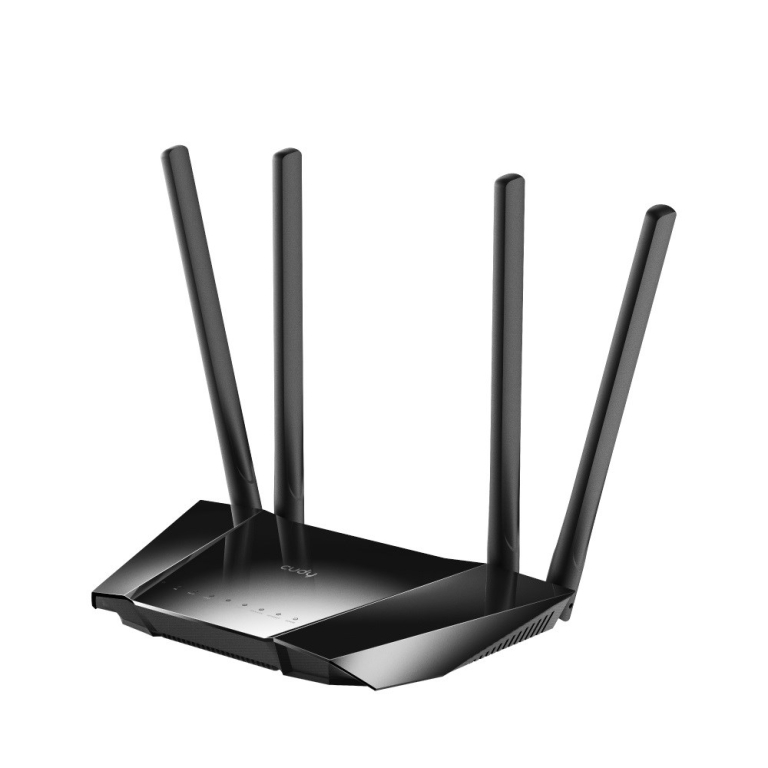 | kohal | 39,00 € | Poodi |
| Arvutitark OÜ | Cudy LT400 N300 4G LTE SIM Router with 300Mbps Wi-Fi & High-Gain Antennas Tootekood: LT400_EU GTIN: 6971690791193 Routers LT400 Router 300Mbps Wireless N 4G LTE LTE speed up to 150/50 Mbps 300Mbps Wi-Fi for a smoother experience 4 x high-gain antennas for increased coverage OpenVPN/PPTP/L2TP/Zerotier/Wireguard VPN WAN/LAN port for dual connectivity Compatible with over 15 DDNS providers | 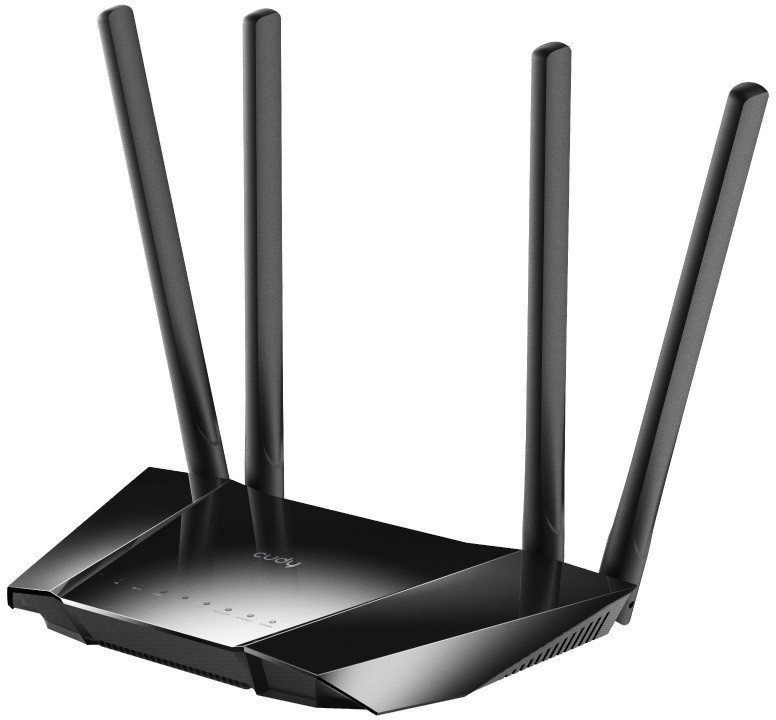 | 43,40 € +0,55 € | Poodi | |
| Kaup24 | Cudy LT400 N300 Wi-Fi 4 4G LTE Router 3x 10/100 LAN 1x SIM Tootekood: LT300_EU GTIN: 6971690793456 Ruuterid Cudy LT400 N300 Wi-Fi 4 4G LTE Router 3x 10/100 LAN 1x SIM |  | 39,37 € | Poodi | |
| Kaup24 | Cudy LT400 N300 Wi-Fi 4 4G LTE Router 3x 10/100 LAN 1x SIM Black Tootekood: LT400 GTIN: 6971690791193 Pääsupunktid (Access Point) Cudy LT400 N300 Wi-Fi 4 4G LTE Router 3x 10/100 LAN 1x SIM Black |  | 1-2 tööpäevaga | 40,98 € | Poodi |
| Kaup24 | Cudy LT400 Outdoor Router Tootekood: LT400 Outdoor GTIN: 6971690792916 Ruuterid Cudy LT400 Outdoor Router |  | 72,80 € | Poodi | |
| Kaup24 | Cudy LT500 AC1200 Wi-Fi 5 4G LTE Router 4x 10/100 LAN 1x SIM Black Tootekood: LT500 GTIN: 6971690791209 Pääsupunktid (Access Point) Cudy LT500 AC1200 Wi-Fi 5 4G LTE Router 4x 10/100 LAN 1x SIM Black |  | 1-2 tööpäevaga | 49,70 € | Poodi |
| Kaup24 | CUDY LT500 Outdoor 4G LTE Cat.4 AC1200 Wi-Fi 5 Modem-Router 1-Port Tootekood: LT500 Outdoor GTIN: 6971690792848 Ruuterid CUDY LT500 Outdoor 4G LTE Cat.4 AC1200 Wi-Fi 5 Modem-Router 1-Port |  | 81,99 € | Poodi | |
| Arvutitark OÜ | Cudy LT500 wireless router Fast Ethernet Dual-band (2.4 GHz / 5 GHz) 4G Black Tootekood: LT500_EU GTIN: 6971690791209 Routers LT500 4G LTE AC1200 Dual Band WiFi Router LTE speed up to 150 / 50Mbps AC1200 Wi-Fi for smoother operation High-gain antennas for extended range PPTP/L2TP/OpenVPN/WireGuard/IPsec/Zerotier VPN Compatible with over 15 DDNS providers DNS via Cloudflare/NextDNS/Google | 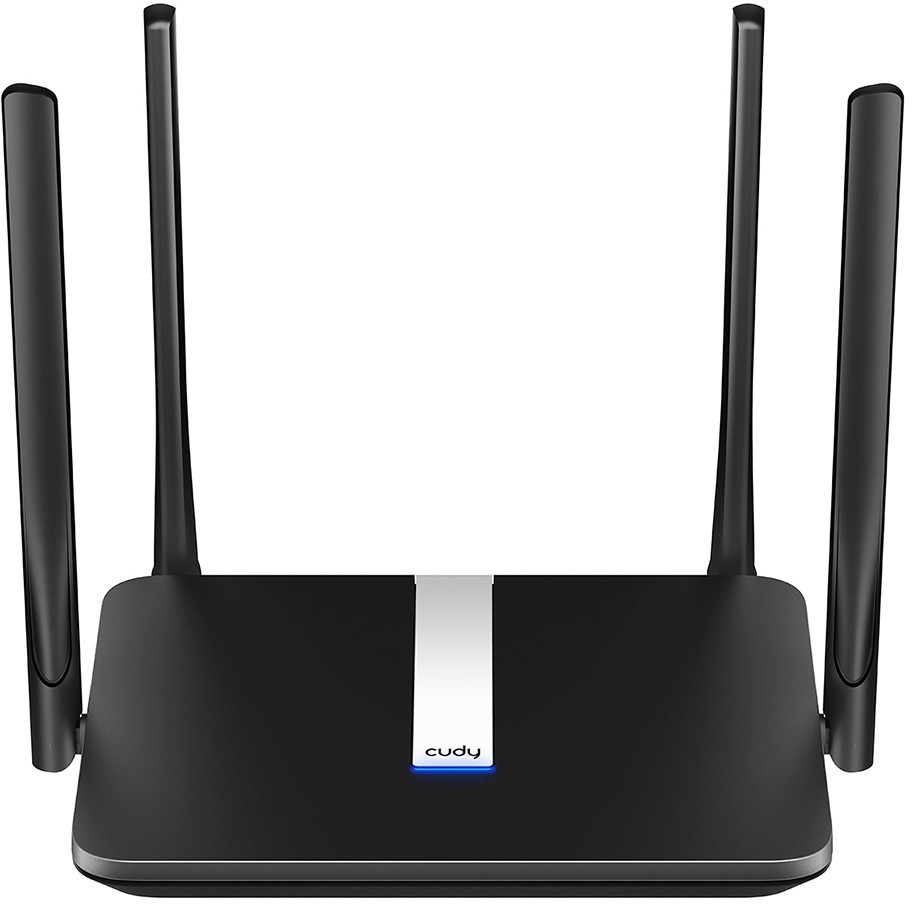 | 49,30 € −0,15 € | Poodi | |
| Arvutitark OÜ | Cudy LT500D wireless router Fast Ethernet Dual-band (2.4 GHz / 5 GHz) 4G Black Tootekood: LT500D_EU GTIN: 6971690792060 Routers LT500D 4G LTE Router AC1200 Dual Band Wi-Fi LTE speed up to 150/50 Mbps AC1200 Wi-Fi for smoother operation 2 x detachable 4G antenna Many VPN protocols create secure connections Compatible with over 15 DDNS providers DNS via Cloudflare/NextDNS/Google | 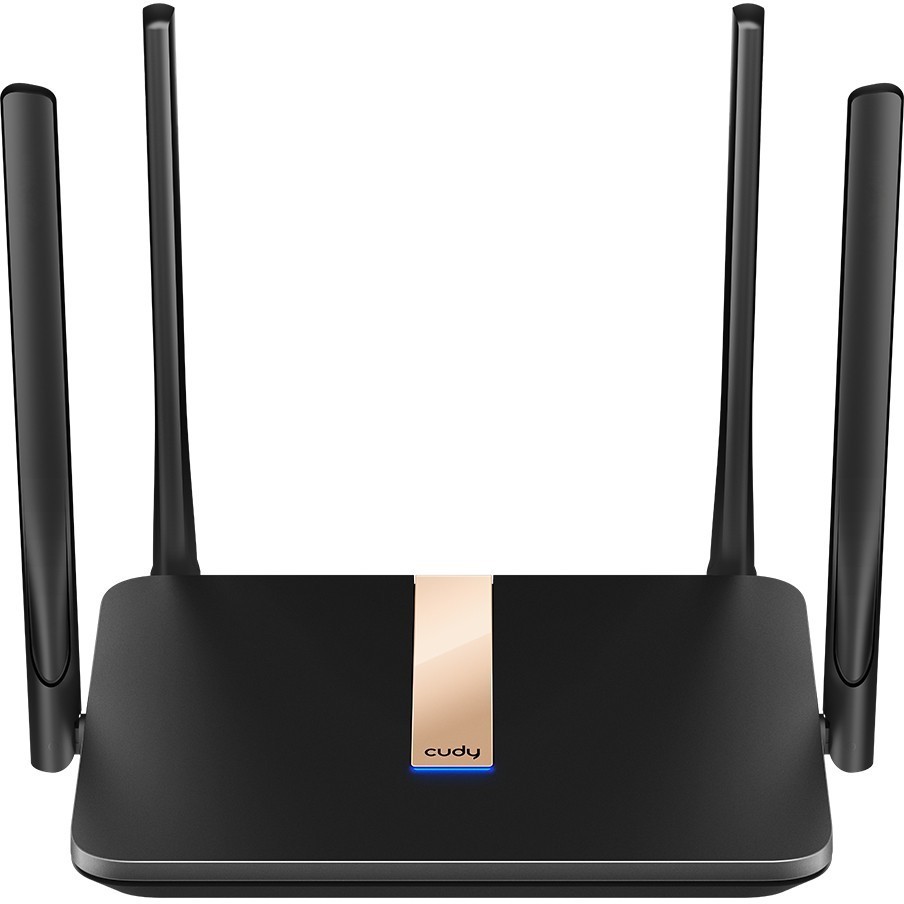 | 62,85 € −0,25 € | Poodi | |
| Datagate | Cudy LT500D_EU Wi-Fi 5 AC1200 4G LTE Router - 1xSIM 4x100Mbit 2x detachable LTE 5dBi antennas 2x Wi-Fi AC antennas/ Cudy Mesh Tootekood: LT500D_EU 4G/5G Routers <div class="product__title"> <h1>4G AC1200 Wi-Fi Router with Detachable Antennas</h1> </div> <div class="product__model"> <h2>LT500D 2.0</h2> </div> <div class="product__description cudy color-background-2 rte quick-add-hidden"> <p>A 4G WiFi router with one nano SIM slot and four Ethernet ports, providing easy-to-install flexible networks for home, office, surveillance, exhibitions, and RV scenarios.</p> <hr class="cudy-hr" /></div> <p> </p> <ul> <li>4G Cat. 4 with Max 150 Mbps DL</li> <li>4-Stream Dual-Band Wi-Fi 5</li> <li>867 Mbps + 300 Mbps Wi-Fi <sup><small>1</small></sup></li> <li>4× Fast Ethernet Ports</li> <li>1× Nano SIM Slot</li> <li>Detachable Cellular Antennas</li> <li>Cudy Mesh, VPN Server and Client</li> <li>Cudy App, Cloud Control</li> </ul> <p> </p> | 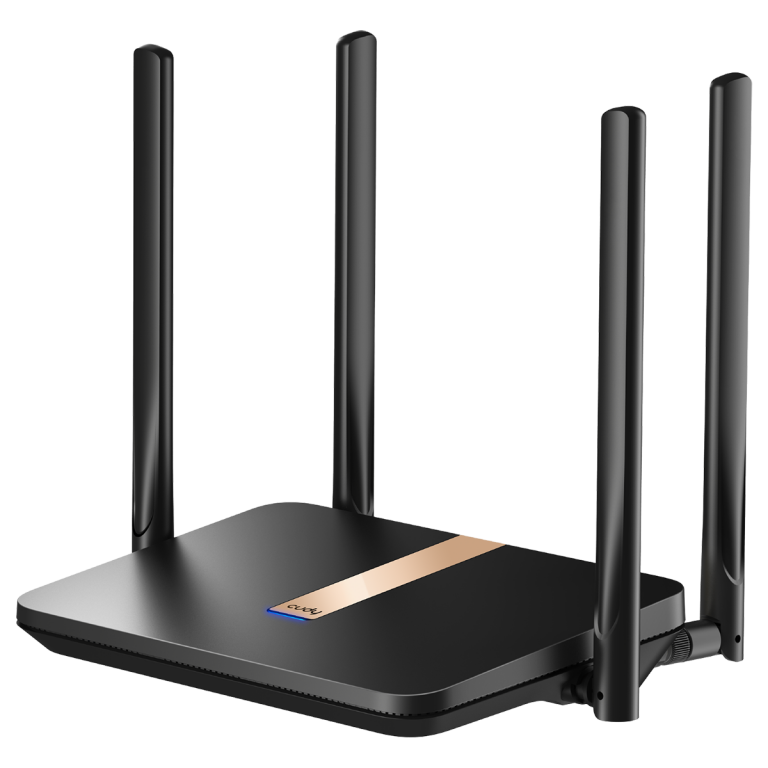 | kohal | 60,00 € | Poodi |
| Kaup24 | Cudy LT700 LinkCell Pro AC1200 4G LTE Cat6 Gigabit Router with Dual SIM Dual-Band VPN Mesh Tootekood: LT500D GTIN: 6971690792886 Ruuterid Cudy LT700 LinkCell Pro AC1200 4G LTE Cat6 Gigabit Router with Dual SIM Dual-Band VPN Mesh |  | 123,95 € | Poodi | |
| Arvutitark OÜ | Cudy LT700 wireless router Gigabit Ethernet Dual-band (2.4 GHz / 5 GHz) 4G Black Tootekood: LT700_EU GTIN: 6971690792886 Routers LT700 AC1200 4G LTE CAT 6 Router 4G LTE CAT.6 CPE AC1200 Dual Band Wi-Fi Two SIM slots (Nano) 4 x Gigabit Ethernet ports 4 x detachable cellular antenna 2 x fixed WiFi antenna DNS over Cloudare/NextDNS/Google WireGuard/OpenVPN/PPTP/L2TP clients | 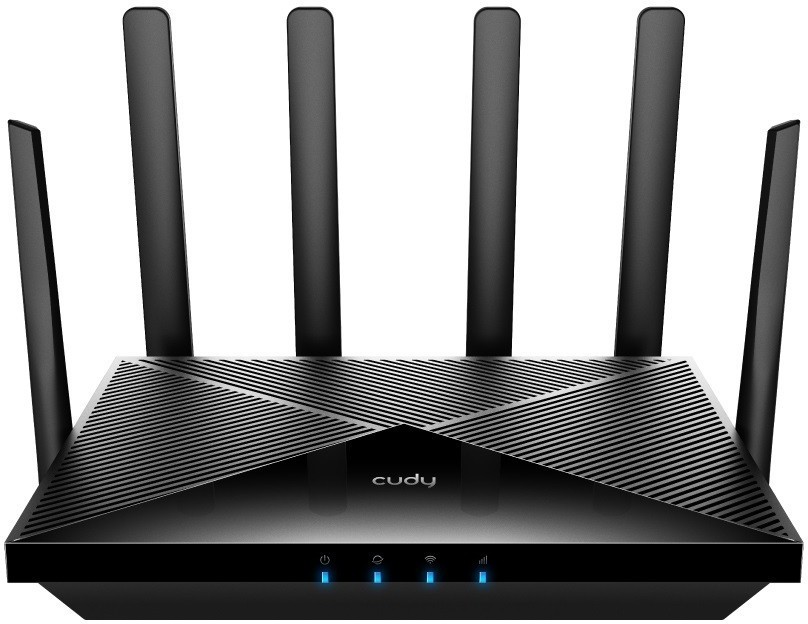 | 138,90 € | Poodi | |
| Arvutitark OÜ | Cudy LT700 wireless router Gigabit Ethernet Dual-band (2.4 GHz / 5 GHz) 4G White Tootekood: LT700 OUTDOOR_EU GTIN: 6971690793142 Routers Router LT700 Outdoor LTE FDD/TDD Cat 6 AC1200 Wi-Fi 1 x Gigabit WAN/LAN Nano SIM Card Slot 802.3at/af PoE or Passive PoE 2x Internal WiFi Antennas + 2 x Detachable 4G Antennas VPN & DDNS IP65 WaterProof Turn Everywhere 4G into Speedy AC1200 Wi-FiWith 4G Cat.6 standards, LT700 Outdoor communicates with a 4G tower with speeds of up to 300 Mbps download and 50 Mbps upload. With MU-MIMO and dual-band features, the AC1200 Wi-Fi shares the fast 4G with over 30 devices while minimizing the latency.Boosted Wi-Fi Coverage with BeamformingTested Wi-Fi coverage performance in four dierent scenarios, achieved by Beamforming technology and two built-in antennas. If your space is too large for one Cudy 4G Outdoor Router to cover, you can expand your Wi-Fi coverage into a Mesh network by adding another Cudy AP.Insert a SIM, Enjoy Wi-FiInstall Wi-Fi anywhere is as easy as plugging a SIM card and booting it up with the PoE adapter. One PoE Adapter is included in the box.Pull Network to 100 m AwayPlug your Ethernet cable into the PoE adapter/switch to get up to 100 m of wired network reach. The extra cable is not included in the box.Install an AP for Indoor Wi-FiConnect an AP to the PoE adapter to equip your cafe, home, or oce with a better Wi-Fi signal. AP needs to bepurchased separately.Install Extension AntennasThe default 4G antennas are as sensitive as a standard phone's antennas. You can still replace them with customized ones via the SMA connectors. |  | 141,70 € −0,50 € | Poodi | |
| Arvutitark OÜ | Cudy Outdoor 4G LTE Cat 4 AC1200 Wi-Fi Router Tootekood: LT500 OUTDOOR GTIN: 6971690792848 Routers Router LT500 Outdoor LTE FDD/TDD Cat 4 AC1200 Wi-Fi 1 x 10/100 Mbps WAN/LAN Nano SIM Slot 24 V Passive PoE 2 x Internal WiFi Antennas + 2 x Detachable 4G Antennas VPN & DDNS IP65 WaterProof Turn Everywhere 4G into Speedy AC1200 Wi-FiWith 4G Cat. 4 standards, LT500 Outdoor communicates with a 4G tower with speeds of up to 150 Mbps download and 50 Mbps upload. With MU-MIMO and dual-band features, the AC1200 Wi-Fi shares the fast 4G with over 30 devices while minimizing the latency.Boosted Wi-Fi Coverage with BeamformingTested Wi-Fi coverage performance in four dierent scenarios, achieved by Beamforming technology and two built-in antennas. If your space is too large for one Cudy 4G Outdoor Router to cover, you can expand your Wi-Fi coverage into a Mesh network by adding another Cudy AP.Insert a SIM, Enjoy Wi-FiInstall Wi-Fi anywhere is as easy as plugging a SIM card and booting it up with the PoE adapter. One PoE Adapter is included in the box.Pull Network to 100 m AwayPlug your Ethernet cable into the PoE adapter/switch to get up to 100 m of wired network reach. The extra cable is not included in the box.Install an AP for Indoor Wi-FiConnect an AP to the PoE adapter to equip your cafe, home, or oce with a better Wi-Fi signal. AP needs to bepurchased separately.Install Extension AntennasThe default 4G antennas are as sensitive as a standard phone's antennas. You can still replace them with customized ones via the SMA connectors. |  | 88,10 € | Poodi | |
| Arvutitark OÜ | Cudy Outdoor 4G LTE Cat 4 N300 Wi-Fi Router Tootekood: LT400 OUTDOOR_EU GTIN: 6971690792916 Routers Router LT400 Outdoor LTE FDD/TDD Cat 4 N300 Wi-Fi 1 x 10/100Mbps WAN/LAN Nano SIM Slot 24V Passive PoE 2 x Internal WiFi Antennas + 2 x Detachable 4G Antennas VPN & DDNS IP65 WaterProof Turn Everywhere 4G into N300 Wi-FiWith 4G Cat.4 standards, LT400 Outdoor communicates with a 4G tower with speeds of up to 150 Mbps download and 50 Mbps upload. It features a N300 Wi-Fi, providing reliable network for web browsing,video streaming, surveilance, and POS services.Boosted Wi-Fi Coverage with BeamformingTested Wi-Fi coverage performance in four dierent scenarios, achieved by Beamforming technology and two built-in antennas. If your space is too large for one Cudy 4G Outdoor Router to cover, you can expand your Wi-Fi coverage into a Mesh network by adding another Cudy AP.Insert a SIM, Enjoy Wi-FiInstall Wi-Fi anywhere is as easy as plugging a SIM card and booting it up with the PoE adapter. One PoE Adapter is included in the box.Pull Network to 100 m AwayPlug your Ethernet cable into the PoE adapter/switch to get up to 100 m of wired network reach. The extra cable is not included in the box.Install an AP for Indoor Wi-FiConnect an AP to the PoE adapter to equip your cafe, home, or oce with a better Wi-Fi signal. AP needs to bepurchased separately.Install Extension AntennasThe default 4G antennas are as sensitive as a standard phone's antennas. You can still replace them with customized ones via the SMA connectors. |  | 72,80 € | Poodi | |
| Arvutitark OÜ | Cudy P2 Router Mesh Gigabit 5G WiFi 6 AX3000 Tootekood: P2_EU GTIN: 6971690793777 Routers The Cudy P2 wireless cellular modem and router offers a reliable solution for connectivity needs, supporting both 4G and 5G networks. With a maximum data rate of up to 2.6 Gbps, it ensures efficient data transfer for multiple devices. The dual-band capability allows operation at 2.4 GHz and 5 GHz frequencies, enhancing performance and flexibility.Equipped with features such as MU-MIMO technology and beamforming, the Cudy P2 optimizes signal range and stability, minimizing dead zones within the coverage area. Its extensive security protocols, including WPA, WPA2, and WPA3, provide protection for your network, ensuring safe Internet browsing for all connected users. Additionally, with support for a maximum of 256 clients and a user-friendly interface, setting up and managing your network is straightforward and efficient. | 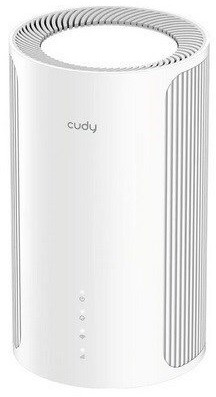 | 177,10 € −0,70 € | Poodi |

Kõik hinnakirjad
Tooted 101
– 150
/ 1 000
50