Müüja | Saadavus | ||||
|---|---|---|---|---|---|
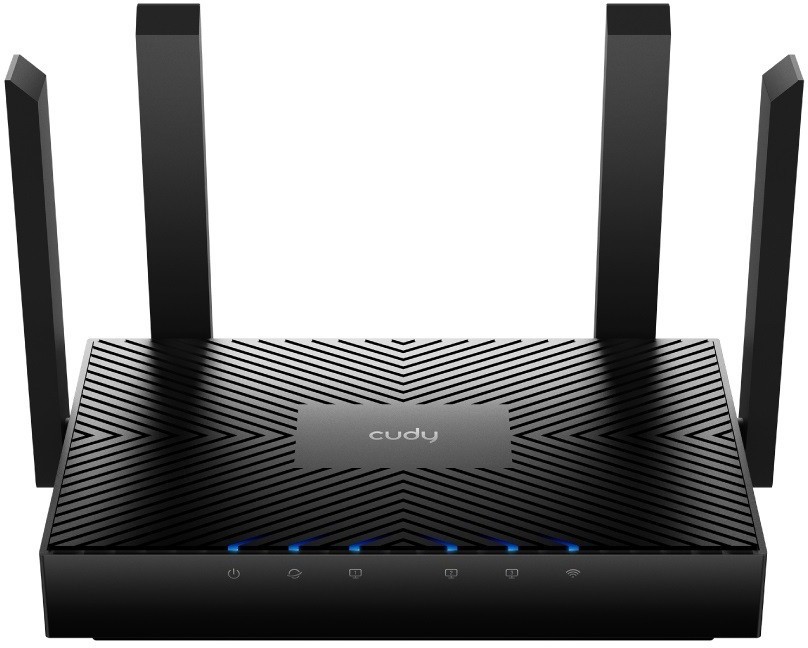
| Datagate | CUDY LT400 EU - 4G LTE SIM Wireless router - Wi-Fi 300 Mbps 2.4 GHz Tootekood: LT400_EU 4G/5G Routers <p class="section-label" style="box-sizing: border-box; margin: 0px 0px 10px; cursor: pointer; font-size: 14px; font-weight: bold; padding: 5px 0px 5px 15px; color: #777777; background-color: #f4f4f4; font-family: 'Source Sans Pro', sans-serif; font-style: normal; font-variant-ligatures: normal; font-variant-caps: normal; letter-spacing: 0.25px; orphans: 2; text-align: start; text-indent: 0px; text-transform: none; widows: 2; word-spacing: 0px; -webkit-text-stroke-width: 0px; white-space: normal; text-decoration-thickness: initial; text-decoration-style: initial; text-decoration-color: initial;" role="button" data-toggle="collapse" aria-expanded="true" data-target="#section-wan-connection"> WAN connection</p> <div class="section collapse in" id="section-wan-connection" style="box-sizing: border-box; color: #58595b; display: block; font-family: 'Source Sans Pro', sans-serif; font-size: 12px; font-style: normal; font-variant-ligatures: normal; font-variant-caps: normal; font-weight: 400; letter-spacing: 0.25px; orphans: 2; text-align: start; text-indent: 0px; text-transform: none; widows: 2; word-spacing: 0px; -webkit-text-stroke-width: 0px; white-space: normal; background-color: #ffffff; text-decoration-thickness: initial; text-decoration-style: initial; text-decoration-color: initial;"> <table class="specyfikacje-table" style="box-sizing: border-box; border-spacing: 0px; border-collapse: collapse; background-color: transparent; width: 1370px; font-size: 14px;"> <tbody style="box-sizing: border-box;"> <tr style="box-sizing: border-box;"> <td style="box-sizing: border-box; padding: 4px 15px 4px 4px; color: #58595b; vertical-align: top; width: 170px; text-align: right;">Ethernet WAN</td> <td style="box-sizing: border-box; padding: 4px; color: #58595b; vertical-align: top; font-weight: bold;">Yes</td> </tr> <tr style="box-sizing: border-box;"> <td style="box-sizing: border-box; padding: 4px 15px 4px 4px; color: #58595b; vertical-align: top; width: 170px; text-align: right;">SIM card slot</td> <td style="box-sizing: border-box; padding: 4px; color: #58595b; vertical-align: top; font-weight: bold;">Yes</td> </tr> <tr style="box-sizing: border-box;"> <td style="box-sizing: border-box; padding: 4px 15px 4px 4px; color: #58595b; vertical-align: top; width: 170px; text-align: right;">3G/4G USB modem compatibility</td> <td style="box-sizing: border-box; padding: 4px; color: #58595b; vertical-align: top; font-weight: bold;">Yes</td> </tr> <tr style="box-sizing: border-box;"> <td style="box-sizing: border-box; padding: 4px 15px 20px 4px; color: #58595b; vertical-align: top; width: 170px; text-align: right;">WAN connection type</td> <td style="box-sizing: border-box; padding: 4px 4px 20px; color: #58595b; vertical-align: top; font-weight: bold;">RJ-45</td> </tr> </tbody> </table> </div> <p class="section-label" style="box-sizing: border-box; margin: 0px 0px 10px; cursor: pointer; font-size: 14px; font-weight: bold; padding: 5px 0px 5px 15px; color: #777777; background-color: #f4f4f4; font-family: 'Source Sans Pro', sans-serif; font-style: normal; font-variant-ligatures: normal; font-variant-caps: normal; letter-spacing: 0.25px; orphans: 2; text-align: start; text-indent: 0px; text-transform: none; widows: 2; word-spacing: 0px; -webkit-text-stroke-width: 0px; white-space: normal; text-decoration-thickness: initial; text-decoration-style: initial; text-decoration-color: initial;" role="button" data-toggle="collapse" aria-expanded="true" data-target="#section-wireless-lan-features"> Wireless LAN features</p> <div class="section collapse in" id="section-wireless-lan-features" style="box-sizing: border-box; color: #58595b; display: block; font-family: 'Source Sans Pro', sans-serif; font-size: 12px; font-style: normal; font-variant-ligatures: normal; font-variant-caps: normal; font-weight: 400; letter-spacing: 0.25px; orphans: 2; text-align: start; text-indent: 0px; text-transform: none; widows: 2; word-spacing: 0px; -webkit-text-stroke-width: 0px; white-space: normal; background-color: #ffffff; text-decoration-thickness: initial; text-decoration-style: initial; text-decoration-color: initial;"> <table class="specyfikacje-table" style="box-sizing: border-box; border-spacing: 0px; border-collapse: collapse; background-color: transparent; width: 1370px; font-size: 14px;"> <tbody style="box-sizing: border-box;"> <tr style="box-sizing: border-box;"> <td style="box-sizing: border-box; padding: 4px 15px 4px 4px; color: #58595b; vertical-align: top; width: 170px; text-align: right;">Wi-Fi band</td> <td style="box-sizing: border-box; padding: 4px; color: #58595b; vertical-align: top; font-weight: bold;">Single-band (2.4 GHz)</td> </tr> <tr style="box-sizing: border-box;"> <td style="box-sizing: border-box; padding: 4px 15px 4px 4px; color: #58595b; vertical-align: top; width: 170px; text-align: right;">Top Wi-Fi standard</td> <td style="box-sizing: border-box; padding: 4px; color: #58595b; vertical-align: top; font-weight: bold;">Wi-Fi 4 (802.11n)</td> </tr> <tr style="box-sizing: border-box;"> <td style="box-sizing: border-box; padding: 4px 15px 20px 4px; color: #58595b; vertical-align: top; width: 170px; text-align: right;">Wi-Fi standards</td> <td style="box-sizing: border-box; padding: 4px 4px 20px; color: #58595b; vertical-align: top; font-weight: bold;">802.11 b/g/n</td> </tr> </tbody> </table> </div> <p class="section-label" style="box-sizing: border-box; margin: 0px 0px 10px; cursor: pointer; font-size: 14px; font-weight: bold; padding: 5px 0px 5px 15px; color: #777777; background-color: #f4f4f4; font-family: 'Source Sans Pro', sans-serif; font-style: normal; font-variant-ligatures: normal; font-variant-caps: normal; letter-spacing: 0.25px; orphans: 2; text-align: start; text-indent: 0px; text-transform: none; widows: 2; word-spacing: 0px; -webkit-text-stroke-width: 0px; white-space: normal; text-decoration-thickness: initial; text-decoration-style: initial; text-decoration-color: initial;" role="button" data-toggle="collapse" aria-expanded="true" data-target="#section-network"> Network</p> <div class="section collapse in" id="section-network" style="box-sizing: border-box; color: #58595b; display: block; font-family: 'Source Sans Pro', sans-serif; font-size: 12px; font-style: normal; font-variant-ligatures: normal; font-variant-caps: normal; font-weight: 400; letter-spacing: 0.25px; orphans: 2; text-align: start; text-indent: 0px; text-transform: none; widows: 2; word-spacing: 0px; -webkit-text-stroke-width: 0px; white-space: normal; background-color: #ffffff; text-decoration-thickness: initial; text-decoration-style: initial; text-decoration-color: initial;"> <table class="specyfikacje-table" style="box-sizing: border-box; border-spacing: 0px; border-collapse: collapse; background-color: transparent; width: 1370px; font-size: 14px;"> <tbody style="box-sizing: border-box;"> <tr style="box-sizing: border-box;"> <td style="box-sizing: border-box; padding: 4px 15px 4px 4px; color: #58595b; vertical-align: top; width: 170px; text-align: right;">Ethernet LAN</td> <td style="box-sizing: border-box; padding: 4px; color: #58595b; vertical-align: top; font-weight: bold;">Yes</td> </tr> <tr style="box-sizing: border-box;"> <td style="box-sizing: border-box; padding: 4px 15px 4px 4px; color: #58595b; vertical-align: top; width: 170px; text-align: right;">Ethernet LAN interface type</td> <td style="box-sizing: border-box; padding: 4px; color: #58595b; vertical-align: top; font-weight: bold;">Ethernet</td> </tr> <tr style="box-sizing: border-box;"> <td style="box-sizing: border-box; padding: 4px 15px 4px 4px; color: #58595b; vertical-align: top; width: 170px; text-align: right;">Ethernet LAN data rates</td> <td style="box-sizing: border-box; padding: 4px; color: #58595b; vertical-align: top; font-weight: bold;">10,100 Mbit/s</td> </tr> <tr style="box-sizing: border-box;"> <td style="box-sizing: border-box; padding: 4px 15px 20px 4px; color: #58595b; vertical-align: top; width: 170px; text-align: right;">Dynamic DNS (DDNS)</td> <td style="box-sizing: border-box; padding: 4px 4px 20px; color: #58595b; vertical-align: top; font-weight: bold;">Yes</td> </tr> </tbody> </table> </div> <p class="section-label" style="box-sizing: border-box; margin: 0px 0px 10px; cursor: pointer; font-size: 14px; font-weight: bold; padding: 5px 0px 5px 15px; color: #777777; background-color: #f4f4f4; font-family: 'Source Sans Pro', sans-serif; font-style: normal; font-variant-ligatures: normal; font-variant-caps: normal; letter-spacing: 0.25px; orphans: 2; text-align: start; text-indent: 0px; text-transform: none; widows: 2; word-spacing: 0px; -webkit-text-stroke-width: 0px; white-space: normal; text-decoration-thickness: initial; text-decoration-style: initial; text-decoration-color: initial;" role="button" data-toggle="collapse" aria-expanded="true" data-target="#section-mobile-network"> Mobile network</p> <div class="section collapse in" id="section-mobile-network" style="box-sizing: border-box; color: #58595b; display: block; font-family: 'Source Sans Pro', sans-serif; font-size: 12px; font-style: normal; font-variant-ligatures: normal; font-variant-caps: normal; font-weight: 400; letter-spacing: 0.25px; orphans: 2; text-align: start; text-indent: 0px; text-transform: none; widows: 2; word-spacing: 0px; -webkit-text-stroke-width: 0px; white-space: normal; background-color: #ffffff; text-decoration-thickness: initial; text-decoration-style: initial; text-decoration-color: initial;"> <table class="specyfikacje-table" style="box-sizing: border-box; border-spacing: 0px; border-collapse: collapse; background-color: transparent; width: 1370px; font-size: 14px;"> <tbody style="box-sizing: border-box;"> <tr style="box-sizing: border-box;"> <td style="box-sizing: border-box; padding: 4px 15px 4px 4px; color: #58595b; vertical-align: top; width: 170px; text-align: right;">Mobile network generation</td> <td style="box-sizing: border-box; padding: 4px; color: #58595b; vertical-align: top; font-weight: bold;">4G</td> </tr> <tr style="box-sizing: border-box;"> <td style="box-sizing: border-box; padding: 4px 15px 4px 4px; color: #58595b; vertical-align: top; width: 170px; text-align: right;">Dual SIM support</td> <td style="box-sizing: border-box; padding: 4px; color: #58595b; vertical-align: top; font-weight: bold;">No</td> </tr> <tr style="box-sizing: border-box;"> <td style="box-sizing: border-box; padding: 4px 15px 4px 4px; color: #58595b; vertical-align: top; width: 170px; text-align: right;">4G standard</td> <td style="box-sizing: border-box; padding: 4px; color: #58595b; vertical-align: top; font-weight: bold;">LTE</td> </tr> <tr style="box-sizing: border-box;"> <td style="box-sizing: border-box; padding: 4px 15px 4px 4px; color: #58595b; vertical-align: top; width: 170px; text-align: right;">4G LTE category</td> <td style="box-sizing: border-box; padding: 4px; color: #58595b; vertical-align: top; font-weight: bold;">4</td> </tr> <tr style="box-sizing: border-box;"> <td style="box-sizing: border-box; padding: 4px 15px 4px 4px; color: #58595b; vertical-align: top; width: 170px; text-align: right;">SIM card type</td> <td style="box-sizing: border-box; padding: 4px; color: #58595b; vertical-align: top; font-weight: bold;">NanoSIM</td> </tr> <tr style="box-sizing: border-box;"> <td style="box-sizing: border-box; padding: 4px 15px 20px 4px; color: #58595b; vertical-align: top; width: 170px; text-align: right;">Short Message Service (SMS)</td> <td style="box-sizing: border-box; padding: 4px 4px 20px; color: #58595b; vertical-align: top; font-weight: bold;">Yes</td> </tr> </tbody> </table> </div> <p class="section-label" style="box-sizing: border-box; margin: 0px 0px 10px; cursor: pointer; font-size: 14px; font-weight: bold; padding: 5px 0px 5px 15px; color: #777777; background-color: #f4f4f4; font-family: 'Source Sans Pro', sans-serif; font-style: normal; font-variant-ligatures: normal; font-variant-caps: normal; letter-spacing: 0.25px; orphans: 2; text-align: start; text-indent: 0px; text-transform: none; widows: 2; word-spacing: 0px; -webkit-text-stroke-width: 0px; white-space: normal; text-decoration-thickness: initial; text-decoration-style: initial; text-decoration-color: initial;" role="button" data-toggle="collapse" aria-expanded="true" data-target="#section-ports-interfaces"> Ports & interfaces</p> <div class="section collapse in" id="section-ports-interfaces" style="box-sizing: border-box; color: #58595b; display: block; font-family: 'Source Sans Pro', sans-serif; font-size: 12px; font-style: normal; font-variant-ligatures: normal; font-variant-caps: normal; font-weight: 400; letter-spacing: 0.25px; orphans: 2; text-align: start; text-indent: 0px; text-transform: none; widows: 2; word-spacing: 0px; -webkit-text-stroke-width: 0px; white-space: normal; background-color: #ffffff; text-decoration-thickness: initial; text-decoration-style: initial; text-decoration-color: initial;"> <table class="specyfikacje-table" style="box-sizing: border-box; border-spacing: 0px; border-collapse: collapse; background-color: transparent; width: 1370px; font-size: 14px;"> <tbody style="box-sizing: border-box;"> <tr style="box-sizing: border-box;"> <td style="box-sizing: border-box; padding: 4px 15px 4px 4px; color: #58595b; vertical-align: top; width: 170px; text-align: right;">Ethernet LAN (RJ-45) ports</td> <td style="box-sizing: border-box; padding: 4px; color: #58595b; vertical-align: top; font-weight: bold;">3</td> </tr> <tr style="box-sizing: border-box;"> <td style="box-sizing: border-box; padding: 4px 15px 4px 4px; color: #58595b; vertical-align: top; width: 170px; text-align: right;">USB port</td> <td style="box-sizing: border-box; padding: 4px; color: #58595b; vertical-align: top; font-weight: bold;">No</td> </tr> <tr style="box-sizing: border-box;"> <td style="box-sizing: border-box; padding: 4px 15px 4px 4px; color: #58595b; vertical-align: top; width: 170px; text-align: right;">Number of Ethernet WAN ports</td> <td style="box-sizing: border-box; padding: 4px; color: #58595b; vertical-align: top; font-weight: bold;">1</td> </tr> <tr style="box-sizing: border-box;"> <td style="box-sizing: border-box; padding: 4px 15px 20px 4px; color: #58595b; vertical-align: top; width: 170px; text-align: right;">SIM card slot</td> <td style="box-sizing: border-box; padding: 4px 4px 20px; color: #58595b; vertical-align: top; font-weight: bold;">Yes</td> </tr> </tbody> </table> </div> <p class="section-label" style="box-sizing: border-box; margin: 0px 0px 10px; cursor: pointer; font-size: 14px; font-weight: bold; padding: 5px 0px 5px 15px; color: #777777; background-color: #f4f4f4; font-family: 'Source Sans Pro', sans-serif; font-style: normal; font-variant-ligatures: normal; font-variant-caps: normal; letter-spacing: 0.25px; orphans: 2; text-align: start; text-indent: 0px; text-transform: none; widows: 2; word-spacing: 0px; -webkit-text-stroke-width: 0px; white-space: normal; text-decoration-thickness: initial; text-decoration-style: initial; text-decoration-color: initial;" role="button" data-toggle="collapse" aria-expanded="true" data-target="#section-management-features"> Management features</p> <div class="section collapse in" id="section-management-features" style="box-sizing: border-box; color: #58595b; display: block; font-family: 'Source Sans Pro', sans-serif; font-size: 12px; font-style: normal; font-variant-ligatures: normal; font-variant-caps: normal; font-weight: 400; letter-spacing: 0.25px; orphans: 2; text-align: start; text-indent: 0px; text-transform: none; widows: 2; word-spacing: 0px; -webkit-text-stroke-width: 0px; white-space: normal; background-color: #ffffff; text-decoration-thickness: initial; text-decoration-style: initial; text-decoration-color: initial;"> <table class="specyfikacje-table" style="box-sizing: border-box; border-spacing: 0px; border-collapse: collapse; background-color: transparent; width: 1370px; font-size: 14px;"> <tbody style="box-sizing: border-box;"> <tr style="box-sizing: border-box;"> <td style="box-sizing: border-box; padding: 4px 15px 4px 4px; color: #58595b; vertical-align: top; width: 170px; text-align: right;">Web-based management</td> <td style="box-sizing: border-box; padding: 4px; color: #58595b; vertical-align: top; font-weight: bold;">Yes</td> </tr> <tr style="box-sizing: border-box;"> <td style="box-sizing: border-box; padding: 4px 15px 4px 4px; color: #58595b; vertical-align: top; width: 170px; text-align: right;">Quality of Service (QoS) support</td> <td style="box-sizing: border-box; padding: 4px; color: #58595b; vertical-align: top; font-weight: bold;">Yes</td> </tr> <tr style="box-sizing: border-box;"> <td style="box-sizing: border-box; padding: 4px 15px 4px 4px; color: #58595b; vertical-align: top; width: 170px; text-align: right;">Reset button</td> <td style="box-sizing: border-box; padding: 4px; color: #58595b; vertical-align: top; font-weight: bold;">Yes</td> </tr> <tr style="box-sizing: border-box;"> <td style="box-sizing: border-box; padding: 4px 15px 20px 4px; color: #58595b; vertical-align: top; width: 170px; text-align: right;">WPS push button</td> <td style="box-sizing: border-box; padding: 4px 4px 20px; color: #58595b; vertical-align: top; font-weight: bold;">No</td> </tr> </tbody> </table> </div> <p class="section-label" style="box-sizing: border-box; margin: 0px 0px 10px; cursor: pointer; font-size: 14px; font-weight: bold; padding: 5px 0px 5px 15px; color: #777777; background-color: #f4f4f4; font-family: 'Source Sans Pro', sans-serif; font-style: normal; font-variant-ligatures: normal; font-variant-caps: normal; letter-spacing: 0.25px; orphans: 2; text-align: start; text-indent: 0px; text-transform: none; widows: 2; word-spacing: 0px; -webkit-text-stroke-width: 0px; white-space: normal; text-decoration-thickness: initial; text-decoration-style: initial; text-decoration-color: initial;" role="button" data-toggle="collapse" aria-expanded="true" data-target="#section-security"> Security</p> <div class="section collapse in" id="section-security" style="box-sizing: border-box; color: #58595b; display: block; font-family: 'Source Sans Pro', sans-serif; font-size: 12px; font-style: normal; font-variant-ligatures: normal; font-variant-caps: normal; font-weight: 400; letter-spacing: 0.25px; orphans: 2; text-align: start; text-indent: 0px; text-transform: none; widows: 2; word-spacing: 0px; -webkit-text-stroke-width: 0px; white-space: normal; background-color: #ffffff; text-decoration-thickness: initial; text-decoration-style: initial; text-decoration-color: initial;"> <table class="specyfikacje-table" style="box-sizing: border-box; border-spacing: 0px; border-collapse: collapse; background-color: transparent; width: 1370px; font-size: 14px;"> <tbody style="box-sizing: border-box;"> <tr style="box-sizing: border-box;"> <td style="box-sizing: border-box; padding: 4px 15px 4px 4px; color: #58595b; vertical-align: top; width: 170px; text-align: right;">Guest access</td> <td style="box-sizing: border-box; padding: 4px; color: #58595b; vertical-align: top; font-weight: bold;">Yes</td> </tr> <tr style="box-sizing: border-box;"> <td style="box-sizing: border-box; padding: 4px 15px 4px 4px; color: #58595b; vertical-align: top; width: 170px; text-align: right;">Parental control</td> <td style="box-sizing: border-box; padding: 4px; color: #58595b; vertical-align: top; font-weight: bold;">Yes</td> </tr> <tr style="box-sizing: border-box;"> <td style="box-sizing: border-box; padding: 4px 15px 4px 4px; color: #58595b; vertical-align: top; width: 170px; text-align: right;">Network address translation (NAT)</td> <td style="box-sizing: border-box; padding: 4px; color: #58595b; vertical-align: top; font-weight: bold;">Yes</td> </tr> <tr style="box-sizing: border-box;"> <td style="box-sizing: border-box; padding: 4px 15px 20px 4px; color: #58595b; vertical-align: top; width: 170px; text-align: right;">NAT functionality</td> <td style="box-sizing: border-box; padding: 4px 4px 20px; color: #58595b; vertical-align: top; font-weight: bold;">Port Forwarding, Port Triggering, UPnP, DMZ</td> </tr> </tbody> </table> </div> <p class="section-label" style="box-sizing: border-box; margin: 0px 0px 10px; cursor: pointer; font-size: 14px; font-weight: bold; padding: 5px 0px 5px 15px; color: #777777; background-color: #f4f4f4; font-family: 'Source Sans Pro', sans-serif; font-style: normal; font-variant-ligatures: normal; font-variant-caps: normal; letter-spacing: 0.25px; orphans: 2; text-align: start; text-indent: 0px; text-transform: none; widows: 2; word-spacing: 0px; -webkit-text-stroke-width: 0px; white-space: normal; text-decoration-thickness: initial; text-decoration-style: initial; text-decoration-color: initial;" role="button" data-toggle="collapse" aria-expanded="true" data-target="#section-design"> Design</p> <div class="section collapse in" id="section-design" style="box-sizing: border-box; color: #58595b; display: block; font-family: 'Source Sans Pro', sans-serif; font-size: 12px; font-style: normal; font-variant-ligatures: normal; font-variant-caps: normal; font-weight: 400; letter-spacing: 0.25px; orphans: 2; text-align: start; text-indent: 0px; text-transform: none; widows: 2; word-spacing: 0px; -webkit-text-stroke-width: 0px; white-space: normal; background-color: #ffffff; text-decoration-thickness: initial; text-decoration-style: initial; text-decoration-color: initial;"> <table class="specyfikacje-table" style="box-sizing: border-box; border-spacing: 0px; border-collapse: collapse; background-color: transparent; width: 1370px; font-size: 14px;"> <tbody style="box-sizing: border-box;"> <tr style="box-sizing: border-box;"> <td style="box-sizing: border-box; padding: 4px 15px 4px 4px; color: #58595b; vertical-align: top; width: 170px; text-align: right;">Product colour</td> <td style="box-sizing: border-box; padding: 4px; color: #58595b; vertical-align: top; font-weight: bold;">Black</td> </tr> <tr style="box-sizing: border-box;"> <td style="box-sizing: border-box; padding: 4px 15px 4px 4px; color: #58595b; vertical-align: top; width: 170px; text-align: right;">LED indicators</td> <td style="box-sizing: border-box; padding: 4px; color: #58595b; vertical-align: top; font-weight: bold;">Yes</td> </tr> <tr style="box-sizing: border-box;"> <td style="box-sizing: border-box; padding: 4px 15px 4px 4px; color: #58595b; vertical-align: top; width: 170px; text-align: right;">Built-in display</td> <td style="box-sizing: border-box; padding: 4px; color: #58595b; vertical-align: top; font-weight: bold;">No</td> </tr> <tr style="box-sizing: border-box;"> <td style="box-sizing: border-box; padding: 4px 15px 20px 4px; color: #58595b; vertical-align: top; width: 170px; text-align: right;">Product type</td> <td style="box-sizing: border-box; padding: 4px 4px 20px; color: #58595b; vertical-align: top; font-weight: bold;">Tabletop router</td> </tr> </tbody> </table> </div> <p class="section-label" style="box-sizing: border-box; margin: 0px 0px 10px; cursor: pointer; font-size: 14px; font-weight: bold; padding: 5px 0px 5px 15px; color: #777777; background-color: #f4f4f4; font-family: 'Source Sans Pro', sans-serif; font-style: normal; font-variant-ligatures: normal; font-variant-caps: normal; letter-spacing: 0.25px; orphans: 2; text-align: start; text-indent: 0px; text-transform: none; widows: 2; word-spacing: 0px; -webkit-text-stroke-width: 0px; white-space: normal; text-decoration-thickness: initial; text-decoration-style: initial; text-decoration-color: initial;" role="button" data-toggle="collapse" aria-expanded="true" data-target="#section-packaging-content"> Packaging content</p> <div class="section collapse in" id="section-packaging-content" style="box-sizing: border-box; color: #58595b; display: block; font-family: 'Source Sans Pro', sans-serif; font-size: 12px; font-style: normal; font-variant-ligatures: normal; font-variant-caps: normal; font-weight: 400; letter-spacing: 0.25px; orphans: 2; text-align: start; text-indent: 0px; text-transform: none; widows: 2; word-spacing: 0px; -webkit-text-stroke-width: 0px; white-space: normal; background-color: #ffffff; text-decoration-thickness: initial; text-decoration-style: initial; text-decoration-color: initial;"> <table class="specyfikacje-table" style="box-sizing: border-box; border-spacing: 0px; border-collapse: collapse; background-color: transparent; width: 1370px; font-size: 14px;"> <tbody style="box-sizing: border-box;"> <tr style="box-sizing: border-box;"> <td style="box-sizing: border-box; padding: 4px 15px 4px 4px; color: #58595b; vertical-align: top; width: 170px; text-align: right;">Cables included</td> <td style="box-sizing: border-box; padding: 4px; color: #58595b; vertical-align: top; font-weight: bold;">LAN (RJ-45)</td> </tr> <tr style="box-sizing: border-box;"> <td style="box-sizing: border-box; padding: 4px 15px 4px 4px; color: #58595b; vertical-align: top; width: 170px; text-align: right;">AC adapter included</td> <td style="box-sizing: border-box; padding: 4px; color: #58595b; vertical-align: top; font-weight: bold;">Yes</td> </tr> <tr style="box-sizing: border-box;"> <td style="box-sizing: border-box; padding: 4px 15px 4px 4px; color: #58595b; vertical-align: top; width: 170px; text-align: right;">Antenna included</td> <td style="box-sizing: border-box; padding: 4px; color: #58595b; vertical-align: top; font-weight: bold;">Yes</td> </tr> <tr style="box-sizing: border-box;"> <td style="box-sizing: border-box; padding: 4px 15px 20px 4px; color: #58595b; vertical-align: top; width: 170px; text-align: right;">Quick installation guide</td> <td style="box-sizing: border-box; padding: 4px 4px 20px; color: #58595b; vertical-align: top; font-weight: bold;">Yes</td> </tr> </tbody> </table> </div> <p class="section-label" style="box-sizing: border-box; margin: 0px 0px 10px; cursor: pointer; font-size: 14px; font-weight: bold; padding: 5px 0px 5px 15px; color: #777777; background-color: #f4f4f4; font-family: 'Source Sans Pro', sans-serif; font-style: normal; font-variant-ligatures: normal; font-variant-caps: normal; letter-spacing: 0.25px; orphans: 2; text-align: start; text-indent: 0px; text-transform: none; widows: 2; word-spacing: 0px; -webkit-text-stroke-width: 0px; white-space: normal; text-decoration-thickness: initial; text-decoration-style: initial; text-decoration-color: initial;" role="button" data-toggle="collapse" aria-expanded="true" data-target="#section-antenna"> Antenna</p> <div class="section collapse in" id="section-antenna" style="box-sizing: border-box; color: #58595b; display: block; font-family: 'Source Sans Pro', sans-serif; font-size: 12px; font-style: normal; font-variant-ligatures: normal; font-variant-caps: normal; font-weight: 400; letter-spacing: 0.25px; orphans: 2; text-align: start; text-indent: 0px; text-transform: none; widows: 2; word-spacing: 0px; -webkit-text-stroke-width: 0px; white-space: normal; background-color: #ffffff; text-decoration-thickness: initial; text-decoration-style: initial; text-decoration-color: initial;"> <table class="specyfikacje-table" style="box-sizing: border-box; border-spacing: 0px; border-collapse: collapse; background-color: transparent; width: 1370px; font-size: 14px;"> <tbody style="box-sizing: border-box;"> <tr style="box-sizing: border-box;"> <td style="box-sizing: border-box; padding: 4px 15px 4px 4px; color: #58595b; vertical-align: top; width: 170px; text-align: right;">Antenna design</td> <td style="box-sizing: border-box; padding: 4px; color: #58595b; vertical-align: top; font-weight: bold;">External</td> </tr> <tr style="box-sizing: border-box;"> <td style="box-sizing: border-box; padding: 4px 15px 20px 4px; color: #58595b; vertical-align: top; width: 170px; text-align: right;">Detachable antenna(s)</td> <td style="box-sizing: border-box; padding: 4px 4px 20px; color: #58595b; vertical-align: top; font-weight: bold;">Yes</td> </tr> </tbody> </table> </div> <p class="section-label" style="box-sizing: border-box; margin: 0px 0px 10px; cursor: pointer; font-size: 14px; font-weight: bold; padding: 5px 0px 5px 15px; color: #777777; background-color: #f4f4f4; font-family: 'Source Sans Pro', sans-serif; font-style: normal; font-variant-ligatures: normal; font-variant-caps: normal; letter-spacing: 0.25px; orphans: 2; text-align: start; text-indent: 0px; text-transform: none; widows: 2; word-spacing: 0px; -webkit-text-stroke-width: 0px; white-space: normal; text-decoration-thickness: initial; text-decoration-style: initial; text-decoration-color: initial;" role="button" data-toggle="collapse" aria-expanded="true" data-target="#section-power"> Power</p> <div class="section collapse in" id="section-power" style="box-sizing: border-box; color: #58595b; display: block; font-family: 'Source Sans Pro', sans-serif; font-size: 12px; font-style: normal; font-variant-ligatures: normal; font-variant-caps: normal; font-weight: 400; letter-spacing: 0.25px; orphans: 2; text-align: start; text-indent: 0px; text-transform: none; widows: 2; word-spacing: 0px; -webkit-text-stroke-width: 0px; white-space: normal; background-color: #ffffff; text-decoration-thickness: initial; text-decoration-style: initial; text-decoration-color: initial;"> <table class="specyfikacje-table" style="box-sizing: border-box; border-spacing: 0px; border-collapse: collapse; background-color: transparent; width: 1370px; font-size: 14px;"> <tbody style="box-sizing: border-box;"> <tr style="box-sizing: border-box;"> <td style="box-sizing: border-box; padding: 4px 15px 4px 4px; color: #58595b; vertical-align: top; width: 170px; text-align: right;">Power source type</td> <td style="box-sizing: border-box; padding: 4px; color: #58595b; vertical-align: top; font-weight: bold;">AC, DC</td> </tr> <tr style="box-sizing: border-box;"> <td style="box-sizing: border-box; padding: 4px 15px 4px 4px; color: #58595b; vertical-align: top; width: 170px; text-align: right;">Output voltage</td> <td style="box-sizing: border-box; padding: 4px; color: #58595b; vertical-align: top; font-weight: bold;">12 V</td> </tr> <tr style="box-sizing: border-box;"> <td style="box-sizing: border-box; padding: 4px 15px 20px 4px; color: #58595b; vertical-align: top; width: 170px; text-align: right;">Output current</td> <td style="box-sizing: border-box; padding: 4px 4px 20px; color: #58595b; vertical-align: top; font-weight: bold;">1 A</td> </tr> </tbody> </table> </div> <p class="section-label" style="box-sizing: border-box; margin: 0px 0px 10px; cursor: pointer; font-size: 14px; font-weight: bold; padding: 5px 0px 5px 15px; color: #777777; background-color: #f4f4f4; font-family: 'Source Sans Pro', sans-serif; font-style: normal; font-variant-ligatures: normal; font-variant-caps: normal; letter-spacing: 0.25px; orphans: 2; text-align: start; text-indent: 0px; text-transform: none; widows: 2; word-spacing: 0px; -webkit-text-stroke-width: 0px; white-space: normal; text-decoration-thickness: initial; text-decoration-style: initial; text-decoration-color: initial;" role="button" data-toggle="collapse" aria-expanded="true" data-target="#section-operational-conditions"> Operational conditions</p> <div class="section collapse in" id="section-operational-conditions" style="box-sizing: border-box; color: #58595b; display: block; font-family: 'Source Sans Pro', sans-serif; font-size: 12px; font-style: normal; font-variant-ligatures: normal; font-variant-caps: normal; font-weight: 400; letter-spacing: 0.25px; orphans: 2; text-align: start; text-indent: 0px; text-transform: none; widows: 2; word-spacing: 0px; -webkit-text-stroke-width: 0px; white-space: normal; background-color: #ffffff; text-decoration-thickness: initial; text-decoration-style: initial; text-decoration-color: initial;"> <table class="specyfikacje-table" style="box-sizing: border-box; border-spacing: 0px; border-collapse: collapse; background-color: transparent; width: 1370px; font-size: 14px;"> <tbody style="box-sizing: border-box;"> <tr style="box-sizing: border-box;"> <td style="box-sizing: border-box; padding: 4px 15px 4px 4px; color: #58595b; vertical-align: top; width: 170px; text-align: right;">Operating temperature (T-T)</td> <td style="box-sizing: border-box; padding: 4px; color: #58595b; vertical-align: top; font-weight: bold;">0 - 40 °C</td> </tr> <tr style="box-sizing: border-box;"> <td style="box-sizing: border-box; padding: 4px 15px 4px 4px; color: #58595b; vertical-align: top; width: 170px; text-align: right;">Storage temperature (T-T)</td> <td style="box-sizing: border-box; padding: 4px; color: #58595b; vertical-align: top; font-weight: bold;">-20 - 70 °C</td> </tr> <tr style="box-sizing: border-box;"> <td style="box-sizing: border-box; padding: 4px 15px 20px 4px; color: #58595b; vertical-align: top; width: 170px; text-align: right;">Operating relative humidity (H-H)</td> <td style="box-sizing: border-box; padding: 4px 4px 20px; color: #58595b; vertical-align: top; font-weight: bold;">5 - 95%</td> </tr> </tbody> </table> </div> <p class="section-label" style="box-sizing: border-box; margin: 0px 0px 10px; cursor: pointer; font-size: 14px; font-weight: bold; padding: 5px 0px 5px 15px; color: #777777; background-color: #f4f4f4; font-family: 'Source Sans Pro', sans-serif; font-style: normal; font-variant-ligatures: normal; font-variant-caps: normal; letter-spacing: 0.25px; orphans: 2; text-align: start; text-indent: 0px; text-transform: none; widows: 2; word-spacing: 0px; -webkit-text-stroke-width: 0px; white-space: normal; text-decoration-thickness: initial; text-decoration-style: initial; text-decoration-color: initial;" role="button" data-toggle="collapse" aria-expanded="true" data-target="#section-weight-dimensions"> Weight & dimensions</p> <div class="section collapse in" id="section-weight-dimensions" style="box-sizing: border-box; color: #58595b; display: block; font-family: 'Source Sans Pro', sans-serif; font-size: 12px; font-style: normal; font-variant-ligatures: normal; font-variant-caps: normal; font-weight: 400; letter-spacing: 0.25px; orphans: 2; text-align: start; text-indent: 0px; text-transform: none; widows: 2; word-spacing: 0px; -webkit-text-stroke-width: 0px; white-space: normal; background-color: #ffffff; text-decoration-thickness: initial; text-decoration-style: initial; text-decoration-color: initial;"> <table class="specyfikacje-table" style="box-sizing: border-box; border-spacing: 0px; border-collapse: collapse; background-color: transparent; width: 1370px; font-size: 14px;"> <tbody style="box-sizing: border-box;"> <tr style="box-sizing: border-box;"> <td style="box-sizing: border-box; padding: 4px 15px 4px 4px; color: #58595b; vertical-align: top; width: 170px; text-align: right;">Width</td> <td style="box-sizing: border-box; padding: 4px; color: #58595b; vertical-align: top; font-weight: bold;">229 mm</td> </tr> <tr style="box-sizing: border-box;"> <td style="box-sizing: border-box; padding: 4px 15px 4px 4px; color: #58595b; vertical-align: top; width: 170px; text-align: right;">Depth</td> <td style="box-sizing: border-box; padding: 4px; color: #58595b; vertical-align: top; font-weight: bold;">147 mm</td> </tr> <tr style="box-sizing: border-box;"> <td style="box-sizing: border-box; padding: 4px 15px 4px 4px; color: #58595b; vertical-align: top; width: 170px; text-align: right;">Height</td> <td style="box-sizing: border-box; padding: 4px; color: #58595b; vertical-align: top; font-weight: bold;">32 mm</td> </tr> <tr style="box-sizing: border-box;"> <td style="box-sizing: border-box; padding: 4px 15px 20px 4px; color: #58595b; vertical-align: top; width: 170px; text-align: right;">Weight</td> <td style="box-sizing: border-box; padding: 4px 4px 20px; color: #58595b; vertical-align: top; font-weight: bold;">264 g</td> </tr> </tbody> </table> </div> | kohal | 39,50 € | Poodi | |
| Arvutitark OÜ | Cudy LT400 N300 4G LTE SIM Router with 300Mbps Wi-Fi & High-Gain Antennas Tootekood: LT400_EU GTIN: 6971690791193 Routers LT400 Router 300Mbps Wireless N 4G LTE LTE speed up to 150/50 Mbps 300Mbps Wi-Fi for a smoother experience 4 x high-gain antennas for increased coverage OpenVPN/PPTP/L2TP/Zerotier/Wireguard VPN WAN/LAN port for dual connectivity Compatible with over 15 DDNS providers | 48,05 € | Poodi | ||
| Kaup24 | Cudy LT400 Outdoor Router Tootekood: LT400 Outdoor GTIN: 6971690792916 Ruuterid Cudy LT400 Outdoor Router | False | 64,04 € | Poodi | |
| Kaup24 | CUDY LT500 Outdoor 4G LTE Cat.4 AC1200 Wi-Fi 5 Modem-Router 1-Port Tootekood: LT500 Outdoor GTIN: 6971690792848 Ruuterid CUDY LT500 Outdoor 4G LTE Cat.4 AC1200 Wi-Fi 5 Modem-Router 1-Port | False | 74,27 € | Poodi | |
| Arvutitark OÜ | Cudy LT500 wireless router Fast Ethernet Dual-band (2.4 GHz / 5 GHz) 4G Black Tootekood: LT500_EU GTIN: 6971690791209 Routers LT500 4G LTE AC1200 Dual Band WiFi Router LTE speed up to 150 / 50Mbps AC1200 Wi-Fi for smoother operation High-gain antennas for extended range PPTP/L2TP/OpenVPN/WireGuard/IPsec/Zerotier VPN Compatible with over 15 DDNS providers DNS via Cloudflare/NextDNS/Google | 55,95 € | Poodi | ||
| Kaup24 | Cudy LT500D 2.0 4G LTE Wi-Fi Router 4-Port Tootekood: LT500D GTIN: 6971690792060 Pääsupunktid (Access Point) Cudy LT500D 2.0 4G LTE Wi-Fi Router 4-Port | True | 45,94 € | Poodi | |
| Arvutitark OÜ | Cudy LT500D wireless router Fast Ethernet Dual-band (2.4 GHz / 5 GHz) 4G Black Tootekood: LT500D_EU GTIN: 6971690792060 Routers LT500D 4G LTE Router AC1200 Dual Band Wi-Fi LTE speed up to 150/50 Mbps AC1200 Wi-Fi for smoother operation 2 x detachable 4G antenna Many VPN protocols create secure connections Compatible with over 15 DDNS providers DNS via Cloudflare/NextDNS/Google | 63,35 € | Poodi | ||
| Datagate | Cudy LT500D_EU Wi-Fi 5 AC1200 4G LTE Router - 1xSIM 4x100Mbit 2x detachable LTE 5dBi antennas 2x Wi-Fi AC antennas/ Cudy Mesh Tootekood: LT500D_EU 4G/5G Routers <div class="product__title"> <h1>4G AC1200 Wi-Fi Router with Detachable Antennas</h1> </div> <div class="product__model"> <h2>LT500D 2.0</h2> </div> <div class="product__description cudy color-background-2 rte quick-add-hidden"> <p>A 4G WiFi router with one nano SIM slot and four Ethernet ports, providing easy-to-install flexible networks for home, office, surveillance, exhibitions, and RV scenarios.</p> <hr class="cudy-hr" /></div> <p> </p> <ul> <li>4G Cat. 4 with Max 150 Mbps DL</li> <li>4-Stream Dual-Band Wi-Fi 5</li> <li>867 Mbps + 300 Mbps Wi-Fi <sup><small>1</small></sup></li> <li>4× Fast Ethernet Ports</li> <li>1× Nano SIM Slot</li> <li>Detachable Cellular Antennas</li> <li>Cudy Mesh, VPN Server and Client</li> <li>Cudy App, Cloud Control</li> </ul> <p> </p> | kohal | 60,00 € | Poodi | |
| Arvutitark OÜ | Cudy LT700 wireless router Gigabit Ethernet Dual-band (2.4 GHz / 5 GHz) 4G Black Tootekood: LT700_EU GTIN: 6971690792886 Routers LT700 AC1200 4G LTE CAT 6 Router 4G LTE CAT.6 CPE AC1200 Dual Band Wi-Fi Two SIM slots (Nano) 4 x Gigabit Ethernet ports 4 x detachable cellular antenna 2 x fixed WiFi antenna DNS over Cloudare/NextDNS/Google WireGuard/OpenVPN/PPTP/L2TP clients | 138,90 € | Poodi | ||
| Arvutitark OÜ | Cudy LT700 wireless router Gigabit Ethernet Dual-band (2.4 GHz / 5 GHz) 4G White Tootekood: LT700 OUTDOOR_EU GTIN: 6971690793142 Routers Router LT700 Outdoor LTE FDD/TDD Cat 6 AC1200 Wi-Fi 1 x Gigabit WAN/LAN Nano SIM Card Slot 802.3at/af PoE or Passive PoE 2x Internal WiFi Antennas + 2 x Detachable 4G Antennas VPN & DDNS IP65 WaterProof Turn Everywhere 4G into Speedy AC1200 Wi-FiWith 4G Cat.6 standards, LT700 Outdoor communicates with a 4G tower with speeds of up to 300 Mbps download and 50 Mbps upload. With MU-MIMO and dual-band features, the AC1200 Wi-Fi shares the fast 4G with over 30 devices while minimizing the latency.Boosted Wi-Fi Coverage with BeamformingTested Wi-Fi coverage performance in four dierent scenarios, achieved by Beamforming technology and two built-in antennas. If your space is too large for one Cudy 4G Outdoor Router to cover, you can expand your Wi-Fi coverage into a Mesh network by adding another Cudy AP.Insert a SIM, Enjoy Wi-FiInstall Wi-Fi anywhere is as easy as plugging a SIM card and booting it up with the PoE adapter. One PoE Adapter is included in the box.Pull Network to 100 m AwayPlug your Ethernet cable into the PoE adapter/switch to get up to 100 m of wired network reach. The extra cable is not included in the box.Install an AP for Indoor Wi-FiConnect an AP to the PoE adapter to equip your cafe, home, or oce with a better Wi-Fi signal. AP needs to bepurchased separately.Install Extension AntennasThe default 4G antennas are as sensitive as a standard phone's antennas. You can still replace them with customized ones via the SMA connectors. | 129,30 € | Poodi | ||
| Arvutitark OÜ | Cudy Outdoor 4G LTE Cat 4 AC1200 Wi-Fi Router Tootekood: LT500 OUTDOOR GTIN: 6971690792848 Routers Router LT500 Outdoor LTE FDD/TDD Cat 4 AC1200 Wi-Fi 1 x 10/100 Mbps WAN/LAN Nano SIM Slot 24 V Passive PoE 2 x Internal WiFi Antennas + 2 x Detachable 4G Antennas VPN & DDNS IP65 WaterProof Turn Everywhere 4G into Speedy AC1200 Wi-FiWith 4G Cat. 4 standards, LT500 Outdoor communicates with a 4G tower with speeds of up to 150 Mbps download and 50 Mbps upload. With MU-MIMO and dual-band features, the AC1200 Wi-Fi shares the fast 4G with over 30 devices while minimizing the latency.Boosted Wi-Fi Coverage with BeamformingTested Wi-Fi coverage performance in four dierent scenarios, achieved by Beamforming technology and two built-in antennas. If your space is too large for one Cudy 4G Outdoor Router to cover, you can expand your Wi-Fi coverage into a Mesh network by adding another Cudy AP.Insert a SIM, Enjoy Wi-FiInstall Wi-Fi anywhere is as easy as plugging a SIM card and booting it up with the PoE adapter. One PoE Adapter is included in the box.Pull Network to 100 m AwayPlug your Ethernet cable into the PoE adapter/switch to get up to 100 m of wired network reach. The extra cable is not included in the box.Install an AP for Indoor Wi-FiConnect an AP to the PoE adapter to equip your cafe, home, or oce with a better Wi-Fi signal. AP needs to bepurchased separately.Install Extension AntennasThe default 4G antennas are as sensitive as a standard phone's antennas. You can still replace them with customized ones via the SMA connectors. | 88,10 € | Poodi | ||
| Arvutitark OÜ | Cudy Outdoor 4G LTE Cat 4 N300 Wi-Fi Router Tootekood: LT400 OUTDOOR_EU GTIN: 6971690792916 Routers Router LT400 Outdoor LTE FDD/TDD Cat 4 N300 Wi-Fi 1 x 10/100Mbps WAN/LAN Nano SIM Slot 24V Passive PoE 2 x Internal WiFi Antennas + 2 x Detachable 4G Antennas VPN & DDNS IP65 WaterProof Turn Everywhere 4G into N300 Wi-FiWith 4G Cat.4 standards, LT400 Outdoor communicates with a 4G tower with speeds of up to 150 Mbps download and 50 Mbps upload. It features a N300 Wi-Fi, providing reliable network for web browsing,video streaming, surveilance, and POS services.Boosted Wi-Fi Coverage with BeamformingTested Wi-Fi coverage performance in four dierent scenarios, achieved by Beamforming technology and two built-in antennas. If your space is too large for one Cudy 4G Outdoor Router to cover, you can expand your Wi-Fi coverage into a Mesh network by adding another Cudy AP.Insert a SIM, Enjoy Wi-FiInstall Wi-Fi anywhere is as easy as plugging a SIM card and booting it up with the PoE adapter. One PoE Adapter is included in the box.Pull Network to 100 m AwayPlug your Ethernet cable into the PoE adapter/switch to get up to 100 m of wired network reach. The extra cable is not included in the box.Install an AP for Indoor Wi-FiConnect an AP to the PoE adapter to equip your cafe, home, or oce with a better Wi-Fi signal. AP needs to bepurchased separately.Install Extension AntennasThe default 4G antennas are as sensitive as a standard phone's antennas. You can still replace them with customized ones via the SMA connectors. | 71,90 € | Poodi | ||
| Arvutitark OÜ | Cudy P2 Router Mesh Gigabit 5G WiFi 6 AX3000 Tootekood: P2_EU GTIN: 6971690793777 Routers The Cudy P2 wireless cellular modem and router offers a reliable solution for connectivity needs, supporting both 4G and 5G networks. With a maximum data rate of up to 2.6 Gbps, it ensures efficient data transfer for multiple devices. The dual-band capability allows operation at 2.4 GHz and 5 GHz frequencies, enhancing performance and flexibility.Equipped with features such as MU-MIMO technology and beamforming, the Cudy P2 optimizes signal range and stability, minimizing dead zones within the coverage area. Its extensive security protocols, including WPA, WPA2, and WPA3, provide protection for your network, ensuring safe Internet browsing for all connected users. Additionally, with support for a maximum of 256 clients and a user-friendly interface, setting up and managing your network is straightforward and efficient. | 180,70 € | Poodi | ||
| Kaup24 | Cudy P5 1.0 4G LTE Modem Router 4-Port Tootekood: P5_EU GTIN: 6971690792282 Pääsupunktid (Access Point) Cudy P5 1.0 4G LTE Modem Router 4-Port | True | 371,93 € | Poodi | |
| Arvutitark OÜ | Cudy Router BE11000 Multi-Giga Tri-band Wi-Fi 7 Mesh Tootekood: WR11000 GTIN: 6971690793357 Routers BE11000 2.5G Mesh Wi-Fi 7 Router WR11000 1.0Tri-band Wi-Fi 7 router with a combined speed of 10.6 Gbps and four 2.5G ports, supporting latency-sensitive, speed-demanding, and large-scale scenarios. Tri-band speeds of 5.7 Gbps + 4.3 Gbps + 688 Mbps. Qualcomm 1.5 GHz Quad-Core CPU 6-Stream Tri-Band Wi-Fi 7 5.7 Gbps + 4.3 Gbps + 688 Mbps 4 2.5G Ethernet ports Coverage: 140 m (1,500 ft) with eFEM Up to 200 connected devices Cuda Mesh, VPN Server and Client Cuda App, Cloud Control | 158,70 € | Poodi | ||
| Arvutitark OÜ | Cudy Router TR3000 VPN Travel AX3000 Tootekood: TR3000 GTIN: 6971690793050 Routers AX3000 2.5G Wi-Fi 6 Travel Router, Model: TR3000 Superfast AX3000 Wi-Fi 6 2.5G Ethernet port and one Gigabit Ethernet port VPN ZeroTier/WireGuard/OpenVPN/IPSec/L2TP/PPTP DNS over TLS with Cloudflare/Google/Quad9 Share files using the USB-A 3.0 port Multimode router/AP/RE/WISP/client/mesh PD powered via USB-C power port Configurable switch, reset button | 94,70 € | Poodi | ||
| Kaup24 | Cudy WR300 Wireless Router 300Mbps 5dBi Antennas 4x LAN 10/100/1000 Tootekood: WR300 GTIN: 6971690790028 Ruuterid Cudy WR300 Wireless Router 300Mbps 5dBi Antennas 4x LAN 10/100/1000 | False | 14,99 € | Poodi | |
| Kaup24 | Cudy WR3000 AX3000 Dual-Band Wi-Fi 6 Router Gigabit LAN MU-MIMO OFDMA Black GTIN: 6971690792831 Ruuterid Cudy WR3000 AX3000 Dual-Band Wi-Fi 6 Router Gigabit LAN MU-MIMO OFDMA Black | 42,29 € | Poodi | ||
| Arvutitark OÜ | Cudy WR3000 wireless router Gigabit Ethernet Dual-band (2.4 GHz / 5 GHz) Black Tootekood: WR3000 GTIN: 6971690792831 Routers WR3000 AX3000 Gigabit Dual Band WiFi 6 Router Dual-core Cortex-A53 1.3GHz processor Extremely fast AX3000 Wi-Fi 6 technology 4 10/100/1000Mbps Ethernet ports 4 x external high-gain antennas 20/40/80/160MHz bandwidth supported OFDMA, Beamforming and MU-MIMO supported IPv4/IPv6, TR069/TR098/TR181/TR111 | 42,50 € | Poodi | ||
| Kaup24 | CUDY WR3000E AX3000 Gigabit Dual-Band Wi-Fi 6 Mesh Router 2976Mbps, Balta Tootekood: WR3000E GTIN: 6971690793692 Ruuterid CUDY WR3000E AX3000 Gigabit Dual-Band Wi-Fi 6 Mesh Router 2976Mbps, Balta | False | 47,47 € | Poodi | |
| Kaup24 | Cudy WR3000P AX3000 MeshPro Wi-Fi 6 Router Dual-Band 2.5G Port USB PoE VPN WPA3 Mesh White Tootekood: WR3000P GTIN: 6971690793784 Ruuterid Cudy WR3000P AX3000 MeshPro Wi-Fi 6 Router Dual-Band 2.5G Port USB PoE VPN WPA3 Mesh White | False | 97,99 € | Poodi | |
| Kaup24 | CUDY WR300S Router Wi-Fi 300Mbit/s 5 Ethernet Ports Parental Control White Tootekood: WR300S GTIN: 6971690794415 Ruuterid CUDY WR300S Router Wi-Fi 300Mbit/s 5 Ethernet Ports Parental Control White | False | 17,84 € | Poodi | |
| Kaup24 | Cudy WR3600E BE3600 HyperLink Wi-Fi Router 7-Band Gigabit Ports 4x5dBi VPN MLO WPA3 Black Tootekood: WR3600E GTIN: 6971690793739 Ruuterid Cudy WR3600E BE3600 HyperLink Wi-Fi Router 7-Band Gigabit Ports 4x5dBi VPN MLO WPA3 Black | True | 62,13 € | Poodi | |
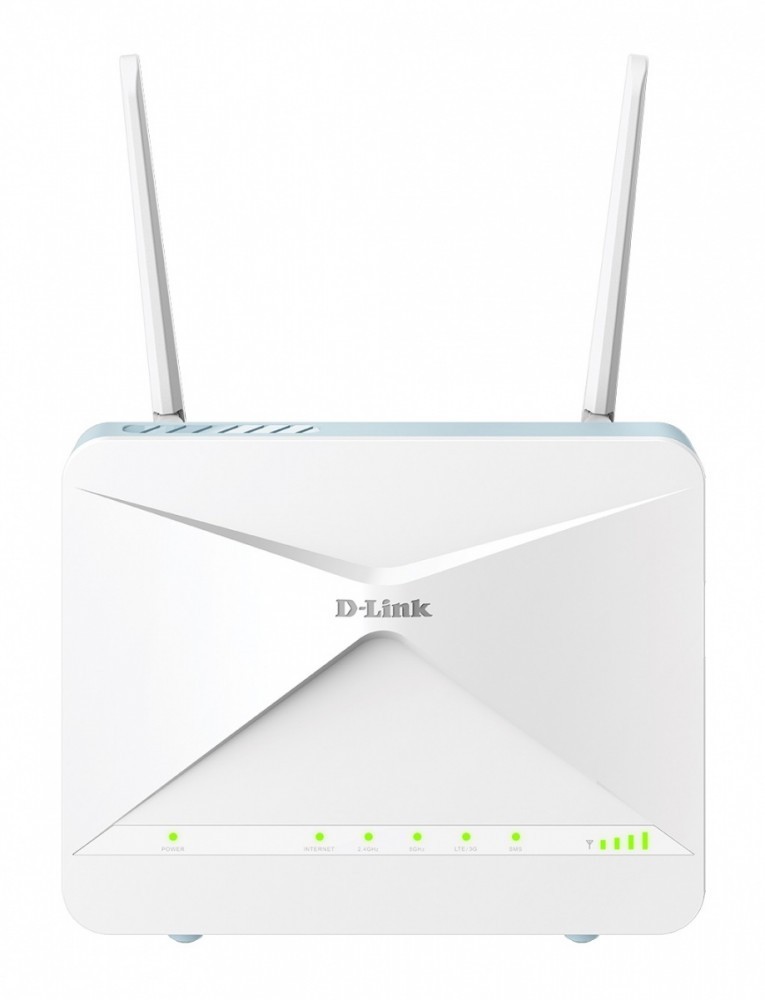
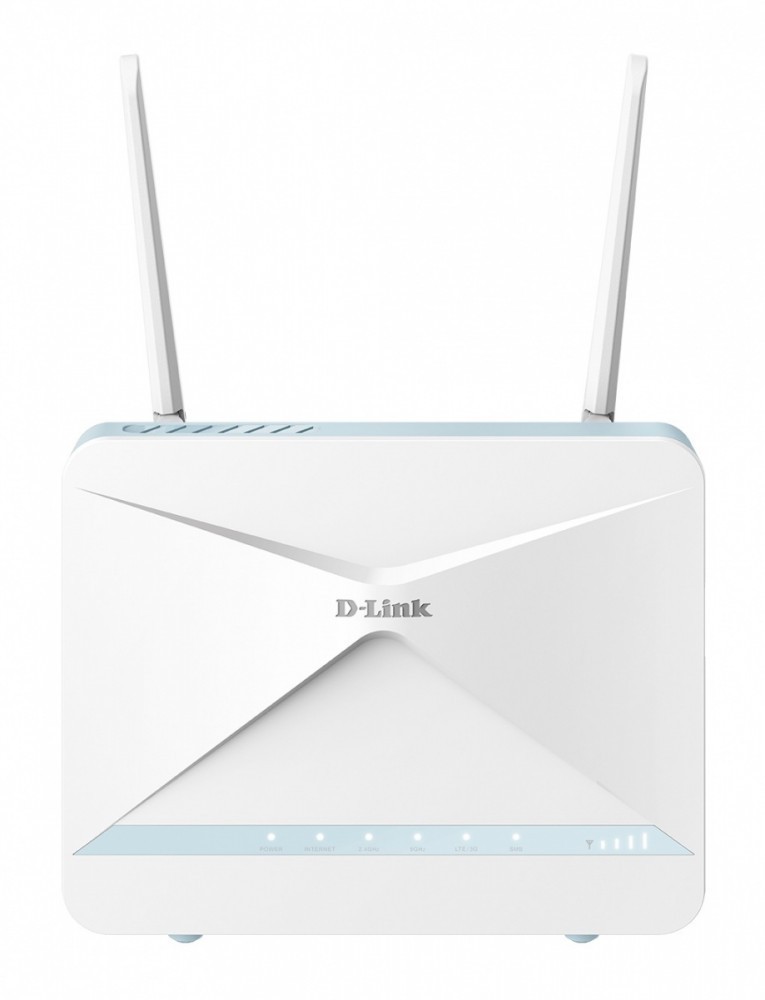
| Arvutitark OÜ | D-LINK 4G LTE N300 Wi-Fi Router Tootekood: G403C/E GTIN: 790069476860 Routers D-LINK 4G LTE N300 Wi-Fi Router | 98,70 € | Poodi | ||
| Alfashop | D-Link 4G LTE N300 Wi-Fi ROUTER D-Link GTIN: 790069476860 Ruuterid <p>D-Link 4G LTE N300 Wi-Fi ROUTER | D-Link</p> | 1-3 tp | 92,63 € | Poodi | |
| Alfashop | D-Link 4G M2M PoE Router D-Link GTIN: 790069476716 Ruuterid <p>D-Link 4G M2M PoE Router | D-Link</p> | 4-8 tp | 184,17 € −0,25 € | Poodi | |
| Alfashop | D-Link 4G Multi-Connect Router D-Link GTIN: 790069476686 Ruuterid <p>D-Link 4G Multi-Connect Router | D-Link</p> | 4-8 tp | 184,17 € −0,25 € | Poodi | |
| Alfashop | D-Link 5G NR AX3000 Wi-Fi 6 Mobile Router D-Link GTIN: 790069477973 Ruuterid <p>D-Link 5G NR AX3000 Wi-Fi 6 Mobile Router | D-Link</p> | 1-3 tp | 306,84 € | Poodi | |
| Alfashop | D-Link 5G NR BE3600 Wi-Fi 7 Router D-Link GTIN: 790069481475 Ruuterid <p>D-Link 5G NR BE3600 Wi-Fi 7 Router | D-Link</p> | 1-3 tp | 356,41 € | Poodi | |
| Alfashop | D-LINK BE3600 Wi-Fi 7 Smart Mesh Router M36 D-Link GTIN: 790069470400 Ruuterid <p>D-LINK BE3600 Wi-Fi 7 Smart Mesh Router M36 | D-Link</p> | 1-3 tp | 91,41 € | Poodi | |
| Arvutitark OÜ | D-LINK BE9500 Wi-Fi 7 Smart Mesh Router Tootekood: M95/E GTIN: 790069476501 Routers Der AQUILA PRO M95 BE9500 Wi-Fi 7 Smart Mesh Router bietet Tri-Band-Wi-Fi 7 mit rasanten Geschwindigkeiten, einer Bandbreite von 320 MHz und Multi-Link-Operation (MLO) für nahtlose Leistung mit geringer Latenz. Ausgestattet mit fortschrittlichen KI-Funktionen ist er eine nahtlose Mischung aus Leistung, Eleganz und Innovation. Der M95 verfügt über das 6-GHz-Band, das ultraschnelle Geschwindigkeiten mit mehr Bandbreite bietet und sich ideal für intensives Streaming, Gaming und VR eignet. Die Tri-Band-Technologie verteilt den Datenverkehr intelligent auf drei Frequenzbänder, um Überlastungen zu reduzieren und eine reibungslosere, stabilere Verbindung zu gewährleisten, unabhängig davon, ob Sie grundlegende Aufgaben oder bandbreitenintensive Aktivitäten ausführen.. | 269,10 € | Poodi | ||
| Kaup24 | False | 295,90 € | Poodi | ||
| Digizone | D-Link DSR-250V2/E Unified Services VPN Router | D-Link Tootekood: DSR-250V2/E Võrguseadmed D-Link DSR-250V2/E Unified Services VPN Router | D-Link | 7-9tp | 330,00 € | Poodi | |
| Arvutitark OÜ | D-Link DWR‑960 LTE Cat7 Wi-Fi AC1200 Router Tootekood: DWR-960 GTIN: 790069460111 Routers Der D-Link DWR-960 ist kein gewöhnlicher WLAN-Router. Einfach eine 4G LTE SIM-Karte einlegen und das integrierte Modem verbindet sich drahtlos über superschnelles mobiles Breitband mit dem Internet. Es können Downloads mit bis zu 150 Mbit/s und Uploads mit 50 Mbit/s erreicht werden, ohne sich Sorgen über die Kompatibilität mit USB-Dongles machen zu müssen. | 154,90 € | Poodi | ||
| Datafox | D-Link EAGLE PRO AI AX1500 Smart Router juhtmevaba ruuter Gigabit Ethernet Kaks sagedusala (2,4 GHz / 5 GHz) Valge Tootekood: R15/E GTIN: 790069459566 Võrguseadmed > Ruuterid The R15 router's intelligent features ensure that you are always automatically provided with the fastest speeds, so websites and videos load quickly. The built-in AI Wi-Fi Optimiser continuously connects you to the best Wi-Fi channel, while the AI ??Traffic Optimiser prioritizes your most critical internet usage for an optimal online experience and high stability. Combining the latest Wi-Fi 6 technology with AI, the router offers superior Wi-Fi coverage and speed that is continuously optimized and improved to always ensure reliable, efficient and fast internet coverage. Experience WiFi like never before. Type router Color white EAN 0790069459566 Manufacturer no. R15/E Desktop design Area of application: home networks Network RJ-45 connections Connections speed WAN / Internet RJ-45 WAN connections Connectors Features Auto MDI/MDIX WLAN standards Wi-Fi 3 (802.11a), Wi-Fi 3 (802.11b), Wi-Fi 3 (802.11g), Wi-Fi 4 (802.11n), Wi-Fi 5 (802.11ac), Wi-Fi 6 (802.11ax) - (2.4 GHz, 5 GHz) WLAN transfer rate 300 MBit/s (WLAN 2.4 GHz), 1201 MBit/s (WLAN 5 GHz) WPS control buttons Power supply power supply connection Feature AI Assistant, AI Mesh Optimiser, AI Parental Control, AI Traffic Optimiser, AI Wi-Fi Optimiser, MU-MIMO, Seamless Wi-Fi network, SmartBeam, SmartConnect band optimization | 3-5tp | 75,60 € | Poodi | |
| Kaup24 | D-Link Eagle Pro AI M15 Mesh Wi-Fi Router 6GHz Tootekood: M15-2 GTIN: 790069461187 Ruuterid D-Link Eagle Pro AI M15 Mesh Wi-Fi Router 6GHz | False | 89,99 € | Poodi | |
| Arvutitark OÜ | D-LINK Eagle Pro AI Wi-Fi6 4G LTE Router Tootekood: G415/E GTIN: 790069465994 Routers EAGLE PRO AI AX1500 4G Smart Router G415 Dual-band Wi-Fi AX1500 6 2.4 GHz (up to 300 Mbps), 5 GHz (up to 1201 Mbps) 4G LTE/3G download speeds of up to 150 Mbps Built-in unlocked SIM card slot Secure internet with support for fixed and mobile internet Artificial intelligence-based Mesh1, Wi-Fi and traffic optimisers MU-MIMO and OFDMA performance AI assistant and voice control from Google/Alexa WPA3 wireless security Easy setup and management AX1500 Wi-Fi 6 Designed for today's homes with lots of devices. Ideal for 4K streaming, VR gaming, video calls and staying connected to all smart home devices. 4G LTE CAT 4 Seamlessly switch to a high-speed 4G CAT 4 LTE backup network so you're always connected to the internet. Convenient AI Easily turn on and off AI features that automatically streamline and optimise network performance. Efficient connections Four simultaneous streams, 1024 QAM modulation, BSS-colouring and MU-MIMO ensure the best possible connection quality at all times. Parental control Keep your family safe with site blocking, scheduling and separate guest login features. Secure Wi-Fi The latest WPA3 encryption and IEC 62443-4-1 compliance protects your network from unauthorised access. Easy setup and management The free EAGLE PRO AI assistant app helps you manage Wi-Fi, and you can additionally issue voice commands via Amazon Alexa and Google Assistant Range that can be extended Use the E15 Wi-Fi repeaters to expand your smart mesh network. You rule your network Create friendly and secure internet access for your family with the ability to control your home network. Less to worry about and the ease of setting rules and scheduling network usage. Full control Information about connected devices to the network, scheduling, login authentication, remote reboot. Parental control Management of Internet access based on parental control profiles. Wi-Fi zone for guests Login settings for guest devices and blocking of unknown devices. One-touch Wi-Fi management The free EAGLE PRO AI app uses a built-in AI assistant to take care of sending network status reports, constantly monitoring network traffic and suggesting convenient solutions. Now it's time to do your homework... Control your network with voice commands using Google Home and Amazon Alexa voice assistants. Receive instant notifications of new updates, check the security status of your devices and much more. *English only. | 168,90 € | Poodi | ||

| Arvutitark OÜ | D-Link G416/E EAGLE PRO AI AX1500 4G+ Smart LTE Router Tootekood: G416/E GTIN: 790069465703 Routers EAGLE PRO AI AX1500 4G+ Smart Router G416 Dual-band Wi-Fi AX1500 6 2.4 GHz (up to 300 Mbps), 5 GHz (up to 1201 Mbps) 4G+ LTE Cat 6/3G speeds up to 300 Mbps Built-in unlocked SIM card slot Secure internet with support for fixed and mobile internet Artificial intelligence-based Mesh1, Wi-Fi and traffic optimisers MU-MIMO and OFDMA performance AI assistant and voice control from Google/Alexa WPA3 wireless security Easy setup and management AX1500 Wi-Fi 6 Designed for today’s homes with lots of devices. Ideal for 4K streaming, VR gaming, video calls, and staying connected to all smart home devices. 4G+ LTE-A CAT 6 Seamlessly switch to a high-speed 4G+ LTE-A CAT 6 backup network so you stay connected to the internet when your fixed broadband line goes down. Convenient AI Easily enable or disable AI features that automatically streamline and optimize network performance. Efficient connections Four simultaneous streams, 1024 QAM modulation, BSS coloring, and MU-MIMO ensure the best possible call quality at all times. Parental control Keep your family safe with site blocking, scheduling, and separate guest login features. Secure Wi-Fi The latest WPA3 encryption and IEC 62443-4-1 compliance protect your network from unauthorized access. Easy setup and management The free EAGLE PRO AI assistant app helps you manage Wi-Fi, and you can also issue voice commands via Amazon Alexa and Google Assistant. Extendable range Use E15 Wi-Fi repeaters to expand your smart mesh network. You control your network Create friendly and secure internet access for your family with the ability to control your home network. Less to worry about and easily set rules and schedule network usage. Full control Information about connected devices, scheduling, login authentication, and remote reboot. Parental control Manage Internet access with parental control profiles. Wi-Fi zone for guests Login settings for guest devices and blocking of unknown devices. One-touch Wi-Fi management The free EAGLE PRO AI app uses a built-in AI assistant to handle network status reports, constantly monitor traffic, and suggest convenient solutions. Now it’s time to do your homework... Control your network with voice commands using Google Home and Amazon Alexa voice assistants. Receive instant notifications of new updates, check the security status of your devices, and much more. *English only. | Kohal | 146,30 € | Poodi | |
| Arvutitark OÜ | D-Link G530 5G NR AX3000 Wi-Fi 6 Router Tootekood: G530V2 GTIN: 790069479083 Routers Erleben Sie ultraschnelle Konnektivität mit dem 5G-NSA-Modus und Übertragungsraten von bis zu 3,4 Gbit/s. Mit dem G530 5G NR AX3000 Wi-Fi 6 Router profitieren Sie sowohl auf dem 2,4-GHz- als auch auf dem 5-GHz-Band von einer latenzarmen und extrem schnellen Internetverbindung – perfekt für ein unterbrechungsfreies Unterhaltungsprogramm und effizientes Arbeiten. In Gebieten mit lückenhafter Netzinfrastruktur bietet 5G dort, wo herkömmliches Breitband nicht hinreicht, eine zuverlässige Internetlösung. Der G530 5G NR AX3000 Wi-Fi 6 Router bringt schnelles Internet an Orte mit fehlender oder unzureichender Festnetzanbindung, etwa in ländliche Gegenden oder an temporäre Standorte. Stecken Sie einfach eine SIM-Karte ein und nutzen Sie das leistungsstarke 5G-Netz. Der G530 wurde für Spitzenleistung entwickelt und versorgt mehrere Geräte gleichzeitig mit einer zuverlässigen 5G-Verbindung. Freuen Sie sich auf stabiles, schnelles Internet für 4K/8K-Streaming, Gaming und Arbeiten ohne Wartezeiten, Ausfälle und Störungen. | 307,20 € | Poodi | ||
| Alfashop | D-LINK G530V2 5G NR AX3000 Wi-Fi 6 Router D-Link GTIN: 790069479083 Ruuterid <p>D-LINK G530V2 5G NR AX3000 Wi-Fi 6 Router | D-Link</p> | 1-3 tp | 293,16 € | Poodi | |
| Alfashop | D-LINK M30 AX3000 Wi-Fi 6 Smart Mesh Router GTIN: 790069472824 Ruuterid <p>D-LINK M30 AX3000 Wi-Fi 6 Smart Mesh Router</p> | 1-3 tp | 66,56 € | Poodi | |
| Arvutitark OÜ | D-Link Router 4G DWM-530-T Tootekood: DWM-530-T GTIN: 790069476709 Routers Dual-SIM Redundancy Two SIM card slots with automatic failover ensure uninterrupted WAN connectivity via cellular networks. Ethernet and 4G Redundancy Seamless switching between WAN Ethernet and 4G connections guarantees reliable connectivity at all times. Event Management via SMS Remote management through SMS minimizes the need for on-site interventions in hazardous environments. Industrial-Grade Durability Corrosion-resistant galvanized steel housing and robust construction ensure reliable performance in demanding environments. Secure VPN Protection Encrypted VPN tunnels protect data transmission from unauthorized network access. Centralized Management Easily manage devices from anywhere using the D-ECS cloud platform. Operator Flexibility and Network Resilience The DWM-530-T router ensures continuous operation with dual Micro-SIM (3FF) support, increasing reliability and flexibility in operator choice. Even in locations with weak coverage, it maintains a stable connection. Four LAN portsone configurable as WANallow seamless switching between Ethernet and LTE connections to always use the strongest available signal. Network Security with VPN Supports advanced VPN protocols including IPSec, OpenVPN, PPTP, L2TP, and GRE, enabling encrypted connections, secure tunneling, and remote network access. Ideal for POS systems, small shops, temporary stands, and smart parking systems, protecting both customer data and financial transactions. Industrial Durability and Reliability Designed for maximum M2M reliability, the router features a corrosion-resistant galvanized steel housing and supports a wide range of voltage, temperature, and humidity conditions for operation in the most demanding environments. DIN rail mounting ensures flexible and secure installation. Reliable Wired and Wireless Connectivity for Any Device The DWM-530-T is built for stable IoT connectivity. Dual cellular modules provide stable connections even if one network fails. VPN functionality secures data transmission, and centralized management is available via the D-ECS platform. Perfect for ATMs, NVR recorders, kiosks, and industrial computers, it ensures reliable operation in retail stores, mobile offices, and IoT deployments of any scale. | 255,20 € | Poodi | ||
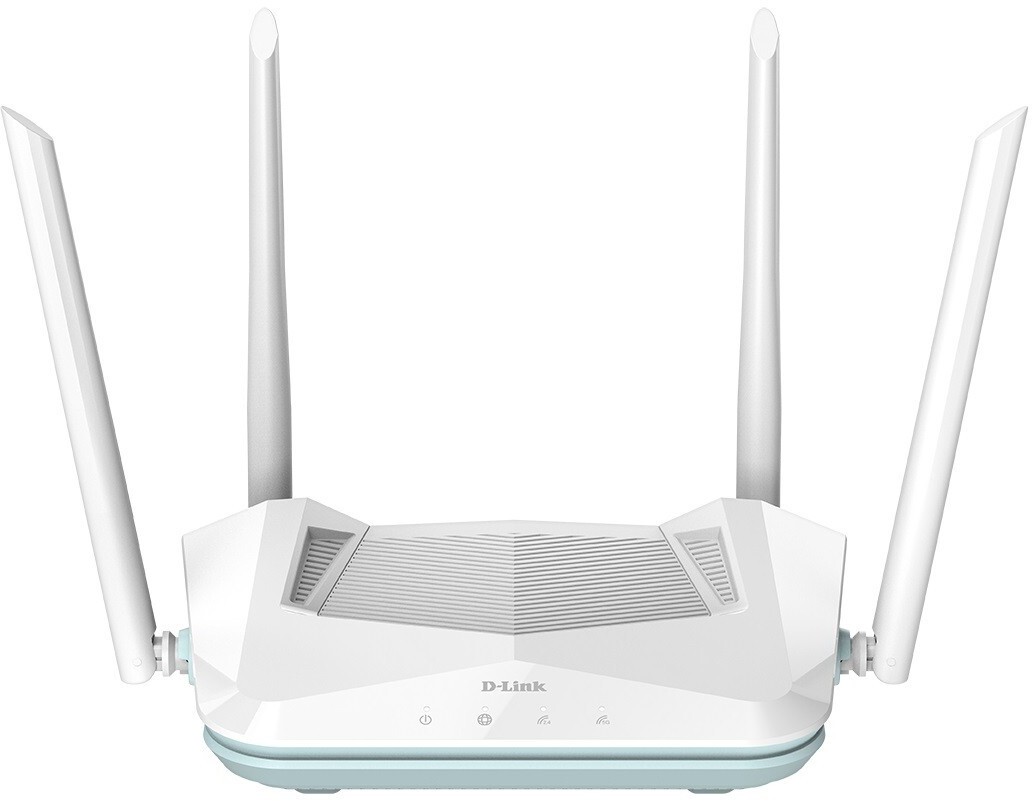
| Arvutitark OÜ | D-Link Router R15 Smart AX1500 1xWAN 3xLAN Tootekood: R15/E GTIN: 790069459566 Routers R15 EAGLE PRO AI AX1500 Smart Router Two Wi-Fi bands 6 AX1500 2.4 GHz (up to 300 Mbps), 5 GHz (up to 1201 Mbps) AI assistant Mesh network AI1, Wi-Fi and Traffic Optimiser MU-MIMO & OFDMA Voice control with Google/Alexa Wireless network security WPA3 Easy setup and management Enjoy next generation WiFi 6 with AI algorithm support. A fast wireless network is available over a very large area, thanks to the combination of the latest Wi-Fi 6 technology with AI algorithms. Connections are constantly optimised, ensuring stable, efficient and fast internet access. Enjoy Wi-Fi like never before. AX1500 Wi-Fi 6 Connect up to 128 devices. Ideal for 4K streaming, VR gaming, video calls and connectivity of all your smart home devices. Convenient AI Easily turn on and off AI features that automatically streamline and optimise network performance. Parental control Keep your family safe with site blocking, scheduling and separate guest login features. Efficient connections Four simultaneous streams, 1024 QAM modulation, BSS-colouring and MU-MIMO ensure the best possible call quality at all times. OFDMA Small data packets destined for multiple devices are transmitted together and are no longer queued. Ideal for bandwidth-hungry devices competing for bandwidth. Secure Wi-Fi The latest WPA3 encryption and IEC 62443-4-1 compliance protects your network from unauthorised access. Easy setup and management The free EAGLE PRO AI assistant app helps you manage Wi-Fi, and you can additionally issue voice commands via Amazon Alexa and Google Assistant. Range that can be extended Use the E15 Wi-Fi amplifiers to expand your smart mesh network. Fast, stable, AI-optimised home network The R15 router ensures that the fastest possible connections are available and automatically shared, so you can browse the web and watch movies in no time. The built-in Wi-Fi AI Optimizer always connects to the best Wi-Fi channel, while the AI Traffic Optimiser prioritises the transfer of critical data for optimal network performance and stability. Better performance than ever before Wi-Fi 6 is ideal for smart homes where uninterrupted connections to multiple devices at the same time are required. Wi-Fi 6 provides a stable network for streaming, gaming and working with the whole family without worrying about buffering, interference or network outages. Greater range with reliable connections The R15 router's two-way MU-MIMO technology supports more users who can simultaneously transfer data faster. While the beamforming feature significantly extends Wi-Fi range and improves the performance of the entire network. Faster simultaneous data transfer to all devices No more queuing. Using Wi-Fi 6, you quadruple your network capacity with 8x8 uplink/downlink, MU-MIMO, OFDMA and BSS Colouring supporting more network devices with exceptional performance. Now you can connect up to 128 devices in your smart home without worrying about network performance Gigabit ports for fast data transfer Gigabit LAN ports allow you to connect three wired devices, with data transfer speeds 10 times faster than over standard Fast Ethernet connections. Now networked devices in the home can benefit from reliable wired connections with low latency. Easily extend WiFi coverage Whether in flats or four-storey homes, from basements to gardens, simply use the E15 repeater to build a mesh network. That's one high-speed Wi-Fi network, constantly available as you move from room to room, with no dead spots, even in hard-to-reach areas of your home. Security and privacy The router incorporates the latest advanced Wi-Fi security standard WPA3, encrypting network traffic and protecting the wireless network from external threats. WPA3 also includes a new protocol that verifies and secures device connections and protects the network from attacks. You rule your network Create friendly and secure internet access for your family with the ability to control your home network. Less to worry about and the ease of setting rules and scheduling network usage. Full control Information about connected devices to the network, scheduling, login authentication, remote reboot. Parental control Management of Internet access based on parental control profiles . Wi-Fi zone for guests Login settings for guest devices and blocking of unknown devices. Manage WiFi with a single tap The free EAGLE PRO AI app uses a built-in AI assistant to take care of sending network status reports, constantly monitoring network traffic and suggesting convenient solutions. Now it's time to do your homework... Control your network with voice commands using Google Home and Amazon Alexa voice assistants. Receive instant notifications of new updates, check the security status of your devices and much more. *English only. | 57,10 € | Poodi | ||
| Digizone | D-link ruuter M95/E BE9500 Wi-Fi 7 Smart Mesh Router Tootekood: M95/E Võrguseadmed D-link ruuter M95/E BE9500 Wi-Fi 7 Smart Mesh Router | 6-7tp | 227,00 € | Poodi | |
| Digizone | D-link ruuter R03/E EAGLE PRO AI N300 Smart Router Tootekood: R03/E Võrguseadmed D-link ruuter R03/E EAGLE PRO AI N300 Smart Router | 7-9tp | 36,90 € | Poodi | |
| Digizone | D-link ruuter R15/E EAGLE PRO AI AX1500 Smart Router Tootekood: R15/E Võrguseadmed D-link ruuter R15/E EAGLE PRO AI AX1500 Smart Router | 6-7tp | 53,00 € | Poodi | |
| Digizone | D-link ruuter R95/E BE9500 Wi-Fi 7 Smart Router Tootekood: R95/E Võrguseadmed D-link ruuter R95/E BE9500 Wi-Fi 7 Smart Router | 5-7tp | 233,00 € | Poodi | |
| Digizone | D-Link ruuter Router G403 4G LTE N300 SIM Smart Route Tootekood: G403/E Võrguseadmed D-Link ruuter Router G403 4G LTE N300 SIM Smart Route | 7-9tp | 144,00 € | Poodi | |
| Digizone | D-Link ruuter Router G416 4G LTE AX1500 SIM Smart Tootekood: G416/E Võrguseadmed D-Link ruuter Router G416 4G LTE AX1500 SIM Smart | 6-7tp | 159,00 € | Poodi | |
| Arvutitark OÜ | D-LINK Wi-Fi 7 BE3600 Mesh Router Tootekood: M36/E GTIN: 790069470400 Routers D-LINK Wi-Fi 7 BE3600 Mesh Router | 97,40 € | Poodi |