Müüja | Saadavus | ||||
|---|---|---|---|---|---|
| Photopoint | 2-Port 8K Ultra HD Bidirectional HDMI Switch Tarvikud -> Videosignaali jagajad | 7-10 tp | 25,99 € | Poodi | |
| MT Shop | 2-PORT DISPLAYPORT + HDMI KVM/DISPLAYPORT + HDMI 4K 60HZ Tootekood: P2ADDH462-KVM-SWITCH | 10tp | 658,82 € −1,46 € | Poodi | |
| Arvutitark OÜ | 2-Port HDMI, 3.5mm Analog Audio, Full HD 1080p, USB Powered Tootekood: TK-215I GTIN: 710931170108 KVM Switches Control two computers with one set of console controlsWorks with displays with an HDMI portFull HD 1080p resolutionHDMI and 3.5 mm analog audioFully integrated cablingErgonomic computer toggle switchNo CD installationUSB Powered - No external power adapterTRENDnet’s 2-Port HDMI KVM Switch, model TK-215i, controls two computers (with an available HDMI port) with one set of console controls. No driver installation required, simply plug in the integrated cables to share two computers with a full HD 1080p display. The TK-215i supports HDMI and 3.5 mm analog audio and features an ergonomic computer toggle switch. Computers Control up to 2 computers1080p HD Supports full HD 1080p (progressive 1920 x 1080 pixels) with a 60 Hz refresh rate2-Way Audio Full audio support through HDMI cable connections with optional 3.5 mm microphone and speaker jacksToggle Switch Use the integrated 1.5 m (5 ft.) cable to position the toggle switch in the most ergonomic locationConsole Connectors Emulation Technology supports advanced USB keyboard and mouse designsHDMI Display HDMI 1.3 with HDCP supportComputer Ports Requires free USB and HDMI ports from connected computerIntegrated Cables All required cables are integratedSwitch Software Windows® and Mac® based KVM switch software to define hot keys and create auto-scan intervals |  | 83,15 € +1,75 € | Poodi | |
| Enter24.eu | 3-Port True 4k HDMI Switch VS381B Tootekood: VS381B GTIN: 4710469340383 Lüliti | 59,64 € +0,10 € | Poodi | ||
| Arvutitark OÜ | 3x1 HDMI Switch Tootekood: 332703 GTIN: 4015867157466 Video cables and adapters |  | 24,60 € | Poodi | |
| Electro Base | 4K HDMI switch 3 ports, display 3 HDMI sources on one monitor. Tootekood: ACTAC7845 GTIN: 8716065491340 Velleman elektroonilised seadmed ja komponendid | 8-12 tp | 63,33 € | Poodi | |
| Arvutitark OÜ | 4K@60Hz HDMI KVM switch, 2x1, Tootekood: MC-HDMIKVM0201-4K GTIN: 5715063148778 KVM Switches Resolution: 3840 x 2160@60Hz, 4:4:4 Chroma subsamplingSupports 3D video formatHDCP 2.2 and HDCP 1.4 CompatibleEquipment input: 3x USB A, 1x Headphone Jack and 1x Microphone JackAudio on/off toggle and Video switching on front, or via Hotkeys on Keyboard- see in manual.HDMI and USB cables sold seperately.Power adapter included works in EU and UK Introducing the Microconnect MC-HDMIKVM0201-4K HDMI KVM Switch – your ultimate solution for seamless connectivity and control. Elevate your multimedia experience with this cutting-edge 2x1 switch that supports astonishing 4K resolution at 60Hz, ensuring the sharpest and most vibrant visuals for your devices.Featuring the latest 4:4:4 chroma subsampling, this KVM switch guarantees unmatched color accuracy and clarity, delivering lifelike images and videos that truly pop off the screen. With the MC-HDMIKVM0201-4K, you can effortlessly switch between two HDMI source devices, such as computers, gaming consoles, or media players, all while using a single display and a set of peripherals like keyboard and mouse.Say goodbye to the clutter of multiple displays and the hassle of constantly plugging and unplugging cables. With its plug-and-play design, this KVM switch offers a seamless user experience – just connect your devices and control everything with ease. Whether you're a professional requiring efficient workstation management or a multimedia enthusiast seeking the best visual experience, the MC-HDMIKVM0201-4K has you covered.Simplify your setup, amplify your visuals, and streamline your workflow with Microconnect's MC-HDMIKVM0201-4K HDMI KVM Switch. Embrace the future of connectivity and enjoy the benefits of superior 4K@60Hz performance and 4:4:4 chroma subsampling in one sleek package.Video and data cable sold seperately, refer to recommended accessories for the best Microconnect options. Warranty (Month(s)): 300Net Weight (Product,kg): 0,233Height (Product,cm): 2,3Width (Product,cm): 14,3Depth (product,cm): 6,8Gross Weight (Package,kg): 0,464Height (Package,cm): 5,6Width (Package,cm): 20,7Depth (Package,cm): 18,7AC adapter included: YesAC input voltage (V): 5Automatic switching: YesCable lock slot: NoCables included: NoCompatible power plug types: EU|UKConsole HDMI ports quantity: 3,0Console ports: HDMI|3.5mm mic|3.5mm headphone|USB A|USB BDC-in jack: YesDisplay switch button: YesExternal power adapter: YesHD type: 4K Ultra HDHDCP: YesKeyboard port type: USBLED indicators: YesManual: YesMaximum resolution (pixels): 3840 x 2160Maximum resolution (Pixels): 3840 x 2160Mouse port type: USBNumber of computers controlled: 1,0Number of displays supported: 1,0Number of microphone inputs: 1,0Packaging content: KVM Switch, Power adapter and ManualPlug and Play: YesPower supply type: 5VProduct colour: BlackPush button: YesQuick installation guide: YesRack mount kit: NoRack mounting: NoRemote control included: NoRoHS compliance: YesSustainability certificates: CE|Federal Communications Commission (FCC)|RoHSUNSPSC Code: 43211601USB version: 2.0Video port type: HDMIWired remote switch: No |  | 61,60 € | Poodi | |
| Arvutitark OÜ | 4K@60Hz HDMI KVM switch, 4x1 Tootekood: MC-HDMIKVM0401-4K GTIN: 5715063148785 KVM Switches Resolution: 3840 x 2160@60Hz, 4:4:4 Chroma subsamplingSupports 3D video formatHDCP 2.2 and HDCP 1.4 CompatibleEquipment input: 3x USB A, 1x Headphone Jack and 1x Microphone JackAudio on/off toggle and Video switching on front, or via Hotkeys seen in manual.HDMI and USB cables sold seperately.Power adapter included works in EU and UK Introducing the Microconnect MC-HDMIKVM0401-4K HDMI KVM Switch – your ultimate solution for seamless connectivity and control. Elevate your multimedia experience with this cutting-edge 4x1 switch that supports astonishing 4K resolution at 60Hz, ensuring the sharpest and most vibrant visuals for your devices.Featuring the latest 4:4:4 chroma subsampling, this KVM switch guarantees unmatched color accuracy and clarity, delivering lifelike images and videos that truly pop off the screen. With the MC-HDMIKVM0401-4K, you can effortlessly switch between four HDMI source devices, such as computers, gaming consoles, or media players, all while using a single display and a set of peripherals like keyboard and mouse.Say goodbye to the clutter of multiple displays and the hassle of constantly plugging and unplugging cables. With its plug-and-play design, this KVM switch offers a seamless user experience – just connect your devices and control everything with ease. Whether you're a professional requiring efficient workstation management or a multimedia enthusiast seeking the best visual experience, the MC-HDMIKVM0401-4K has you covered.Simplify your setup, amplify your visuals, and streamline your workflow with Microconnect's MC-HDMIKVM0401-4K HDMI KVM Switch. Embrace the future of connectivity and enjoy the benefits of superior 4K@60Hz performance and 4:4:4 chroma subsampling in one sleek package.Video and data cable sold seperately, refer to recommended accessories for the best Microconnect options. Warranty (Month(s)): 300Net Weight (Product,kg): 0,515Height (Product,cm): 2,3Width (Product,cm): 23,1Depth (product,cm): 10,8Gross Weight (Package,kg): 0,835Height (Package,cm): 5,5Width (Package,cm): 29,2Depth (Package,cm): 23,8AC adapter included: YesAC input voltage (V): 5Automatic switching: YesCable lock slot: NoCables included: NoCompatible power plug types: EU|UKConsole HDMI ports quantity: 5,0Console ports: HDMI|3.5mm mic|3.5mm headphone|USB A|USB BDC-in jack: YesDisplay switch button: YesExternal power adapter: YesHD type: 4K Ultra HDHDCP: YesKeyboard port type: USBLED indicators: YesManual: YesMaximum resolution (pixels): 3840 x 2160Maximum resolution (Pixels): 3840 x 2160Mouse port type: USBNumber of computers controlled: 1,0Number of displays supported: 1,0Number of microphone inputs: 1,0Packaging content: KVM Switch, Power adapter and ManualPlug and Play: YesPower supply type: 5VProduct colour: BlackQuick installation guide: YesRack mount kit: NoRack mounting: NoRemote control included: NoRoHS compliance: YesSustainability certificates: CE|Federal Communications Commission (FCC)|RoHSUNSPSC Code: 43211601USB version: 2.0Video port type: HDMIWired remote switch: No | 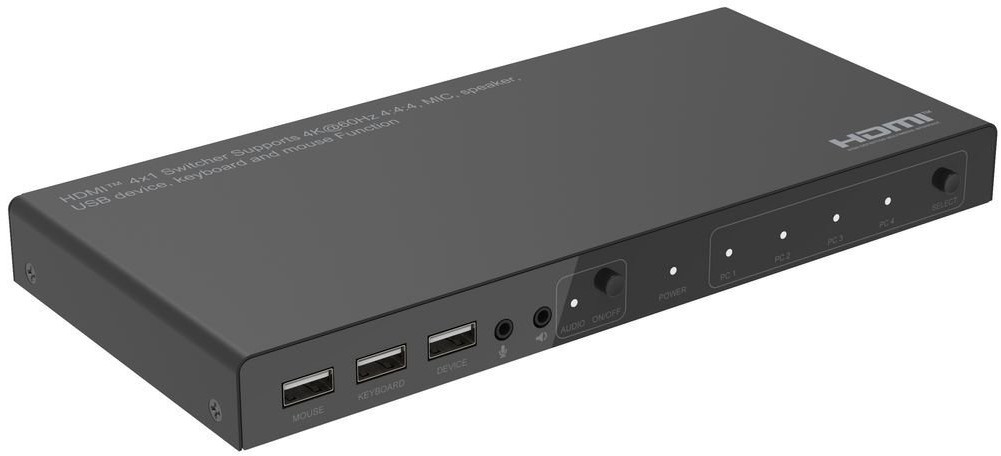 | 78,10 € | Poodi | |
| Arvutitark OÜ | 4K@60Hz HDMI KVM switch, 4x1 Tootekood: MC-HDMIKVM0401-USB3-4K GTIN: 5715063740064 KVM Switches | 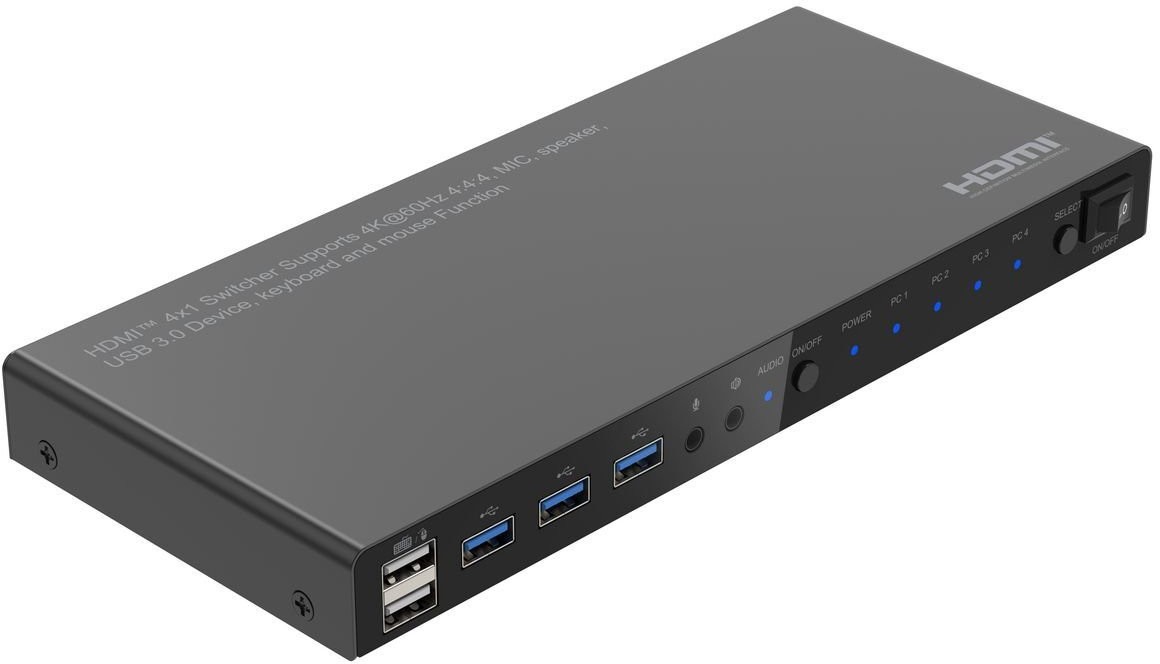 | 92,65 € | Poodi | |
| MT Shop | 8-PORT HDMI KVM L LITI Tootekood: R8AH202-KVM-SWITCH GTIN: 65030907231 KVM lülitid ja lisad |  | 15+tp | 743,63 € | Poodi |
| MT Shop | 8-PORT HDMI KVM L LITI/HDMI 2.0 KVM 4K 60HZ Tootekood: R8AH202-KVM-SWITCH | 10tp | 1100,15 € −2,45 € | Poodi | |
| Enter24.eu | 8-portine HDMI KVM-lüliti Tootekood: R8AH202-KVM-SWITCH GTIN: 65030907231 Lüliti | 861,19 € +113,04 € | Poodi | ||
| Smartech Shop | 8K HDMI Switch Tootekood: 002053240000 GTIN: 4047443526267 Muu | 21,90 € | Poodi | ||
| Galador Grupp OÜ | 8K HDMI Switch (002053240000) Tootekood: 002053240000 GTIN: 4047443526267 | 6-9 tp | 21,50 € −0,70 € | Poodi | |
| Arvutitark OÜ | Acer Vero CB272P6 27" FHD HDMIDP black Tootekood: UM.HB2EE.603 GTIN: 4711474703194 Monitors Incredible Images, Edge-to-EdgeWhether you're watching movies, playing games, or getting some work done, you'll get amazing visuals with up to UHD1 resolution. Enjoy more monitor real estate with an up to 34" ZeroFrame display1, allowing you to see more and do more.See From Every AngleSee what's on the screen clearly at up to 178 whether viewed from an angle or front and center. Viewing from an angle is made possible via the IPS (In-plane Switching) panel and technology while maintaining the same level of high-quality color.Vivid HDRWhen you decide to unwind and relax, do so in front of a display with images that realistic and natural-with HDR. Acer's HDR 101 displays utilize an edge array with global dimming which increase the overall contrast, making black areas darker and white areas bright.No Screen TearingSay goodbye to stuttering and tearing with AMD FreeSync,2. Video playback is quicker, easier and smoother as the monitor's refresh rate is synched to your computer's framerate.High-speed ResponseEnjoy clear, blur-free images even when the action speeds up with the 1ms3 Visual Response Boost. A rapid response time ensures images appear clearly as they quickly move across the display, providing more immersive viewing.Eye Safety FirstProtect your eyes from unnecessary strain by utilizing Acer BlueLightShield and Flickerless technologies. View your monitor for longer with reduced glare and eye fatigue thanks to Acer ComfyView and Low Dimming.Impeccable PlacementNo matter where you've decided to place your display, finding that perfect position is easy with the adjustable stand. Go on and tilt, swivel, pivot, and adjust the height to hit that ergonomic sweet spot. |  | 125,30 € | Poodi | |
| MT Shop | ACT 4K HDMI Switch 5x1 Tootekood: AC7841 GTIN: 8716065561036 Audio/video/HDMI lülitid ja splitterid | | 10tp | 63,45 € +2,26 € | Poodi |
| MT Shop | ACT 5x 1 HDMI switch, 3D and 4K support Tootekood: AC7840 GTIN: 8716065403534 | | 4-7tp | 124,94 € | Poodi |
| Photopoint | Adapter - Vention 2-Port Bi-Directional 8K HDMI Switcher 7680x4320 60Hz Gray GTIN: 6922794772588 Kaablid -> Kaablid | 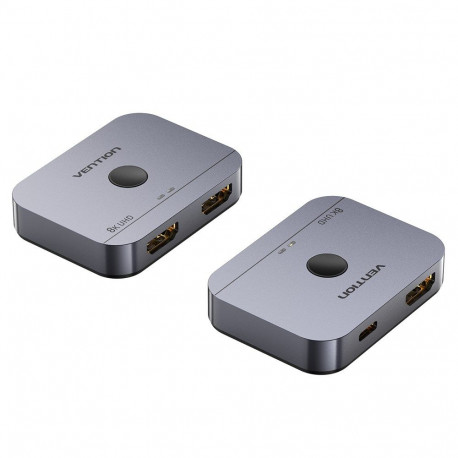 | 7-10 tp | 38,99 € | Poodi |
| Arvutitark OÜ | Adapter mini Displayport male > HDMI female Tootekood: 65552 GTIN: 4043619655526 Video cables and adapters This adapter allows you to connect, for example, an HDMI monitor to a free mini Displayport connector. Connector: 20pin mini Displayport male> 19pin HDMI-A female, Mini Displayport 1.1 and High Speed HDMI standard- Transfer of audio and video signals- Supports resolutions up to 1080p- Detect sleep mode, automatically switch from standby to sleep mode- Compatible with any operating system, no drivers are required for installation |  | 13,85 € | Poodi | |
| Alfashop | Adapter USB-A/USB-C Dual 4K/60 Hz HDMI Video GTIN: 8595611706844 Adapterid <p>Description:</p><p><b>USB-A/USB-C Dual 4K/60 Hz HDMI VIDEO adapter</b></p> <p>Extend your desktop with two external HDMI monitors. The adapter supports 2x 4K resolution 4096 × 2160@60Hz with an audio signal.</p> <p>The adapter is suitable for designers, graphic designers and other users who work with many screens at the same time. Its performance allows you to run even the most demanding applications on one or two independent monitors, making it ideal for editing 4K/60Hz movies or other Ultra HD tasks</p> <p>Thanks to extend and mirror modes (extended and mirrors), you can work with applications on two monitors (e.g. large spreadsheets), work on one monitor and search for information on the Internet on another, compare many documents at the same time without continuous switching between open windows, display panoramic Images on two monitors, display charts and actual data at the same time, display many presentations at the same time without having to have another computer, etc.</p> <ul><li>Universal connectivity: compatible with USB-C, USB and Thunderbolt ports</li> <li>A strong and versatile video adapter that allows you to connect to two monitors at the same time.</li> <li>The adapter supports a resolution up to 2x 4K/60 Hz regardless of the laptop graphics card performance.</li> <li>Support for two HDMI ports.</li> <li>Metal surface for better heat dissipation.</li> <li>Support for two external monitors on Apple M1, M2 and M3 platforms.</li> <li>The adapter is compatible with all main operating systems.</li> </ul><p>System Requirements:</p><p>Device with a free USB, USB-C, USB4 or Thunderbolt 3/4 device</p><p>Dimensions:</p><p>75 x 60 x 15 mm</p><p>Other features:</p><p>Resolutions stated:</p> <ul><li>1 monitor 1x HDMI to 1x 4K/60Hz</li> <li>2 monitors 1x HDMI + 1x HDMI up to 2x 4K/60 Hz</li> </ul><p>Operating system:</p> <ul><li>Windows 10/11</li> <li>macos</li> <li>Android 5 or newer</li> <li>Chrome OS R51 or newer</li> <li>Linux Ubuntu</li> </ul><p>Designation:</p>CE+WEEE |  | 3-6 tp | 77,58 € | Poodi |
| YEInternational AS | ADDERView 4 port DP\HDMI to HDMI multi-viewer switch Tootekood: EE-100-168-704 KVM <div>ADDERView® CCS-MV 4224 mitmevaataja</div><div>Juhtimis- ja kontrollimise mitmevaataja lüliti 4K-video, klaviatuuri ja hiire ning heli jagamiseks nelja arvuti vahel. Uuenduslikud hübriidsed DisplayPort™ ja HDMI® sisendportid paindlikuks ühenduvuseks ühelt arvutilt.</div><div>ADDERView® CCS-MV on lauaarvuti mitmevaataja lüliti, mis võimaldab ühe tööjaama kaudu samaaegset reaalajas 4K KVMA juurdepääsu kuni neljale arvutile. Kasutajad saavad sihtarvuti juhtimise üle võtta lihtsalt hiirt akende vahel liigutades, mis annab ühe lauaarvuti kasutamise kogemuse.</div><div><br></div><div>CCS-MV4224 (CCS-MV4224) Specification</div><div>Collapse all</div><div>Video Information (For 1 Screen)</div><div>Maximum Resolution<span style="white-space:pre"></span>UHD 4k (3840x2160 ) at 4:4:4</div><div>Frame Rate<span style="white-space:pre"></span>30</div><div>Colour Depth<span style="white-space:pre"></span>8 bpc</div><div>Video Information (For 2 Screens)</div><div>Maximum Resolution<span style="white-space:pre"></span>UHD 4k (3840x2160 ) at 4:4:4</div><div>Frame Rate<span style="white-space:pre"></span>30</div><div>Colour Depth<span style="white-space:pre"></span>8 bpc</div><div>Computer Connections</div><div>USB B<span style="white-space:pre"></span>4× 2.0 Full Speed</div><div>USB B<span style="white-space:pre"></span>4× 3.0 High Speed</div><div>Dual Port (DP+HDMI)<span style="white-space:pre"></span>4× 1.2 (dual mode)</div><div>Console Connections</div><div>USB A<span style="white-space:pre"></span>2× 2.0 HID Emulation</div><div>USB A<span style="white-space:pre"></span>4× 3.0 High Speed</div><div>HDMI®<span style="white-space:pre"></span>2×</div><div>Serial Ports</div><div>Serial Connection<span style="white-space:pre"></span>1×</div><div>Serial Standard<span style="white-space:pre"></span>RS232</div><div>Serial Additional Information<span style="white-space:pre"></span>For remote control</div><div>Serial Connection Type (console)<span style="white-space:pre"></span>RJ12 (6p6c)</div><div>Audio Connections</div><div>Audio Type<span style="white-space:pre"></span>Analog/Digital</div><div>Channels<span style="white-space:pre"></span>2</div><div>Audio In Ports<span style="white-space:pre"></span>1× 3.5mm jack</div><div>Audio Out Ports<span style="white-space:pre"></span>1× 3.5mm jack</div><div>Audio Direction<span style="white-space:pre"></span>Bi-directional</div><div>Additional Information<span style="white-space:pre"></span>Bi-directional analog audio, plus digital output</div><div>Network Support</div><div>10/100 Support<span style="white-space:pre"></span>No</div><div>Environmental</div><div>Operating Temperature<span style="white-space:pre"></span>0 to 40 °C / 32 to 104 °F</div><div>Storage Temperature<span style="white-space:pre"></span>-20 to 60 °C / -4 to 140 °F</div><div>Operating Humidity (%)<span style="white-space:pre"></span>0% - 80% (non-condensing)</div><div>Storage Humidity (%)<span style="white-space:pre"></span>0% - 80% (non-condensing)</div><div>Mean Time Between Failure (MTBF)<span style="white-space:pre"></span>84,000 h</div><div>Warranty<span style="white-space:pre"></span>2 y</div><div>Temperature Regulation<span style="white-space:pre"></span>Fanless</div><div>Power Source</div><div>12V 3-pin<span style="white-space:pre"></span>1×</div><div>Input Power Supply<span style="white-space:pre"></span>PSU 2.5A</div><div>Power Additional Information<span style="white-space:pre"></span>100-240V AC, 47/63Hz. 12V DC 30W output from power supply unit</div><div>Power Consumption</div><div>Maximum Power (Watts)<span style="white-space:pre"></span>30</div><div>Maximum Power (Volts)<span style="white-space:pre"></span>12</div><div>Maximum Power (Current)<span style="white-space:pre"></span>2.5</div><div>Physical Design</div><div>Construction Material<span style="white-space:pre"></span>Robust metal construction</div><div>Width<span style="white-space:pre"></span>344mm / 13.5in</div><div>Height<span style="white-space:pre"></span>44mm / 1.7in</div><div>Depth<span style="white-space:pre"></span>161mm / 6.30in</div><div>Weight<span style="white-space:pre"></span>1.6kg / 3.5lb</div><div>Front Panel Features</div><div>Multi color status LEDs<span style="white-space:pre"></span>4×</div><div>E-Paper Display<span style="white-space:pre"></span>1×</div><div>Compatibility</div><div>OS Compatibility<span style="white-space:pre"></span>Windows, Linux, macOS</div><div>Approvals and Standards</div><div>Approvals<span style="white-space:pre"></span>CE, cTUVus, FCC, ICES, RCM, UKCA</div><div>Standards<span style="white-space:pre"></span>ANSI 63.4, EN/IEC 62368-1, EN55032 /CISPR 32, EN55035/CISPR 35, EN61000-3-2, EN61000-3-3, EN63000, FCC pt15B</div><div>Other<span style="white-space:pre"></span>Cal Prop 65, China ROHS, EU REACH, UK REACH</div><div>Ordering Information</div><div>Code<span style="white-space:pre"></span>Description</div><div>CCS-MV4224<span style="white-space:pre"></span>ADDERView® CCS Multi-Viewer 4-port 4K switch</div><div>What's in the Box?</div><div>1× 4-port 4K multi-viewer switch</div><div>1× Power supply unit with universal mains cable</div><div>1× Quick start guide</div> | 14 tp | 5906,00 € | Poodi | |
| Datafox | Alcasa HDMI Switcher Tootekood: GC-M0261 GTIN: 4014619556441 Arvutid ja komponendid > IT tarvikud • HDMI 2.1 • Supports 8K / UHD-2; HDCP 2.3 • Plug & Play • Gold-plated contacts • Metal housing | 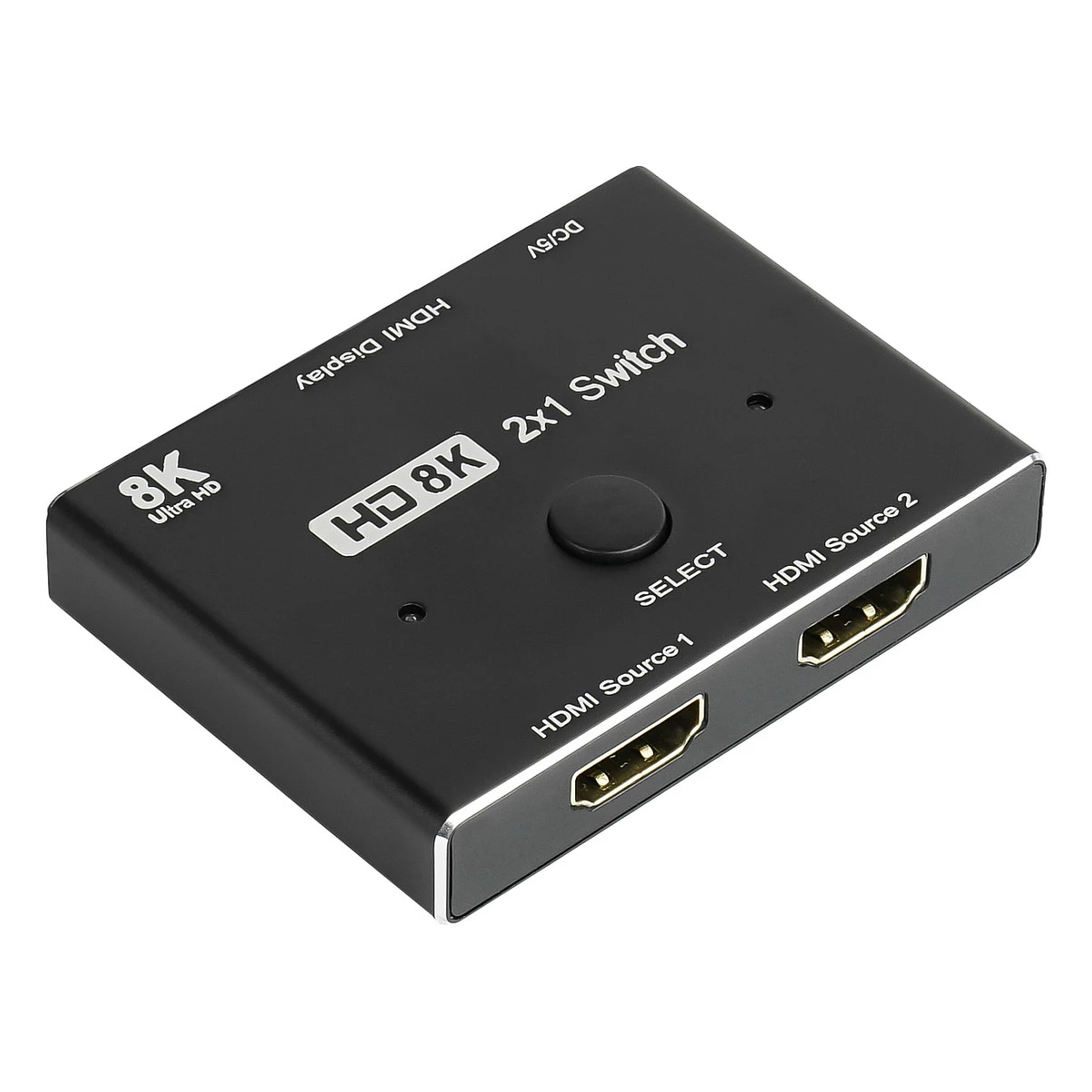 | 7-14tp | 70,20 € | Poodi |
| Arvutitark OÜ | AOC 26.5" Q27G41ZDF QD-OLED monitor 240Hz HDMIx2 DP Tootekood: Q27G41ZDF GTIN: 4038986183147 Monitors Q27G41ZDFONLY FOR THE BRAVEDominate your gaming sessions with the Q27G41ZDF QD-OLED monitor, offering stunning QHD clarity and ultra-fast 240Hz performance.Discover the Q27G41ZDF gaming monitor, powered by QD-OLED technology for exceptional color accuracy, deep contrast, and lifelike images. With QHD resolution at 240Hz, G-Sync compatibility, and low input lag, gameplay stays smooth and responsive at all times. HDR10 support enhances brightness and detail, delivering immersive scenes across a variety of genres. With a 3-year warranty, customization via G-Menu, and gamer-focused reliability, the Q27G41ZDF is designed to deliver both performance and confidence for the long term.Three-Year OLED WarrantyWarranty included: 3-year warranty (including OLED burn-in protection*). For more information, please visit the warranty information page.240Hz Refresh Rate240Hz fully unleashes the power of the best graphics cards, delivering unprecedented smoothness on screen. With every detail sharp and every movement displayed clearly, your reactions can become one with the action and elevate your gaming experience to new heights.QHD ResolutionWith a resolution of 2560 x 1440 pixels, Quad HD (QHD) delivers high image quality, sharpness, and a high level of detail. The widescreen 16:9 aspect ratio provides ample screen space for both office applications and entertainment such as games and movies.Experience the game to the fullest with HDR10HDR10 further enhances image quality by improving synchronization between your graphics card or console and your monitor. This creates a more realistic, immersive, and fluid gaming experience: You'll feel like you're stepping into the game, frame by frame.G-Sync CompatibleEnables flawless image quality by synchronizing new generations of NVIDIA* graphics cards with this G-SYNC Compatible monitor.Low Input LatencyUnleash your reflexes by switching to AOC Low Latency Mode. Forget graphical frills: this mode switches the monitor to settings that prioritize pure response time, providing a decisive advantage in close battles where split seconds are crucial.GMENUAOC G Menu is a free utility you can install on your PC to enjoy full customization combined with maximum convenience. |  | 395,80 € +0,10 € | Poodi | |
| Arvutitark OÜ | AOC 26.5" Q27G4ZDR QD-OLED QHD 240Hz Monitor HDMIx2 DP Tootekood: Q27G4ZDR GTIN: 4038986183130 Monitors Q27G4ZDRUnleash Your PotentialImmerse yourself in stunning colors and smooth motion with the Q27G4ZDR QD-OLED, offering QHD 240Hz and HDR10 performance.The Q27G4ZDR QD-OLED monitor combines cutting-edge display technology with competition-level performance. With QHD resolution at 240Hz, every detail is sharp and smooth, while HDR10 enhances contrast and colors for lifelike images. AdaptiveSync with G-Sync compatibility guarantees smooth, tear-free gameplay, supported by HDMI 2.1 and ultra-low input lag. An ergonomic stand, USB hub, G-Menu customization, and a 3-year warranty make the Q27G4ZDR a premium choice for gamers seeking immersion and reliability.Three-Year OLED WarrantyWarranty included: 3-year warranty (including OLED burn-in protection*). For more information, please visit the warranty information page.240Hz Refresh Rate240Hz fully unleashes the power of the best graphics cards, delivering unprecedented smoothness on screen. With every detail sharp and every movement displayed clearly, your reactions can become one with the action, elevating your gaming experience to new heights.QHD ResolutionWith a resolution of 2560 x 1440 pixels, Quad HD (QHD) delivers outstanding image quality, sharpness, and a high level of detail. The widescreen 16:9 aspect ratio provides ample screen space for both office applications and entertainment such as games and movies.Experience the Game to the Fullest with HDR10HDR10 is here to further enhance image quality by improving synchronization between your graphics card or console and your monitor. This creates a more realistic, immersive, and fluid gaming experience: You'll feel like you're stepping into the game, frame by frame.HDMI 2.1The latest HDMI technology standard allows for even higher refresh rates and resolutions. This opens up new possibilities not only for watching multimedia, but also for gaming: HDMI 2.1 lets you maximize the capabilities of next-generation consoles.G-Sync CompatibleEnables flawless image quality by synchronizing new generations of NVIDIA* graphics cards with this G-SYNC Compatible monitor.*Visit the NVIDIA website for a complete list of graphics cards compatible with G-SYNC Compatible monitors.Low Input LatencyUnleash your reflexes by switching to AOC Low Latency Mode. Forget about graphical gimmicks: this mode switches the monitor to settings that prioritize pure response time, providing a decisive advantage in close, split-second battles.USB HubThe practical USB hubs built into AOC monitors help keep your desk clutter-free. Side-mounted ports are easily accessible without even looking, eliminating time wasted searching the back of your computer for a free USB port.ERGONOMIC DESIGNThe ergonomic stand ensures comfort and prevents fatigue during long gaming sessions. It offers a wide range of motion and easy height, tilt, and swivel adjustments to suit your ergonomic needs and personal preferences.GMENUThe AOC G Menu is a free utility that you can install on your computer to enjoy complete customization combined with maximum convenience. |  | 380,20 € | Poodi | |
| Arvutitark OÜ | AOC 68.6 cm 27" C27G42ZE 16:9 HDMI/DP curved black/red Tootekood: C27G42ZE GTIN: 4038986183529 Monitors C27G42ZEC27G42ZE was designed with competitive gaming in mind, delivering an intense gaming experience on a 27-inch curved Full HD panel that draws you right into the action. An extreme 260 Hz refresh rate (OC), combined with an ultra-fast 0.3 ms MPRT response time, guarantees exceptional smoothness and image clarity with minimal motion blur - ideal for esports and high-FPS gaming. Low input lag ensures an instant and precise response, while HDR10 enhances contrast and colours for a more dynamic image.1500R CurvatureThe curved design surrounds the user, placing them at the centre of the action and providing an immersive gaming experience.260Hz (OC, 240Hz Native)260Hz (OC, 240Hz native) fully unlocks the potential of high-end graphics cards, delivering unprecedented image smoothness. Every detail is clearly defined, and every movement is displayed with crystal-clear clarity - allowing your reactions to become part of the action and taking your gameplay to the next level.FHD ResolutionWant to watch Blu-ray movies in excellent quality, play games in high resolution, or read sharp text for office applications? With Full HD 1920 x 1080 resolution, this monitor makes it possible. Whatever you are viewing, Full HD resolution displays it with rich detail without requiring a high-end graphics card or consuming significant system resources.1ms GTG Response Time - Grey to GreyGtG stands for Grey to Grey and refers to the time it takes for a pixel to transition from one shade of grey to another. In gaming, every millisecond counts and can determine whether you land a successful shot or miss. A fast response time also eliminates ghosting and motion blur.Adaptive SyncAdaptive Sync technology synchronises the monitor's vertical refresh rate with the frame rate delivered by the graphics card, providing smoother gameplay by eliminating screen tearing, frame drops and loss of smoothness. This feature is also useful when watching movies and other moving images, ensuring smoother display performance.Low Input LagUnleash your reflexes by switching to AOC Low Input Lag Mode. Forget unnecessary graphical effects: this mode switches the monitor to settings that prioritise pure response time, giving you a decisive advantage in close encounters where fractions of a second make all the difference.Experience Gaming to the Fullest with HDR10HDR10 is here to take image quality to the next level by improving synchronisation between your graphics card or console and the monitor. This creates a more realistic, immersive and smooth gaming experience: you'll feel as though you're stepping into the game, frame by frame.0.3ms MPRT Response TimeExperience truly immersive gaming. Whether you're playing a fast-paced racing game or taking part in a high-stakes battle, every millisecond counts! A monitor with a 0.3 ms MPRT response time can be your ticket to gaming excellence, delivering fast response times and smooth gameplay.GMENUAOC G-Menu is a free tool that can be installed on your computer, giving you full customisation combined with maximum convenience. |  | 140,40 € | Poodi | |
| Arvutitark OÜ | AOC Gaming C27G4Z2 27" VA Full HD HDMI DisplayPort 260Hz Tootekood: C27G4Z2 GTIN: 4038986183499 Monitors C27G4Z2 The C27G4Z2 delivers performance built for competition on a 27-inch curved Full HD VA panel, providing smooth and detailed visuals. An overclocked 260 Hz refresh rate and 1 ms GtG response time ensure minimal blur and exceptional motion clarity. Low input lag translates into precise and immediate responsiveness. HDR10 support enhances colors and contrast for a more realistic visual experience, while the height-adjustable stand provides greater comfort during long gaming sessions. 1500R CurvatureThe curved design surrounds the user, placing them right at the center of the action and providing an immersive gaming experience. 260Hz (OC, 240Hz Native)260Hz (OC, 240Hz native) fully unleashes the potential of high-end graphics cards, delivering unprecedented smoothness. Every detail is clearly defined, and every movement is displayed with crystal clarity -- allowing your reactions to become part of the action and taking your gaming experience to the next level. FHD ResolutionWant to watch Blu-ray movies in excellent quality, play games in high resolution, or read sharp text for office applications? With Full HD resolution of 1920 x 1080 pixels, this monitor makes it possible. Whatever you are viewing, Full HD displays it with rich detail without requiring a high-end graphics card or consuming significant system resources. Fast VAImmerse yourself in deeper blacks and vivid contrast. Bright, lifelike visuals make your games look better than ever before. 1ms GTG Response Time - Grey-to-GreyGtG stands for Grey-to-Grey and measures how long it takes a pixel to transition from one shade of grey to another. In gaming, every millisecond counts and can determine whether you land a successful shot or miss. A fast response time also eliminates ghosting and motion blur. Experience Gaming to the Fullest with HDR10HDR10 takes image quality to the next level by improving synchronization between your graphics card or console and the monitor. This creates a more realistic, immersive, and smooth gaming experience: you'll feel like you are stepping into the game, frame by frame. Low Input LagUnleash your reflexes by switching to AOC Low Input Lag Mode. Forget about visual extras: this mode switches the monitor to settings that prioritize pure response time, giving you a decisive advantage in close encounters where fractions of a second make all the difference. 0.3ms MPRT Response TimeExperience truly immersive gaming. Whether you are playing a fast-paced racing game or taking part in a high-stakes battle, every millisecond counts! A 0.3ms MPRT monitor can be your ticket to gaming excellence, with an ultra-fast response time and smooth gameplay. Adaptive SyncAdaptive Sync technology synchronizes the monitor's vertical refresh rate with the frame rate delivered by the graphics card, providing smoother gameplay by eliminating screen tearing, frame drops, and loss of fluidity. This feature is also useful when watching movies and other moving images, ensuring smoother display performance. G-MENUAOC G-Menu is a free tool that can be installed on your computer, providing full customization combined with maximum convenience. |  | 162,50 € | Poodi | |
| Arvutitark OÜ | AOC Monitor 34 inch CU34G4CA VA Curved 180Hz HDMIx2 DP Tootekood: CU34G4CA GTIN: 4038986113519 Monitors CU34G4CA CU34G4CA is designed for gamers who want to experience games in a more immersive way. The 34-inch WQHD ultrawide 21:9 display and deep 1500R curvature naturally surround your field of view, making racing games, RPGs, and open-world adventures feel larger, more cinematic, and easier to follow, including in your peripheral vision. The fast 180 Hz refresh rate and responsive Fast VA 1 ms GtG panel ensure smooth and precise motion during fast-paced gameplay, helping you react faster and stay focused during intense action scenes. HDR400 support enhances contrast and lighting detail, making darker environments look richer while bright elements have greater visual impact, delivering a more realistic gaming experience.Dual Wide QHD (WQHD) ResolutionWith a resolution of 3440 x 1440 pixels, Wide Quad HD (WQHD) delivers outstanding image quality, sharpness, and a high level of detail. The 21:9 widescreen aspect ratio is ideal for watching movies in a large format or playing the latest games, while also being well suited to work. 8-bit colour depth provides a wide colour palette, making images vivid and natural.1500R CurvatureThe curved design surrounds the user, placing them right at the centre of the action and providing an immersive gaming experience.180Hz Refresh RateCompetitive and intense gaming requires the best technology to ensure smoother, lag-free gameplay. The AGON monitor from AOC features a 180 Hz refresh rate, making it three times faster than a standard display. Lower frame rates can make enemies appear to jump from one position to another on the screen, making them very difficult targets to hit. The 180 Hz frame rate restores critical missing frames to the screen, revealing enemy movements with exceptionally smooth motion and making targeting easier. With this AGON gaming monitor from AOC, you won't have to put up with input lag or screen tearing.Fast VAImmerse yourself in a world of deeper blacks and striking contrast. Bright, vibrant images make games look better than ever before.VESA Certified DisplayHDR(TM) 400Even the entry-level High Dynamic Range (HDR) standard offers a significant improvement in image quality. With a peak luminance of 400 cd/m2, the display enhances image quality by providing a wider colour spectrum and greater contrast variation. VESA certification guarantees rich detail and realistic rendering of games and movies.Adaptive SyncAdaptive Sync technology synchronises the monitor's vertical refresh rate with the frame rate delivered by the graphics card, providing smoother gameplay by eliminating screen tearing, dropped frames, and loss of smoothness. This feature is also useful when watching movies and other moving content, ensuring smoother image playback.90W Power DeliveryUpgrade your workspace with 90W USB-C power delivery and docking functionality. Charge your laptop, transfer data, and connect peripherals using a single cable, creating a clean and efficient workstation designed to boost productivity.KVMShare a single keyboard, mouse, and monitor between multiple computers using the built-in KVM switch.USB HubConvenient USB hubs built into AOC monitors help keep your desk organised. The side-mounted ports are easily accessible even without looking, eliminating the time wasted searching around the back of your computer for an available USB port.ERGONOMIC DESIGNThe ergonomic stand provides comfort and helps prevent fatigue during long gaming sessions. It offers a wide range of movement and easy height, tilt, and swivel adjustments, allowing you to achieve the right ergonomic setup and accommodate your personal preferences.GMENUAOC G-Menu is a free tool that can be installed on your computer, providing extensive customisation options combined with maximum convenience. |  | 297,40 € | Poodi | |
| GAME ROOM | AOC | 27 in | IPS | Q27G4ZDR | 27 in |1440 at 240 Hz | 2xHDMI, DisplayPort Tootekood: 602239 GTIN: 4038986183130 Monitors 12th Gen Intel® Core™ i7-12650H Processor 2.3 GHz (24M Cache, up to 4.7 GHz, 10 cores: 6 P-cores and 4 E-cores) NVIDIA® GeForce RTX™ 3060 Laptop GPU1452MHz* at 105W (1402MHz Boost Clock+50MHz OC, 80W+25W Dynamic Boost) 15.6-inch, WQHD (2560 x 1440) 16:9, anti-glare display, DCI-P3:100, Refresh Rate:165Hz, Response Time:3ms, IPS-level, Adaptive-Sync, MUX Switch + Optimus 16GB DDR5-4800, SO-DIMM x 2 slot, Max Capacity: 32GB 1TB M.2 NVMe™ PCIe® 3.0 SSD 1x 3.5mm Combo Audio Jack1x HDMI 2.0b1x Thunderbolt™ 4 support DisplayPort™1x USB 3.2 Gen 2 Type-C support DisplayPort™ / power delivery / G-SYNC2x USB 3.2 Gen 1 Type-A1x RJ45 LAN port |  | 1-3 tp | 376,00 € | Poodi |
| GAME ROOM | ARZOPA A1T 15.6-inch 1080p Portable Monitor for PS5 / Xbox / Switch / PC Tootekood: ARZOPAA1T GTIN: 6975114120040 PlayStation other accessories Arzopa A1T 15.6" Portable Monitor Looking for a lightweight and versatile monitor you can take anywhere? The Arzopa A1T is the perfect solution for users who want excellent image quality on the go. Equipped with a Full HD 1080P touchscreen display, it delivers sharp visuals, vivid colors, and intuitive touch control. Thanks to its slim and lightweight design, it is an ideal companion for both work and entertainment. Outstanding Image Quality The Arzopa A1T features a Full HD 1080P IPS panel with a wide 178° viewing angle, ensuring vibrant and realistic colors from every perspective. HDR technology enhances contrast and detail, making movies, games, and presentations look even more immersive. Comfortable and Intuitive Use The 15.6-inch touchscreen supports precise multi-touch gestures for smooth navigation and easy operation. Weighing only 890 g and measuring just 9.3 mm thick, the monitor is perfect for travel and easily fits into most laptop bags. Multiple Display Modes The monitor supports duplicate mode, extended mode, and second-screen mode, allowing you to adapt it to your workflow or entertainment needs with ease. Wide Connectivity Options Equipped with two USB-C ports, a mini HDMI port, and an audio jack, the Arzopa A1T connects easily to laptops, smartphones, gaming consoles, and streaming devices. Broad Compatibility Compatible with PS3, PS4, PS5, Xbox, Nintendo Switch, PCs, smartphones, and cameras, the A1T is a versatile portable display for work, gaming, studying, and multimedia. Included in the Box Portable monitor USB-C 3.1 data cable (1 m) HDMI 2.0 Full HD cable (1 m) USB-A to USB-C power cable |  | 1-3 tp | 133,00 € | Poodi |
| GAME ROOM | ARZOPA Z1RC Silver Grey 16.1-inch 1080p Portable Monitor for PS5 / Xbox / Switch / PC Tootekood: ARZOPAZ1RCSG GTIN: 5907085524511 PlayStation other accessories The Arzopa Z1RC 16.0" portable monitor combines excellent image quality with a compact design. Its 16-inch screen features a 2560 × 1600 resolution and a 60Hz refresh rate, delivering dynamic, rich, and detailed visuals. It is compatible with a wide range of devices, and supports both vertical and horizontal display modes, allowing you to adapt it to your needs. It easily fits into your bag or backpack, making it ideal for work or entertainment anywhere. High resolution The 2560 × 1600 resolution ensures exceptional image sharpness and accurate color reproduction. A brightness level of 500 cd/m² and HDR10 support make every detail clear and colors vivid even in bright environments. The 60Hz refresh rate ensures smooth performance. Immersive gaming and productivity Wide 178° viewing angles (horizontal and vertical) make the Arzopa Z1RC ideal for both gaming and creative tasks. Built-in speakers provide clear audio without the need for external devices. Universal compatibility The Z1RC features broad compatibility and multiple ports for seamless connection. Two USB-C ports (including power input) and a Mini HDMI port allow flexible connectivity with laptops, PCs, gaming consoles, smartphones, and more. Take it anywhere Enjoy premium visuals and convenience wherever you go. Thanks to its compact design, the Arzopa Z1RC is perfect for mobility. The built-in stand ensures stable positioning. Included: monitor, USB-A to USB-C power cable, USB-C to USB-C cable, Mini HDMI to HDMI cable, screen cloth, user manual |  | 1-3 tp | 129,00 € | Poodi |
| Arvutitark OÜ | ASRock 80,0cm PGO32UFS 16:9 HDMIDPUSB-C OLED 240Hz UHD Tootekood: 90LXA0N0-A0E1A0C GTIN: 4710483947872 Monitors OLED technology delivers exceptional visuals with true blacks and vibrant colors by using self-emissive pixels that can turn on and off individually. This allows for outstanding contrast, precise color accuracy, and smooth performance, making it perfect for both entertainment and professional applications.32" OLED VisualExperience stunning visuals with this 32-inch OLED monitor, delivering true-to-life colors, deep blacks, and exceptional contrast. Perfect for gaming, content creation, and entertainment.PGO32UFS features a dual-mode design, switching seamlessly between UHD 240Hz and FHD 480Hz to deliver ultra-high definition or ultra-high speed as needed.DisplayHDR True Black 400Enjoy deeper blacks and enhanced contrast for richer detail and a more realistic viewing experience.Achieve precise colors with Delta E < 2 accuracy, perfect for professional-grade editing and design.AMD FreeSync Premium ProWith AMD FreeSync Premium Pro technology, effectively prevent screen tearing and stuttering, crafting a superior and seamless visual feast.0.03ms Response TimeAchieve unmatched speed with a lightning-fast 0.03ms GTG response time, delivering ultra-smooth visuals and razor-sharp precision.Advanced Thermal TechnologyThe monitor uses graphene film cooling technology combined with a unique heat sink and rear ventilation design to efficiently lower screen temperature and reduce the risk of burn-in.Pixel CleanPixel Clean prevents burn-in by running automatically after 4 hours of use or manually when needed. It resumes if interrupted.Logo Brightness DimmingAutomatically adjusts the brightness of static logos on the screen to reduce the risk of burn-in.Integrated Wi-Fi AntennaPhantom Gaming monitor equips with built-in Wi-Fi antenna. So, the Wi-Fi signal won’t be masked by the table. Now, connect the Wi-Fi antenna to your PC and enjoy gaming without latency!PG Cable SleeveHave you been annoyed by cable management? Except for ditching a cable management slot on the stand, Phantom Gaming also designs a cable sleeve for gamers. It not only keeps your table tidy but also looks stylish!ConnectivityPGO32UFS features a versatile range of I/O ports, including 2 HDMI™ 2.1, 2 DisplayPort™ 1.4, and multiple USB 3.2 Gen 1x1 ports (2 Type-A, 1 Type-B, and 1 Type-C with DP Alt and 65W PD). It also offers a headphone out and dual 5W speakers for an all-in-one connectivity and audio solution.Ergonomic DesignThe Phantom Gaming monitor adopts an ergonomically-designed stand. It offers swivel, tilt, and height adjustments, which give gamers more flexibility to find an optimal viewing position. |  | 827,70 € −0,10 € | Poodi | |
| Arvutitark OÜ | ASSMANN 19inch Rackmount 8 Port HDMI KVM Tootekood: DS-12910 GTIN: 4016032488033 KVM Switches Discover the DIGITUS KVM switch, a solution designed to enhance your operational efficiency and video quality. This device supports 4K resolution at a 30 Hz V-Sync rate, ensuring your visual content is displayed in stunning clarity. With its ability to operate across a broad range of environmental conditions, from 0 - 80% RH and temperatures from 0°C to 50°C, it ensures reliability in various settings. The KVM switch is equipped with 8 HDMI and USB ports, providing extensive connectivity options for multiple devices. Its durable metal housing, coupled with an included rack mounting kit, offers a secure and robust solution for any setup. Advanced features such as Auto Scan Mode and Keep Online technology, alongside support for DDC communication and widescreen formats, make this KVM switch a versatile and indispensable tool for managing your devices. |  | 515,10 € | Poodi | |
| Arvutitark OÜ | ASUS 26.5in PG27AQWP-W OLED QHD 540Hz 0.02ms HDMI DP Monitor Tootekood: PG27AQWP-W GTIN: 4711636169202 Monitors PG27AQWP-W 26.5-inch QHD OLED gaming monitor with versatile dual mode (QHD @ 540Hz or HD @ 720Hz) and 0.02ms response time New Tandem OLED technology for 15% higher peak brightness, 25% larger color volume, and 60% longer OLED lifespan versus previous-generation WOLED panels New TrueBlack Glossy panel provides a zero-haze surface and exceptionally sharp imagery ASUS OLED Care Pro with Neo Proximity Sensor precisely detects when the user is away and switches to a black screen to reduce the risk of burn-in VESA DisplayHDR 500 True Black compliance, 99.5% DCI-P3 gamut, true 10-bit color, and Delta E |  | 1189,90 € | Poodi | |
| Arvutitark OÜ | ASUS BE27AQG Business 27" QHD IPS 120Hz Frameless HDMI DP Tootekood: BE27AQG GTIN: 4711387974209 Monitors ASUS Business MonitorEnhance Your ProductivityASUS BE27AQG is a 27-inch QHD(2560x1440) monitor that features a frameless IPS panel for wide angle viewing to deliver incredibly sharp imagery and stunning video playback. With fast 120Hz refresh rate and Adaptive-Sync technology to eliminate screen tearing and choppy frame rates for the smoother-than-ever experience. Its highly ergonomic design with tilt, swivel, pivot and height adjustments along with TUV Rheinland-certified Flicker-free and Low Blue Light provides a comfortable viewing experienceFluid Viewing Experience with 120Hz SmoothMotionASUS BE27AQG with fast 120Hz refresh rate helps eliminate screen tearing and choppy frame rates. It refreshes content on the display twice as fast as the one with a standard 60Hz refresh rate, giving you more fluid animation in video content streaming and day-to-day work, can all benefit from the smoother-than-ever experience.Expansive ConnectivityBE27AQG features a host of connectivity options that include HDMI, DisplayPort, and four USB 3.2 Gen1 downstream ports, so hooks up easily to a wide variety of PCs, laptops, consoles, media boxes. It also has a pass-through port for the headphone jack input, putting the audio connections conveniently right in front of you.Ergonomic DesignFlexible tilt, swivel, pivot and height adjustments make it easy to find the most comfortable viewing position. The screen can also be rotated a full 90 into a portrait orientation, which is ideal for working with long documents, writing code or browsing websites.Protect Your Eyes with ASUS Eye Care TechnologyBlue Light FilterFor viewing comfort and for protection from potentially harmful blue light, it offers intuitive and flexible with seamless adjustment that are easily accessed through the onscreen display menu.ASUS Flicker-free TechnologyIt's time to say goodbye to those tired, strained eyes. Flicker-Free technology helps reduce onscreen flicker, giving you a more comfortable, movie-marathon-ready environment. It is designed to minimize eyestrain, headaches and eye fatigue when you spend long, countless hours in front of the display.ASUS Power SyncStreamline and Declutter Your DesktopASUS Power Sync allows HDMI-connected devices to power on/off simultaneously with supported ASUS monitors, offering single-action control. Customizable via the MyASUS app with ASUS NUC*, this feature enhances device synergy for improved organization and productivity.Space Saving DesignMini-PC Mountable Stand+Phone HolderSelected ASUS monitors are compatible with ASUS designed mini-PC kit* (MKT03), it allows users to mount NUC / Mini-PCs on the rear of monitor stand, making the desktop clutter-free and space saving. Also comes with a phone holder in front of your monitor for easy access, viewing, and stability.ASUS DisplayWidget CenterEasily adjust your monitor settings through this intuitive app, without having to touch the physical buttons on the monitor.Eco-Friendly Products for a Sustainable FutureEnvironmental CertificationASUS products are stringently tested to meet the requirements of world-leading sustainability certifications. These tests include a comprehensive database of up-to-date criteria, independent verification, and a structured system for continuous improvement.Eco-friendly PackagingThe sustainable packaging box is made of FSC Mix-certified paper and 100% recyclable. The lightweight, eco-friendly cardboard box that it's packed in is designed to keep overall volume to a minimum, for more efficient shipping.Energy-Efficient DesignASUS BE27AQG has an energy-saving mode to help reduce power consumption and achieve zero-watt power consumption with hard switch off.Eco-friendly MaterialsExtensive research and development ensure ASUS products are made from eco-friendly materials like post-consumer recycled (PCR) plastics or components like mercury-free panels.27-inch QHD(2560x1440) frameless design with IPS 178 wide-viewing-angle panel and 99% sRGB color space .SmoothMotion 120Hz refresh rate delivers a seamless and tear-free visual experience.Extensive connectivity with HDMI, DisplayPort, earphone jack, and USB hub for the most flexibility.ASUS Power Sync allows HDMI-connected devices to power on/off simultaneously with supported ASUS monitors for improved organization and productivity.Ergonomic design with +35 ~ -5 tilt, 180 swivel, 90 pivot and 150mm height adjustments for a comfortable viewing experience.ASUS DisplayWidget Center lets users easily change monitor settings via an intuitive interface.ASUS Eye Care monitors feature TUV Rheinland-certified Flicker-free and Low Blue Light technologies to ensure a comfortable viewing experience. |  | Kohal | 199,90 € | Poodi |
| Arvutitark OÜ | ASUS ROG Strix 5K XG27JCEG 27 Fast IPS 5120 x 2880 (5K) HDMI DisplayPort 80 Hz Tootekood: 90LM0D70-B01371 GTIN: 4711636470070 Monitors ROG Strix 5K XG27JCEG ROG Strix 5K XG27JCEG Gaming Monitor – 27-inch 5120x2880, 80Hz (OC), 0.3ms (min.), Fast IPS, Dual mode (5K 80Hz or QHD 320Hz), Extreme Low Motion Blur Sync, USB Type-C (15W PD), G-Sync compatible, DisplayWidget Center, tripod socket, HDR, Aura Sync Ultra-clear 27-inch 5K Display – 5120 × 2880 resolution with 218 PPI pixel density delivers sharp, lifelike details for work and play Ultra-smooth Gaming Performance – 80Hz (OC) refresh rate combined with 0.3ms GTG response time reduces motion blur and ghosting, delivering fluid, tear-free visuals ideal for competitive gaming Frame Rate Boost Technology – Switch from 5K 80Hz to QHD 320Hz (OC) for ultra-high frame rates and responsive gaming action Next-gen Connectivity Options – Includes DisplayPort™ 1.4 (DSC) ×1, HDMI® 2.1 ×2, and USB-C with 15W power delivery for maximum compatibility Immersive Gaming Visuals – 95% DCI-P3 wide color gamut and VESA DisplayHDR™ 600 bring vibrant, lifelike colors and deep contrast ROG Gaming A.I Technology – AI-powered features like Dynamic Shadow Boost, Dynamic Crosshair, and AI Visual giving gamers a competitive edge in every match |  | 655,50 € +0,10 € | Poodi | |
| Arvutitark OÜ | ASUS ROG Swift OLED PG32UCDMR 32" UHD QD-OLED 240Hz Gaming Monitor, HDMI DP Tootekood: PG32UCDMR GTIN: 4711636033855 Monitors The Chosen One The ROG Swift OLED PG32UCDMR features a 32-inch 4K QD-OLED panel that delivers incredible visuals at an ultra-smooth 240 Hz refresh rate. Powered by third-generation QD-OLED technology, the PG32UCDMR offers vibrant colors, deep blacks, and the brightest highlights. A 0.03 ms response time ensures blur-free action even during intense gameplay. Inside, a custom advanced heatsink provides exceptional cooling, reducing the risk of burn-in and enhancing both performance and panel longevity. This premium monitor is crafted for gamers who demand the best, delivering a superior combination of size, image quality, and speed for exhilarating gaming experiences. Experience the Ultimate Game Changer The 32-inch 4K QD-OLED panel of the PG32UCDMR opens the door to incredibly lifelike gaming and entertainment. The 240 Hz refresh rate guarantees ultra-smooth visuals and eliminates motion blur, giving you an edge in fast-paced games. Rich Connectivity Unlock the Future with DisplayPort 2.1a The PG32UCDMR includes next-generation DisplayPort 2.1a UHBR20 with a full 80Gbps bandwidth, supporting 4K at 240Hz or 8K at 60Hz visuals without compression, and offering improved data transmission efficiency. Additionally, the PG32UCDMR comes with USB-C® (90-watt Power Delivery), HDMI® 2.1 ports, and a USB hub for broad multimedia connectivity. Next-Gen QD-OLED Technology Detailed Visuals and Crystal-clear Text Latest-generation QD-OLED panels take advantage of a unique sub-pixel layout to deliver clearer, more detailed images and sharper text for an upgraded viewing experience. Advantages of QD-OLED Technology The PG32UCDMR’s QD-OLED panel features a 99% DCI-P3 wide color gamut, delivering professional-grade color accuracy. Its infinite contrast ratio achieves deep blacks and vibrant colors for immersive visuals in both gaming and creative work. Impressively low latency further elevates its appeal, offering smooth and responsive performance for demanding applications. YOUR MONITOR, YOUR WAY The PG32UCDMR monitor is a versatile powerhouse, ideal for gaming, streaming, and content creation. Its high refresh rate, low response time, and vivid colors offer a seamless, immersive gaming experience. A wide viewing angle and built-in tripod socket make it great for streaming, while superb color accuracy and wide color gamut ensure professional-quality content creation. Game in Ultra-vivid HDR The PG32UCDMR supports various HDR formats, including HDR10 and Dolby Vision, to deliver outstanding brightness, color, and contrast—easily toggled on or off via the OSD menu. Screen Protection ASUS OLED CARE PRO ASUS OLED Care Pro technology delivers a suite of customizable monitor settings that protect the OLED panel and ensure longevity. It features the new Neo Proximity Sensor, which detects your distance from the monitor and shifts to a black image when you’re away, helping to prevent burn-in. All settings are easily managed through DisplayWidget Center. Pixel Cleaning Recalibrates the screen after several hours of use, taking only a few minutes and activating automatically when the monitor is powered off.* *Do not unplug the power cord during this process as it will interrupt the pixel-cleaning procedure. SCREEN MOVE Slight, periodic pixel position shifts help prevent burn-in, with multiple movement levels to choose from. Boundary Detection Dynamically detects the edges of black bars, reduces their brightness, and slightly shifts nearby pixel positions. Built to Last Worry-free OLED Monitor ROG OLED monitors are engineered for long-lasting vivid visuals. A custom heatsink and optimized internal airflow ensure superior cooling and reduce the risk of burn-in. Uniform Brightness The exclusive ROG Uniform Brightness setting—activated in the OSD menu—limits peak brightness to stabilize overall luminance, even as window size changes. This enables more comfortable marathon gaming sessions by minimizing eye strain from sudden brightness shifts. DisplayWidget Center DisplayWidget Center is a feature-rich monitor management software that lets you optimize, personalize, and fully control your display with your mouse—eliminating the need for OSD menu navigation. It also alerts you to firmware updates and provides direct updating plus import/export of display settings. PLAY SMARTER WITH AI ASSISTANT The PG32UCDMR’s AI Assistant includes AI Visual, AI Crosshair, and AI Shadow Boost, using artificial intelligence to help you practice and enhance your gaming. ASPECT RATIO CONTROL If you prefer a smaller screen, the PG32UCDMR supports various aspect ratios, allowing you to choose between 24.5” (esports mode) and 27” options. Exceptional Smoothness and Responsiveness The PG32UCDMR supports AMD FreeSync™ Premium Pro and NVIDIA® G-SYNC® compatibility, delivering ultra-smooth, tear-free visuals with low latency. In-game Enhancements ASUS Dynamic Shadow Boost, powered by ROG Gaming AI, automatically brightens dark areas of the screen, making it easier to spot enemies in shadowy corners. The ASUS-exclusive integrated GamePlus hotkey provides in-game enhancements. Created with input from professional gamers, GamePlus includes a Dynamic Crosshair powered by ROG Gaming AI, helping you practice and improve your skills. ASUS GameVisual technology features seven preset display modes, optimizing visuals for all types of content—quickly accessible via hotkey or OSD menu. TÜV Rheinland-certified ASUS Flicker Free technology eliminates screen flicker, ensuring comfortable long-term viewing and minimizing eyestrain. The new, hardware-based ASUS Low Blue Light technology reduces potentially harmful blue-light emissions, delivering better color performance compared to monitors that rely on software-based solutions. Ergonomic Stand A specially designed hollowed-out stand offers tilt, swivel, and height adjustments for perfect viewing angles. The display is also VESA wall-mount compatible. 32-inch 4K (3840 x 2160) QD-OLED gaming monitor with 240 Hz refresh rate and 0.03 ms (GTG) response time for immersive gaming New ASUS OLED Care Pro features with Neo Proximity Sensor, accurately detects when you are away and switches to a black screen to minimize burn-in risk VESA DisplayHDR 400 True Black, 99% DCI-P3 gamut, true 10-bit color, and Delta E < 2 color difference for remarkable HDR performance—ideal for photo and video editing Optional Uniform Brightness setting ensures consistent luminance levels DisplayWidget Center enables access to OLED Care features and monitor settings adjustments using a mouse Comprehensive connectivity: DisplayPort 2.1, HDMI 2.1, and USB-C with 90 W Power Delivery |  | 1655,60 € | Poodi | |
| Galador Grupp OÜ | ATE Aten 2-Port 8K HDMI Switch (VS5821-AT) Tootekood: VS5821-AT KVM switchid | 5-7 tp | 33,70 € | Poodi | |
| Galador Grupp OÜ | ATE Aten 4-Port 4K HDMI Switch | Aten | 4-Port 4K HDMI Switch (VS481B-AT-G) Tootekood: VS481B-AT-G GTIN: 4719264642203 KVM switchid |  | 1 tp | 60,00 € −5,79 € | Poodi |
| Galador Grupp OÜ | ATE Aten 4-Port True 4K HDMI Switch (VS4841-AT) Tootekood: VS4841-AT KVM switchid | 5-7 tp | 37,10 € | Poodi | |
| Galador Grupp OÜ | ATE Aten 4Port Dual View HDMI Switch, OSD, 3D , 1080P (VS482-AT-G) Tootekood: VS482-AT-G Audio/video kaablid ja adapterid | 5-7 tp | 184,70 € | Poodi | |
| Galador Grupp OÜ | ATE Aten 8 Port HDMI Switch 1.3B, 8-Port HDMI Audio/Video (VS0801H-AT-G) Tootekood: VS0801H-AT-G Audio/video kaablid ja adapterid | 5-7 tp | 184,80 € | Poodi | |
| Galador Grupp OÜ | ATE Aten 8 Port True 4K HDMI Switch, VS0801HB, HDMI, 8 x HDMI Type (VS0801HB-AT-G) Tootekood: VS0801HB-AT-G Audio/video kaablid ja adapterid | 5-7 tp | 343,60 € | Poodi | |
| Galador Grupp OÜ | ATE ATEN VS0801HB 8-Port True 4K HDMI Switch - Video/Audio switch - 8 x HDMI - an Rack mountable Tootekood: VS0801HB GTIN: 4719264646300 HDMI adapterid |  | 7-10 tp | 190,30 € | Poodi |
| Arvutitark OÜ | ATEN 2-Port 4K DisplayPort Dual Display Mini-Matrix Boundless KVM Switch Tootekood: CM1942-AT-G GTIN: 2000001254646 KVM Switches Supports superior video quality – resolutions up to 4K DCI (4096 x 2160 at 60 Hz); One dual-view USB / HDMI console controls two DisplayPort computers and two USB 3.1 Gen 1 peripherals; Two PC Operation Modes: Single PC Mode – allows content of the PC with current KVM focus to be displayed over both monitors; Dual PC Mode – allows content of two PCs to be displayed separately on two monitors regardless of the KVM focus |  | 377,60 € | Poodi | |
| Smartech Shop | Aten 2-Port 8K HDMI Switch Tootekood: VS5821-AT GTIN: 4711581521575 Muu | 40,00 € | Poodi | ||
| Arvutitark OÜ | ATEN 2-Port USB 3.0 4K HDMI Dual Display KVMP™ Switch Tootekood: CS1842-AT-G GTIN: 4710469340031 KVM Switches The ATEN CS1842 Dual Display KVMP Switch presents a valuable solution for desktop workstation with instant and effortless access to two HDMI interface computers from a single USB keyboard, mouse and two HDMI monitors; to meet users' needs, the CS1842 is compliant with HDMI 2.0 standard and supports superior video quality up to 4K DCI (4096 x 2160 @ 60Hz), offering the most stunning and vivid visuals.In addition, with patented ATEN technology - Video DynaSync, the CS1842 provides optimized display resolution and accelerates switching between systems. Considering immediate data sharing, a built-in USB 3.1 Gen 1 hub delivers data transfer rates up to 5 Gbps, allowing you to speed up operations and share USB peripherals efficiently.For requirements of more displays to monitor, users can daisy-chain two CS1842 for up to four displays to multitask easily and process tremendous information. Besides, a remote port selector is available for quick and streamlined port selection apart from pushbuttons, hotkeys and mouse port switching.As a feature-rich KVM switch, the CS1842 is especially suitable for users who need to perform multiple tasks smoothly at CGI work, graphic design, video post production, and CAD engineering. |  | 445,10 € | Poodi | |
| Arvutitark OÜ | Aten 2-Port USB 4K HDMI Cable KVM Switch with Remote Port Selector Tootekood: CS22H-AT GTIN: 4710469340468 KVM Switches Switching between two computers can be as easy as the push of a button. Refresh your workspace with the CS22H by setting up a desktop console with one set of keyboard/mouse/display for control over two computers via USB and HDMI connections, and you're all set. The compact CS22H helps create an organized desktop with reduced cable clutter, and brings in vivid 4K viewing quality to lift up work performance. |  | 63,35 € | Poodi | |
| Alfashop | Aten 2-Port USB 4K HDMI Cable KVM Switch with Remote Port Selector CS22H-AT GTIN: 4710469340468 KVM kommutaatorid (KVM switch) <p>Aten | 2-Port USB 4K HDMI Cable KVM Switch with Remote Port Selector | CS22H-AT</p> | 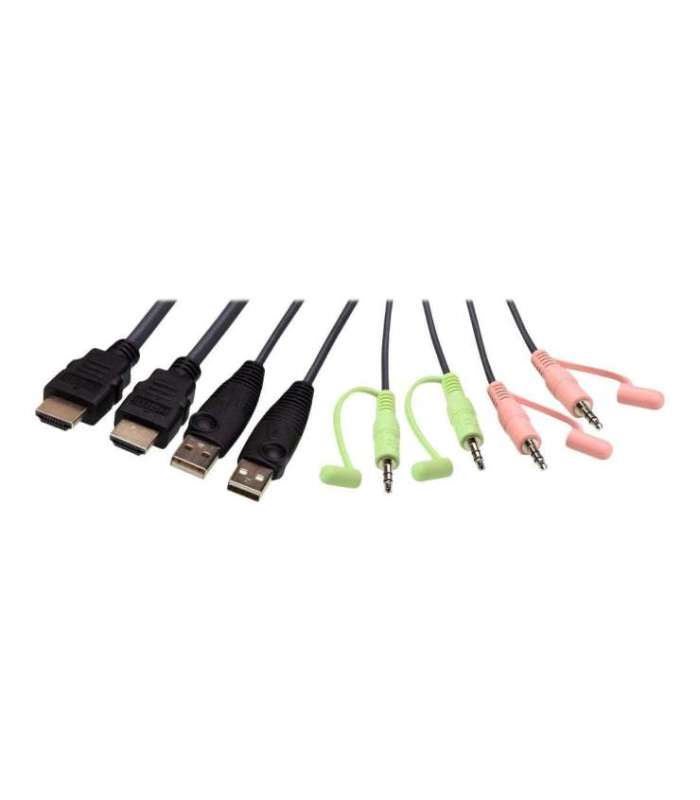 | 1-3 tp | 67,48 € | Poodi |
| Arvutitark OÜ | Aten 2-Port USB 4K HDMI DualDisplay KVMP Tootekood: CS742H-AT-G GTIN: 4710469349874 KVM Switches 2-Port USB 4K HDMI Dual-Display KVMP SwitchThe CS742H is a 2-port KVM switch designed to boost multitasking productivity for a 2-PC, dual-display desktop. With a single keyboard and mouse, you can maintain a tidy workspace while simplifying control of two HDMI computers and two HDMI displays.With the CS742H, you can benefit from: Intuitive and flexible switching via pushbutton, hotkey, mouse, or the remote port selector A 2-port USB hub for peripheral sharing with a simple plug-and-play setup A pristine visual experience up to 4K60 Multi-system compatibility across Windows, Mac, and Linux Whether you're a professional seeking a productivity booster for your daily office routines, a content creator, a hybrid worker, or someone looking for a better entertainment setup, the CS742H is definitely your perfect desktop companion. |  | 121,90 € | Poodi | |
| Arvutitark OÜ | ATEN 2-Port USB FHD HDMI Cable KVM Switch Tootekood: CS22HF-AT GTIN: 4710469341304 KVM Switches The ATEN CS22HF offers a solution for managing multiple devices with one set of keyboard and mouse. This USB-enabled KVM and USB switch provides control and connectivity between two computers, ensuring a smooth and efficient workflow. With a compact desktop form factor and a cable length of 1.2 m, it is designed for use in various environments while maintaining performance standards over a range of conditions.Experience visuals with support for resolutions up to 1920 x 1200 at a refresh rate of 60 Hz. The ATEN CS22HF operates under a wide temperature range and humidity levels, making it suitable for different environments. The unit is USB-powered for ease of use and contains a remote port selector for quick access to connected devices, providing versatility in managing your computing needs. |  | 36,15 € | Poodi |

Kõik hinnakirjad
Tooted 1
– 50
/ 1 000
50
| Photopoint | 2-Port 8K Ultra HD Bidirectional HDMI Switch Tarvikud -> Videosignaali jagajad | 25,99 € | Poodi | ||
| MT Shop | 2-PORT DISPLAYPORT + HDMI KVM/DISPLAYPORT + HDMI 4K 60HZ Tootekood: P2ADDH462-KVM-SWITCH | 658,82 € −1,46 € | Poodi | ||
| Arvutitark OÜ | 2-Port HDMI, 3.5mm Analog Audio, Full HD 1080p, USB Powered Tootekood: TK-215I GTIN: 710931170108 KVM Switches | | 83,15 € +1,75 € | Poodi | |
| Enter24.eu | 3-Port True 4k HDMI Switch VS381B Tootekood: VS381B GTIN: 4710469340383 Lüliti | 59,64 € +0,10 € | Poodi | ||
| Arvutitark OÜ | 3x1 HDMI Switch Tootekood: 332703 GTIN: 4015867157466 Video cables and adapters | | 24,60 € | Poodi | |
| Electro Base | 4K HDMI switch 3 ports, display 3 HDMI sources on one monitor. Tootekood: ACTAC7845 GTIN: 8716065491340 Velleman elektroonilised seadmed ja komponendid | 63,33 € | Poodi | ||
| Arvutitark OÜ | | 61,60 € | Poodi | ||
| Arvutitark OÜ | | 78,10 € | Poodi | ||
| Arvutitark OÜ | 4K@60Hz HDMI KVM switch, 4x1 Tootekood: MC-HDMIKVM0401-USB3-4K GTIN: 5715063740064 KVM Switches | | 92,65 € | Poodi | |
| MT Shop | 8-PORT HDMI KVM L LITI Tootekood: R8AH202-KVM-SWITCH GTIN: 65030907231 KVM lülitid ja lisad | | 743,63 € | Poodi | |
| MT Shop | 8-PORT HDMI KVM L LITI/HDMI 2.0 KVM 4K 60HZ Tootekood: R8AH202-KVM-SWITCH | 1100,15 € −2,45 € | Poodi | ||
| Enter24.eu | 8-portine HDMI KVM-lüliti Tootekood: R8AH202-KVM-SWITCH GTIN: 65030907231 Lüliti | 861,19 € +113,04 € | Poodi | ||
| Smartech Shop | 8K HDMI Switch Tootekood: 002053240000 GTIN: 4047443526267 Muu | 21,90 € | Poodi | ||
| Galador Grupp OÜ | 8K HDMI Switch (002053240000) Tootekood: 002053240000 GTIN: 4047443526267 | 21,50 € −0,70 € | Poodi | ||
| Arvutitark OÜ | | 125,30 € | Poodi | ||
| MT Shop | ACT 4K HDMI Switch 5x1 Tootekood: AC7841 GTIN: 8716065561036 Audio/video/HDMI lülitid ja splitterid | | 63,45 € +2,26 € | Poodi | |
| MT Shop | ACT 5x 1 HDMI switch, 3D and 4K support Tootekood: AC7840 GTIN: 8716065403534 | | 124,94 € | Poodi | |
| Photopoint | Adapter - Vention 2-Port Bi-Directional 8K HDMI Switcher 7680x4320 60Hz Gray GTIN: 6922794772588 Kaablid -> Kaablid | | 38,99 € | Poodi | |
| Arvutitark OÜ | Adapter mini Displayport male > HDMI female Tootekood: 65552 GTIN: 4043619655526 Video cables and adapters | | 13,85 € | Poodi | |
| Alfashop | | 77,58 € | Poodi | ||
| YEInternational AS | 5906,00 € | Poodi | |||
| Datafox | | 70,20 € | Poodi | ||
| Arvutitark OÜ | AOC 26.5" Q27G41ZDF QD-OLED monitor 240Hz HDMIx2 DP Tootekood: Q27G41ZDF GTIN: 4038986183147 Monitors | | 395,80 € +0,10 € | Poodi | |
| Arvutitark OÜ | AOC 26.5" Q27G4ZDR QD-OLED QHD 240Hz Monitor HDMIx2 DP Tootekood: Q27G4ZDR GTIN: 4038986183130 Monitors | | 380,20 € | Poodi | |
| Arvutitark OÜ | AOC 68.6 cm 27" C27G42ZE 16:9 HDMI/DP curved black/red Tootekood: C27G42ZE GTIN: 4038986183529 Monitors | | 140,40 € | Poodi | |
| Arvutitark OÜ | AOC Gaming C27G4Z2 27" VA Full HD HDMI DisplayPort 260Hz Tootekood: C27G4Z2 GTIN: 4038986183499 Monitors | | 162,50 € | Poodi | |
| Arvutitark OÜ | AOC Monitor 34 inch CU34G4CA VA Curved 180Hz HDMIx2 DP Tootekood: CU34G4CA GTIN: 4038986113519 Monitors | | 297,40 € | Poodi | |
| GAME ROOM | AOC | 27 in | IPS | Q27G4ZDR | 27 in |1440 at 240 Hz | 2xHDMI, DisplayPort Tootekood: 602239 GTIN: 4038986183130 Monitors | | 376,00 € | Poodi | |
| GAME ROOM | ARZOPA A1T 15.6-inch 1080p Portable Monitor for PS5 / Xbox / Switch / PC Tootekood: ARZOPAA1T GTIN: 6975114120040 PlayStation other accessories | | 133,00 € | Poodi | |
| GAME ROOM | ARZOPA Z1RC Silver Grey 16.1-inch 1080p Portable Monitor for PS5 / Xbox / Switch / PC Tootekood: ARZOPAZ1RCSG GTIN: 5907085524511 PlayStation other accessories | | 129,00 € | Poodi | |
| Arvutitark OÜ | ASRock 80,0cm PGO32UFS 16:9 HDMIDPUSB-C OLED 240Hz UHD Tootekood: 90LXA0N0-A0E1A0C GTIN: 4710483947872 Monitors | | 827,70 € −0,10 € | Poodi | |
| Arvutitark OÜ | ASSMANN 19inch Rackmount 8 Port HDMI KVM Tootekood: DS-12910 GTIN: 4016032488033 KVM Switches | | 515,10 € | Poodi | |
| Arvutitark OÜ | ASUS 26.5in PG27AQWP-W OLED QHD 540Hz 0.02ms HDMI DP Monitor Tootekood: PG27AQWP-W GTIN: 4711636169202 Monitors | | 1189,90 € | Poodi | |
| Arvutitark OÜ | ASUS BE27AQG Business 27" QHD IPS 120Hz Frameless HDMI DP Tootekood: BE27AQG GTIN: 4711387974209 Monitors | | 199,90 € | Poodi | |
| Arvutitark OÜ | ASUS ROG Strix 5K XG27JCEG 27 Fast IPS 5120 x 2880 (5K) HDMI DisplayPort 80 Hz Tootekood: 90LM0D70-B01371 GTIN: 4711636470070 Monitors | | 655,50 € +0,10 € | Poodi | |
| Arvutitark OÜ | ASUS ROG Swift OLED PG32UCDMR 32" UHD QD-OLED 240Hz Gaming Monitor, HDMI DP Tootekood: PG32UCDMR GTIN: 4711636033855 Monitors | | 1655,60 € | Poodi | |
| Galador Grupp OÜ | ATE Aten 2-Port 8K HDMI Switch (VS5821-AT) Tootekood: VS5821-AT KVM switchid | 33,70 € | Poodi | ||
| Galador Grupp OÜ | ATE Aten 4-Port 4K HDMI Switch | Aten | 4-Port 4K HDMI Switch (VS481B-AT-G) Tootekood: VS481B-AT-G GTIN: 4719264642203 KVM switchid | | 60,00 € −5,79 € | Poodi | |
| Galador Grupp OÜ | ATE Aten 4-Port True 4K HDMI Switch (VS4841-AT) Tootekood: VS4841-AT KVM switchid | 37,10 € | Poodi | ||
| Galador Grupp OÜ | ATE Aten 4Port Dual View HDMI Switch, OSD, 3D , 1080P (VS482-AT-G) Tootekood: VS482-AT-G Audio/video kaablid ja adapterid | 184,70 € | Poodi | ||
| Galador Grupp OÜ | ATE Aten 8 Port HDMI Switch 1.3B, 8-Port HDMI Audio/Video (VS0801H-AT-G) Tootekood: VS0801H-AT-G Audio/video kaablid ja adapterid | 184,80 € | Poodi | ||
| Galador Grupp OÜ | ATE Aten 8 Port True 4K HDMI Switch, VS0801HB, HDMI, 8 x HDMI Type (VS0801HB-AT-G) Tootekood: VS0801HB-AT-G Audio/video kaablid ja adapterid | 343,60 € | Poodi | ||
| Galador Grupp OÜ | ATE ATEN VS0801HB 8-Port True 4K HDMI Switch - Video/Audio switch - 8 x HDMI - an Rack mountable Tootekood: VS0801HB GTIN: 4719264646300 HDMI adapterid | | 190,30 € | Poodi | |
| Arvutitark OÜ | ATEN 2-Port 4K DisplayPort Dual Display Mini-Matrix Boundless KVM Switch Tootekood: CM1942-AT-G GTIN: 2000001254646 KVM Switches | | 377,60 € | Poodi | |
| Smartech Shop | Aten 2-Port 8K HDMI Switch Tootekood: VS5821-AT GTIN: 4711581521575 Muu | 40,00 € | Poodi | ||
| Arvutitark OÜ | ATEN 2-Port USB 3.0 4K HDMI Dual Display KVMP™ Switch Tootekood: CS1842-AT-G GTIN: 4710469340031 KVM Switches | | 445,10 € | Poodi | |
| Arvutitark OÜ | Aten 2-Port USB 4K HDMI Cable KVM Switch with Remote Port Selector Tootekood: CS22H-AT GTIN: 4710469340468 KVM Switches | | 63,35 € | Poodi | |
| Alfashop | Aten 2-Port USB 4K HDMI Cable KVM Switch with Remote Port Selector CS22H-AT GTIN: 4710469340468 KVM kommutaatorid (KVM switch) | | 67,48 € | Poodi | |
| Arvutitark OÜ | | 121,90 € | Poodi | ||
| Arvutitark OÜ | | 36,15 € | Poodi |