Müüja | Saadavus | ||||
|---|---|---|---|---|---|
| 01.ee | Digitaallaud Huion Graphics Tablet Kamvas Pro 16 (2.5K) Tootekood: GT1602 GTIN: 6930444802486 Graafikalauad | 3-5 tp | 593,60 € | Poodi | |
| 01.ee | Digitaallaud Huion Graphics Tablet Kamvas Pro 16 (4K) Tootekood: GT1561 GTIN: 6930444801885 Graafikalauad | 3-5 tp | 910,50 € | Poodi | |
| 01.ee | Digitaallaud HUION KAMVAS PRO 16 2.5K GRAPHICS TABLET Tootekood: Pro 16 2.5K GTIN: 6930444802486 Graafikalauad | 2-4 tp | 517,70 € | Poodi | |
| 01.ee | Digitaallaud Huion Kamvas Pro 16 graphic tablet 5080 lpi 344.16 x 193.59 mm USB Black Tootekood: Kamvas Pro 16 GTIN: 6930444801205 Graafikalauad | 4-8 tp | 438,00 € | Poodi | |
| 01.ee | Digitaallaud HUION Kamvas Pro 16 graphic tablet Black 5080 lpi 344.16 x 193.59 mm USB Tootekood: KAMVAS PRO 16 GTIN: 6930444801205 Graafikalauad | 2-4 tp | 463,40 € | Poodi | |
| Kaup24 | Digitaalne joonistustahvel Huion Kamvas Pro 16 Tootekood: Kamvas Pro 16 GTIN: 6930444801205 Digitaalsed joonistustahvlid Digitaalne joonistustahvel Huion Kamvas Pro 16 |  | False | 419,00 € | Poodi |
| Enter24.eu | Graafikatablet Huion Kamvas Pro 16 4K Grey Tootekood: GT1561 GTIN: 6930444801885 Graafika tahvelarvutid | 777,05 € | Poodi | ||
| Enter24.eu | Graafikatablett Huion Kamvas Pro 16 4K Plus Grey Tootekood: GT1562 GTIN: 6930444801816 Graafika tahvelarvutid | 849,60 € | Poodi | ||
| K-rauta | Graafikatahvel Huion Kamvas Pro 16, 402 mm x 257 mm x 13 mm, tumehall v. GTIN: 6930444801885 Graafikalauad | 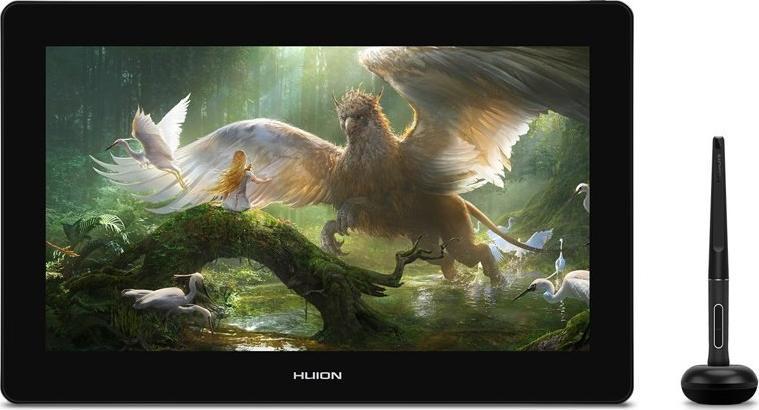 | 789,00 € | Poodi | |
| 1a.ee | Graafikatahvel Huion Kamvas Pro 16, 402 mm x 257 mm x 13 mm, tumehall v. GTIN: 6930444801885 Graafilised tahvlid | | 789,00 € | Poodi | |
| 1a.ee | Graafikatahvel Huion Kamvas Pro 16, 402.7 mm x 257.4 mm x 13 mm, hall v. GTIN: 693044480181 Graafilised tahvlid | 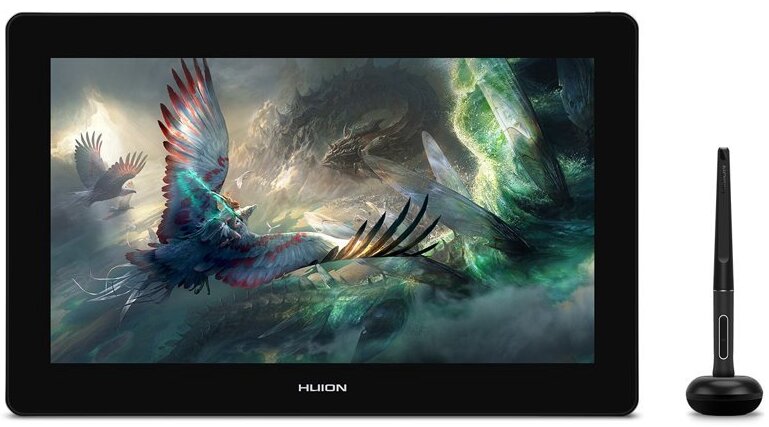 | 899,00 € | Poodi | |
| K-rauta | Graafikatahvel Huion Kamvas Pro 16, 402.7 mm x 257.4 mm x 13 mm, hall v. GTIN: 693044480181 Graafikalauad | | 899,00 € | Poodi | |
| 1a.ee | Graafikatahvel Huion Kamvas Pro 16, 437.8 mm x 251.2 mm x 11.5 mm, must v. GTIN: 9990000302826 Graafilised tahvlid | 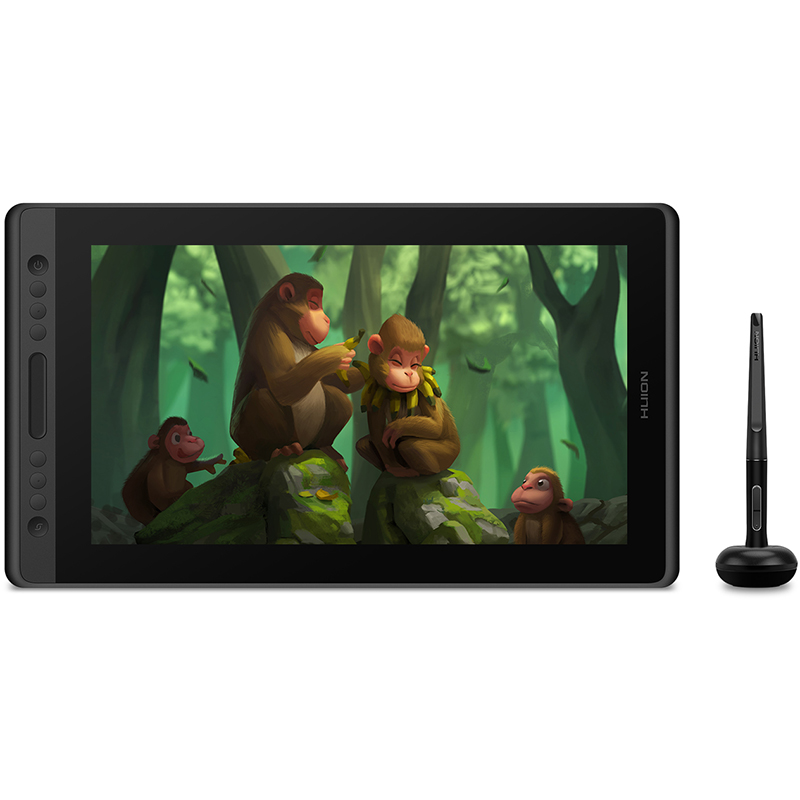 | 419,00 € | Poodi | |
| K-rauta | Graafikatahvel Huion Kamvas Pro 16, 437.8 mm x 251.2 mm x 11.5 mm, must v. GTIN: 9990000302826 Graafikalauad | | 419,00 € | Poodi | |
| MULTO | graficzny Huion graficzny Kamvas Pro 16 4K Grey Tootekood: GT1561 GTIN: 6930444801885 Graafika tahvelarvutid | 765,65 € | Poodi | ||
| MULTO | graficzny Huion Kamvas Pro 16 4K Plus Grey Tootekood: GT1562 GTIN: 6930444801816 Graafika tahvelarvutid | 837,20 € | Poodi | ||
| Photopoint | Graphic Tablet - HUION Kamvas Pro 16 15.6" 1920x1080 8192 Levels USB Black Tootekood: Kamvas Pro 16 GTIN: 6930444801205 Lisaseadmed -> Graafikalauad | 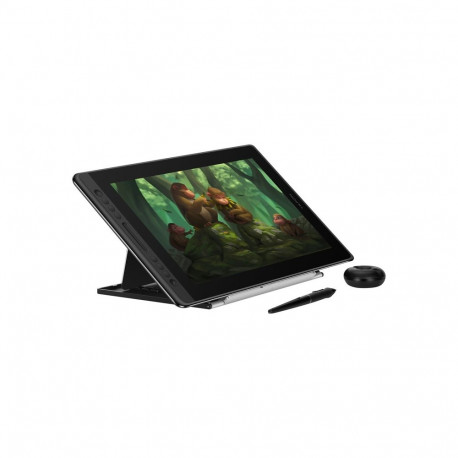 | 7-10 tp | 639,00 € | Poodi |
| Photopoint | Graphics Tablet - HUION Kamvas Pro 16 (4K) 15.6", 3840x2160 Tootekood: GT1561 GTIN: 6930444801885 Lisaseadmed -> Graafikalauad | 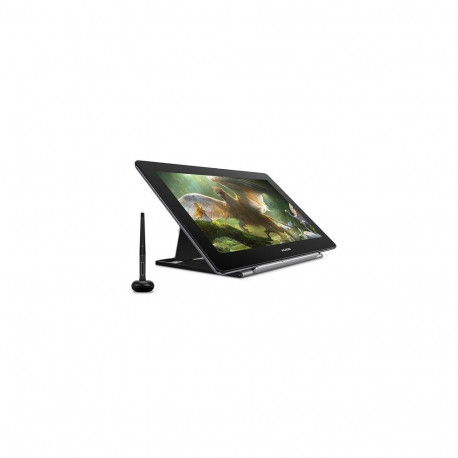 | 7-10 tp | 1059,00 € | Poodi |
| Photopoint | Graphics Tablet - HUION KAMVAS PRO 16 2.5k Tootekood: Pro 16 2.5K GTIN: 6930444802486 Lisaseadmed -> Graafikalauad | 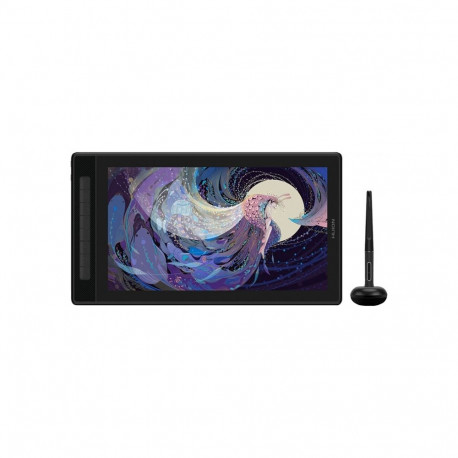 | 7-10 tp | 609,00 € | Poodi |
| Electro Base | Graphics Tablet HUION Kamvas Pro 16 (2.5K) Tootekood: GT1602 GTIN: 6930444802486 Sülearvutid ja tahvelarvutid | 2-3 tp | 598,80 € | Poodi | |
| Photopoint | Graphics Tablet HUION Kamvas Pro 16 (2.5K) GTIN: 6930444802486 Lisaseadmed -> Graafikalauad |  | 4-7 tp | 529,00 € | Poodi |
| Galador Grupp OÜ | Graphics Tablet HUION Kamvas Pro 16 (2.5K) (GT1602) Tootekood: GT1602 GTIN: 6930444802486 Graafikalauad |  | 5-7 tp | 529,90 € | Poodi |
| Datafox | Graphics Tablet HUION Kamvas Pro 16 (4K) Tootekood: GT1561 GTIN: 6930444801885 Mobiilseadmed ja tarvikud > Tahvelarvutid | 2-4tp | 758,30 € | Poodi | |
| Photopoint | Graphics Tablet HUION Kamvas Pro 16 (4K) GTIN: 6930444801885 Lisaseadmed -> Graafikalauad |  | 4-7 tp | 819,00 € | Poodi |
| Electro Base | Graphics Tablet HUION Kamvas Pro 16 (4K) Tootekood: GT1561 GTIN: 6930444801885 Sülearvutid ja tahvelarvutid | 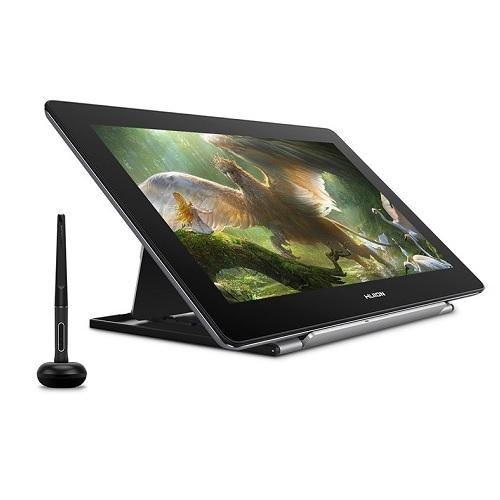 | 2-3 tp | 958,80 € | Poodi |
| Galador Grupp OÜ | Graphics Tablet HUION Kamvas Pro 16 (4K) (GT1561) Tootekood: GT1561 GTIN: 6930444801885 Graafikalauad |  | 5-7 tp | 809,50 € | Poodi |
| Digizone | Huion graafikalaud Kamvas Pro 16 (2.5K) Pen Display Tootekood: Pro 16 2.5K Graafikalauad ja tarvikud 15,8-tolline QHD 2560 x 1440, IPS-paneel; Peegeldusvastane, Quantum-dot tehnoloogia; 8192 rõhu tuvastamise taset; Täielikult lamineeritud ekraanipind; USB-C ühendus | 5-6tp | 512,43 € | Poodi | |
| Digizone | Huion graafikalaud KAMVAS Pro 16 Pen Display, must Tootekood: Kamvas Pro 16 Graafikalauad ja tarvikud 15,6-tolline mattviimistlusega AG-klaas, Full HD (aktiivne ala 34.4x19.4cm); 1920x1080 (16:9) resolutsioon, 142 PPI; 120% sRGB, 16.7M (8bit) värvid; 1000:1 kontrasti suhe, 220cd/m2 heleduse tase; Akuvaba pliiats, 8192 surveastet; ... | 7-9tp | 443,65 € | Poodi | |
| CyberMarket | HUION Graphics tablet HUION Kamvas Pro 16 (4K) Tootekood: GT1561 GTIN: 6930444801885 Arvutid ja randseadmed \ Tahvelarvutid | 2-4 t.p. | 758,28 € | Poodi | |
| MT Shop | Huion Graphics Tablet Huion Kamvas Pro 16 4K Gray Graphics Tablet Tootekood: GT1561 GTIN: 6930444801885 Interaktiivsed tahvlid |  | 10tp | 816,47 € | Poodi |
| Alfashop | Huion Kamvas 12 GS1161 graphics tablet GTIN: 6930444801908 Tahvelarvutid <h3>Huion Kamvas 12 graphics tablet</h3> <p>HUION Kamvas 12 is a graphics tablet designed for creatives who value mobility and comfort in any conditions. Its slim design with a thickness of 11.8 mm and light weight - just 735 g - make it easy to fit into a backpack and take it wherever you want to work. Whether you're sketching in a coffee shop, working at a university or creating graphics on the go, the Kamvas 12 is a piece of hardware that gives you full capabilities.</p> <p> (image) </p><h3>USB-C connection</h3> <p>Kamvas 12 offers a dual USB-C port that provides a convenient connection to your laptop, desktop, and even select Android devices. With a USB-C to USB-C cable, you can work without having to connect additional cables. Alternatively, you can also connect the tablet to your computer with a classic 3-in-1 cable that supports HDMI video transfer.</p> <p> (image) </p><h3>More detail and depth on the screen</h3> <p>The Kamvas 12 features an 11.6-inch IPS screen with a resolution of 1920 × 1080 (Full HD). It's a compact format, but one that offers surprisingly high display precision. Thanks to full lamination, the screen provides a clear, realistic image with minimal parallax effect, and the anti-glare (AG) glass used nullifies light reflections, ensuring comfort even in bright light. Colors are vivid and well reproduced - not only in the preview, but also in the final result of the work.</p> <p> (image) </p><h3>Colors that impress</h3> <p>The tablet undergoes a color calibration process at the factory, which guarantees accurate color reproduction right out of the box. With 120% coverage of the sRGB gamut and support for 16.7 million colors (8-bit), the screen displays natural tonal transitions, intense colors and subtle shadows. This translates into greater precision when designing graphics, illustrating, retouching photos or creating animations.</p> <p> (image) </p><h3>Precision stylus</h3> <p>Included is the PW517 stylus, which uses PenTech 3.0 technology for even faster response times and greater precision. The stylus doesn't require charging or batteries, which means it's always ready to go. The 8192 pressure levels and support for tilt up to ±60° allow you to freely draw, shade and work in a variety of styles - as if you were using a pencil, brush or marker. In addition, the buttons on the stylus can be programmed, for example, to quickly switch between brush and eraser.</p> <p> (image) </p><h3>Tailored to your habits</h3> <p>Kamvas 12 is equipped with 8 programmable buttons that you assign to your most frequently used functions, such as undo, change tools or zoom in on the canvas. This allows you to work faster and more intuitively, without having to constantly reach for the mouse or keyboard.</p> <p> (image) </p><h3>Work as you are comfortable</h3> <p>Kamvas 12 gives you more than just a screen - at any time you can switch to graphics tablet mode and work with the screen off, saving energy and relieving eye strain. Simply unplug and plug the cable back in. It's a convenient option for long work sessions or when you don't need the display.</p> <p> (image) </p><h3>Compatibility that gives you freedom</h3> <p>The tablet works with Windows, macOS, Linux, as well as selected Android devices (USB-C port with support for USB 3.1 Gen 1 and DP 1.2). Kamvas 12 works seamlessly with the most popular graphics programs, such as Photoshop, Illustrator, Clip Studio Paint, GIMP, Krita and many others. So you can use what you already know - without learning from scratch and without limitations.</p> <p> (image) </p> <h3>Included</h3> <ul class="list-disc pl-5"><li>tablet</li><li>stylus</li><li>interchangeable stylus tips (in the stylus holder)</li><li>stylus holder</li><li>3-in-1 cable (USB-C to USB-A/USB-A/HDMI)</li><li>USB extension cable</li><li>clip for stylus tip (in stylus holder)</li><li>user manual</li><li>cleaning cloth</li></ul> <div class="table-wrapper"> <p> </p> <h3>Tablet</h3> <table> <tbody> <tr><th>Manufacturer</th><td>HUION</td></tr><tr><th>Model</th><td>Kamvas 12</td></tr><tr><th>Dimensions</th><td>330.25 x 197 x 11.8 mm</td></tr><tr><th>Working surface</th><td>256.32 x 144.18 mm</td></tr><tr><th>Weight</th><td>735 g</td></tr><tr><th>Stand</th><td>optional, ST300</td></tr><tr><th>Interface</th><td>USB-C x2</td></tr><tr><th>Resolution</th><td>1920 x 1080(16:9</td></tr><tr><th>LCD display technology</th><td>IPS</td></tr><tr><th>AG glass</th><td>Matte anti-glare finish</td></tr><tr><th>Full screen lamination</th><td>yes</td></tr><tr><th>Contrast ratio</th><td>1000:1</td></tr><tr><th>Brightness</th><td>200cd/m2 (Max.)</td></tr><tr><th>Response time</th><td>25 ms</td></tr><tr><th>Viewing angle</th><td>85°/85°(H)/85°/85°(V) (Typ.)(CR>10)</td></tr><tr><th>Color gamut</th><td>120% sRGB</td></tr><tr><th>Display color</th><td>16.7M(8bit)</td></tr><tr><th>Input voltage</th><td>DC 5V</td></tr><tr><th>Output voltage</th><td>5V/2A</td></tr><tr><th>Power consumption</th><td>≤7W</td></tr><tr><th>Power consumption in standby mode</th><td>≤0.3W</td></tr><tr><th>Operating temperature and humidity</th><td>0-40°C, 20-80%</td></tr><tr><th>Storage temperature and humidity</th><td>-20°C~60°C, 10-90%</td></tr><tr><th>Compatibility</th><td>Windows 7 or later; macOS 10.12 or later; Android (USB3.1 DP1.2); Linux</td></tr> </tbody> </table><p> </p> <h3>Stylus</h3> <table> <tbody> <tr><th>Model</th><td>PW517</td></tr><tr><th>Technology</th><td>batteryless, EMR</td></tr><tr><th>Resolution</th><td>5080LPI</td></tr><tr><th>Pressure sensitivity</th><td>8192 levels</td></tr><tr><th>Tilt support</th><td>±60°</td></tr><tr><th>Detection height</th><td>10 mm</td></tr><tr><th>Accuracy</th><td>±0.3 mm (center); ±2 mm (edges)</td></tr><tr><th>Buttons</th><td>8 programmable buttons</td></tr> </tbody> </table> </div> |  | 3-7 tp | 167,29 € | Poodi |
| Arvutitark OÜ | Huion Kamvas 12 GS1161 graphics tablet Tootekood: GS1161 GTIN: 6930444801908 Graphics tablets Huion Kamvas 12 graphics tabletHUION Kamvas 12 is a graphics tablet designed for creatives who value mobility and comfort in any conditions. Its slim design with a thickness of 11.8 mm and light weight - just 735 g - make it easy to fit into a backpack and take it wherever you want to work. Whether you're sketching in a coffee shop, working at a university or creating graphics on the go, the Kamvas 12 is a piece of hardware that gives you full capabilities.USB-C connectionKamvas 12 offers a dual USB-C port that provides a convenient connection to your laptop, desktop, and even select Android devices. With a USB-C to USB-C cable, you can work without having to connect additional cables. Alternatively, you can also connect the tablet to your computer with a classic 3-in-1 cable that supports HDMI video transfer.More detail and depth on the screenThe Kamvas 12 features an 11.6-inch IPS screen with a resolution of 1920 × 1080 (Full HD). It's a compact format, but one that offers surprisingly high display precision. Thanks to full lamination, the screen provides a clear, realistic image with minimal parallax effect, and the anti-glare (AG) glass used nullifies light reflections, ensuring comfort even in bright light. Colors are vivid and well reproduced - not only in the preview, but also in the final result of the work.Colors that impressThe tablet undergoes a color calibration process at the factory, which guarantees accurate color reproduction right out of the box. With 120% coverage of the sRGB gamut and support for 16.7 million colors (8-bit), the screen displays natural tonal transitions, intense colors and subtle shadows. This translates into greater precision when designing graphics, illustrating, retouching photos or creating animations.Precision stylusIncluded is the PW517 stylus, which uses PenTech 3.0 technology for even faster response times and greater precision. The stylus doesn't require charging or batteries, which means it's always ready to go. The 8192 pressure levels and support for tilt up to ±60° allow you to freely draw, shade and work in a variety of styles - as if you were using a pencil, brush or marker. In addition, the buttons on the stylus can be programmed, for example, to quickly switch between brush and eraser.Tailored to your habitsKamvas 12 is equipped with 8 programmable buttons that you assign to your most frequently used functions, such as undo, change tools or zoom in on the canvas. This allows you to work faster and more intuitively, without having to constantly reach for the mouse or keyboard.Work as you are comfortableKamvas 12 gives you more than just a screen - at any time you can switch to graphics tablet mode and work with the screen off, saving energy and relieving eye strain. Simply unplug and plug the cable back in. It's a convenient option for long work sessions or when you don't need the display.Compatibility that gives you freedomThe tablet works with Windows, macOS, Linux, as well as selected Android devices (USB-C port with support for USB 3.1 Gen 1 and DP 1.2). Kamvas 12 works seamlessly with the most popular graphics programs, such as Photoshop, Illustrator, Clip Studio Paint, GIMP, Krita and many others. So you can use what you already know - without learning from scratch and without limitations.Includedtabletstylusinterchangeable stylus tips (in the stylus holder)stylus holder3-in-1 cable (USB-C to USB-A/USB-A/HDMI)USB extension cableclip for stylus tip (in stylus holder)user manualcleaning cloth TabletManufacturerHUIONModelKamvas 12Dimensions330.25 x 197 x 11.8 mmWorking surface256.32 x 144.18 mmWeight735 gStandoptional, ST300InterfaceUSB-C x2Resolution1920 x 1080(16:9LCD display technologyIPSAG glassMatte anti-glare finishFull screen laminationyesContrast ratio1000:1Brightness200cd/m2 (Max.)Response time25 msViewing angle85°/85°(H)/85°/85°(V) (Typ.)(CR>10)Color gamut120% sRGBDisplay color16.7M(8bit)Input voltageDC 5VOutput voltage5V/2APower consumption≤7WPower consumption in standby mode≤0.3WOperating temperature and humidity0-40°C, 20-80%Storage temperature and humidity-20°C~60°C, 10-90%CompatibilityWindows 7 or later; macOS 10.12 or later; Android (USB3.1 DP1.2); Linux StylusModelPW517Technologybatteryless, EMRResolution5080LPIPressure sensitivity8192 levelsTilt support±60°Detection height10 mmAccuracy±0.3 mm (center); ±2 mm (edges)Buttons8 programmable buttons |  | 175,10 € | Poodi | |
| Color Europe | Huion Kamvas 13 gen3 (Without stand) GTIN: 6930444805623 Huion Kus Kunst Algab - Kamvas 13 (Gen 3) Kamvas 13 (Gen 3) jätkab ülieduka Kamvas 13 saavutusi, parandades ekraani värvitäpsust, uuendades pliiatsitehnoloogiat ja parandades ühenduse stabiilsust. Oma täielike funktsioonide ja jätkuva taskukohasusega on Kamvas 13 (Gen 3) esmane valik alustavatele kunstnikele, kes otsivad kvaliteetset joonistamistahvelarvutit. Tootevideo Välimus- Lihtne Kaasa Võtta, Vastupidav Kestma. Kamvas 13 (Gen 3) üldsuurus on eelkäijaga võrreldes vähenenud 8% ja selle kaal on langenud 865 grammini, muutes selle kotti mahutamise lihtsaks. Vastupidav tagakate pakub paremat kaitset, nii et saate selle igale poole kaasa võtta. - 13,3-tolline ekraan - FHD Resolutsioon (1920 x 1080) Värvide Esitus Joonistamise Esimene Samm, Kaunid Värvid. Kamvas 13 (Gen 3) uhkeldab kvaliteetse ekraaniga, mis katab 99% sRGB ja Rec.709 värvigamutitest ning 90% Adobe RGB värvigamutist. Täpne värv tagab, et ekraanil kuvatud värvid vastavad lähedaselt teie originaalsetele illustratsioonidele, koomiksitele, animatsioonidele ja muudele kunstiteostele. - 99% sRGB - Gamut Kattuvus - 99% Rec.709 Gamut Kattuvus - 90% Adobe RGB Gamut Kattuvus - 16.7 Miljonit Ekraani Värv Täielikult Uus Lõuend Klaas Kamvas 13 (Gen 3) pindmaterjal on uuendatud Huioni uusima peegeldustõrje Lõuend Klaasiga, pakkudes paremat vastupidavust võrreldes Kamvas 13 peegeldustõrje kiledega. Uus Lõuend Klaas kasutab nano söövitustehnoloogiat, mis arendab üldist peegeldustõrjet anti-sädele, vähendades tõhusalt tüütu pildimüra valgel taustal. See pakub ka paremat paberi tekstuuri, et saavutada täielik laminaat loomisprotsESSi paremaks sukeldumiseks. PenTech 4.0 - Tabab Iga Kerge Vajutuse. Väljanägemise kõrval toob uus PenTech 4.0 ka 2g algusjõu, et tagada täiuslik joonistus kergete joonte joonistamisel ja peenhäälestatud survekurv näitab suurepäraselt 16K surve tundlikkust kergest raskeni. samuti õhem ots ja automaatne kallutuse joondus aitavad paremini jälgida hiirt ja vähendada parallaksi! 16384 Tase -Survetundlikkus 2g - Algus Aktivatsioonijõud 0.35mm - Tagasitõmbumise Kaugus Õhem - Pliiatsi Ots |  | 265,36 € | Poodi | |
| Alfashop | Huion Kamvas 13 GS1331 graphics tablet GTIN: 6930444801472 Tahvelarvutid <h3>Huion Kamvas 13 GS1331 graphics tablet</h3> <p>Kamvas 13 is a graphics tablet that combines mobility, convenience and professional capabilities in a lightweight, stylish form factor. Equipped with a Full HD screen, stylus with PenTech 3.0 technology and 8 programmable buttons, it puts you in full control of the creative process - whether you're just getting started with graphics or working professionally.</p> <p> (image) </p><h3>Sleek, lightweight and ready to work on the go</h3> <p>At just 11.8 mm thick and 980 g in weight, Kamvas 13 is designed with mobility in mind. You throw it in your bag and go - whether you're drawing at a coffee shop, in the park or at the university.</p> <p> (image) </p><h3>Easy connection - just one cable</h3> <p>You can connect the tablet with a classic 3-in-1 (HDMI) cable or use a USB-C to USB-C connection - no adapters or mess. It also works directly on laptop power - just one 5V USB socket is enough.</p> <p> (image) </p><h3>It also supports Android</h3> <p>Kamvas 13 is Huion's first graphics tablet that you can connect directly to an Android smartphone or tablet. It's perfect if you want to sketch or edit graphics away from home.</p> <p> (image) </p><h3>Vivid colors and wide viewing angles</h3> <p>Kamvas 13 is equipped with a 13.3-inch Full HD (1920 × 1080 px) IPS screen, which guarantees sharpness, detail and great contrast even with fine elements. With 120% coverage of the sRGB color space, colors are saturated, vibrant and faithfully reproduced - exactly what you need for illustration, retouching or graphic design. With a wide 178° viewing angle, the image remains consistent from all angles, making it easy to work in duo or present effects. This is topped off with a matte anti-reflective coating that eliminates glare, and full lamination so that the cursor always aligns perfectly with the stylus tip - no parallax or misalignment.</p> <p> (image) </p><h3>PenTech 3.0 stylus - natural movements, zero charging</h3> <p>You'll find a battery-free PW517 stylus that responds precisely to every movement of your hand. It offers 8192 levels of pressure, ±60° tilt angle, 5080 LPI resolution and 266 PPS reporting speed, which translates into smooth, natural lines - no lag or delay. The improved tip provides more stability and better contact with the surface, making drawing more like working with a classic tool.</p> <p> (image) </p><h3>Work as you are comfortable</h3> <p>Kamvas 13 offers two modes - you can use it as a pen display or switch to classic graphics tablet mode by turning off the screen. This is a convenient option when you want to work more mobile or need to save power.</p> <p> (image) </p><h3>Everything at hand</h3> <p>The tablet is equipped with 8 programmable buttons that you can set for your favorite shortcuts - from changing tools to undo and zoom. That's a real time-saver and more convenience for every creative session.</p> <p> (image) </p><h3>The compatibility you need</h3> <p>Kamvas 13 works with Windows 7+, macOS 10.12+, Linux and Android devices (USB 3.1 Gen 1). It works with all popular graphics programs: Photoshop, Illustrator, Clip Studio Paint, Krita, SAI and many others. Work in the programs you like and know best!</p> <p> (image) </p> <h3>Included</h3> <ul class="list-disc pl-5"><li>graphics tablet x 1</li><li>battery-free stylus x 1</li><li>stylus holder x 1</li><li>replaceable cartridges (inside the stylus holder)*8</li><li>3-in-1 cable x 1</li><li>USB extension cable x 1</li><li>quick start guide x 1</li><li>cleaning cloth x 1</li><li>warranty card x 1</li></ul> <div class="table-wrapper"> <p> </p> <h3></h3> <table> <tbody> <tr><th>Manufacturer</th><td>Huion</td></tr><tr><th>Model</th><td>GS1331</td></tr><tr><th>Color</th><td>black</td></tr><tr><th>Dimension</th><td>366.5 x 217.4 x 11.8 mm</td></tr><tr><th>Working area</th><td>293.76 × 165.24 mm</td></tr><tr><th>Net weight</th><td>980g</td></tr><tr><th>Touch</th><td>-</td></tr><tr><th>Stand</th><td>ST300(optional)</td></tr><tr><th>Video interface</th><td>USB-C, fully functional USB-C</td></tr><tr><th>Input voltage</th><td>DC 5V</td></tr><tr><th>Output voltage</th><td>5V 2A</td></tr><tr><th>Power consumption</th><td>≤7W</td></tr><tr><th>Power consumption in standby mode</th><td>≤0,3 W</td></tr><tr><th>Operating temperature and humidity</th><td>0-40°C, 20-80%</td></tr><tr><th>Storage temperature and humidity</th><td>-20°C~60°C, 10-90%</td></tr><tr><th>Compatibility with operating system</th><td>Windows 7 or later, macOS 10.12 or later, Android(USB3.1 GEN1, Linux</td></tr> </tbody> </table><p> </p> <h3>Screen</h3> <table> <tbody> <tr><th>Resolution</th><td>1920 x 1080(16:9)</td></tr><tr><th>LCD type</th><td>IPS</td></tr><tr><th>AG glass</th><td>Matte anti-glare film</td></tr><tr><th>Full lamination</th><td>YES</td></tr><tr><th>Contrast ratio</th><td>1000:1</td></tr><tr><th>Brightness</th><td>220 cd/m2</td></tr><tr><th>Response time</th><td>25 ms</td></tr><tr><th>Viewing angle</th><td>89°/89°(H)/89°/89°(V) (typ.)(CR>10)</td></tr><tr><th>Color gamut range</th><td>120% sRGB</td></tr><tr><th>Displayed color</th><td>16.7 million (8 bits)</td></tr> </tbody> </table><p> </p> <h3>Digital stylus</h3> <table> <tbody> <tr><th>Digital stylus</th><td>PW517</td></tr><tr><th>Technology</th><td>battery-free electromagnetic resonance</td></tr><tr><th>Pen resolution</th><td>5080 LPI</td></tr><tr><th>Pressure sensitivity</th><td>8192 levels</td></tr><tr><th>Tilt support</th><td>±60°</td></tr><tr><th>Detection height</th><td>10 mm</td></tr><tr><th>Reporting speed</th><td>266PPS</td></tr><tr><th>Accuracy</th><td>±0.5 mm (center) ±3 mm (corner)</td></tr><tr><th>Buttons</th><td>8 programmable buttons</td></tr> </tbody> </table> </div> |  | 3-7 tp | 195,86 € | Poodi |
| Color Europe | Huion Kamvas 16 (Gen 3) GTIN: 6930444805647 Huion Tee Edusamme, Tee Endast Professionaal - Kamvas 16 (Gen 3) Kamvas 16 (Gen 3) optimeerib oma suurust 15,8 tollini ja uuendab eraldusvõime 2,5K QHD-ks eelkäijaga võrreldes, pakkudes uskumatult teravaid detaile. Revolutsioonilise PenTech 4.0 tehnoloogia ja erakordse värvitäiusega on Kamvas 16 (Gen 3) kunstnike peamine valik, kes otsivad täiuslikku tasakaalu hinna ja jõudluse vahel, et oma kunst järgmisele tasemele viia. Ekraan - Suuruse ja Eraldusvõime Parim Kooslus. Kamvas 16 (Gen 3) uuendab eraldusvõime 2.5K QHD(2560x1440), mis on märkimisväärne parandus võrreldes tema eelkäijaga. Selle 15,8-tollise ekraaniga saavutab Kamvas 16 (Gen 3) 186 PPI pikslitiheduse, pakkudes kunstnikele teravat ja kristallselget vaadet. Värviesitus - Joonistamise Esimene Samm, Ilusad Värvid. Kamvas 16 (Gen 3) uhkustab kvaliteetse ekraaniga, mis katab 99% sRGB ja Rec.709 värviruumidest, samuti 90% Adobe RGB värviruumist. Täpne värv tagab, et ekraanil kuvatavad värvid vastavad tihedalt teie originaalillustratsioonidele, koomiksitele, animatsioonidele ja muudele kunstiteostele. -99% sRGB Värviruumi Katus -99% Rec.709 Värviruumi Katus -90% Adobe RGB Värviruumi Katus -16,7 Miljonit Ekraani Värvi Värvikalibreerimine - Täpse Värviesituse Tagamine Iga Kamvas 16 (Gen 3) läbib põhjaliku tehase värvikalibreerimise, et saavutada ΔE<1,5, tagades täpse värviesituse. Samuti sisaldab see tehase kalibreerimisaruannet, et saaksite kasutada õigeid värve oma kunstilise väljenduse täiustamiseks. PenTech 4.0 - Mitte ainult tehnoloogia uuendus, vaid kogemus. Kahe Pliiatsiga - Pliiats, mida Valida, Haare, mida Väljendada. Kohandudes kunstnike erinevate tööstusharude spetsiifiliste nõuetega, pakub Kamvas Pro 19 mitte ainult ühte, vaid kahte pliiatsit: üks standardsuuruse haarmega ja teine elegantse, õhukese vormiga. Saate luua täiuslikus harmoonias oma ainulaadsete harjumuste ja eelistustega. See tutvustab ka kustutust eraserit kiireks kustutamiseks, tagades parendatud efektiivsuse. PenTech 4.0 - Tabage Iga Kerge Vajutus. Peale välimuse toob uus PenTech 4.0 kaasa 2g algatusjõu, et tagada täiuslik pintslitõmme kergelt joonistades. ja peenhäälestatud rõhukõver, mis ülitäpselt näitab 16K rõhutundlikkust kergest rasvanud joonteni. õhem ots ja kalle autojoondamine aitavad teil paremini hiirt jälgida ja vähendavad paralaksi! 16384 Taset -Rõhutundlikkus 2g - Algatusjõud 0.35mm - Tagasitõmbekaugus Õhem - Pliiatsi Ots Ekraani Viimistlus Kõige Tugevam Klaas, Parim Lõuend. Kamvas 16 (Gen 3) on uuendatud peegeldusvastase Canvas Glass klaasiga, pakkudes paremat vastupidavust kui eelneva Kamvas 16 peegeldusvastane kile. Nano graveerimistehnoloogia abil vähendab see nii peegelduvust kui ka sära, vähendades pildi müra valgetel taustadel. Parandatud pind tagab loomuliku paberilaadse tekstuuri ja täieliku lamineerimise, pakkudes kaasahaaravamat loomekogemust. |  | 489,80 € | Poodi | |
| Datafox | HUION Kamvas 16 GEN 3 GS1563 Black Tootekood: GS1563 GTIN: 6930444805647 Mobiilseadmed ja tarvikud > Muud tarvikud 15,6" QHD 2560 x 1440 IPS-paneel • Peegeldusvastane, täislamineeritud Canvas Glass • 16384 rõhutundlikkuse taset • Programmeeritavad nupud ja rullikud • Patareivaba PW600L pliiats | 7-9tp | 411,20 € | Poodi | |
| Alfashop | Huion Kamvas 16 GEN 3 GS1563 graphics tablet GTIN: 6930444805647 Tahvelarvutid <div class="iai-section-b518b711-327c-49dd-a6df-803f52333dbe-description-wrapper"> <div class="iai-section-b518b711-327c-49dd-a6df-803f52333dbe iai-section-b518b711-327c-49dd-a6df-803f52333dbe-html"> <h3>Huion Kamvas 16 GEN 3 GS1563 graphics tablet</h3> <p>Designed for professional illustrators, animators and concept artists, the Kamvas 16 (Gen 3) is a graphics tablet that meets high expectations. The 15.8-inch screen with 2.5K QHD resolution guarantees a sharp and detailed image, while PenTech 4.0 pen technology provides superior sensitivity, precision and naturalness to every movement. The matte Canvas Glass surface mimics paper for a realistic drawing experience, while dual dials and customizable buttons let you work faster and more comfortably. It's a versatile, modern tool that simply keeps up with your creativity.</p> <p>(image) </p> <h3>A screen that shows every detail</h3> <p>Kamvas 16 (Gen 3) offers a resolution of 2560 × 1440 px (QHD) at 15.8 inches, resulting in a pixel density of 186 PPI - perfect for working with detail. The screen covers up to 99% sRGB, 90% Adobe RGB and 99% Rec.709, so you can work in the exact color space your project requires. The 16.7 million colors (8-bit) and 1000:1 contrast ratio make the image vivid, deep and extremely realistic. Each unit is factory calibrated (ΔE<1.5), as confirmed by the included report - you can be sure you see exactly what you planned.</p> <p>(image) </p> <h3>New drawing technology - PenTech 4.0</h3> <p>The PW600L stylus, based on PenTech 4.0 technology, is a real gamechanger in the world of digital drawing. With a high-precision sensor, a resolution of 5080 LPI, a reading frequency of more than 260 PPS and up to 16,384 levels of pressure, every stroke is smooth, natural and exactly as you intend. It responds to as little as a light touch (from 2g), and you can adjust the maximum pressure from 200g to 500g, which is great for shading and layering work. A tilt of ±60° allows you to achieve brush- or pencil-like effects. There are also three programmable buttons to speed up work, and a non-slip silicone grip that is dust-resistant and feels great in the hand. The reduced tip and minimal retraction distance (just 0.35 mm) provide maximum control and visibility - just like a traditional tool.</p> <p>(image) </p> <h3>Surface like a real canvas</h3> <p>The Kamvas 16 (Gen 3) screen is covered with state-of-the-art Canvas Glass - matte, anti-glare and fully laminated. Thanks to the Low Sparkle coating, the image is clear even on solid backgrounds, and the fine texture resembles paper, making drawing more natural and enjoyable.</p> <p>(image) </p> <h3>More control with dials and buttons</h3> <p>The tablet features 6 quiet buttons and 2 functional dials that you can freely assign to your favorite shortcuts - from changing tools to rotating the canvas. The knobs protrude slightly from the case, so they are easy to operate while working. Kamvas 16 (Gen 3) works great for both right- and left-handed users.</p> <p>(image) </p> <h3>Work the way you like - display and tablet mode</h3> <p>Kamvas 16 (Gen 3) allows you to switch between pen display mode (with on-screen preview) and pen tablet mode (without preview), which works especially well during long work sessions. It's a convenient option for those who want to relieve eye strain or conserve device power.</p> <p>(image) </p> <h3>Stable connections and convenient operation</h3> <p>The tablet offers two ports - a full-function USB-C and a 3-in-1 connector - and you can connect it to a computer, laptop or compatible Android smartphone (supporting USB 3.1 + DP 1.2). The stable connection prevents accidental disconnection during operation, and you gain more flexibility.</p> <p>(image) </p> <h3>Compatibility and support for popular software</h3> <p>Kamvas 16 (Gen 3) works with Windows 10+, macOS 10.12+, Linux (Ubuntu 20.04 LTS) and Android (USB 3.1 + DP 1.2). It works with the most popular graphics applications - such as Photoshop, Illustrator, Clip Studio Paint, Krita, Blender, SAI and many others. You are free to work in the environment that suits you best!</p> <p>(image) </p> <h3>Included</h3> <ul class="list-disc pl-5"> <li>graphics tablet x 1</li> <li>3-in-1 cable (1.8 m) x 1</li> <li>USB power cable x 1</li> <li>fully functional USB-C to USB-C cable x 1</li> <li>USB-A extension cable (1.2 m) x 1</li> <li>USB power adapter x 1</li> <li>PW600L digital stylus x 1</li> <li>PH06 stylus holder x 1</li> <li>stylus cartridge PN06 x 10 (included with stylus holder)</li> <li>cleaning cloth x 1</li> <li>glove x 1</li> <li>user manual</li> </ul> <div class="table-wrapper"> <p> </p> <h3> </h3> <table> <tbody> <tr> <th>Manufacturer</th> <td>Huion</td> </tr> <tr> <th>Model</th> <td>GS1563</td> </tr> <tr> <th>Color</th> <td>Black</td> </tr> <tr> <th>Dimensions</th> <td>421.2 x 236.81 x 12.62 mm</td> </tr> <tr> <th>Working area</th> <td>350 x 197 mm (15.8")</td> </tr> <tr> <th>Net weight</th> <td>1,245 kg</td> </tr> <tr> <th>Touch</th> <td>-</td> </tr> <tr> <th>Stand</th> <td>ST300 (optional)</td> </tr> <tr> <th>Video interface</th> <td>USB-C 3-in-1, full-featured USB-C port</td> </tr> <tr> <th>Input voltage</th> <td>AC 100-240V, 50/60Hz</td> </tr> <tr> <th>Output voltage</th> <td>5V 3A</td> </tr> <tr> <th>Power consumption</th> <td>≤7W</td> </tr> <tr> <th>Operating temperature and humidity</th> <td>0-40°C 、 20-80%</td> </tr> <tr> <th>Storage temperature and humidity</th> <td>-20°C~60°C、 10-90%</td> </tr> <tr> <th>Compatible with operating system</th> <td>Windows 7 or later, macOS 10.12 or later, Android (USB3.1 DP1.2 or later), Linux (Ubuntu 20.04 LTS)</td> </tr> </tbody> </table> <p> </p> <h3>Screen</h3> <table> <tbody> <tr> <th>Resolution</th> <td>2560 x 1440 (16:9) QHD</td> </tr> <tr> <th>LCD type</th> <td>IPS</td> </tr> <tr> <th>AG glass</th> <td>2nd generation, anti-reflective etched glass</td> </tr> <tr> <th>Full lamination</th> <td>YES</td> </tr> <tr> <th>Contrast ratio</th> <td>1000:1</td> </tr> <tr> <th>Brightness</th> <td>220 cd/m2</td> </tr> <tr> <th>Response time</th> <td>14 ms</td> </tr> <tr> <th>Viewing angle</th> <td>89°/89°(H)/89°/89°(V) (typ.)(CR>10)</td> </tr> <tr> <th>Color gamut range</th> <td>120% sRGB</td> </tr> <tr> <th>Displayed color</th> <td>16.7 million (8 bits)</td> </tr> </tbody> </table> <p> </p> <h3>Digital stylus</h3> <table> <tbody> <tr> <th>Digital pen</th> <td>PW600L (PenTech 4.0)</td> </tr> <tr> <th>Pen technology</th> <td>battery-free electromagnetic resonance</td> </tr> <tr> <th>Pen resolution</th> <td>5080 LPI</td> </tr> <tr> <th>Pressure sensitivity</th> <td>16384 levels</td> </tr> <tr> <th>Tilt support</th> <td>±60°</td> </tr> <tr> <th>Detection height</th> <td>10 mm</td> </tr> <tr> <th>Reporting speed</th> <td>>260PPS</td> </tr> <tr> <th>Accuracy</th> <td>±0.3 mm (center), ±2 mm (corner)</td> </tr> <tr> <th>Buttons</th> <td>6 programmable buttons + double dial + 2 function switch buttons</td> </tr> </tbody> </table> </div> </div> </div> |  | 3-7 tp | 394,81 € | Poodi |
| Arvutitark OÜ | Huion Kamvas 16 Gen 3 GS1563 graphics tablet Tootekood: GS1563 GTIN: 6930444805647 Graphics tablets Huion Kamvas 16 GEN 3 GS1563 graphics tabletDesigned for professional illustrators, animators and concept artists, the Kamvas 16 (Gen 3) is a graphics tablet that meets high expectations. The 15.8-inch screen with 2.5K QHD resolution guarantees a sharp and detailed image, while PenTech 4.0 pen technology provides superior sensitivity, precision and naturalness to every movement. The matte Canvas Glass surface mimics paper for a realistic drawing experience, while dual dials and customizable buttons let you work faster and more comfortably. It's a versatile, modern tool that simply keeps up with your creativity.A screen that shows every detailKamvas 16 (Gen 3) offers a resolution of 2560 × 1440 px (QHD) at 15.8 inches, resulting in a pixel density of 186 PPI - perfect for working with detail. The screen covers up to 99% sRGB, 90% Adobe RGB and 99% Rec.709, so you can work in the exact color space your project requires. The 16.7 million colors (8-bit) and 1000:1 contrast ratio make the image vivid, deep and extremely realistic. Each unit is factory calibrated (ΔE |  | 417,20 € | Poodi | |
| Alfashop | Huion Kamvas 22 Plus GS2202 graphics tablet GTIN: 6930444801762 Tahvelarvutid <h3>Huion Kamvas 22 Plus graphics tablet</h3> <p>Looking for hardware that can match your precision? The Huion Kamvas 22 Plus is a graphics tablet for those who create in earnest - designers, illustrators, concept artists. With a 21.5-inch full HD screen, an impressive 140% sRGB color space and quantum-dot technology, it delivers incredible image quality and accuracy in rendering every stylus stroke. Add to that full lamination, anti-reflective glass and USB-C connectors, and you have a tool that fits naturally into your work rhythm. Check out what it can do!</p> <p> (image) </p><h3>A screen that impresses</h3> <p>The Kamvas 22 Plus features a 21.5-inch IPS screen with a resolution of 1920 × 1080 px (Full HD) and an aspect ratio of 16:9. quantum-dot technology has achieved coverage of 140% of the sRGB color space, guaranteeing vivid, intense colors and impressive image depth. The 1200:1 contrast ratio further highlights details and chiaroscuro, while the 16.7 million (8-bit) color depth makes every tonal transition look natural and smooth.</p> <p> (image) </p><h3>Realistic drawing experience</h3> <p>Kamvas 22 Plus gives an incredibly realistic drawing experience - just like sketching on a piece of paper. This is thanks to the full lamination, which eliminates the gap between the screen and glass, and the matte, anti-reflective glass with etching finish, which not only protects against light reflections, but also gives a pleasant resistance under the pen - exactly like working on a traditional medium. Parallax is virtually imperceptible, so the cursor precisely follows every movement of your hand. And with a 178° viewing angle, you can look at the screen from either side and still enjoy a clear, consistent image - even in bright light.</p> <p> (image) </p><h3>Less fatigue for your eyes</h3> <p>The low blue light technology used effectively filters out harmful blue light, reducing eye fatigue during long hours of work. This is especially important if you spend days drawing, designing or retouching.</p> <p> (image) </p><h3>A stylus that keeps up with your hand</h3> <p>The Kamvas 22 Plus uses the PW517 pen created with PenTech 3.0 technology. Thanks to a lower magnetic core, the pen works precisely and steadily, without lag or vibration. You have 8192 levels of pressure, angle recognition up to ±60°, and accuracy reaching ±0.3 mm. All to make drawing shadows, lines and details as natural as possible.</p> <p> (image) </p><h3>Two USB-C ports and connectivity flexibility</h3> <p>The tablet is equipped with two USB-C ports for connecting to a computer, laptop, console or Android phone. An additional USB-A port, on the other hand, allows convenient connection of peripherals such as a keyboard, flash drive or external drive. This allows the Kamvas 22 Plus to function as a screen extension or a standalone tool for work and entertainment - on a large 21.5-inch display.</p> <p> (image) </p><h3>Stable, ergonomic and ready to go</h3> <p>The adjustable metal stand allows you to angle the screen from 20° to 80°. This allows you to comfortably adjust your body position and keep your spine comfortable while working. The slim case and weight of only 3.9 kg (with stand) make the tablet, although stable, still a relatively mobile tool for work.</p> <p> (image) </p><h3>Compatibility without limits</h3> <p>Kamvas 22 Plus works with Windows 7 and later, macOS 10.12+, Linux and Android (USB 3.1 DP1.2). It supports popular graphics and design applications, so you can use Photoshop, Illustrator, Clip Studio Paint, Krita and many others without any problems.</p> <p> (image) </p> <h3>Included</h3> <ul class="list-disc pl-5"><li>graphics tablet</li><li>battery-free stylus</li><li>stylus holder</li><li>replaceable nibs (inside the stylus holder)</li><li>pen nib clip (inside the stylus holder)</li><li>power cord</li><li>power adapter</li><li>cleaning cloth</li><li>USB-C cable</li><li>user manual</li><li>warranty card</li></ul> <div class="table-wrapper"> <p> </p> <h3></h3> <table> <tbody> <tr><th>Manufacturer</th><td>Huion</td></tr><tr><th>Model</th><td>GS2202</td></tr><tr><th>Color</th><td>dark grey</td></tr><tr><th>Dimensions</th><td>546 x 323 x 19~26.7 mm</td></tr><tr><th>Working area</th><td>476.64 x 268.11 mm</td></tr><tr><th>Net weight</th><td>3.9 kg (with stand)</td></tr><tr><th>Stand</th><td>Adjustable stand 20°~80°</td></tr><tr><th>Video interface</th><td>USB-C, fully functional USB-C</td></tr><tr><th>Input voltage</th><td>AC 100-240V, 50/60Hz</td></tr><tr><th>Output voltage</th><td>12V 3A</td></tr><tr><th>Power consumption</th><td>≤24W</td></tr><tr><th>Power consumption in standby mode</th><td>≤0,3 W</td></tr><tr><th>Operating temperature and humidity</th><td>0-40°C, 20-80%</td></tr><tr><th>Storage temperature and humidity</th><td>-20°C~60°C, 10-90%</td></tr><tr><th>Compatibility with operating system</th><td>Windows 7 or later, macOS 10.12 or later, Android(USB3.1 DP1.2), Linux</td></tr> </tbody> </table><p> </p> <h3>Digital stylus</h3> <table> <tbody> <tr><th>Stylus</th><td>PW517</td></tr><tr><th>Pen technology</th><td>Battery-free electromagnetic resonance</td></tr><tr><th>Resolution</th><td>5080LPI</td></tr><tr><th>Pressure sensitivity</th><td>8192 levels</td></tr><tr><th>Tilt support</th><td>±60°</td></tr><tr><th>Detection height</th><td>10 mm</td></tr><tr><th>Reporting speed</th><td>>220PPS</td></tr><tr><th>Accuracy</th><td>±0.3 mm (center). ±2 mm (corner)</td></tr> </tbody> </table> </div> | 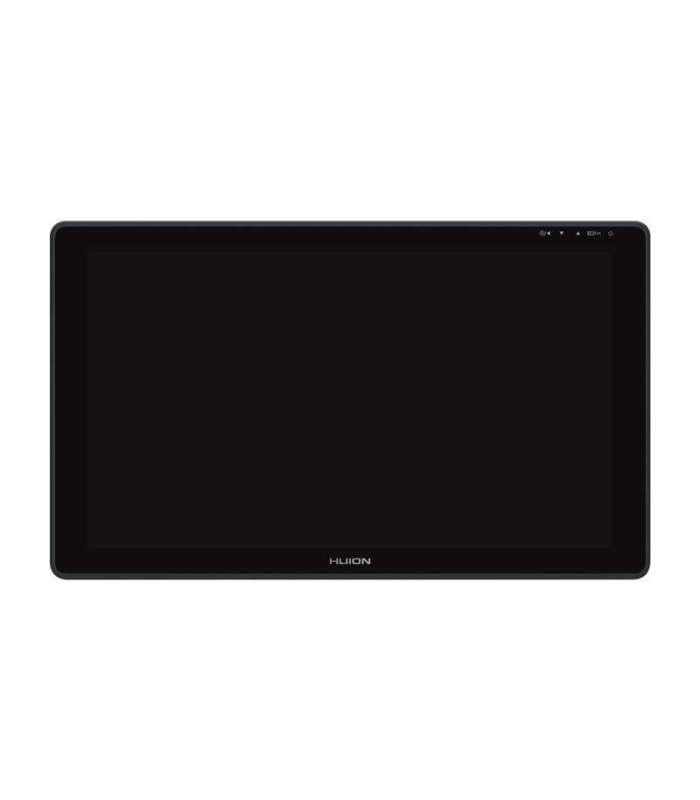 | 3-7 tp | 447,54 € | Poodi |
| Alfashop | Huion Kamvas 24 GS2401 graphics tablet GTIN: 6930444802110 Tahvelarvutid <h3>Huion Kamvas 24 graphics tablet</h3> <p>Kamvas 24 is a graphics tablet for those who want to work with flair - literally and figuratively. With a 23.8-inch screen, 2.5K resolution and a wide 120% sRGB color space, every detail of your work looks exactly as you planned. It's a piece of hardware designed for illustrators, designers, 2D and 3D graphic designers who want a large working space, precision and high image quality. Kamvas 24 is a professional tool that gives you maximum creative freedom. Check out what it can do!</p> <p> (image) </p><h3>Bigger screen, more freedom</h3> <p>The tablet offers a large 23.8-inch screen with a resolution of 2560 x 1440 px (QHD), so you can comfortably work on a large canvas without having to zoom in all the time. This is ideal for creatives who work on detailed projects and need to see everything in full context.</p> <p> (image) </p><h3>Colors that reflect reality</h3> <p>Kamvas 24 covers 120% of the sRGB color space, which, combined with a color depth of 16.7 million (8-bit) and a contrast ratio of 1000:1, produces vivid, natural and accurate colors. As a result, you can be sure that your projects will look great not only on screen, but also in print or online publication.</p> <p> (image) </p><h3>Clear images from any angle</h3> <p>With a 178° viewing angle, the screen maintains color consistency and sharpness no matter from which side you look. This is ideal if you frequently change position while working or collaborate with others at the same screen.</p> <p> (image) </p><h3>Realistic drawing experience</h3> <p>The screen surface has been coated with a matte anti-glare coating that effectively reduces reflections and gives the surface a soft paper-like texture. This makes each pen stroke more natural, and makes drawing comfortable and enjoyable - even during long hours of sessions.</p> <p> (image) </p><h3>A stylus that follows your every move</h3> <p>The included PW517 stylus works without batteries and is based on PenTech 3.0 technology, which ensures exceptional stability and natural movement. It supports up to 8192 pressure levels, tilt up to ±60°, and its sensitivity and responsiveness (>220 PPS, 5080 LPI) make every stroke smooth, precise and exactly as you intended. A silicone grip and two side buttons increase comfort and efficiency.</p> <p> (image) </p><h3>Flexible connections without limits</h3> <p>Kamvas 24 is equipped with two USB-C ports - one for connection via a 3-in-1 (HDMI) cable, the other for direct USB-C to USB-C connection to a computer, laptop or compatible Android mobile device. In addition, a USB-A port allows you to connect a keyboard, flash drive or other accessories.</p> <p> (image) </p><h3>Ergonomic work for long hours</h3> <p>The tablet comes with an adjustable stand that allows you to position the screen at an angle from 20° to 80°, which significantly increases the comfort of your work. If you want to further improve your workflow, you can purchase the Mini KeyDial KD100, a controller with programmable buttons designed for graphic designers.</p> <p> (image) </p><h3>Wide compatibility</h3> <p>Kamvas 24 works with Windows 7 and later, macOS 10.12+, Linux and Android devices (USB 3.1 + DP1.2). It seamlessly supports all the most popular graphics programs, including Photoshop, Illustrator, Clip Studio Paint, CorelDRAW, SAI, Krita and many others, giving you full creative freedom.</p> <p> (image) </p> <h3>Included</h3> <ul class="list-disc pl-5"><li>graphics tablet x 1</li><li>battery-free stylus x 1</li><li>stylus holder x 1</li><li>replaceable cartridges (inside the stylus holder) x 10</li><li>3-in-1 cable x 1</li><li>power cable x 1</li><li>power adapter x 1</li><li>quick start guide x 1</li><li>cleaning cloth x 1</li></ul> <div class="table-wrapper"> <p> </p> <h3></h3> <table> <tbody> <tr><th>Manufacturer</th><td>Huion</td></tr><tr><th>Model</th><td>GS2401</td></tr><tr><th>Color</th><td>dark grey</td></tr><tr><th>Dimensions</th><td>604.2 x 358 x 21~28.3 mm (without stand)</td></tr><tr><th>Working area</th><td>526.85 x 296.35 mm</td></tr><tr><th>Net weight</th><td>5.6 kg (with stand)</td></tr><tr><th>Touch</th><td>-</td></tr><tr><th>Stand</th><td>Adjustable stand 20°~80°</td></tr><tr><th>Video interface</th><td>USB-C, fully functional USB-C</td></tr><tr><th>Input voltage</th><td>AC 100-240V, 50/60Hz</td></tr><tr><th>Output voltage</th><td>19V 3A</td></tr><tr><th>Power consumption</th><td>≤20W</td></tr><tr><th>Power consumption in standby mode</th><td>≤0,3 W</td></tr><tr><th>Operating temperature and humidity</th><td>0-40°C 、 20-80%</td></tr><tr><th>Storage temperature and humidity</th><td>-20°C~60°C, 10-90%</td></tr><tr><th>Compatible with operating system</th><td>Windows 7 or later, macOS 10.12 or later, Android (USB3.1 DP1.2 or later), Linux</td></tr> </tbody> </table><p> </p> <h3>Screen</h3> <table> <tbody> <tr><th>Resolution</th><td>2560 x 1440 (16:9) QHD</td></tr><tr><th>LCD type</th><td>IPS</td></tr><tr><th>AG glass</th><td>Matte anti-glare film</td></tr><tr><th>Full lamination</th><td>NO</td></tr><tr><th>Contrast ratio</th><td>1000:1</td></tr><tr><th>Brightness</th><td>220 cd/m2 (max)</td></tr><tr><th>Response time</th><td>14 ms</td></tr><tr><th>Viewing angle</th><td>89°/89°(H)/89°/89°(V) (typ.)(CR>10)</td></tr><tr><th>Color gamut range</th><td>85% NTSC/120% sRGB</td></tr><tr><th>Displayed color</th><td>16.7 million (8 bits)</td></tr> </tbody> </table><p> </p> <h3>Digital stylus</h3> <table> <tbody> <tr><th>Stylus</th><td>PW517</td></tr><tr><th>Technology</th><td>Battery-free electromagnetic resonance</td></tr><tr><th>Pen resolution</th><td>5080 LPI</td></tr><tr><th>Pressure sensitivity</th><td>8192 levels</td></tr><tr><th>Tilt support</th><td>±60°</td></tr><tr><th>Detection height</th><td>10 mm</td></tr><tr><th>Reporting speed</th><td>>220PPS</td></tr><tr><th>Accuracy</th><td>±0.3 mm (center) ±2 mm (corner)</td></tr> </tbody> </table> </div> |  | 3-7 tp | 511,69 € | Poodi |
| Arvutitark OÜ | Huion Kamvas 24 GS2401 graphics tablet 23.8" 2.5K 120% sRGB Tootekood: 6930444802110 GTIN: 6930444802110 Graphics tablets Huion Kamvas 24 graphics tabletKamvas 24 is a graphics tablet for those who want to work with flair - literally and figuratively. With a 23.8-inch screen, 2.5K resolution and a wide 120% sRGB color space, every detail of your work looks exactly as you planned. It's a piece of hardware designed for illustrators, designers, 2D and 3D graphic designers who want a large working space, precision and high image quality. Kamvas 24 is a professional tool that gives you maximum creative freedom. Check out what it can do!Bigger screen, more freedomThe tablet offers a large 23.8-inch screen with a resolution of 2560 x 1440 px (QHD), so you can comfortably work on a large canvas without having to zoom in all the time. This is ideal for creatives who work on detailed projects and need to see everything in full context.Colors that reflect realityKamvas 24 covers 120% of the sRGB color space, which, combined with a color depth of 16.7 million (8-bit) and a contrast ratio of 1000:1, produces vivid, natural and accurate colors. As a result, you can be sure that your projects will look great not only on screen, but also in print or online publication.Clear images from any angleWith a 178° viewing angle, the screen maintains color consistency and sharpness no matter from which side you look. This is ideal if you frequently change position while working or collaborate with others at the same screen.Realistic drawing experienceThe screen surface has been coated with a matte anti-glare coating that effectively reduces reflections and gives the surface a soft paper-like texture. This makes each pen stroke more natural, and makes drawing comfortable and enjoyable - even during long hours of sessions.A stylus that follows your every moveThe included PW517 stylus works without batteries and is based on PenTech 3.0 technology, which ensures exceptional stability and natural movement. It supports up to 8192 pressure levels, tilt up to ±60°, and its sensitivity and responsiveness (>220 PPS, 5080 LPI) make every stroke smooth, precise and exactly as you intended. A silicone grip and two side buttons increase comfort and efficiency.Flexible connections without limitsKamvas 24 is equipped with two USB-C ports - one for connection via a 3-in-1 (HDMI) cable, the other for direct USB-C to USB-C connection to a computer, laptop or compatible Android mobile device. In addition, a USB-A port allows you to connect a keyboard, flash drive or other accessories.Ergonomic work for long hoursThe tablet comes with an adjustable stand that allows you to position the screen at an angle from 20° to 80°, which significantly increases the comfort of your work. If you want to further improve your workflow, you can purchase the Mini KeyDial KD100, a controller with programmable buttons designed for graphic designers.Wide compatibilityKamvas 24 works with Windows 7 and later, macOS 10.12+, Linux and Android devices (USB 3.1 + DP1.2). It seamlessly supports all the most popular graphics programs, including Photoshop, Illustrator, Clip Studio Paint, CorelDRAW, SAI, Krita and many others, giving you full creative freedom.Includedgraphics tablet x 1battery-free stylus x 1stylus holder x 1replaceable cartridges (inside the stylus holder) x 103-in-1 cable x 1power cable x 1power adapter x 1quick start guide x 1cleaning cloth x 1 ManufacturerHuionModelGS2401Colordark greyDimensions604.2 x 358 x 21~28.3 mm (without stand)Working area526.85 x 296.35 mmNet weight5.6 kg (with stand)Touch-StandAdjustable stand 20°~80°Video interfaceUSB-C, fully functional USB-CInput voltageAC 100-240V, 50/60HzOutput voltage19V 3APower consumption≤20WPower consumption in standby mode≤0,3 WOperating temperature and humidity0-40°C 、 20-80%Storage temperature and humidity-20°C~60°C, 10-90%Compatible with operating systemWindows 7 or later, macOS 10.12 or later, Android (USB3.1 DP1.2 or later), Linux ScreenResolution2560 x 1440 (16:9) QHDLCD typeIPSAG glassMatte anti-glare filmFull laminationNOContrast ratio1000:1Brightness220 cd/m2 (max)Response time14 msViewing angle89°/89°(H)/89°/89°(V) (typ.)(CR>10)Color gamut range85% NTSC/120% sRGBDisplayed color16.7 million (8 bits) Digital stylusStylusPW517TechnologyBattery-free electromagnetic resonancePen resolution5080 LPIPressure sensitivity8192 levelsTilt support±60°Detection height10 mmReporting speed>220PPSAccuracy±0.3 mm (center) ±2 mm (corner) |  | 565,60 € | Poodi | |
| Alfashop | Huion Kamvas 24 Plus GS2402 graphics tablet GTIN: 6930444802127 Tahvelarvutid <h3>Huion Kamvas 24 Plus graphics tablet</h3> <p>Large, precise and made for ambitious projects - Kamvas 24 Plus is a graphics tablet that meets the expectations of professionals. The 23.8-inch screen with 2.5K resolution, quantum dot technology and excellent color reproduction ensure a comfortable working experience for even the most demanding illustrations or conceptual designs. Add to that full lamination, a natural drawing experience and broad compatibility, and you have a tool ready for any challenge.</p> <p> (image) </p><h3>More space - more control</h3> <p>Kamvas 24 Plus is equipped with a 23.8-inch screen with a resolution of 2560 x 1440 px (QHD), which allows you to work freely on a large canvas without the need to constantly zoom and pan the frame. Every detail of your work will be perfectly visible, giving you a better overview of the entire composition and more control over the final result.</p> <p> (image) </p><h3>Vibrant colors</h3> <p>The use of quantum dot technology has made it possible to expand the color palette up to 140% sRGB, which translates into intense, vivid and very realistic colors. A depth of 16.7 million colors (8-bit) and a contrast ratio of 1200:1 further emphasize tonal transitions, shadows and lights. All this makes the image on the Kamvas 24 Plus screen look simply sensational - no matter what style you are creating.</p> <p> (image) </p><h3>Full comfort for your eyes</h3> <p>Quantum dot isn't just about colors - it's also about better eye protection. The technology effectively reduces harmful blue light emissions, and the matte glass with anti-glare finish reduces reflections. So you can work longer and more comfortably, even in bright light.</p> <p> (image) </p><h3>Visibility from every angle</h3> <p>The Kamvas 24 Plus screen offers a 178° viewing angle, allowing you to maintain color and brightness consistency regardless of position - ideal if you work in a team or like to reposition your monitor.</p> <p> (image) </p><h3>Feeling of natural ryskin</h3> <p>With a fully laminated screen with an anti-glare surface, you get a realistic paper-like working experience. The lack of air space minimizes parallax, and the cursor follows the stylus tip exactly - with no lag or misalignment.</p> <p> (image) </p><h3>Precision stylus</h3> <p>You'll find the PW517 digital stylus, which is based on PenTech 3.0 technology. It's lightweight, convenient, works without a battery and doesn't require charging. It offers 8192 pressure levels, ±60° tilt recognition, 5080 LPI resolution and a response speed of >220 PPS - giving you full control over line, shading and texture. Plus, a silicone grip and two programmable buttons provide convenience and faster tool operation.</p> <p> (image) </p><h3>Connections without limits</h3> <p>Kamvas 24 Plus is equipped with two USB-C ports - one for connection via a 3-in-1 (HDMI) cable, the other for connection via a full-function USB-C to USB-C (DP) cable. In addition, you'll find a USB-A port to connect accessories such as a keyboard, flash drive or controller. So you can easily connect your tablet to a computer, laptop or even an Android phone - provided it supports the DP 1.2 standard and desktop mode.</p> <p> (image) </p><h3>Ergonomics first</h3> <p>The tablet comes with an adjustable stand that allows you to angle the screen from 20° to 80°. This allows you to choose the perfect position for long working hours, without straining your neck or wrists. And if you want to increase your productivity - the tablet works with the optional KD100 mini controller, which can be purchased separately.</p> <p> (image) </p><h3>Compatibility? No problem.</h3> <p>Kamvas 24 Plus works with Windows 7 and later, macOS 10.12+, Linux and Android (USB 3.1 + DP1.2). It supports all popular graphics programs such as Photoshop, Illustrator, Clip Studio Paint, CorelDRAW, SAI, Krita and many others, allowing you to work in your favorite environment.</p> <p> (image) </p> <h3>Included</h3> <ul class="list-disc pl-5"><li>graphics tablet x 1</li><li>battery-free stylus x 1</li><li>stylus holder x 1</li><li>replaceable cartridges (inside the stylus holder) x 10</li><li>3-in-1 cable x 1</li><li>power cable x 1</li><li>power adapter x 1</li><li>quick start guide x 1</li><li>cleaning cloth x 1</li></ul> <div class="table-wrapper"> <p> </p> <h3></h3> <table> <tbody> <tr><th>Manufacturer</th><td>Huion</td></tr><tr><th>Model</th><td>GS2402</td></tr><tr><th>Color</th><td>dark gray</td></tr><tr><th>Dimension</th><td>604.2 x 358 x 21~28.3 mm (without stand)</td></tr><tr><th>Working area</th><td>526.85 x 296.35 mm</td></tr><tr><th>Net weight</th><td>5.6 kg (with stand)</td></tr><tr><th>Touch</th><td>-</td></tr><tr><th>Stand</th><td>Adjustable stand 20°~80°</td></tr><tr><th>Video interface</th><td>USB-C, fully functional USB-C</td></tr><tr><th>Input voltage</th><td>AC 100-240V, 50/60Hz</td></tr><tr><th>Output voltage</th><td>19V 3A</td></tr><tr><th>Power consumption</th><td>≤20W</td></tr><tr><th>Power consumption in standby mode</th><td>≤0,3 W</td></tr><tr><th>Operating temperature and humidity</th><td>0-40°C 、 20-80%</td></tr><tr><th>Storage temperature and humidity</th><td>-20°C~60°C, 10-90%</td></tr><tr><th>Compatible with operating system</th><td>Windows 7 or later, macOS 10.12 or later, Android (USB3.1 DP1.2 or later), Linux</td></tr> </tbody> </table><p> </p> <h3>Screen</h3> <table> <tbody> <tr><th>Resolution</th><td>2560 x 1440 (16:9) QHD</td></tr><tr><th>LCD type</th><td>IPS</td></tr><tr><th>AG glass</th><td>Etched anti-glare glass</td></tr><tr><th>Full lamination</th><td>Full lamination</td></tr><tr><th>Contrast ratio</th><td>1200:1</td></tr><tr><th>Brightness</th><td>220 cd/m2 (max)</td></tr><tr><th>Response time</th><td>14 ms</td></tr><tr><th>Viewing angle</th><td>89°/89°(H)/89°/89°(V) (typ.)(CR>10)</td></tr><tr><th>Color gamut range</th><td>97% NTSC/140% sRGB</td></tr><tr><th>Displayed color</th><td>16.7 million (8 bits)</td></tr> </tbody> </table><p> </p> <h3>Digital stylus</h3> <table> <tbody> <tr><th>Digital stylus</th><td>PW517</td></tr><tr><th>Technology</th><td>battery-free electromagnetic resonance</td></tr><tr><th>Pen resolution</th><td>5080 LPI</td></tr><tr><th>Pressure sensitivity</th><td>8192 levels</td></tr><tr><th>Tilt support</th><td>±60°</td></tr><tr><th>Detection height</th><td>10 mm</td></tr><tr><th>Reporting speed</th><td>>220PPS</td></tr><tr><th>Accuracy</th><td>±0.3 mm (center) ±2 mm (corner)</td></tr> </tbody> </table> </div> |  | 3-7 tp | 759,97 € | Poodi |
| Arvutitark OÜ | Huion Kamvas 24 Plus GS2402 graphics tablet 23.8-inch 2.5K Tootekood: 6930444802127 GTIN: 6930444802127 Graphics tablets Huion Kamvas 24 Plus graphics tabletLarge, precise and made for ambitious projects - Kamvas 24 Plus is a graphics tablet that meets the expectations of professionals. The 23.8-inch screen with 2.5K resolution, quantum dot technology and excellent color reproduction ensure a comfortable working experience for even the most demanding illustrations or conceptual designs. Add to that full lamination, a natural drawing experience and broad compatibility, and you have a tool ready for any challenge.More space - more controlKamvas 24 Plus is equipped with a 23.8-inch screen with a resolution of 2560 x 1440 px (QHD), which allows you to work freely on a large canvas without the need to constantly zoom and pan the frame. Every detail of your work will be perfectly visible, giving you a better overview of the entire composition and more control over the final result.Vibrant colorsThe use of quantum dot technology has made it possible to expand the color palette up to 140% sRGB, which translates into intense, vivid and very realistic colors. A depth of 16.7 million colors (8-bit) and a contrast ratio of 1200:1 further emphasize tonal transitions, shadows and lights. All this makes the image on the Kamvas 24 Plus screen look simply sensational - no matter what style you are creating.Full comfort for your eyesQuantum dot isn't just about colors - it's also about better eye protection. The technology effectively reduces harmful blue light emissions, and the matte glass with anti-glare finish reduces reflections. So you can work longer and more comfortably, even in bright light.Visibility from every angleThe Kamvas 24 Plus screen offers a 178° viewing angle, allowing you to maintain color and brightness consistency regardless of position - ideal if you work in a team or like to reposition your monitor.Feeling of natural ryskinWith a fully laminated screen with an anti-glare surface, you get a realistic paper-like working experience. The lack of air space minimizes parallax, and the cursor follows the stylus tip exactly - with no lag or misalignment.Precision stylusYou'll find the PW517 digital stylus, which is based on PenTech 3.0 technology. It's lightweight, convenient, works without a battery and doesn't require charging. It offers 8192 pressure levels, ±60° tilt recognition, 5080 LPI resolution and a response speed of >220 PPS - giving you full control over line, shading and texture. Plus, a silicone grip and two programmable buttons provide convenience and faster tool operation.Connections without limitsKamvas 24 Plus is equipped with two USB-C ports - one for connection via a 3-in-1 (HDMI) cable, the other for connection via a full-function USB-C to USB-C (DP) cable. In addition, you'll find a USB-A port to connect accessories such as a keyboard, flash drive or controller. So you can easily connect your tablet to a computer, laptop or even an Android phone - provided it supports the DP 1.2 standard and desktop mode.Ergonomics firstThe tablet comes with an adjustable stand that allows you to angle the screen from 20° to 80°. This allows you to choose the perfect position for long working hours, without straining your neck or wrists. And if you want to increase your productivity - the tablet works with the optional KD100 mini controller, which can be purchased separately.Compatibility? No problem.Kamvas 24 Plus works with Windows 7 and later, macOS 10.12+, Linux and Android (USB 3.1 + DP1.2). It supports all popular graphics programs such as Photoshop, Illustrator, Clip Studio Paint, CorelDRAW, SAI, Krita and many others, allowing you to work in your favorite environment.Includedgraphics tablet x 1battery-free stylus x 1stylus holder x 1replaceable cartridges (inside the stylus holder) x 103-in-1 cable x 1power cable x 1power adapter x 1quick start guide x 1cleaning cloth x 1 ManufacturerHuionModelGS2402Colordark grayDimension604.2 x 358 x 21~28.3 mm (without stand)Working area526.85 x 296.35 mmNet weight5.6 kg (with stand)Touch-StandAdjustable stand 20°~80°Video interfaceUSB-C, fully functional USB-CInput voltageAC 100-240V, 50/60HzOutput voltage19V 3APower consumption≤20WPower consumption in standby mode≤0,3 WOperating temperature and humidity0-40°C 、 20-80%Storage temperature and humidity-20°C~60°C, 10-90%Compatible with operating systemWindows 7 or later, macOS 10.12 or later, Android (USB3.1 DP1.2 or later), Linux ScreenResolution2560 x 1440 (16:9) QHDLCD typeIPSAG glassEtched anti-glare glassFull laminationFull laminationContrast ratio1200:1Brightness220 cd/m2 (max)Response time14 msViewing angle89°/89°(H)/89°/89°(V) (typ.)(CR>10)Color gamut range97% NTSC/140% sRGBDisplayed color16.7 million (8 bits) Digital stylusDigital stylusPW517Technologybattery-free electromagnetic resonancePen resolution5080 LPIPressure sensitivity8192 levelsTilt support±60°Detection height10 mmReporting speed>220PPSAccuracy±0.3 mm (center) ±2 mm (corner) |  | 751,80 € | Poodi | |
| Alfashop | Huion Kamvas Ink Digital Notebook 10 EB1011 GTIN: 6930444806071 Tahvelarvutid <h3>Huion Kamvas Ink 10 EB1011 Digital Notebook.</h3> <p>The Huion Ink EB1011 is an advanced e-notepad device that combines the functionality of a graphics tablet with the convenience of traditional paper. Equipped with a 10.3-inch E-Ink screen with a high resolution of 227 PPI, Android system, battery-free stylus with 4096 pressure levels and a capacious battery, it provides comfortable writing, reading and editing documents. With its compact design, lightweight body and security features such as a fingerprint reader, it is ideal for work, education and daily use alike.</p> <p> (image) </p><h3>Natural writing and reading experience like on paper</h3> <p>The device offers an authentic writing and reading experience thanks to its E-Ink Carta technology and anti-glare film with full lamination. The high-resolution 1404 × 1872 pixel (227 PPI) screen provides a crisp and comfortable image without eye strain. The display supports a 16-degree grayscale for accurate reproduction of text, sketches and graphics, and its neutral color tone facilitates long-term use without eye fatigue. The use of capacitive and electromagnetic touch technology enables both intuitive finger operation and precise stylus typing, offering a comfortable and natural user experience.</p> <p> (image) </p><h3>Advanced stylus for casual work</h3> <p>The Huion IP151 digital stylus supports up to 4096 levels of pressure sensitivity and a tilt of up to ±45° for smooth and precise writing, sketching or marking. The pen's lack of charging and its magnetic attachment to the case add to the convenience of use, while additional editing features - such as brushes, erasers and image insertion - allow full personalization of content.</p> <p> (image) </p><h3>Performance and capacity to support productivity</h3> <p>The Huion Ink runs on a quad-core processor with Mali-G52 graphics chip and has 4GB of RAM and 64GB of internal memory, providing smooth application performance and space to store documents, e-books and notes. The built-in Android system allows intuitive operation and use of additional features such as Bluetooth, Wi-Fi, changing the screen orientation and displaying video on external devices. There are also two built-in stereo speakers (2 × 8Ω, 1 W) and a microphone, enhancing the device's capabilities when using multimedia, voice recordings or online lessons.</p> <p> (image) </p><h3>Data security first</h3> <p>With support for a fingerprint reader and the ability to encrypt files and protect individual notes with a password, your data remains protected from unauthorized access. This solution will be especially appreciated by users working with confidential materials.</p> <p> (image) </p><h3>Ready to perform in all conditions</h3> <p>At 5.5 mm thick and 440 g in weight, the device is extremely portable. Its compact A5 format (237 × 186 mm) makes it fit easily into a bag or backpack, and the included case with magnetic closure not only protects the screen, but also adds to the device's elegant appearance. Thanks to the Hall sensor, the device automatically responds to the opening and closing of the cover, which translates into more convenient and energy-efficient use.</p> <p> (image) </p><h3>A battery that keeps up with you</h3> <p>Equipped with a 4650 mAh battery, Huion Ink offers up to 20 hours of writing and up to 33 hours of reading. In standby mode, the device lasts up to a month, and it takes about 4 hours to fully charge, so you can count on its reliability throughout the day.</p> <p> (image) </p><h3>Multiple functions in one device</h3> <p>With split-screen mode, you can view documents and take notes at the same time. The OCR function allows you to convert handwriting into editable text, and mirroring support allows you to present content on a larger screen. Graphics tablet mode makes Huion Ink an ideal tool for creatives, teachers and students.</p> <p> (image) </p> <h3>Included</h3> <ul class="list-disc pl-5"><li>Huion Kamvas Ink Digital Notebook 10 EB1011</li><li>Eco leather case with magnetic closure</li><li>Stylus pen</li><li>3 spare tips</li><li>Tool to replace them</li><li>USB-C cable</li><li>Quick start guide<br /></li></ul> <div class="table-wrapper"> <p> </p> <h3></h3> <table> <tbody> <tr><th>Manufacturer</th><td>Huion</td></tr><tr><th>Manufacturer model</th><td>EB1011</td></tr><tr><th>Screen</th><td>E-Ink (electronic paper)</td></tr><tr><th>Diagonal</th><td>10.3 inches</td></tr><tr><th>Resolution</th><td>1404 × 1872 pixels</td></tr><tr><th>Density</th><td>227 PPI</td></tr><tr><th>Gray scale</th><td>16 levels</td></tr><tr><th>Coating</th><td>Anti-glare film (AG film) + full lamination</td></tr><tr><th>Touch technology</th><td>capacitive + electromagnetic</td></tr><tr><th>Stylus</th><td>Huion IP151</td></tr><tr><th>Pressure sensitivity</th><td>8192 levels</td></tr><tr><th>Tilt support</th><td>yes (±60°)</td></tr><tr><th>Charging</th><td>Passive - no charging required</td></tr><tr><th>Mounting</th><td>Magnetic</td></tr><tr><th>Processor</th><td>quad-core</td></tr><tr><th>GPU</th><td>Mali-G52</td></tr><tr><th>RAM</th><td>4 GB</td></tr><tr><th>Internal memory</th><td>64 GB</td></tr><tr><th>Operating system</th><td>Android</td></tr><tr><th>Connectivity</th><td>Wi-Fi; Bluetooth 5.0; USB-C</td></tr><tr><th>Audio</th><td>Speakers: 2 × 8Ω, 1 W</td></tr><tr><th>Microphone</th><td>Built-in</td></tr><tr><th>Battery capacity</th><td>4650 mAh</td></tr><tr><th>Operating time</th><td>Up to 33 hours when reading; up to 20 hours when writing</td></tr><tr><th>Standby time</th><td>up to 1 month</td></tr><tr><th>Charging time</th><td>approximately 4 hours</td></tr><tr><th>Additional features:</th><td>OCR support - handwriting recognition; Split-screen; Screen sharing (mirroring); Graphic tablet mode; Screen rotation support; Fingerprint reader; Hall sensor (responds to case closure); File encryption and note lock (File Encryption, Note Lock)</td></tr><tr><th>Dimensions</th><td>237 × 186 × 5.5 mm</td></tr><tr><th>Weight</th><td>440 g</td></tr> </tbody> </table> </div> |  | 3-7 tp | 328,43 € | Poodi |
| Arvutitark OÜ | Huion Kamvas Ink Digital Notebook 10 EB1011 Tootekood: EB1011 GTIN: 6930444806071 Graphics tablets Huion Kamvas Ink 10 EB1011 Digital Notebook.The Huion Ink EB1011 is an advanced e-notepad device that combines the functionality of a graphics tablet with the convenience of traditional paper. Equipped with a 10.3-inch E-Ink screen with a high resolution of 227 PPI, Android system, battery-free stylus with 4096 pressure levels and a capacious battery, it provides comfortable writing, reading and editing documents. With its compact design, lightweight body and security features such as a fingerprint reader, it is ideal for work, education and daily use alike.Natural writing and reading experience like on paperThe device offers an authentic writing and reading experience thanks to its E-Ink Carta technology and anti-glare film with full lamination. The high-resolution 1404 × 1872 pixel (227 PPI) screen provides a crisp and comfortable image without eye strain. The display supports a 16-degree grayscale for accurate reproduction of text, sketches and graphics, and its neutral color tone facilitates long-term use without eye fatigue. The use of capacitive and electromagnetic touch technology enables both intuitive finger operation and precise stylus typing, offering a comfortable and natural user experience.Advanced stylus for casual workThe Huion IP151 digital stylus supports up to 4096 levels of pressure sensitivity and a tilt of up to ±45° for smooth and precise writing, sketching or marking. The pen's lack of charging and its magnetic attachment to the case add to the convenience of use, while additional editing features - such as brushes, erasers and image insertion - allow full personalization of content.Performance and capacity to support productivityThe Huion Ink runs on a quad-core processor with Mali-G52 graphics chip and has 4GB of RAM and 64GB of internal memory, providing smooth application performance and space to store documents, e-books and notes. The built-in Android system allows intuitive operation and use of additional features such as Bluetooth, Wi-Fi, changing the screen orientation and displaying video on external devices. There are also two built-in stereo speakers (2 × 8Ω, 1 W) and a microphone, enhancing the device's capabilities when using multimedia, voice recordings or online lessons.Data security firstWith support for a fingerprint reader and the ability to encrypt files and protect individual notes with a password, your data remains protected from unauthorized access. This solution will be especially appreciated by users working with confidential materials.Ready to perform in all conditionsAt 5.5 mm thick and 440 g in weight, the device is extremely portable. Its compact A5 format (237 × 186 mm) makes it fit easily into a bag or backpack, and the included case with magnetic closure not only protects the screen, but also adds to the device's elegant appearance. Thanks to the Hall sensor, the device automatically responds to the opening and closing of the cover, which translates into more convenient and energy-efficient use.A battery that keeps up with youEquipped with a 4650 mAh battery, Huion Ink offers up to 20 hours of writing and up to 33 hours of reading. In standby mode, the device lasts up to a month, and it takes about 4 hours to fully charge, so you can count on its reliability throughout the day.Multiple functions in one deviceWith split-screen mode, you can view documents and take notes at the same time. The OCR function allows you to convert handwriting into editable text, and mirroring support allows you to present content on a larger screen. Graphics tablet mode makes Huion Ink an ideal tool for creatives, teachers and students.IncludedHuion Kamvas Ink Digital Notebook 10 EB1011Eco leather case with magnetic closureStylus pen3 spare tipsTool to replace themUSB-C cableQuick start guide ManufacturerHuionManufacturer modelEB1011ScreenE-Ink (electronic paper)Diagonal10.3 inchesResolution1404 × 1872 pixelsDensity227 PPIGray scale16 levelsCoatingAnti-glare film (AG film) + full laminationTouch technologycapacitive + electromagneticStylusHuion IP151Pressure sensitivity8192 levelsTilt supportyes (±60°)ChargingPassive - no charging requiredMountingMagneticProcessorquad-coreGPUMali-G52RAM4 GBInternal memory64 GBOperating systemAndroidConnectivityWi-Fi; Bluetooth 5.0; USB-CAudioSpeakers: 2 × 8Ω, 1 WMicrophoneBuilt-inBattery capacity4650 mAhOperating timeUp to 33 hours when reading; up to 20 hours when writingStandby timeup to 1 monthCharging timeapproximately 4 hoursAdditional features:OCR support - handwriting recognition; Split-screen; Screen sharing (mirroring); Graphic tablet mode; Screen rotation support; Fingerprint reader; Hall sensor (responds to case closure); File encryption and note lock (File Encryption, Note Lock)Dimensions237 × 186 × 5.5 mmWeight440 g |  | 353,20 € | Poodi | |
| Color Europe | Huion Kamvas Pro 13 (2.5K) GTIN: 6930444802530 Huion 2.5K resolutsioon ja 16:10 ekraan teravate ja elavate piltide jaoks 13,3-tolline Kamvas Pro 13(2,5K) koos IPS-ekraaniga on 2,5K (QHD+) resolutsiooniga, mille tolli kohta olevate pikslite arv ulatub 266-ni ning see suudab esitada pilte selgelt ja detailitäpselt. Võrreldes traditsioonilise 16:9 ekraaniga on selle ekraani laius 1,6 korda suurem kui selle kõrgus, mis on lähedal kuldlõikele. Kasutajad saavad tänu täiustatud pildi formaadile näha rohkem sisu korraga, parandades seeläbi kasutajate töö efektiivsust. Stiilne, vastupidav ja kaasaskantav Kamvas Pro 13(2,5K) on õhuke, kerge ja kaasaskantav. Tagakorpusel, mis on valmistatud alumiiniumisulamist läbi liivapritsi ja anodeerimisprotsessi, on peen tekstuur ja sile ning meeldiv puudutus. Paksus 10 mm Netokaal 1 kg Täielik lamineerimine, samm lähemale inspiratsioonile Täislameerimistehnoloogia pakub suuremat läbipaistvust ja vähendab valguskaotust, mis tekib erinevate ekraanikihide vahel peegeldumise tõttu, vähendades parallaksit ja tagades kasutajatele parema visuaalse kogemuse. Miljonid säravad värvid ekraanil Kamvas Pro 13(2,5K) on tänu kvantpunkttehnoloogiale saavutanud 145% sRGB laia värvigamma. Koos optimeeritud kontrastsuhtega, mis on 1200:1, suudab Kamvas Pro 13(2,5K) esitada pilte kõrge küllastusega, täpse tooniga ja loomuliku heledusega. 145% sRGB Kvantpunkttehnoloogia laiemaks värvigammaks; vähem sinist valgust silmade kaitsmiseks 16.7M(8bit) Miljonid kuvavärvid elavate piltide jaoks 1200:1 Kõrgem kontrastsuhe selge valguse ja varju esitamiseks Peegeldumisvaba klaas ja üli lai vaatenurk IPS-tehnoloogia rakendamine võimaldab 178° ülimalt laia vaatenurka. Kombineerituna peegeldumisvaba klaasiga, mis suudab tõhusalt vähendada peegeldust ja pakkuda mugavat visuaalset kogemust, tagab Kamvas Pro 13(2,5K) kõrgekvaliteedilised pildid, mis on nähtavad erinevatest suundadest. Lihtne ühendus praktiliseks loomiseks Täielikult varustatud USB-C-port ja USB-C-toiteport pliiatsi ekraani vasakul küljel tagavad kiirema edastuse ja parema toiteallika. Kasutajad saavad Kamvas Pro 13(2,5K) ühendada arvuti/Android-seadmega täielikult varustatud USB-C-kaabli või 3-ühes-2-kaabli abil, et hõlbustada oma tööd. Samal ajal saavad kasutajad lülituda ka pliiatsitahvli režiimi, et kogeda teist viisi joonistamiseks ning vähendada väsimust. USB-C-port Uurige rohkem Android-seadmetega Pärast Android-seadmega ühendamist toimib Kamvas Pro 13(2,5K) silmapaistvama ekraani ja suurema lõuendina lõputu võimalustega. Seega saate omada suuremat tööruumi digitaalseks loomiseks, olenemata sellest, kas olete kodus või väljas. Programmeeritavad kiirklahvid teie tõhususe parandamiseks Seitse uuendatud kiirklahvi, millel on kergelt kumer pind, asuvad ekraani küljel sobivas asukohas, et hõlbustada teie toiminguid. Pealegi toovad need kiirklahvid suurt mugavust, kuna neid saab kohandada teie kõige sagedamini kasutatavate funktsioonide jaoks. Kamvas 13 Pro 2,5K - Pakett sisaldab: HUION Kamvas Pro 13 2.5K graafikatablett, 3-ühes-1 HDMI/USB-A/USB-A toitekaabel - 2x USB-C, USB-A-pikendus, USB-C - USB-C kaabel, USB-C - USB-A toitekaabel, alus, Huion PW517 pliiats, pliiatsihoidja, 5 standardset pliiatsiotsa, 5 vildikaotsa, otsa vahetamise tööriist, kinnas, puhastuslapp, kasutusjuhend. | 398,04 € | Poodi | ||
| Alfashop | Huion Kamvas Pro 13 GT1302 graphics tablet (2.5K) GTIN: 6930444802530 Tahvelarvutid <h3>Huion Kamvas Pro 13 (2.5K) graphics tablet</h3> <p>The HUION Kamvas Pro 13 (2.5K) is a graphics tablet that takes digital creative quality to the next level. Equipped with a 13.3-inch IPS screen with 2.5K (QHD+) resolution, it offers a density of as many as 266 pixels per inch, which translates into extremely sharp and detailed images. The screen's 16:10 aspect ratio makes better use of workspace than the traditional 16:9 format, giving users a wider view (178°) and more room for creative activities - from drawing to photo editing or UI design.</p> <p> (image) </p><h3>Sleek, lightweight and ready to work anywhere</h3> <p>The Kamvas Pro 13 (2.5K) chassis is made of aluminum, sandblasted and anodized for durability, an elegant look and a pleasant-to-touch, slightly matte finish. The whole thing weighs just 1 kg, and the thickness of the device is only 10 mm, making the tablet easy to pack and convenient to transport. It's ideal for working both at a desk and on the go.</p> <p> (image) </p><h3>Image full of color and depth</h3> <p>Using quantum dot technology, the Kamvas Pro 13 (2.5K) screen achieves an impressive 145% coverage of the sRGB gamut, which means vivid, deep colors with natural saturation. A high contrast ratio of 1,200:1 and 16.7 million displayed colors (8-bit) make every detail - from subtle shadows to intense colors - look realistic. Full lamination technology eliminates parallax effect, improving drawing precision and enhancing image clarity, and anti-glare glass significantly reduces glare, ensuring a comfortable working environment even in bright light.</p> <p> (image) </p><h3>Stylus included</h3> <p>Included with the tablet you will find the PW517 stylus, based on PenTech 3.0 technology, which provides even better reproduction of movements and pressure. The stylus requires no charging, offers 8192 levels of sensitivity, support for tilt up to ±60°, and extremely fast response - over 300 PPS. All this means natural, smooth drawing without lag. What's more, in addition to standard tips, felt tips are included to resemble working on paper. The PW517 is great for both precise lines and dynamic, expressive strokes.</p> <p> (image) </p><h3>Reliable connection</h3> <p>The Kamvas Pro 13 (2.5K) has a full-function USB-C port that supports image, data and power transfer simultaneously. You can connect it with a USB-C to USB-C or 3-in2 USB-C cable. Importantly, the Kamvas Pro 13 (2.5K) can also be switched to a graphics tablet mode without a display, allowing for a different working style. In addition, the device can be connected to selected Android devices for even greater flexibility of operation.</p> <p> (image) </p><h3>Better work organization with shortcuts</h3> <p>The tablet is equipped with 7 programmable buttons located along the side edge of the screen. Their slightly curved surface improves the comfort of use, and the ability to assign custom functions allows you to conveniently adapt them to your work style. You can set. shortcuts to brush, resize, zoom, undo and other frequently used tools. This allows you to work faster without taking your hands off the tablet and increases your overall productivity.</p> <p> (image) </p><h3>Wide compatibility, more possibilities</h3> <p>HUION Kamvas Pro 13 (2.5K) works seamlessly with Windows, macOS, Linux, as well as selected Android devices (with USB-C ports supporting USB 3.1 Gen 1 and DP 1.2). In addition, the tablet works with the most popular graphics programs, such as Adobe Photoshop, Illustrator, SAI, Krita, Clip Studio Paint and GIMP. So you can use your favorite software without limitations.</p> <p> (image) </p> <h3>Included</h3> <ul class="list-disc pl-5"><li>tablet</li><li>stylus</li><li>stylus holder</li><li>standard stylus tip x5</li><li>felt tip for stylus x5</li><li>clip for stylus tip</li><li>folding stand</li><li>3in2 cable</li><li>USB extension cable</li><li>USB-C to USB-C cable</li><li>USB power cable</li><li>quick start guide</li><li>cleaning cloth</li></ul> <div class="table-wrapper"> <p> </p> <h3>Tablet</h3> <table> <tbody> <tr><th>Manufacturer</th><td>HUION</td></tr><tr><th>Model</th><td>Kamvas Pro 13 (2.5K)</td></tr><tr><th>Dimensions</th><td>373.5 x 229.1 x 10 mm</td></tr><tr><th>Working surface</th><td>286.5 x 179 mm</td></tr><tr><th>Weight</th><td>1 kg</td></tr><tr><th>Base</th><td>foldable, ST200 20°/45°</td></tr><tr><th>Interface</th><td>USB-C (video); USB-C (power)</td></tr><tr><th>Resolution</th><td>2560 x 1600(16:10)QHD+</td></tr><tr><th>LCD display technology</th><td>IPS</td></tr><tr><th>AG glass</th><td>Glass with anti-glare coating</td></tr><tr><th>Full screen lamination</th><td>yes</td></tr><tr><th>Contrast ratio</th><td>1200:1</td></tr><tr><th>Brightness</th><td>220cd/m2 (Max.)</td></tr><tr><th>Response time</th><td>25ms</td></tr><tr><th>Viewing angle</th><td>89°/89°(H)/89°/89°(V) (Typ.)(CR>10)</td></tr><tr><th>Color gamut</th><td>145% sRGB</td></tr><tr><th>Display color</th><td>16.7M(8bit)</td></tr><tr><th>Input voltage</th><td>AC 100-240V, 50/60Hz</td></tr><tr><th>Output voltage</th><td>5V/2A</td></tr><tr><th>Power consumption</th><td>≤10W</td></tr><tr><th>Power consumption in standby mode</th><td>≤0.25W</td></tr><tr><th>Operating temperature and humidity</th><td>0-40°C, 20-80%</td></tr><tr><th>Storage temperature and humidity</th><td>-20°C~60°C, 10-90%</td></tr><tr><th>Compatibility</th><td>Windows 7 or later; macOS 10.12 or later; Linux; Android (USB3.1 DP1.2 or later)</td></tr> </tbody> </table><p> </p> <h3>Stylus</h3> <table> <tbody> <tr><th>Model</th><td>PW517</td></tr><tr><th>Technology</th><td>batteryless, EMR</td></tr><tr><th>Resolution</th><td>5080LPI</td></tr><tr><th>Pressure sensitivity</th><td>8192 levels</td></tr><tr><th>Tilt support</th><td>±60°</td></tr><tr><th>Detection height</th><td>10 mm</td></tr><tr><th>Reading speed</th><td>>300 PPS</td></tr><tr><th>Accuracy</th><td>±0.3 mm (center); ±1 mm (edges)</td></tr><tr><th>Buttons</th><td>7 programmable buttons</td></tr> </tbody> </table> </div> |  | 3-7 tp | 323,91 € | Poodi |
| Arvutitark OÜ | Huion Kamvas Pro 13 GT1302 graphics tablet 2.5K QHD+ Tootekood: GT1302 GTIN: 6930444802530 Graphics tablets Huion Kamvas Pro 13 (2.5K) graphics tabletThe HUION Kamvas Pro 13 (2.5K) is a graphics tablet that takes digital creative quality to the next level. Equipped with a 13.3-inch IPS screen with 2.5K (QHD+) resolution, it offers a density of as many as 266 pixels per inch, which translates into extremely sharp and detailed images. The screen's 16:10 aspect ratio makes better use of workspace than the traditional 16:9 format, giving users a wider view (178°) and more room for creative activities - from drawing to photo editing or UI design.Sleek, lightweight and ready to work anywhereThe Kamvas Pro 13 (2.5K) chassis is made of aluminum, sandblasted and anodized for durability, an elegant look and a pleasant-to-touch, slightly matte finish. The whole thing weighs just 1 kg, and the thickness of the device is only 10 mm, making the tablet easy to pack and convenient to transport. It's ideal for working both at a desk and on the go.Image full of color and depthUsing quantum dot technology, the Kamvas Pro 13 (2.5K) screen achieves an impressive 145% coverage of the sRGB gamut, which means vivid, deep colors with natural saturation. A high contrast ratio of 1,200:1 and 16.7 million displayed colors (8-bit) make every detail - from subtle shadows to intense colors - look realistic. Full lamination technology eliminates parallax effect, improving drawing precision and enhancing image clarity, and anti-glare glass significantly reduces glare, ensuring a comfortable working environment even in bright light.Stylus includedIncluded with the tablet you will find the PW517 stylus, based on PenTech 3.0 technology, which provides even better reproduction of movements and pressure. The stylus requires no charging, offers 8192 levels of sensitivity, support for tilt up to ±60°, and extremely fast response - over 300 PPS. All this means natural, smooth drawing without lag. What's more, in addition to standard tips, felt tips are included to resemble working on paper. The PW517 is great for both precise lines and dynamic, expressive strokes.Reliable connectionThe Kamvas Pro 13 (2.5K) has a full-function USB-C port that supports image, data and power transfer simultaneously. You can connect it with a USB-C to USB-C or 3-in2 USB-C cable. Importantly, the Kamvas Pro 13 (2.5K) can also be switched to a graphics tablet mode without a display, allowing for a different working style. In addition, the device can be connected to selected Android devices for even greater flexibility of operation.Better work organization with shortcutsThe tablet is equipped with 7 programmable buttons located along the side edge of the screen. Their slightly curved surface improves the comfort of use, and the ability to assign custom functions allows you to conveniently adapt them to your work style. You can setamong others. shortcuts to brush, resize, zoom, undo and other frequently used tools. This allows you to work faster without taking your hands off the tablet and increases your overall productivity.Wide compatibility, more possibilitiesHUION Kamvas Pro 13 (2.5K) works seamlessly with Windows, macOS, Linux, as well as selected Android devices (with USB-C ports supporting USB 3.1 Gen 1 and DP 1.2). In addition, the tablet works with the most popular graphics programs, such as Adobe Photoshop, Illustrator, SAI, Krita, Clip Studio Paint and GIMP. So you can use your favorite software without limitations.Includedtabletstylusstylus holderstandard stylus tip x5felt tip for stylus x5clip for stylus tipfolding stand3in2 cableUSB extension cableUSB-C to USB-C cableUSB power cablequick start guidecleaning cloth TabletManufacturerHUIONModelKamvas Pro 13 (2.5K)Dimensions373.5 x 229.1 x 10 mmWorking surface286.5 x 179 mmWeight1 kgBasefoldable, ST200 20°/45°InterfaceUSB-C (video); USB-C (power)Resolution2560 x 1600(16:10)QHD+LCD display technologyIPSAG glassGlass with anti-glare coatingFull screen laminationyesContrast ratio1200:1Brightness220cd/m2 (Max.)Response time25msViewing angle89°/89°(H)/89°/89°(V) (Typ.)(CR>10)Color gamut145% sRGBDisplay color16.7M(8bit)Input voltageAC 100-240V, 50/60HzOutput voltage5V/2APower consumption≤10WPower consumption in standby mode≤0.25WOperating temperature and humidity0-40°C, 20-80%Storage temperature and humidity-20°C~60°C, 10-90%CompatibilityWindows 7 or later; macOS 10.12 or later; Linux; Android (USB3.1 DP1.2 or later) StylusModelPW517Technologybatteryless, EMRResolution5080LPIPressure sensitivity8192 levelsTilt support±60°Detection height10 mmReading speed>300 PPSAccuracy±0.3 mm (center); ±1 mm (edges)Buttons7 programmable buttons |  | 357,90 € | Poodi | |
| Alfashop | Huion Kamvas Pro 13 GT133 graphics tablet GTIN: 6930444801038 Tahvelarvutid <h3>Huion Kamvas Pro 13 graphics tablet</h3> <p>The HUION Kamvas Pro 13 is a graphics tablet that will perform well in everyday work. The anodized aluminum chassis emphasizes the build quality. The device is very slim - it is only 11 mm thick - and lightweight, weighing 910 g, making it an excellent choice for people who often work in different places and need equipment that can be easily packed in a bag or backpack. The front part of the case is made with full lamination technology, which increases durability and has a positive effect on the quality of the displayed image.</p> <p> (image) </p><h3>An image that captures every detail</h3> <p>The Kamvasa Pro 13 uses a 13.3-inch IPS screen with a resolution of 1920 × 1080 pixels and an aspect ratio of 16:9. With a brightness of 220 cd/m² and a contrast ratio of 1000:1, colors are clear and tonal transitions well defined. The AG anti-glare glass used on the screen surface significantly reduces glare and improves comfort, especially in bright rooms. Thanks to the 178° viewing angle (89° on each side), you can look at the screen from any angle without losing image quality - especially important when presenting your work to others.</p> <p> (image) </p><h3>Excellent color reproduction and image depth</h3> <p>The Kamvas Pro 13 offers very good color space coverage - as much as 120% of the sRGB gamut - which means the screen displays more saturated and realistic colors. Support for 16.7 million colors (8-bit) allows for precise rendering of every detail, and the laminated screen eliminates the parallax effect - that is, the cursor always coincides perfectly with the tip of the stylus, significantly increasing precision and allowing you to focus solely on creating.</p> <p> (image) </p><h3>Stylus included</h3> <p>Included with the tablet is the PW507 stylus, which uses EMR (electromagnetic resonance) technology, so there is no need to charge or plug it in. The stylus offers 8192 levels of pressure, allowing you to create both delicate sketches and firm, decisive strokes. It also supports tilt up to ±60°, allowing for more natural shading and working with different angles of tilt. The stylus' 5080 LPI resolution, high reading speed of more than 220 PPS and precision of up to ±0.5 mm at the center of the screen translate into very smooth, dynamic and accurate drawing without lag. The stylus is also equipped with two function buttons that can be freely programmed, such as an eraser or right-click.</p> <p> (image) </p><h3>Comfortable working for long hours</h3> <p>The 4 programmable buttons on the case and the touch bar (touch bar) allow quick access to frequently used functions, such as brush resizing, canvas zooming and undo. Also included is the ST300 folding stand, which offers six tilt angles - from 14.5° to 45° - allowing you to customize the position of the screen. This ensures that working even for several hours does not put undue strain on your wrists.</p> <p> (image) </p><h3>Stable connectivity</h3> <p>You'll connect the Kamvas Pro 13 to your computer with a single 3-in-1 cable that supports power, data transfer and HDMI video simultaneously. This solution reduces the number of cables on your desk and provides better organization of your workspace. The USB-C connector has been gently recessed, which reduces the risk of accidental disconnection and improves the durability of the connection. The device works stably and does not require complicated configuration.</p> <p> (image) </p><h3>Wide compatibility</h3> <p>HUION Kamvas Pro 13 is compatible with Windows 7 and later, macOS 10.12+ and Linux (such as Ubuntu 20.04 LTS). It works seamlessly with major graphics programs such as Adobe Photoshop, Illustrator, Clip Studio Paint, Krita, GIMP and SAI.</p> <p> (image) </p> <h3>Included</h3> <ul class="list-disc pl-5"><li>tablet</li><li>stylus</li><li>x10 tips (in the stylus holder)</li><li>stylus holder</li><li>Clip for stylus insert (inside stylus holder)</li><li>3-in-1 cable</li><li>power adapter</li><li>stand</li><li>user manual</li><li>cleaning brush</li></ul> <div class="table-wrapper"> <p> </p> <h3>Tablet</h3> <table> <tbody> <tr><th>Manufacturer</th><td>HUION</td></tr><tr><th>Model</th><td>Kamvas Pro 13</td></tr><tr><th>Dimensions</th><td>388 x 219 x 11 mm</td></tr><tr><th>Working surface</th><td>293.76 × 165.24 mm</td></tr><tr><th>Weight</th><td>910 g</td></tr><tr><th>Touch bar</th><td>yes</td></tr><tr><th>Screen tilt adjustment</th><td>yes, ST300 stand 20°/45°</td></tr><tr><th>Video interface</th><td>USB-C</td></tr><tr><th>Resolution</th><td>1920 x 1080(16:9)</td></tr><tr><th>LCD screen type</th><td>IPS</td></tr><tr><th>AG glass</th><td>Anti-glare glass</td></tr><tr><th>Full screen lamination</th><td>yes</td></tr><tr><th>Contrast ratio</th><td>1000:1</td></tr><tr><th>Brightness</th><td>220cd/m2</td></tr><tr><th>Response time</th><td>25 ms</td></tr><tr><th>Viewing angle</th><td>89°/89°(H)/89°/89°(V) (Typ.)(CR>10)</td></tr><tr><th>Color gamut</th><td>120% sRGB</td></tr><tr><th>Display color</th><td>16.7M(8bit)</td></tr><tr><th>Input voltage</th><td>100-240VAC,50/60Hz</td></tr><tr><th>Output voltage</th><td>12V/1A</td></tr><tr><th>Power consumption</th><td>≤9W</td></tr><tr><th>Power consumption in standby mode</th><td>≤0.2W</td></tr><tr><th>Operating temperature and humidity</th><td>0-40°C, 20-80%</td></tr><tr><th>Storage temperature and humidity</th><td>-20°C~60°C, 10-90%</td></tr><tr><th>Compatibility</th><td>Windows 7 or later; macOS 10.12 or later; Linux</td></tr> </tbody> </table><p> </p> <h3>Stylus</h3> <table> <tbody> <tr><th>Model</th><td>PW507</td></tr><tr><th>Technology</th><td>EMR, no battery</td></tr><tr><th>Resolution</th><td>5080 LPI</td></tr><tr><th>Pressure sensitivity</th><td>8192 levels</td></tr><tr><th>Tilt support</th><td>±60°</td></tr><tr><th>Detection height</th><td>10 mm</td></tr><tr><th>Reading speed</th><td>>220 PPS</td></tr><tr><th>Accuracy</th><td>±0.5 mm (center); ±3 mm (edges)</td></tr><tr><th>Buttons</th><td>4 programmable buttons</td></tr> </tbody> </table> </div> |  | 3-7 tp | 204,92 € | Poodi |
| Arvutitark OÜ | Huion Kamvas Pro 13 GT133 graphics tablet Tootekood: GT133 GTIN: 6930444801038 Graphics tablets Huion Kamvas Pro 13 graphics tabletThe HUION Kamvas Pro 13 is a graphics tablet that will perform well in everyday work. The anodized aluminum chassis emphasizes the build quality. The device is very slim - it is only 11 mm thick - and lightweight, weighing 910 g, making it an excellent choice for people who often work in different places and need equipment that can be easily packed in a bag or backpack. The front part of the case is made with full lamination technology, which increases durability and has a positive effect on the quality of the displayed image.An image that captures every detailThe Kamvasa Pro 13 uses a 13.3-inch IPS screen with a resolution of 1920 × 1080 pixels and an aspect ratio of 16:9. With a brightness of 220 cd/m² and a contrast ratio of 1000:1, colors are clear and tonal transitions well defined. The AG anti-glare glass used on the screen surface significantly reduces glare and improves comfort, especially in bright rooms. Thanks to the 178° viewing angle (89° on each side), you can look at the screen from any angle without losing image quality - especially important when presenting your work to others.Excellent color reproduction and image depthThe Kamvas Pro 13 offers very good color space coverage - as much as 120% of the sRGB gamut - which means the screen displays more saturated and realistic colors. Support for 16.7 million colors (8-bit) allows for precise rendering of every detail, and the laminated screen eliminates the parallax effect - that is, the cursor always coincides perfectly with the tip of the stylus, significantly increasing precision and allowing you to focus solely on creating.Stylus includedIncluded with the tablet is the PW507 stylus, which uses EMR (electromagnetic resonance) technology, so there is no need to charge or plug it in. The stylus offers 8192 levels of pressure, allowing you to create both delicate sketches and firm, decisive strokes. It also supports tilt up to ±60°, allowing for more natural shading and working with different angles of tilt. The stylus' 5080 LPI resolution, high reading speed of more than 220 PPS and precision of up to ±0.5 mm at the center of the screen translate into very smooth, dynamic and accurate drawing without lag. The stylus is also equipped with two function buttons that can be freely programmed, such as an eraser or right-click.Comfortable working for long hoursThe 4 programmable buttons on the case and the touch bar (touch bar) allow quick access to frequently used functions, such as brush resizing, canvas zooming and undo. Also included is the ST300 folding stand, which offers six tilt angles - from 14.5° to 45° - allowing you to customize the position of the screen. This ensures that working even for several hours does not put undue strain on your wrists.Stable connectivityYou'll connect the Kamvas Pro 13 to your computer with a single 3-in-1 cable that supports power, data transfer and HDMI video simultaneously. This solution reduces the number of cables on your desk and provides better organization of your workspace. The USB-C connector has been gently recessed, which reduces the risk of accidental disconnection and improves the durability of the connection. The device works stably and does not require complicated configuration.Wide compatibilityHUION Kamvas Pro 13 is compatible with Windows 7 and later, macOS 10.12+ and Linux (such as Ubuntu 20.04 LTS). It works seamlessly with major graphics programs such as Adobe Photoshop, Illustrator, Clip Studio Paint, Krita, GIMP and SAI.Includedtabletstylusx10 tips (in the stylus holder)stylus holderClip for stylus insert (inside stylus holder)3-in-1 cablepower adapterstanduser manualcleaning brush TabletManufacturerHUIONModelKamvas Pro 13Dimensions388 x 219 x 11 mmWorking surface293.76 × 165.24 mmWeight910 gTouch baryesScreen tilt adjustmentyes, ST300 stand 20°/45°Video interfaceUSB-CResolution1920 x 1080(16:9)LCD screen typeIPSAG glassAnti-glare glassFull screen laminationyesContrast ratio1000:1Brightness220cd/m2Response time25 msViewing angle89°/89°(H)/89°/89°(V) (Typ.)(CR>10)Color gamut120% sRGBDisplay color16.7M(8bit)Input voltage100-240VAC,50/60HzOutput voltage12V/1APower consumption≤9WPower consumption in standby mode≤0.2WOperating temperature and humidity0-40°C, 20-80%Storage temperature and humidity-20°C~60°C, 10-90%CompatibilityWindows 7 or later; macOS 10.12 or later; Linux StylusModelPW507TechnologyEMR, no batteryResolution5080 LPIPressure sensitivity8192 levelsTilt support±60°Detection height10 mmReading speed>220 PPSAccuracy±0.5 mm (center); ±3 mm (edges)Buttons4 programmable buttons |  | 220,40 € | Poodi |

Kõik hinnakirjad
Tooted 1
– 50
/ 105
50
| 01.ee | Digitaallaud Huion Graphics Tablet Kamvas Pro 16 (2.5K) Tootekood: GT1602 GTIN: 6930444802486 Graafikalauad | 593,60 € | Poodi | ||
| 01.ee | Digitaallaud Huion Graphics Tablet Kamvas Pro 16 (4K) Tootekood: GT1561 GTIN: 6930444801885 Graafikalauad | 910,50 € | Poodi | ||
| 01.ee | Digitaallaud HUION KAMVAS PRO 16 2.5K GRAPHICS TABLET Tootekood: Pro 16 2.5K GTIN: 6930444802486 Graafikalauad | 517,70 € | Poodi | ||
| 01.ee | Digitaallaud Huion Kamvas Pro 16 graphic tablet 5080 lpi 344.16 x 193.59 mm USB Black Tootekood: Kamvas Pro 16 GTIN: 6930444801205 Graafikalauad | 438,00 € | Poodi | ||
| 01.ee | Digitaallaud HUION Kamvas Pro 16 graphic tablet Black 5080 lpi 344.16 x 193.59 mm USB Tootekood: KAMVAS PRO 16 GTIN: 6930444801205 Graafikalauad | 463,40 € | Poodi | ||
| Kaup24 | Digitaalne joonistustahvel Huion Kamvas Pro 16 Tootekood: Kamvas Pro 16 GTIN: 6930444801205 Digitaalsed joonistustahvlid | | 419,00 € | Poodi | |
| Enter24.eu | Graafikatablet Huion Kamvas Pro 16 4K Grey Tootekood: GT1561 GTIN: 6930444801885 Graafika tahvelarvutid | 777,05 € | Poodi | ||
| Enter24.eu | Graafikatablett Huion Kamvas Pro 16 4K Plus Grey Tootekood: GT1562 GTIN: 6930444801816 Graafika tahvelarvutid | 849,60 € | Poodi | ||
| K-rauta | Graafikatahvel Huion Kamvas Pro 16, 402 mm x 257 mm x 13 mm, tumehall v. GTIN: 6930444801885 Graafikalauad | | 789,00 € | Poodi | |
| 1a.ee | Graafikatahvel Huion Kamvas Pro 16, 402 mm x 257 mm x 13 mm, tumehall v. GTIN: 6930444801885 Graafilised tahvlid | | 789,00 € | Poodi | |
| 1a.ee | Graafikatahvel Huion Kamvas Pro 16, 402.7 mm x 257.4 mm x 13 mm, hall v. GTIN: 693044480181 Graafilised tahvlid | | 899,00 € | Poodi | |
| K-rauta | Graafikatahvel Huion Kamvas Pro 16, 402.7 mm x 257.4 mm x 13 mm, hall v. GTIN: 693044480181 Graafikalauad | | 899,00 € | Poodi | |
| 1a.ee | Graafikatahvel Huion Kamvas Pro 16, 437.8 mm x 251.2 mm x 11.5 mm, must v. GTIN: 9990000302826 Graafilised tahvlid | | 419,00 € | Poodi | |
| K-rauta | Graafikatahvel Huion Kamvas Pro 16, 437.8 mm x 251.2 mm x 11.5 mm, must v. GTIN: 9990000302826 Graafikalauad | | 419,00 € | Poodi | |
| MULTO | graficzny Huion graficzny Kamvas Pro 16 4K Grey Tootekood: GT1561 GTIN: 6930444801885 Graafika tahvelarvutid | 765,65 € | Poodi | ||
| MULTO | graficzny Huion Kamvas Pro 16 4K Plus Grey Tootekood: GT1562 GTIN: 6930444801816 Graafika tahvelarvutid | 837,20 € | Poodi | ||
| Photopoint | Graphic Tablet - HUION Kamvas Pro 16 15.6" 1920x1080 8192 Levels USB Black Tootekood: Kamvas Pro 16 GTIN: 6930444801205 Lisaseadmed -> Graafikalauad | | 639,00 € | Poodi | |
| Photopoint | Graphics Tablet - HUION Kamvas Pro 16 (4K) 15.6", 3840x2160 Tootekood: GT1561 GTIN: 6930444801885 Lisaseadmed -> Graafikalauad | | 1059,00 € | Poodi | |
| Photopoint | Graphics Tablet - HUION KAMVAS PRO 16 2.5k Tootekood: Pro 16 2.5K GTIN: 6930444802486 Lisaseadmed -> Graafikalauad | | 609,00 € | Poodi | |
| Electro Base | Graphics Tablet HUION Kamvas Pro 16 (2.5K) Tootekood: GT1602 GTIN: 6930444802486 Sülearvutid ja tahvelarvutid | 598,80 € | Poodi | ||
| Photopoint | Graphics Tablet HUION Kamvas Pro 16 (2.5K) GTIN: 6930444802486 Lisaseadmed -> Graafikalauad | | 529,00 € | Poodi | |
| Galador Grupp OÜ | Graphics Tablet HUION Kamvas Pro 16 (2.5K) (GT1602) Tootekood: GT1602 GTIN: 6930444802486 Graafikalauad | | 529,90 € | Poodi | |
| Datafox | Graphics Tablet HUION Kamvas Pro 16 (4K) Tootekood: GT1561 GTIN: 6930444801885 Mobiilseadmed ja tarvikud > Tahvelarvutid | 758,30 € | Poodi | ||
| Photopoint | Graphics Tablet HUION Kamvas Pro 16 (4K) GTIN: 6930444801885 Lisaseadmed -> Graafikalauad | | 819,00 € | Poodi | |
| Electro Base | Graphics Tablet HUION Kamvas Pro 16 (4K) Tootekood: GT1561 GTIN: 6930444801885 Sülearvutid ja tahvelarvutid | | 958,80 € | Poodi | |
| Galador Grupp OÜ | Graphics Tablet HUION Kamvas Pro 16 (4K) (GT1561) Tootekood: GT1561 GTIN: 6930444801885 Graafikalauad | | 809,50 € | Poodi | |
| Digizone | Huion graafikalaud Kamvas Pro 16 (2.5K) Pen Display Tootekood: Pro 16 2.5K Graafikalauad ja tarvikud | 512,43 € | Poodi | ||
| Digizone | Huion graafikalaud KAMVAS Pro 16 Pen Display, must Tootekood: Kamvas Pro 16 Graafikalauad ja tarvikud | 443,65 € | Poodi | ||
| CyberMarket | HUION Graphics tablet HUION Kamvas Pro 16 (4K) Tootekood: GT1561 GTIN: 6930444801885 Arvutid ja randseadmed \ Tahvelarvutid | 758,28 € | Poodi | ||
| MT Shop | Huion Graphics Tablet Huion Kamvas Pro 16 4K Gray Graphics Tablet Tootekood: GT1561 GTIN: 6930444801885 Interaktiivsed tahvlid | | 816,47 € | Poodi | |
| Alfashop | | 167,29 € | Poodi | ||
| Arvutitark OÜ | | 175,10 € | Poodi | ||
| Color Europe | | 265,36 € | Poodi | ||
| Alfashop | | 195,86 € | Poodi | ||
| Color Europe | | 489,80 € | Poodi | ||
| Datafox | HUION Kamvas 16 GEN 3 GS1563 Black Tootekood: GS1563 GTIN: 6930444805647 Mobiilseadmed ja tarvikud > Muud tarvikud | 411,20 € | Poodi | ||
| Alfashop | | 394,81 € | Poodi | ||
| Arvutitark OÜ | | 417,20 € | Poodi | ||
| Alfashop | | 447,54 € | Poodi | ||
| Alfashop | | 511,69 € | Poodi | ||
| Arvutitark OÜ | Huion Kamvas 24 GS2401 graphics tablet 23.8" 2.5K 120% sRGB Tootekood: 6930444802110 GTIN: 6930444802110 Graphics tablets | | 565,60 € | Poodi | |
| Alfashop | Huion Kamvas 24 Plus GS2402 graphics tablet GTIN: 6930444802127 Tahvelarvutid | | 759,97 € | Poodi | |
| Arvutitark OÜ | Huion Kamvas 24 Plus GS2402 graphics tablet 23.8-inch 2.5K Tootekood: 6930444802127 GTIN: 6930444802127 Graphics tablets | | 751,80 € | Poodi | |
| Alfashop | Huion Kamvas Ink Digital Notebook 10 EB1011 GTIN: 6930444806071 Tahvelarvutid | | 328,43 € | Poodi | |
| Arvutitark OÜ | Huion Kamvas Ink Digital Notebook 10 EB1011 Tootekood: EB1011 GTIN: 6930444806071 Graphics tablets | | 353,20 € | Poodi | |
| Color Europe | 398,04 € | Poodi | |||
| Alfashop | | 323,91 € | Poodi | ||
| Arvutitark OÜ | Huion Kamvas Pro 13 GT1302 graphics tablet 2.5K QHD+ Tootekood: GT1302 GTIN: 6930444802530 Graphics tablets | | 357,90 € | Poodi | |
| Alfashop | Huion Kamvas Pro 13 GT133 graphics tablet GTIN: 6930444801038 Tahvelarvutid | | 204,92 € | Poodi | |
| Arvutitark OÜ | Huion Kamvas Pro 13 GT133 graphics tablet Tootekood: GT133 GTIN: 6930444801038 Graphics tablets | | 220,40 € | Poodi |


